Travel connectivity guide
Cancun eSIM: Mobile Internet for Your Trip
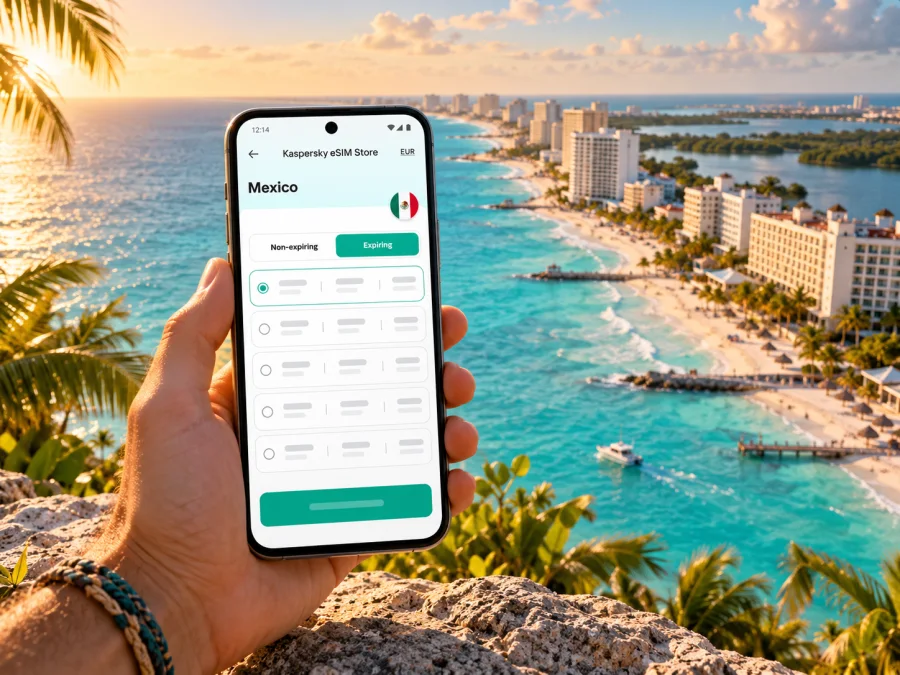
Cancun eSIM: mobile connection and internet for your trip
Cancun is a coastal city in Quintana Roo, Mexico, where the first need for mobile data often arrives before the holiday does: finding your transfer after landing, sharing a hotel address, or checking a reservation while you are still at the airport. An eSIM can help you prepare mobile internet without replacing your physical SIM. Kaspersky eSIM Store is an app and website where you can choose, purchase, and activate an eSIM with a suitable data plan for an international trip.
Cancun is not just one resort strip. Downtown, the Hotel Zone, the airport, and ferry ports are separate points in a spread-out destination. A Mexico plan may be relevant for a stay in Cancun, but the network used, included territory, activation conditions, and data allowance depend on the specific offer. Check those terms before you travel.
When mobile internet helps in Cancun
A connection is useful for more than posting beach photos. In Cancun, it can make each hand-off in a travel day easier: airport to transfer, transfer to accommodation, and accommodation to a restaurant, museum, or meeting. Keep an offline copy of your hotel address and booking details as a backup; mobile data is a convenience, not a substitute for basic travel information.
| Moment | What you may need data for | Helpful preparation |
|---|---|---|
| Before landing | Checking a transfer message or accommodation details | Save the address and reservation offline |
| At Cancun International Airport | Contacting your driver, checking a route, or opening a booking | Confirm the terminal and pickup point in advance |
| On the way to town | Following the trip and sharing your arrival time | Keep the destination pin available in your map app |
| Around downtown | Finding a café, ATM, shop, or meeting location | Save key places before leaving your accommodation |
| In the Hotel Zone | Checking beach access, museum hours, or return transport | Keep your hotel name and nearest landmark handy |
| On a day trip | Coordinating ferry, bus, or pickup details | Check whether the plan covers the whole route |
Arrival at Cancun International Airport
Cancun International Airport is outside the main hotel and downtown areas. ASUR lists ADO shuttle service at terminals 2, 3, and 4, and taxi pickup points at terminals 2 and 3. ADO is listed as transport to the city; confirm the current route and drop-off rather than assuming it takes you to your hotel door. If you have booked a private transfer, agree on the meeting point before flying and confirm the driver’s details through your provider’s channel.
At arrivals, follow terminal signs and your confirmed booking. Save a screenshot of the transfer instructions, accommodation address, and map pin while you have a dependable connection. A bus to a downtown station and a transfer to a resort are different journeys, so check where you will be dropped off and whether you need a second ride.
Downtown and the Hotel Zone are different bases
Cancun’s urban centre and its Hotel Zone serve different travel patterns. Downtown is a practical base for local errands, restaurants, and onward ground transport. The Hotel Zone follows the coast along Boulevard Kukulcán, with resorts, beaches, and attractions distributed along the route. The two areas are not interchangeable map labels: check whether an address is in El Centro, the Hotel Zone, or another part of Benito Juárez before estimating travel time.
“Near Cancun” does not tell you how close a place is to your hotel. A beach access point, restaurant, or museum may be several stops away along Boulevard Kukulcán. Map the full route and leave room for traffic and waiting, especially when an excursion pickup or dinner reservation has a precise meeting point. For a short stay, group nearby stops together and plan downtown errands separately to avoid backtracking.
Choosing an eSIM plan for a Cancun itinerary
Start with the route, not a headline data amount. A trip spent mostly at one resort has a different pattern from a stay split between downtown, the Hotel Zone, and day trips to Playa del Carmen or Isla Mujeres. A plan labelled for Mexico may cover a wider area than Cancun, but never infer coverage from the destination name alone. Confirm the included country or region, the networks or roaming arrangements stated in the offer, any speed or fair-use conditions, the plan’s validity, and when its validity begins.
In Mexico, the mobile service is delivered through the local network named or used by the specific plan provider. Kaspersky eSIM Store is the app and website for selecting and activating an eSIM plan; it is not a Mexican mobile operator and does not own a radio network. The exact network partner can vary by offer. If the provider identifies a partner network, check its own coverage information for the places on your itinerary, especially if you expect to travel beyond the main Cancun urban and resort areas. A national plan label does not guarantee identical reception at every beach, building, road, or island stop. The current Mexico plan listings identify Movistar and Telcel among local telecommunications providers; check the individual offer to see which network arrangement applies. This can change, and it does not mean that every plan uses both networks.
Estimate the data you will use
Think in tasks rather than guessing a fixed amount. Navigation, messaging, ride coordination, and occasional browsing usually consume data differently from video calls, cloud backups, or streaming. Your usage also depends on app settings, screen quality, and whether photos upload automatically.
| Your likely use | What to account for |
|---|---|
| Maps and local searches | Route recalculation and frequent place searches use data over the day |
| Messaging and email | Text is light; sending many photos or voice notes uses more |
| Work calls | Video calls can consume data quickly; check your employer’s meeting settings |
| Social media | Auto-playing video and high-resolution uploads can add up |
| Streaming | Download films or playlists on Wi-Fi before leaving |
| Shared hotspot | Other devices may use data for updates and background sync |
Before buying, check how the offer measures data, whether unused data expires, whether topping up is possible, and whether tethering is allowed. Do not assume that an eSIM plan includes a local phone number, regular voice calls, or SMS; these features depend on the offer.
You can review the available eSIM plans for Mexico and compare current terms for your travel dates. Plans can differ in network, features, and territorial coverage. If you need to call a hotel or a local service, keep your primary line available if its roaming terms suit you, or use an internet calling app when both sides can connect.
Choose enough data for tasks you expect to do while moving around, then reduce background use: set large updates, photo backups, and streaming to Wi-Fi. Download offline maps for Cancun and longer road legs; they remain useful if signal drops, though they do not show live traffic or updated hours.
Make the plan match the route
If Cancun is your only stop, a Mexico-specific plan may be easier to evaluate than a regional plan. If you continue to other Mexican destinations, verify that they are included rather than assuming a city plan or a single-country offer follows you everywhere. If an itinerary crosses an international border, a Mexico-only plan may stop working beyond it; look for an offer that explicitly includes every country on the route.
For an Isla Mujeres visit, plan for the mainland, ferry crossing, and island separately. VisitMexico lists ferry departures from Puerto Juárez or Punta Sam. Check your plan’s terms and keep the ticket, port, and return time offline. For Playa del Carmen or another excursion, confirm that the route is included rather than treating “Cancun” as a coverage guarantee.
Prepare your phone and install the eSIM
An eSIM works only when the device supports it, is not restricted by its seller or carrier, and can use the plan’s network technology. Compatibility may differ between regional versions of the same phone family. The model name alone is not always enough: find the exact model or part number in the device settings or original packaging, then check the manufacturer’s information and the plan’s requirements. Some devices sold for particular markets have different SIM configurations. Do not rely on a generic list for a similar-looking variant.
You can check whether your device supports eSIM before purchase. Also confirm that your phone is unlocked for use with another provider and has room for another eSIM profile. If the device was bought from a mobile operator, ask that operator about its lock status. For a current line from a Mexican carrier, use that carrier’s own eSIM terms; a local operator’s eSIM and an international travel data plan are distinct products with different registration, number, and service conditions.
Before you leave
- [ ] Confirm the exact phone model and regional variant.
- [ ] Check eSIM support and carrier-unlock status.
- [ ] Review the destination, data allowance, validity, network, and activation terms of the chosen plan.
- [ ] Make sure you can access the email address or account where installation details will arrive.
- [ ] Keep a reliable internet connection available for installation, such as trusted Wi-Fi.
- [ ] Save your accommodation address, transfer details, ferry or bus tickets, and offline maps.
- [ ] Decide which line will handle mobile data and which line, if any, will remain your usual number.
Installation and first connection
Install the profile when you have time and stable Wi-Fi. Depending on the offer, installation may be through an in-app flow, a direct installation link, or a QR code. Follow the instructions for that specific eSIM and do not scan or install the same profile repeatedly unless the provider tells you to do so. Check the offer’s activation timing: adding a profile to your phone and starting its data validity are not necessarily the same event.
For step-by-step help, use the Android eSIM installation instructions or the iPhone and iOS eSIM installation instructions. Menu labels can vary by operating-system version and manufacturer, so follow the instructions shown for your device.
A practical sequence is:
- Connect to stable Wi-Fi and open the installation details from your purchase.
- Add the eSIM profile using the method specified for your phone.
- Label the profile “Mexico trip” or another name you will recognize.
- Keep your usual line selected for calls and messages if you still need it.
- Choose the travel eSIM for mobile data when the plan is ready to use.
- Enable data roaming for that eSIM only if the plan’s instructions require it.
- Test a simple page or map before leaving Wi-Fi, then check the plan’s account or usage screen.
If you are installing before departure, check whether the provider says to leave the profile turned off until arrival. Some profiles can be installed early but connect or begin their validity only under specific conditions. Follow the plan instructions rather than switching settings based on a general rule. Keep the QR code and support details somewhere accessible, but do not share them publicly.
Staying connected around Cancun
Navigation and transport
Save your hotel as a labelled place. For the Hotel Zone, include the hotel name and entrance; downtown addresses need a street and neighbourhood. Share the pin with your party and agree on a meeting point in case mobile data or battery runs low.
ASUR lists ADO as a shuttle to the city. Confirm its current drop-off and plan the last leg to your accommodation. Before entering a vehicle, check the destination and pickup point through your booked channel. A charged phone, screenshot of the address, and downloaded map are useful backups if service drops.
Beaches, museums, and day trips
El Rey archaeological site and the Museo Maya de Cancún are both in the Hotel Zone on Boulevard Kukulcán; INAH lists them at kilometers 18 and 16.5 respectively. Check current hours before setting out and map each entrance rather than assuming the route between them is walkable.
For a beach day, save the public access point or the name of the beach club or hotel you are visiting. “Cancun beach” is too broad for a driver or navigation app. For a ferry, keep the port name, departure time, ticket, and return plan together. The phone connection helps coordinate a trip, but it cannot replace checking the operator’s latest departure information.
Work and short stays
For work, download essential documents, keep meeting addresses in your calendar, and ask your accommodation about Wi-Fi if video calls are critical. Mobile data is a useful backup, but indoor reception and plan conditions vary. On a same-day stopover, prioritize one destination and a return route; check travel time and leave room for traffic and airport procedures.
If the eSIM does not connect
Work through the basics in order instead of deleting the profile immediately:
- Confirm that the travel eSIM is switched on and selected for mobile data.
- Check that the plan is active, valid for Mexico, and within its date and data limits.
- Follow the provider’s instructions for data roaming and network selection.
- Toggle airplane mode once or restart the phone, then wait for it to register.
- Check whether the issue is limited to one location or persists in several places.
- Contact the plan provider’s support with the device model, location, and a description of the steps already tried.
Do not remove an eSIM profile as a first troubleshooting step. Some profiles cannot be installed again without help or a new activation. If the eSIM connects in one part of Cancun but not another, the problem may relate to local conditions or the plan’s partner network. A second plan is not automatically the answer; first confirm the offer’s coverage and setup requirements.
Common questions
Does a Cancun eSIM work across the whole city?
A city name does not establish service at every point. Check Mexico coverage, network partner, and stated limits; reception can vary indoors and by location or time.
Is Cancun part of Mexico or a separate island destination?
Cancun is a city in Benito Juárez municipality, Quintana Roo, Mexico. The downtown city is on the mainland; the Hotel Zone runs along the narrow island between the Caribbean Sea and Nichupté Lagoon. The Hotel Zone is part of the Cancun destination, not a separate country or mobile-plan market. Isla Mujeres is a separate island reached by ferry, so check the plan for that part of your itinerary as well.
Can I keep my home number active?
Often you can keep your usual line for calls and messages while using a travel eSIM for data, depending on your phone and carrier. Check home roaming charges and confirm the selected data line. A data plan should not be assumed to include a local number, calls, or SMS.
Will my phone support eSIM because the model family is listed?
Not necessarily. Regional versions can have different SIM hardware or software support, and a carrier lock can prevent use with another provider. Check the exact model number, country of purchase, manufacturer guidance, and the requirements of the plan you intend to use.
Should I activate the eSIM before I fly?
Prepare it before departure if the plan allows. Installation, activation, and validity may be separate steps; follow the offer’s instructions and do not delete the profile after setup.
What if I travel from Cancun to another state or country?
Recheck the included territory before travelling. A Mexico plan may cover more than Cancun, but its terms define where it works; an international border may require a different plan. Use an offer that explicitly includes each country on your route.
A calmer connection plan for your Cancun trip
Before departure, confirm your exact device variant, review the Mexico plan’s network and validity terms, install the eSIM as instructed, and save the details you may need offline. In Cancun, keep downtown, the Hotel Zone, the airport, and ferry terminals distinct when planning journeys. That small amount of preparation makes it easier to use maps, coordinate transport, and stay in touch while you explore.
When you are ready, open Kaspersky eSIM Store to choose an eSIM plan for your trip to Cancun. Compare current Mexico offers against your itinerary, data needs, compatible device, and the plan’s stated network and activation conditions.


