Travel connectivity guide
Canouan eSIM: Mobile Internet for Your Island Trip
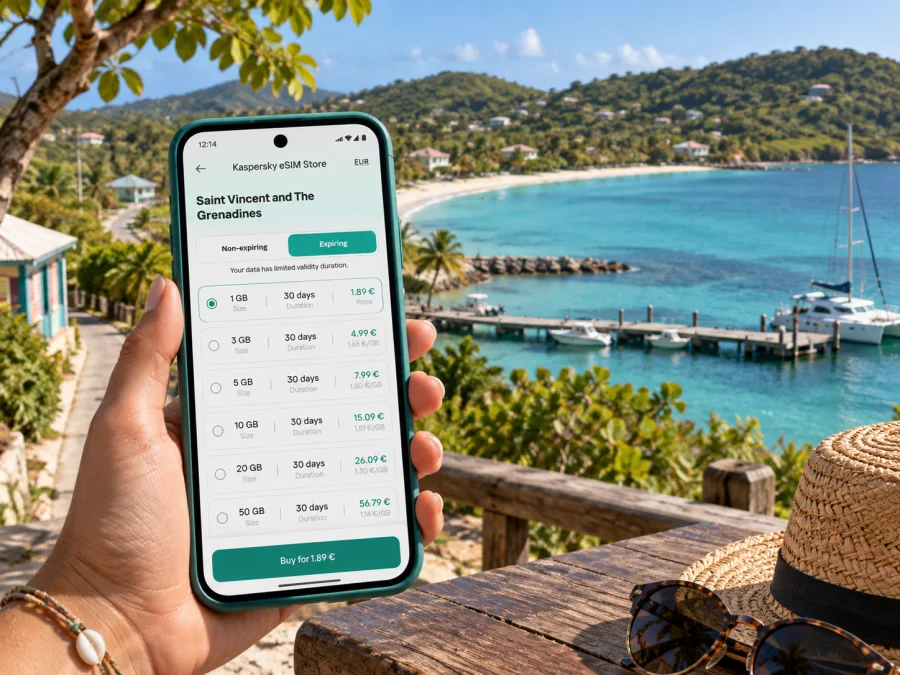
Canouan eSIM for a reliable mobile connection and internet on the island
Canouan is a small island in the Grenadines, part of the country whose official name is Saint Vincent and The Grenadines. A visit may combine an airport arrival, a road transfer, coastal time and a boat trip. Mobile internet helps you check arrangements, contact a host and consult maps. An eSIM can provide a separate data connection while your usual SIM remains in the phone, subject to plan terms and roaming coverage.
Canouan is an island destination rather than a large city with a dense street grid. You may use data in a settled area, then travel by road, ferry or boat where service can vary. Save accommodation details and maps offline, and check the specific coverage terms for your route.
Canouan in context: an island in Saint Vincent and The Grenadines
Canouan belongs to the Grenadines, the island chain within Saint Vincent and The Grenadines. It is not part of Grenada, even though both countries share the Grenadines archipelago. The country includes several distinct islands; a country-level eSIM destination does not mean that every small cay, offshore route or neighboring island has identical service. For a trip that includes Canouan and onward stops, check the coverage wording for the plan and its listed destination before purchase.
Canouan has settled areas, accommodation zones, an airport, harbor and beaches, rather than an extensive public transport network. The airport, villages, waterfront and places to stay are connected by routes that may need advance coordination. Save your accommodation pin and agree on a pickup before leaving the airport or ferry terminal.
| Place | Visitor use | Preparation |
|---|---|---|
| Canouan Airport (CIW) | Air arrival and onward pickup | Save flight and pickup details |
| Charlestown waterfront | Local reference point and marine transfers | Confirm exact meeting place |
| Accommodation areas | May be separated from services | Ask property about arrival route |
| Ferry terminal and wharf | Inter-island travel, depending on service | Confirm schedule and destination |
| Offshore cays | Coverage may differ from the main island | Download maps and return details |
Verify transport details with the relevant operator or property; routes, hours and pickup arrangements can change.
Arriving and getting oriented
Canouan Airport uses the code CIW. Before travel, check whether your itinerary reaches Canouan directly or requires a connection through another island or regional airport. Timetables and transfer arrangements are operator-specific and may change seasonally. Allow for the possibility that a delay on one leg affects a pickup, hotel check-in or onward boat. Keep the accommodation’s phone or messaging details and the driver’s name in a note that can be opened without mobile data.
After landing, avoid assuming that a map app will have a usable route cached. Download an offline map of Canouan before leaving home, pin your accommodation and save a screenshot of any arrival instructions. If you are meeting a driver, agree on the exact meeting point and a fallback method before boarding. A working data connection is helpful, but a saved contact and clear plan matter when coverage or airport Wi-Fi is unavailable.
If you arrive by sea, check the precise terminal or wharf and the onward transport arrangement. A ferry port and an airport are not interchangeable points on the island: the transfer may be a road journey, and the best pickup point depends on the service you booked. For a connection to another island, confirm whether luggage is checked through or whether you need to collect and recheck it. Keep tickets and booking references accessible offline.
A practical first-hour routine:
- Keep booking and pickup details accessible.
- Confirm the local pickup arrangement.
- Enable the eSIM line when ready, following its activation instructions.
- Test data, send an arrival update and save the route offline.
If service does not appear, check that the eSIM is enabled for data and apply data roaming if the plan requires it. Validity may begin under specific conditions, so read the plan details before installing it well ahead of travel.
Getting around Canouan
Canouan is compact in comparison with a large metropolitan destination, but your daily route is shaped by the coast, hills, accommodation location and the transport you arrange. Do not plan every journey as a walk simply because the map distance appears manageable. Ask your host which roads are suitable for walking, how long a transfer normally takes and whether a driver should be booked in advance. For a boat trip, confirm the departure point separately from the name of the beach or island you will visit.
Use data to confirm pickups, share a location or update your host. Keep offline maps and save accommodation, transport and tour contacts; do not expect continuous signal along every road or shoreline. Travelling together? Agree where to regroup if someone loses service.
A practical daily setup
- Before leaving accommodation: check the meeting place, return time and whether the activity is weather-dependent.
- At a junction or waterfront: verify the next leg with the driver or boat operator instead of relying only on a map pin.
- For a beach visit: tell someone your planned return time and carry essentials; a beach may not have services nearby.
- For an island-hopping day: store each leg’s confirmation and the operator’s contact details offline.
- After changing plans: message your host or pickup contact while you still have a connection.
Canouan is a base for coastal and marine activities in the southern Grenadines. A boat itinerary may pass beyond the main island into places with weaker or no cellular service. Do not treat an eSIM as a marine safety plan; confirm the operator’s meeting time and return point, and carry enough battery for the day.
Choosing a travel eSIM for Canouan
Start with your route and expected data use. Review destination coverage, validity, allowance, activation rules, network access and hotspot limits. A country plan for Saint Vincent and The Grenadines may suit a Canouan stay if its terms include the destination and dates. For onward travel, check each stop separately. For a closer look at destination options, compare eSIM plans for Saint Vincent and The Grenadines.
Messaging, email and map checks use less data than frequent video, cloud backups or large uploads. Download maps and documents on Wi-Fi; disable automatic updates and photo syncing over cellular data.
| Travel pattern | What to check |
|---|---|
| Short Canouan stay | Coverage and dates |
| Multiple islands | Each stop and validity |
| Maps and messaging | Allowance and top-up options |
| Video or laptop hotspot | Data amount and hotspot terms |
An eSIM plan is generally intended for mobile data unless the specific terms say otherwise. Do not assume it includes a regular local phone number, traditional voice calls or SMS. You can keep your usual number available on a physical SIM or another line, but check your home operator’s roaming charges and phone settings. Internet-based voice or video calls work only when a data connection is available and the app supports them.
Local networks and what coverage means
The national telecommunications regulator’s public licence register lists two public mobile telecommunications licensees for Saint Vincent and The Grenadines: Cable and Wireless Caribbean Cellular (St. Vincent and the Grenadines) Limited and Digicel SVG Limited. This identifies the local operator market; it does not identify which network a particular travel eSIM will use. The network access for a travel plan depends on its provider and roaming arrangements, which should be described in that plan’s current terms.
Coverage can vary with terrain, buildings, weather and network conditions. A displayed network name does not guarantee the same speed everywhere, and offshore service may differ from settled areas. For work, save files locally, identify accommodation Wi-Fi and avoid relying on an untested connection for critical calls.
Keep the distinction clear when planning multiple destinations:
- Canouan is the island where you are staying.
- Saint Vincent and The Grenadines is the country for the destination plan and country coverage terms.
- The Grenadines is an island chain, not a guarantee that every island or cay is covered by one country plan in the same way.
- A regional plan has its own country list and network conditions; the word “regional” alone does not establish that every stop is included.
Check your phone before purchase
Your device needs eSIM capability and must not be locked in a way that prevents use of another provider’s eSIM. Support varies by model, operating system, country of sale and exact regional variant. Two phones with the same marketing name can have different eSIM capability in different markets, and some models support eSIM only when sold in particular regions. Check the manufacturer’s specifications for the exact model number and variant, then confirm that the device is unlocked.
Check whether your device supports eSIM before you select a plan. If you use a dual-SIM phone, decide which line will handle mobile data and whether calls or texts should remain on your regular number. The phone’s menu names can differ across models, so follow the instructions for your operating system and verify the selected data line after installation.
Install and activate before your trip
Installing the profile before departure can reduce setup work after landing, provided you follow the plan’s activation rules. Some plans start validity when installed, while others begin at a later event such as first connection in the destination. The plan details should say what applies. Use a stable Wi-Fi connection for installation and keep the QR code or manual setup details available on a second screen or in the format specified by the plan.
Use the Android eSIM installation instructions or iOS eSIM installation instructions. Install over reliable Wi-Fi, check that the profile appears in SIM settings and enable the travel line for data at the appropriate time. Follow the plan’s instructions for data roaming.
Before leaving, confirm destination, dates, data allowance, top-up and activation rules; check regional device support and unlock status; install the profile and label it; set the desired data line; and save setup details offline. Check home-SIM roaming costs if you keep that line active.
If you have an active line but no data, check mobile data selection, roaming settings, airplane mode and the plan’s network instructions. Restarting may help. Do not delete the profile unless instructed; reinstallation may require a new activation. Contact the support channel provided with your order if the issue continues.
Three situations to prepare for
- Airport pickup: send your flight details in advance; save the property pin and driver’s number for use if data is delayed.
- Ferry or boat onward: confirm boarding and baggage rules, share your expected arrival and keep the return plan offline.
- Work trip: test accommodation connectivity before a critical call, check hotspot conditions and download files in advance.
Frequently asked questions
Is Canouan a city or an island?
Canouan is an island in the Grenadines, within Saint Vincent and The Grenadines. The practical destination is the island, not a large urban centre.
Which destination should I choose?
Choose Saint Vincent and The Grenadines if the plan’s terms include Canouan. Do not select Grenada because both countries include islands called the Grenadines. Check every onward stop separately.
Will a travel eSIM use Flow or Digicel?
The regulator lists Cable and Wireless Caribbean Cellular and Digicel SVG as local mobile licensees. That does not identify the roaming partner for a particular eSIM; check the plan’s network information.
Will service work everywhere, including offshore?
Continuous coverage is not guaranteed. Terrain, buildings and location affect signal, and offshore service may differ. Save essential details offline.
Does the eSIM include calls and SMS?
Only if the plan says so. Many travel eSIMs are data-only; traditional calls and texts may remain on your regular SIM under your home plan.
Can I install it before arrival?
Usually, but activation timing varies. Follow the plan instructions so validity does not begin earlier than intended.
What if eSIM support varies by region?
Check the exact model and market variant with its manufacturer and confirm the phone is unlocked. Use the compatibility checker before purchase.
Can I navigate with it?
Online maps need service; download an offline map and save your accommodation and meeting points.
Before you leave
A connected Canouan trip begins with practical checks: verify the flight or ferry, coordinate the pickup, save the accommodation location and download offline information. Then match an eSIM plan to the actual dates, data needs and island itinerary. Review coverage and activation terms for Saint Vincent and The Grenadines, and make a separate plan for any onward destination.
When you are ready, choose an eSIM plan for Saint Vincent and The Grenadines through Kaspersky eSIM Store, the app and website for selecting, purchasing and activating an eSIM plan for mobile internet abroad. Check device support and the plan conditions, install the profile as instructed, and keep important travel details available offline for your time on Canouan.


