Travel connectivity guide
eSIM in Cap Skirring: Senegal Travel Guide
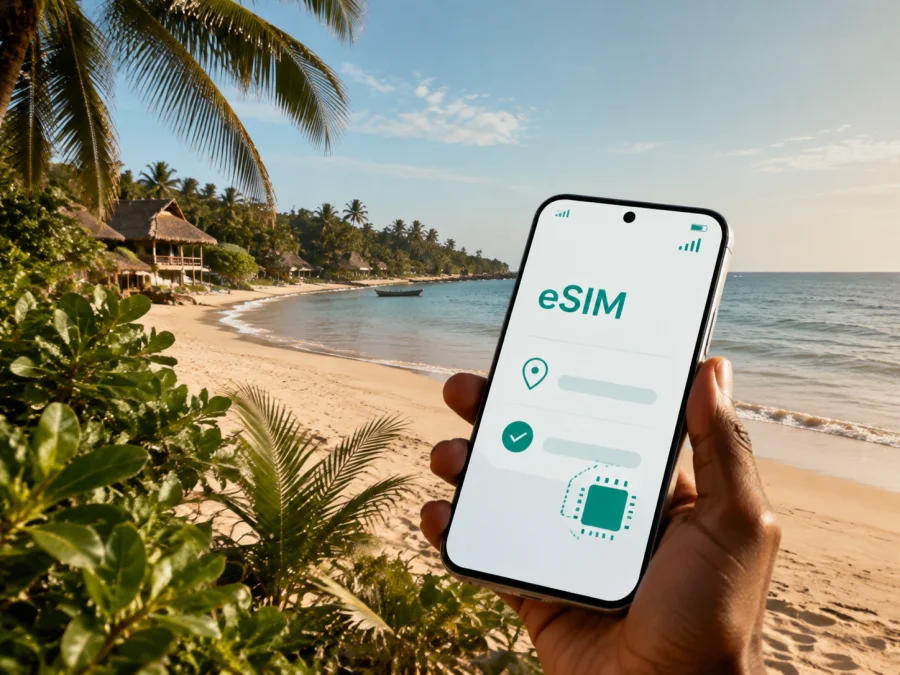
eSIM in Cap Skirring: mobile connection and internet for your trip
Cap Skirring is a coastal resort in Senegal’s Casamance region. A trip here may combine an airport arrival, a beach stay, journeys through nearby villages and time away from large urban centres. Plan the digital side of the journey by arranging mobile internet before you leave. An eSIM, or digital SIM, can help you use data on a compatible phone while keeping your everyday physical SIM card.
For a visitor to Cap Skirring, mobile data is useful from the first transfer after landing: it can help you check a hotel message, follow a map, contact a driver, confirm a booking or tell family that you have arrived. Kaspersky eSIM Store is an app and website where you can choose, arrange and activate an eSIM with a suitable plan for mobile internet during an overseas trip. The right choice depends on your itinerary, device, data habits and the conditions shown for the selected plan.
Why an eSIM can be useful in Cap Skirring
Cap Skirring is a destination for beach stays, local excursions and slower travel. That does not mean that connectivity is only needed in an emergency. You may use data to coordinate an airport transfer, translate a message, check a reservation, navigate to a restaurant, share a location or look up the next part of your route through Casamance. Having a data option ready can make those small tasks easier to handle.
An eSIM is especially practical when you want to keep your regular SIM active for incoming messages while using a separate data line for the trip. The exact setup varies by phone and plan, so read the conditions before activation. The eSIM is intended for mobile internet; it does not automatically give you a regular Senegalese telephone number. Voice calls and SMS are not included unless the selected plan specifically says otherwise. Internet messengers can be used for calls and messages when your data connection is available.
Practical advantages for Cap Skirring:
- you can prepare the data option before reaching the airport;
- you do not need to remove a physical SIM card from your phone;
- you can choose the destination, data allowance and validity period shown in the plan details;
- you can keep maps, booking information and messaging available during transfers;
- you can check the cost of a prepaid option before the trip rather than making a decision at the roadside;
- you can manage the eSIM and its balance through the app or website.
This does not remove the need for preparation. A phone must support eSIM and must not be locked by its original operator. Local conditions, the selected plan and the device configuration all affect how the service works, so it is better to check the details while you still have a stable internet connection.
The first hours after arriving
At Cap Skirring Airport (CSK), you may need to locate a transfer, open a booking confirmation or contact your host. Save the accommodation name, address, transfer details and a contact number before leaving home; screenshots or notes help if your phone restarts.
An arrival checklist:
- install the profile, but activate it according to the plan conditions;
- charge the phone and keep your everyday line for needed calls or SMS;
- select the travel eSIM for data when ready and disable automatic data switching if useful;
- open the map and first message before starting the transfer.
Installing a profile in advance does not always mean that validity or traffic use has started. Check the selected plan’s terms.
Moving around Cap Skirring
A Cap Skirring trip may combine walking near the beach, a village visit and a transfer to another part of Casamance. Use data to confirm a driver’s meeting point, share a location when appropriate and check a route before setting off. Save important map areas and the return arrangement where possible, because an excursion may take you away from reception desks or large transport hubs.
The phone may handle only a few tasks on a relaxed day—messages, maps, a booking and a family update—but remote work, video calls, photo uploads and hotspot use consume more. Choose the allowance around those habits rather than the city name alone.
Choosing a plan for a Cap Skirring itinerary
Start with the country or region in which the plan is valid. Cap Skirring belongs to Senegal, so the country option is the relevant starting point for a stay based in the town. If your journey continues through other countries, check whether a regional plan is more appropriate and confirm that its terms cover the complete route. Do not choose only by the name of the first destination.
Next, estimate your actual use. Messaging, maps and occasional email generally require less data than frequent video calls, cloud backups or uploading many high-resolution videos. You do not need to predict every megabyte, but you should identify your main activities and leave some room for unexpected navigation or a change of plan.
| Travel pattern in Cap Skirring | Typical data needs to consider | What to check in the plan |
|---|---|---|
| Short stopover or one-night arrival | Messages, transfer details, maps and booking access | Validity period, activation conditions and a modest data allowance |
| Beach holiday with local outings | Navigation, messaging, photos and occasional browsing | Data volume for the length of the stay and the Senegal destination |
| Longer Casamance route | Repeated maps, reservations, calls in messengers and uploads | A validity period that covers the whole route and a larger allowance if needed |
| Work trip or remote stay | Email, shared files, video calls and possibly hotspot use | Whether the allowance suits work, tethering conditions and the renewal or top-up rules |
The table is a planning framework, not a promise about consumption. Video, automatic photo backup and application updates can use data quickly. Before departure, set your phone to update large files over Wi-Fi only, turn off background refresh for apps you do not need and review which applications are allowed to use mobile data.
When the destination, duration and data habits are clear, choose an eSIM plan for a trip to Cap Skirring. Review the allowance, validity period, price, supported destination and any activation or top-up conditions shown for the option. If your itinerary includes more than Senegal, compare the country and regional choices against the route you will actually take.
Routes beyond the town
Cap Skirring is often a base for discovering Basse Casamance. If your route includes Oussouye, Kabrousse, Diembering, Ziguinchor or another destination, check that your Senegal plan applies to the whole itinerary. The important detail is geographical validity, not just the first town in your booking.
Before leaving Cap Skirring, save the next meeting point, accommodation contact and return arrangement. Keep key map areas available offline where possible and conserve battery for navigation and messages. Between coastal roads, village visits and transfers, mobile data can help with a pickup or a route change, but offline details and a confirmed local arrangement remain useful if conditions vary.
Installing an eSIM before or after arrival
Install the profile when you have a stable internet connection and enough time to read each confirmation screen. You can do this before travelling or after arrival, depending on the plan’s conditions and your preference. If you wait until Cap Skirring, make sure you already know how to reach the installation screen and have the QR code or profile details ready.
1. Check the phone
Make sure the phone supports eSIM and is not locked to an operator. Models can differ by market or regional version, so check your device compatibility before you commit to a plan. Also check that the phone can connect to the internet during installation.
2. Open mobile network settings
Go to the mobile network or cellular settings and choose the option for adding a mobile plan or eSIM. The wording differs between Android and iOS versions. Keep your everyday SIM active until you are sure that the new profile is installed correctly.
3. Add the profile
Scan the QR code from your profile or purchase message, or follow the in-app installation flow when that option is offered. Read the destination and plan details on the screen before confirming. Do not delete the profile or scan the same code repeatedly unless the instructions tell you to do so.
4. Select the data line
Choose the travel eSIM for mobile data when you want to use it in Senegal. Keep calls and SMS on your regular line if that matches your needs, and check which line is selected before making a call. If you want to avoid unintended charges, disable data switching on the everyday line.
5. Allow time for activation
Activation and registration can take a few minutes and depend on the device and local network conditions. If the plan’s instructions require data roaming for the eSIM, enable it for that profile only. If the eSIM does not connect, check the selected data line, restart the phone once, and review the plan instructions before contacting support.
For platform-specific steps, use the Android installation instructions or the iOS installation instructions. Follow the guide for your operating system rather than copying settings from a different phone model.
A practical phone setup for the stay
Give the travel profile a clear name, select it for mobile data and turn off automatic data switching if you want strict control over the line. Enable data roaming for the eSIM only when the plan instructions require it. Limit large updates and backups to Wi-Fi, and save important maps and accommodation details where possible.
A phone hotspot may help during remote work, but it can use data faster than maps and messaging. Confirm that tethering is allowed by the plan, monitor the balance and pause cloud synchronisation when it is not needed.
Accommodation, work and communication
Use accommodation Wi-Fi for large updates when appropriate, while keeping the eSIM for navigation and messages outside. For business, save meeting addresses and contacts, test messaging and video-call apps, and allow time for transfers around Casamance. On holiday, the same setup covers a pickup point, translation or family update.
Remember that the eSIM is for mobile internet, not a normal phone number unless the plan says otherwise. Keep your regular line for needed calls and SMS, and review its roaming settings separately.
What to check before you pay
Use this review before selecting a plan:
- Device: confirm eSIM support, the regional model and the absence of an operator lock. A work phone may restrict a second plan; check your device compatibility.
- Destination: choose Senegal for a Cap Skirring stay. For a cross-border or multi-country route, check a regional option against every part of the itinerary.
- Timing: read when validity and data use begin, and keep the purchase message and QR code until setup is complete.
- Allowance: match data to maps and messages, video calls, uploads or hotspot use; limit background data and monitor the balance.
- Terms: calls and SMS are not included unless stated. Check support, top-ups, refunds and transfer rules before deleting the profile.
Three Cap Skirring travel scenarios
- Late arrival: install and check the profile at home, save the accommodation details, then use the travel eSIM for the transfer and first message after landing.
- Beach stay with an excursion: save the route, return arrangement and meeting point before leaving town; use data for occasional map checks and messages.
- Work-focused visit: choose the allowance around meetings and hotspot use, test the laptop connection, limit backups and keep meeting details available offline.
Frequently asked questions
Is an eSIM useful if I am staying only in Cap Skirring?
Yes. Even a short stay can involve a transfer, messages, navigation and a day trip. Choose Senegal and a validity period that match the visit; video or hotspot use needs more data planning.
Can I keep my regular SIM in the phone?
Often, a compatible dual-SIM phone can keep both profiles, but options vary by device. Select the data line and review data switching. Your regular operator’s roaming charges are separate.
Will the eSIM give me a local phone number?
No, not with a mobile-data eSIM without voice service. A number, calls and SMS are excluded unless the plan says otherwise; use messengers over data.
Should I install the eSIM before flying to Senegal?
It can be convenient because you have stable internet and time to troubleshoot. Activation timing depends on the plan’s conditions, and installation after arrival is also possible with the required connection and profile details.
What if the eSIM does not connect in Cap Skirring?
Check eSIM support, operator lock, the selected data profile and whether roaming is required. Restart once and allow a few minutes for registration; if the issue continues, contact support with plan and device details.
A calm connection plan for Cap Skirring
The simplest preparation is: confirm compatibility, choose Senegal, estimate data use, read validity conditions, install over a stable connection and select the profile for data. Save transfer details offline, keep your regular number for needed calls or SMS and monitor the balance around Cap Skirring and Casamance.
When ready, select an eSIM plan for Senegal. Kaspersky eSIM Store helps you review the destination and activation steps for mobile internet during your Cap Skirring trip.


