Travel connectivity guide
Cape Maclear eSIM: Mobile Internet Guide for Malawi
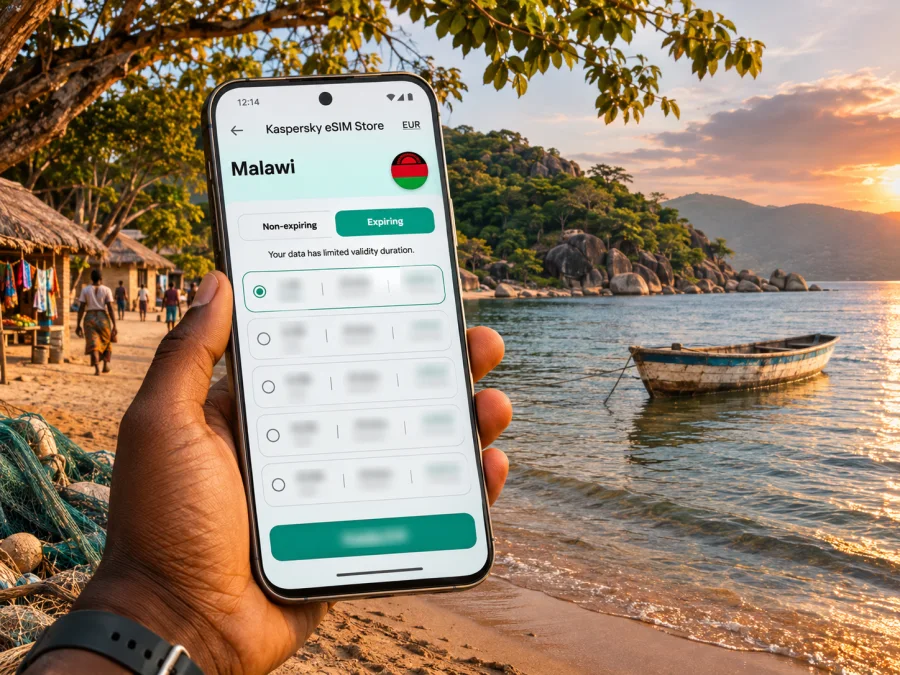
Cape Maclear eSIM: Mobile Connection and Internet for Your Trip
Cape Maclear is a lakeside destination in southern Malawi, known for the shore of Lake Malawi, boat outings and access to Lake Malawi National Park. It is not a large city with a dense street grid: the name is commonly used for the peninsula and visitor area around Chembe Village. That matters when planning mobile internet. You may use maps and messages on the journey in, then spend much of your stay around lodges, the village, the beach, boats and nearby islands, where a connection can vary with your exact location.
An eSIM can give a compatible, unlocked phone a separate mobile data plan for a trip, without replacing the physical SIM already in your device. It is useful for checking directions, contacting a driver or accommodation, and sharing a change of plan. It is not a promise of signal at every beach, on every boat or inside every building. For Cape Maclear, prepare for both connected moments and time offline: save key details before leaving a larger town and confirm the limits of the plan you choose.
First, place Cape Maclear on the map
Cape Maclear lies at the southern end of Lake Malawi, on the Nankumba Peninsula. The local settlement is also known as Chembe Village. The surrounding Lake Malawi National Park includes land around the cape and bay, nearby islands and a protected area of lake. The park is a UNESCO World Heritage property, recognized for its natural landscape and exceptional freshwater fish diversity.
These names are related, but not interchangeable. Cape Maclear is the destination area; Chembe is the village at its center; Lake Malawi National Park is a protected place extending beyond the village. A lodge or boat trip may be described as being at Cape Maclear, inside the park, or on an island. Check the specific place on your booking and arrange the final transfer with your accommodation rather than assuming every address refers to the village center.
This is a rural lakeshore stay, not an urban break. You will not rely on a continuous network of city buses, street names, taxi ranks and large shopping districts. Trips are more often organized around a lodge, a local driver, a boat operator, a walk or a road transfer. Mobile data is most useful for coordinating these pieces before you set out; it may be less dependable once you are out on the water or away from the main settlement.
When mobile internet helps most
A data connection has practical value even on a quiet lakeside holiday. It helps you coordinate arrival times, send a message if a transfer is delayed, check a map, confirm a boat departure, translate a short message, and keep in touch with people at home. If you are working remotely, it can also help with routine messages and lightweight tasks, provided the accommodation has a suitable connection and the mobile signal is usable.
| Moment in the trip | What a connection can help with | A useful backup |
|---|---|---|
| Before leaving a town or airport | Confirm pickup details, destination spelling and timing | Save the booking and driver contact offline |
| On the road to the lake | Follow the broad route and send an update | Download the map area and keep written directions |
| Arriving in Chembe | Message your lodge and find its entrance | Ask the driver to call or confirm the drop-off in advance |
| Planning a boat outing | Check messages and coordinate with the operator | Agree on a meeting point and return time face to face |
| At the beach or on an island | Share a short update when there is service | Keep a screenshot of the day’s arrangements |
| Handling a change | Contact the accommodation or travel companion | Keep essential phone numbers and booking details on paper |
Treat the table as a planning guide, not a coverage map. Network availability can change between the road, the village, a room, the shoreline and open water. A phone showing signal at one point does not establish that another part of the peninsula or an island will have the same service.
Getting to Cape Maclear and keeping the route manageable
Visitors generally reach the lakeshore as part of a wider Malawi itinerary. Depending on the route, you may arrive through Lilongwe or Blantyre and continue by road toward southern Lake Malawi. The final leg is rural; travel time depends on starting point, road conditions, weather and stops. Ask your driver or accommodation for a current estimate.
Before leaving a larger town, save the destination name, map pin, booking, pickup instructions and driver contact. Download an offline map, confirm whether the transfer ends at your lodge or a meeting point, and carry a charger or power bank. A map pin may identify a general village area rather than a lodge entrance, and some island stays require a boat transfer. Confirm departure location and timing directly with the accommodation.
If using public transport, confirm the final connection before setting out. For self-drive, plan fuel stops and avoid relying on live navigation after dark. Offline maps help, but local directions and current road conditions still matter.
What to expect around the village and shoreline
Chembe Village, nearby accommodation and the beach are practical reference points, but lodges and activities can be spread along the shore or around a headland. Pin your stay before arrival and ask staff about nearby essentials, boat departure points and safe walking routes after dark.
Activities may include snorkelling, diving, kayaking, boat trips and nature walks, depending on the operator and conditions. Data can be less predictable offshore than near the village. Before boarding, agree on departure and return times, the meeting place and whom to contact if plans change. Do not make safety arrangements depend on uninterrupted signal.
For an island stay, ask what communications are available and download documents in advance. Share your itinerary with someone on the mainland. Keep your phone secure near the water and use a suitable waterproof pouch; a power bank helps if you rely on it for maps and coordination.
Choose an eSIM plan for the route, not just the destination name
A city-labelled search can be a convenient starting point, but Cape Maclear is one part of a wider Malawi itinerary. Check that the plan’s destination is Malawi and read the conditions that apply to the exact offer. A regional plan may cover several countries, but its country list and rules must be checked before purchase. Do not infer coverage in a particular village or park from the country name alone.
Before choosing, compare the information shown for the plan:
- Destination: confirm Malawi is included. If your trip crosses a border, check every country on the route separately.
- Data allowance: estimate how you use maps, messaging, browsing, photos and video. Video calls and automatic photo backups can use more data than basic navigation.
- Validity: check when the plan starts counting time and how long it remains active. Installation and activation may be separate steps; follow the terms presented for the selected offer.
- Network and service conditions: review any stated network, speed, hotspot or fair-use limitations. These details may vary by plan.
- Tethering: if you expect to connect a laptop or another phone, confirm that the plan and device allow hotspot use.
- Calls and SMS: travel data eSIMs commonly focus on internet access. Do not assume the plan includes a local phone number, ordinary calls or text messages unless its terms say so.
- Top-ups and support: see whether additional data can be added and how to reach help if setup does not go as expected.
Your likely data use depends on your habits. For a low-data trip, you might use messages, occasional map checks and email while relying on downloaded maps and hotel Wi-Fi when available. A more data-intensive trip may include frequent social posting, cloud photo uploads, hotspot use or video meetings. Do not buy based on an assumed signal strength at Cape Maclear; choose an allowance based on your use and the stated package terms, then plan for offline periods.
Kaspersky eSIM Store is an app and website that helps you choose, arrange and activate an eSIM with a suitable plan for mobile internet while travelling abroad. To review the current Malawi options and their terms, browse eSIM plans for Malawi. The page is a place to check current offers for the country, not a guarantee of service at a specific beach, lodge or island. Compare the plan details with your full route and the connectivity needs of your trip.
Compatibility and phone preparation
An eSIM works only when the device supports eSIM and is not restricted by a carrier lock that prevents using another profile. Support varies by model, sales region and software version. A phone name alone is not enough to confirm compatibility: variants of the same device family can differ. Before arranging a plan, check whether your device supports eSIM and confirm that your specific model can use an additional profile while retaining your current SIM if that is important to you.
A practical pre-trip check:
- Confirm the exact model number and regional variant in your phone settings or the manufacturer’s documentation.
- Check that eSIM can be added in the device’s cellular or SIM settings.
- Confirm the phone is unlocked for use with another carrier.
- Install current operating-system updates while you still have reliable Wi-Fi and power.
- Make sure you can access the email or account used for plan setup.
- Keep the installation QR code or manual activation details available on a second screen or printed copy if the instructions allow it.
- Do not delete an installed profile during troubleshooting unless support or the plan instructions tell you to do so.
Install before departure; activate according to the plan
If you choose an eSIM before leaving, installing it while you have stable Wi-Fi can make setup easier. Read the offer’s instructions first: some plans allow advance installation, while the moment of activation or the start of validity can follow plan-specific rules. Do not assume that installing a profile automatically starts its validity, or that every plan starts at the same point.
- Connect to reliable Wi-Fi and open the setup instructions for your purchased plan.
- Add the eSIM using the method shown for your device, such as scanning a QR code or entering details manually.
- Label the new line clearly, for example “Malawi data,” so it is easy to distinguish from your home SIM.
- Keep your regular line available for calls or messages if you need it, and review its roaming settings to avoid unexpected charges.
- When you are ready to use the travel plan, select the eSIM for mobile data and follow the plan’s activation and data-roaming instructions.
- Check that mobile data works with Wi-Fi turned off before relying on it for an important transfer. If it does not connect, use the troubleshooting steps for that plan or contact support.
Use the relevant setup instructions for your phone: Android eSIM installation instructions or iOS eSIM installation instructions. Menu names differ across manufacturers and operating-system versions, so use the on-screen wording on your device. Keep the QR code private and do not share it in a public chat.
At Cape Maclear, do the first data check near your accommodation or another place where you have a reliable connection, rather than waiting until you are already on a boat or heading out on a remote stretch. If the plan connects, test messaging and a basic map lookup. If the signal is weak, move to a more open location and check that the correct line is selected. Repeatedly deleting and reinstalling an eSIM can make recovery harder, so consult the specific setup guidance first.
Keep a sensible offline backup
Save the accommodation’s phone number, pickup instructions, reservation and boat arrangements where you can open them without internet. Download maps and tickets before leaving a town with dependable Wi-Fi. Ask your accommodation where guest Wi-Fi works, since rooms, shared areas and island properties may differ. Treat open networks carefully and avoid sensitive transactions on a network you do not trust.
A useful offline kit is simple: a saved map pin, booking screenshots, key phone numbers, a charged phone and a power bank. This complements mobile data; it does not replace a confirmed transfer or meeting point.
Troubleshooting when data does not connect
Check that the eSIM is on and selected for mobile data, airplane mode is off, and the plan’s activation and data-roaming instructions have been followed. Move to an open area and wait briefly; buildings and terrain can affect reception. Confirm validity and remaining data if available. If the issue continues, use Wi-Fi or saved contact details to reach support or your accommodation.
Troubleshooting depends on the plan and device. Avoid deleting the profile or resetting the phone before checking the relevant instructions. If data works in one part of the village but not another, it may be a local signal difference. Keep offline navigation available while you investigate.
Frequently asked questions
Is Cape Maclear a city?
Cape Maclear is a lakeside destination area on the Nankumba Peninsula. Chembe Village is the settlement associated with the visitor area, so plan for a rural village and shoreline rather than extensive urban transport and services.
Is mobile internet guaranteed throughout Cape Maclear?
No. Service depends on the local network, plan, terrain, building and whether you are on shore or on the lake. Confirm arrangements with your accommodation and save essential information offline.
Can I use an eSIM in Malawi?
Possibly, if your specific device supports eSIM, is unlocked, and your chosen plan includes Malawi. Check the exact device variant and offer before arranging it.
Does a travel data eSIM include a Malawi phone number?
Not necessarily. Many travel eSIMs focus on data. Check the plan terms for calls and SMS; internet calling apps require data access.
Should I install the eSIM before travel?
Advance installation over stable Wi-Fi can be convenient if the plan permits it. Follow the offer’s rules for activation and when validity begins.
What if I need internet for work?
Ask the specific lodge about Wi-Fi and power, and test your workflow before depending on it. Keep a backup for essential calls and deadlines.
A simple plan for a smoother stay
Before you leave for Cape Maclear, confirm the exact accommodation and transfer, save the route and booking offline, and check that your unlocked phone supports eSIM. Compare current Malawi plan terms against your route and expected data use. Install and activate the profile according to its instructions, then test it before you leave a dependable connection.
At the lake, use mobile internet for coordination and everyday checks when it is available, and keep essential details accessible offline. That balance is especially useful around Chembe Village, the shoreline, the park and boat trips: you can benefit from a connected phone without assuming that coverage follows you everywhere.
When you are ready to prepare for the trip, review eSIM options for Malawi in Kaspersky eSIM Store, compare the current terms, and choose a suitable plan for your itinerary. Install it on a compatible device and follow the plan’s activation guidance before relying on mobile data on the road or by the lake.


