Travel connectivity guide
Caracas eSIM: Mobile Data and Travel Guide
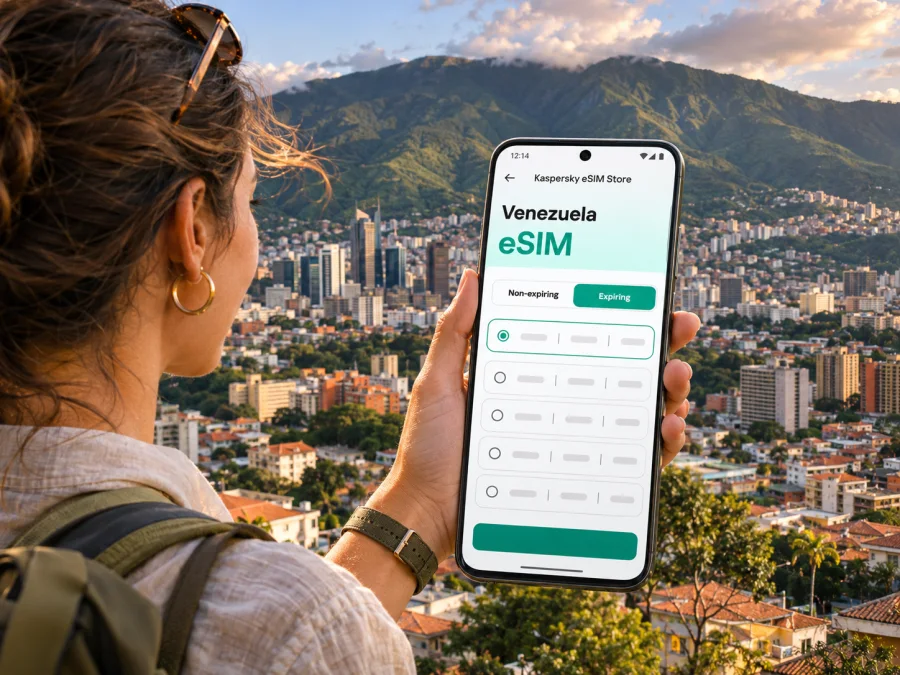
Caracas eSIM for mobile connection and internet on your trip
Caracas is a city of steep streets, long avenues, busy districts and a mountain skyline. A mobile connection can make the first hours easier: you can check a pickup point, message your host, confirm a meeting address and keep directions available while you move between neighborhoods. An eSIM is one way to prepare mobile data before you travel, provided your phone supports it and the plan you choose is available for Venezuela.
This guide focuses on using mobile internet in Caracas: what to plan before departure, how to approach arrival and local journeys, and how to keep a backup when a signal or service is unavailable. Network performance can vary by neighborhood, building, device and local conditions. An eSIM does not guarantee coverage, and it usually provides data rather than a Venezuelan phone number, voice calls or SMS; check the terms of the specific plan.
First, understand where you are arriving
The international airport that serves Caracas is Simón Bolívar International Airport in Maiquetía, in the coastal state of La Guaira. It is outside the city itself. The trip from the airport toward Caracas crosses a mountainous route, so allow time for traffic, weather and any operational changes. The route and journey time can vary; do not plan a tight connection around a fixed estimate.
Before departure, confirm your flight directly with the airline and check airport and transport arrangements again on the day of travel. Flight schedules and operations can change. Arrange your onward ride in advance with your accommodation or a trusted local contact, and agree on the meeting point before leaving arrivals. If using a taxi, choose a licensed service. Some current official travel advisories warn against public transport and highlight airport-transfer risks; read your own government’s latest Venezuela guidance and use trusted local advice when deciding how to travel.
Keep the address of your first stop saved offline in Spanish, along with the name and phone number of your host or hotel. A screenshot of directions, booking details and the route helps if you lose signal or your battery is low. Share your arrival plan with someone you trust.
A simple arrival checklist
- Confirm that the flight is operating and check any airline messages.
- Save the airport, hotel and pickup details offline.
- Agree on a driver and meeting point before landing.
- Keep your passport, phone and valuables secure during the transfer.
- Have a second way to contact your host, such as a roaming line or a prearranged call over Wi-Fi.
- Keep a power bank accessible; avoid letting navigation drain the phone before you reach your accommodation.
Plan mobile data around the shape of the city
Caracas sits in a valley beside the green mountain ridge of Waraira Repano, also known historically as El Ávila. The terrain matters for connectivity and navigation: a route that looks direct on a flat map may climb, descend or follow a major arterial road. Buildings, tunnels, slopes and dense blocks can affect reception. Official travel guidance also warns that power cuts can interrupt mobile signal and internet, including in Caracas. Do not assume the same data experience will follow you from an open avenue into a hotel lobby, underground space or hillside neighborhood; keep offline directions and contacts ready.
The city is spread across multiple districts rather than one compact visitor center. Confirm the full address and district for each destination; several places can have similar names, and a map pin alone may not be enough. Ask which entrance to use and identify a nearby landmark.
| Situation | Useful phone preparation | Backup to keep |
|---|---|---|
| Airport pickup | Save the agreed meeting point and your host’s contact | Printed or offline booking details |
| Cross-city ride | Check the destination name and district before departure | Screenshot of the route and address |
| Business meeting | Save the building name, entrance and contact person | Calendar entry with the address in Spanish |
| Walking in an unfamiliar area | Load the map before setting out and keep the phone discreet | Offline map and a known destination to ask for help |
| Day trip outside Caracas | Check service expectations and travel arrangements in advance | Downloaded directions and a meeting time |
For planning, treat mobile internet as a useful tool rather than a substitute for local arrangements. Download maps for the areas you expect to visit, save important contacts in your phone and write down at least one key address. If a messaging or map app has an offline mode, prepare it before departure. Keep your main map route simple enough to follow without repeatedly holding the phone in public.
Choose how your phone will connect
Travelers generally compare three approaches: use their home carrier’s roaming, buy or activate a local SIM, or prepare a travel eSIM for data. Which option works best depends on your phone, account, length of stay, need for calls and SMS, and the current terms of each service.
| Option | What it can help with | Check before you rely on it |
|---|---|---|
| Home SIM with roaming | Keeping your existing number available for calls, texts or account verification | Venezuela roaming rates, data allowance, activation and partner-network conditions |
| Local physical SIM | A local service arrangement, subject to local operator requirements | Current purchase rules, identification requirements, availability and phone compatibility |
| Travel eSIM | Preparing a separate mobile-data profile for a trip | Venezuela availability, supported network, validity, data allowance, activation trigger and whether calls or SMS are included |
| Wi-Fi | Lowering mobile-data use at a trusted accommodation or venue | Network security, access requirements and whether the connection is dependable |
These options can complement one another. For example, you may keep your regular SIM active for important incoming messages and use an eSIM for data, if your device and plan support that setup. Check roaming settings carefully: leaving data roaming on for the wrong SIM can create charges from your home provider. A travel data plan does not automatically provide a local voice number. Use internet-based calling only where the app, connection and local rules allow it, and retain another way to reach essential contacts.
Availability and network details are market-specific. A device that supports eSIM in one regional variant may not support it in another. Check the exact model and its country or carrier version against the manufacturer’s specifications. Also confirm that the phone is unlocked; a carrier-locked device can restrict use of another provider’s SIM profile.
Before buying, review the current plan information for Venezuela and confirm that it fits your dates and intended use. Browse current eSIM options for Venezuela in Kaspersky eSIM Store, a website and app where travelers can choose, purchase and activate an eSIM with a suitable plan for mobile data abroad. The current Venezuela page lists Movistar as the local telecom provider for its country-specific data plans and describes the eSIM as data-only, without a local number for regular calls or texts. It also states that data consumption begins after connection to a local network on arrival. Recheck the selected offer’s provider, validity, allowance and activation terms, since these can change. A country plan is not a promise of uninterrupted service in every part of Caracas.
Check device support before you travel
Do not rely on a phone’s brand name alone. eSIM support can differ between generations and regional variants of the same device. Confirm all three points before choosing a plan:
- The precise model supports eSIM. Look up the model identifier in the manufacturer’s current documentation, not only a retailer’s generic product page.
- The phone is carrier-unlocked. Contact the carrier that supplied it if the status is unclear.
- The device can store and use the intended profile. Check how many eSIMs it can hold, whether multiple lines can be active at once, and how to select mobile data.
Check whether your device supports eSIM before completing a purchase. If the result is uncertain, use the manufacturer’s support page or contact the phone’s current carrier. If the phone does not support eSIM, consider roaming on your existing SIM, a compatible secondary device or a physical SIM option after checking current local requirements. Do not delete a working eSIM profile to troubleshoot unless you understand whether it can be reinstalled.
Install and activate with a reliable connection
Set up the profile while you have stable Wi-Fi, either before departure or at another time allowed by the plan’s activation rules. Some plans begin validity at installation, while others start when the eSIM first connects to a supported network. Read the exact terms so you do not start the validity period earlier than intended.
- Check the destination, plan, validity period, data allowance and activation conditions.
- Complete the purchase through the website or app and open the installation instructions on a second screen if possible.
- Add the eSIM using the method offered for your device. Keep the installation QR code or activation details private.
- Label the line clearly, for example “Venezuela data,” so it is easy to distinguish from your regular SIM.
- Before travel, leave the eSIM’s mobile data line selected only if the instructions call for it. Otherwise, wait until the plan’s stated activation point.
- After arrival, enable the travel line and select it for mobile data. Turn on data roaming for that line only if the plan instructions require it.
- Test a simple webpage or message, then confirm the active data line and any usage indicator.
Follow the device-specific Android eSIM installation instructions or iPhone eSIM installation instructions. Menu names differ by operating-system version and manufacturer. Keep Wi-Fi available until the profile is installed and working, and do not remove your home SIM if you still need its number for calls or verification.
Moving around Caracas with maps and mobile data
Caracas has a metro system and surface transport, but service, routes and operating conditions can change. Some current official travel guidance advises against public transport. Check the latest advice for your nationality and get local confirmation before choosing a route; a map listing does not confirm that service is operating normally or suitable for your journey. For an appointment, ask your hotel, host or local colleague about trusted transport and allow a buffer.
For ride-hailing or a hired car, enter the complete destination and verify it with the driver before starting. A mobile-data connection can help you check the route and communicate changes, but it cannot confirm that a pickup is safe or legitimate. Share trip details with a trusted person where practical, and avoid displaying an expensive phone unnecessarily while waiting outdoors.
Make navigation useful even when data drops
- Download or cache a map around your accommodation, meeting venues and planned stops.
- Save your lodging’s address in Spanish and keep a screenshot available offline.
- Pin the correct entrance or lobby when a complex has several buildings.
- Review the route before stepping outside, then keep the phone away while walking where appropriate.
- Carry a paper note with a key destination and a trusted contact number.
- If a route changes, stop somewhere appropriate to check it rather than navigating while crossing a road.
Maps are aids, not a full local guide. Caracas includes steep streets and road layouts that can be confusing when viewed only from a screen. Ask a trusted local contact to confirm whether a route is sensible, particularly for a late arrival, a long drive or a trip beyond the central districts.
Districts, stays and workdays
Caracas visitors usually organize plans around where they are staying and the districts they need to reach rather than trying to cover the entire city on foot. Areas such as Chacao, Altamira, Las Mercedes, Sabana Grande and the historic center have different connections and rhythms. Check the specific address with your host; a familiar place name on a map is not enough.
Choose accommodation based on transport arrangements and proximity to your appointments, not just a landmark. Ask whether Wi-Fi works reliably in the room and whether your phone gets reception there. Keep your eSIM as one connection option, not your only way to communicate.
For a workday, download meeting materials and contacts in advance. Test the hotel or office connection before an important call and prepare an audio or regular-carrier fallback. Do not assume mobile data will support a video call until you have tested it at that location.
Short stopover or multi-day stay?
| Trip pattern | Data planning | Practical priority |
|---|---|---|
| Airport transfer and one appointment | Enough data for messages, a map and basic coordination | Have the pickup arranged before landing and addresses saved offline |
| Several days of meetings | Estimate call, map and work usage separately | Confirm office and hotel Wi-Fi; reserve mobile data for movement and contingency |
| Caracas plus another Venezuelan destination | Check that the selected plan covers the route and destinations | Recheck transport, regional coverage and activation terms before leaving the city |
Your data needs depend on actual behavior. Messaging and occasional map checks use less than frequent video, cloud backup or hotspot sharing. Disable automatic photo backups over mobile data if you want to conserve an allowance. Download podcasts, tickets, documents and entertainment over Wi-Fi before leaving. If tethering is important, confirm that the selected plan and phone allow it; do not assume that every eSIM supports hotspot use.
Keep the connection and your account under control
Protect the eSIM profile like other phone settings: use a screen lock, keep the device with you and do not scan installation codes from unknown senders. When entering account or payment details, use a trusted connection and check that you are in the correct app or website.
Use care on public Wi-Fi networks you do not control. An eSIM is a connectivity option, not a security guarantee or protection from phishing.
If the connection fails, check these items before changing settings at random:
- Check airplane mode, signal bars and the selected data line.
- Confirm that the eSIM is enabled and that its plan is active and within its validity period.
- Check whether the plan’s instructions require data roaming.
- Move to a different location, such as outdoors or nearer a window, and retry.
- Restart the phone if the profile instructions recommend it.
- Compare with Wi-Fi or your home SIM to identify whether the issue is device-specific or limited to mobile service.
- Use saved directions or contact your host over another available channel while you troubleshoot.
Registration can take time, and local conditions affect service. Avoid deleting the profile or changing network settings at random; refer to the plan’s support instructions if these checks do not help.
Frequently asked questions
Does an eSIM guarantee internet throughout Caracas?
No. Coverage depends on the plan’s supported network, local infrastructure, location, building conditions and device. Confirm the plan details before purchase and keep offline information or Wi-Fi as a backup.
Is Maiquetía airport inside Caracas?
No. Simón Bolívar International Airport is in Maiquetía, in La Guaira, and serves Caracas from outside the city. Confirm your onward ride and destination before arrival because the route crosses from the coast toward the capital.
Should I depend on mobile data for every trip around the city?
Use it as one helpful tool, alongside offline maps, saved addresses, a confirmed transport plan and a way to contact your host. For routes outside Caracas, check current local transport and connectivity conditions before setting off.
A practical pre-departure checklist
- Confirm current flight and airport information with your airline.
- Arrange an airport transfer and save the details offline.
- Verify your device’s exact eSIM variant, carrier-unlock status and supported profile setup.
- Compare the Venezuela plan’s current data allowance, validity, network and activation terms.
- Install the eSIM over reliable Wi-Fi if appropriate, and keep its instructions available.
- Save your accommodation, meeting addresses and trusted contacts in Spanish.
- Download offline maps and essential travel documents.
- Check home-SIM roaming settings and understand which line will use mobile data.
- Keep a charger or power bank and a backup communication method accessible.
Prepare mobile data for your Caracas trip
Kaspersky eSIM Store is an app and website that helps travelers choose, purchase and activate an eSIM with a suitable plan for mobile data abroad. Before you travel, review the current Venezuela options and confirm the plan details against your itinerary, device and expected data use. Explore eSIM options for Venezuela, then follow the stated setup steps and keep offline directions for your arrival in Caracas.


