Travel connectivity guide
Carriacou eSIM: Internet and Mobile Data Guide
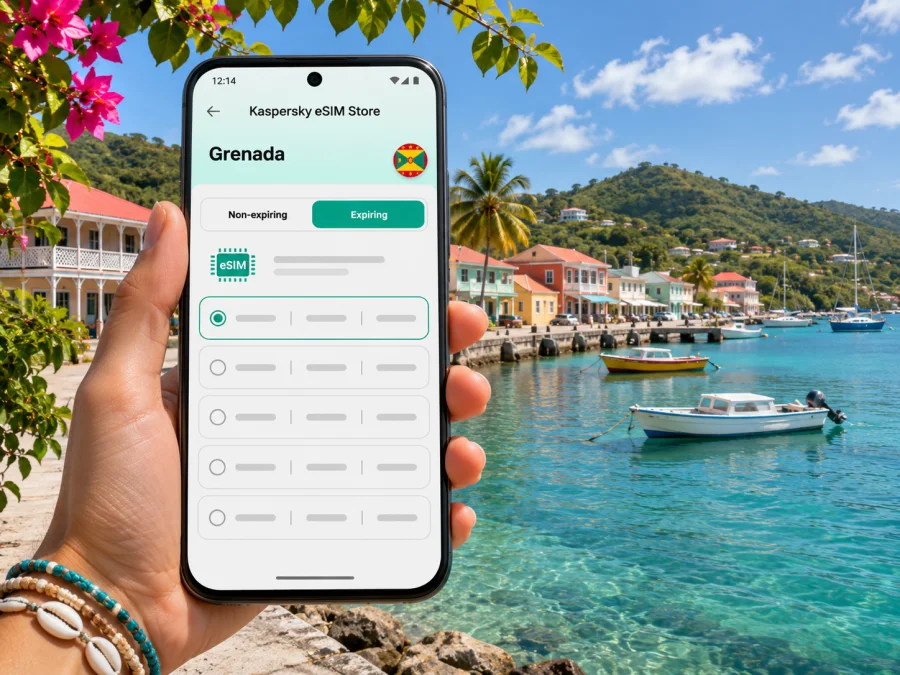
Carriacou eSIM: Mobile Connection and Internet Guide for Grenada
Carriacou is an island in the state of Grenada, not a city on the main island. Its main town, Hillsborough, is the practical centre for arrivals, everyday errands and many local services. If your itinerary includes the harbour, a guesthouse outside town, a beach or a boat trip, mobile internet can help you check directions, contact your host and adjust plans as you travel.
An eSIM can give a compatible phone a mobile data profile for an international trip without replacing its physical SIM. Before choosing one for Carriacou, check that the plan applies to Grenada, read its data and validity terms, and confirm that your device is supported and unlocked. A Grenada country plan is the relevant starting point; the coverage of any particular eSIM depends on the plan and its local network arrangements.
Carriacou at a glance: island, town and arrival points
Grenada’s official government information lists Carriacou and Petite Martinique as dependencies of Grenada. Carriacou belongs to the Grenadines island chain, north of Grenada’s main island. Hillsborough is its principal town and the place many visitors use as a reference point. This distinction matters when searching maps or booking transport: “Carriacou” can mean the island, while Hillsborough is a settlement on it.
There are two common arrival routes from Grenada. The Grenada Tourism Authority describes flights from Maurice Bishop International Airport to Lauriston Airport on Carriacou, and sea travel from St. George’s to Carriacou. Its current visitor page describes the Osprey ferry journey as about 90 minutes, arriving at Tyrell Bay. Flight days, ferry timetables, departure points and fares can change, so confirm the details directly with the carrier before you set out. A phone with data is useful for checking a confirmation, messaging a host or arranging the final transfer, but it cannot replace a confirmed ticket or local transport plan.
On arrival, save your accommodation address and the name of the relevant port or airport before leaving a dependable Wi-Fi connection. If a driver or host is meeting you, agree on a recognizable meeting place and exchange a working contact method. Do not assume that the ferry berth, the airport and Hillsborough are interchangeable map destinations: enter the exact place named on your booking and allow time for the transfer across the island.
When mobile internet is useful on Carriacou
Carriacou rewards a slower itinerary. You might spend time in Hillsborough, cross to L’Esterre for Paradise Beach, arrange a boat to Sandy Island, or travel toward quieter coastal areas such as Anse La Roche. Mobile data is useful in the transitions between those plans, especially when you need to confirm opening times, contact a guide or share a pickup point. It is less useful as a substitute for planning: download directions and booking details before leaving town, and do not count on a signal at every beach, trail or stretch of water.
First hours after arrival
Use data for practical tasks first: confirm that your host has your arrival time, open the saved route, check a pickup message and notify someone if the boat or flight is delayed. If your accommodation offers Wi-Fi, connect while you settle in and save the next day’s map area. This reduces the amount of data you need while moving around and gives you a backup if reception is weak.
Moving between Hillsborough and the coast
For a beach day, look up the route and return arrangement before you leave. Some destinations involve a road journey followed by a walk or a separate boat transfer. Keep the name of the beach, the pickup point and your return plan in one accessible note. If you are meeting a driver, a pin is helpful, but a written place name is useful too: a map pin can be imprecise on a small island or near a shoreline.
Boat trips and time on the water
Check in with your guide before departure and agree how you will reconnect if the group becomes separated. Mobile coverage can change offshore, and a phone’s location service does not guarantee an internet connection. Take the operator’s instructions seriously, carry the contact details offline and avoid relying on live maps while the boat is away from shore.
Work and longer stays
For a video call or a large upload, test the connection where you plan to work before promising a meeting time. Ask your accommodation what its Wi-Fi can support, and keep a second option for essential messages. Data-only travel eSIMs generally do not provide a regular Grenadian phone number, voice minutes or SMS unless a specific plan says otherwise. You can keep your usual SIM active for calls and texts while choosing the eSIM for mobile data, but check your home operator’s roaming charges and your phone’s line settings.
Choosing an eSIM plan for Carriacou
Start with the full route, not just the name of the island. If your trip includes the main island of Grenada, Carriacou and perhaps another Caribbean destination, check whether the plan covers every country or territory on your itinerary. A plan for Grenada may be appropriate for travel between its islands, but it does not automatically include nearby states in the Grenadines. Read the destination list and exclusions before paying.
Then estimate the way you use data. Map searches, messaging, email and checking reservations usually require less data than video, social feeds, cloud backups or tethering a laptop. You can reduce background use by downloading maps over Wi-Fi, pausing automatic photo uploads and using low-data settings in apps. Choose an allowance and validity period that fit your dates and habits; do not select by headline data volume alone.
Before you commit, review these plan details:
| What to check | Why it matters for Carriacou |
|---|---|
| Destination coverage | Confirm that the plan explicitly includes Grenada and check any regional exclusions. |
| Local network information | A country listing does not guarantee a particular network or signal at each property, bay or boat route. Review any network details shown with the plan. |
| Data allowance | Match the allowance to maps, messages, browsing, calls through apps and any hotspot use you expect. |
| Validity and start time | Check when validity begins, whether installation or first connection starts it, and how long the plan lasts. |
| Tethering | If you need a laptop or tablet online, verify that the plan and device allow personal hotspot use. |
| Calls and SMS | Assume a data-only plan has no standard phone number unless its terms explicitly include one. |
| Top-ups and expiry | Check whether additional data can be added and what happens when the allowance or validity ends. |
For a short visit, a modest plan can be enough if you prepare offline maps and use accommodation Wi-Fi for heavier tasks. A longer stay, frequent navigation or regular video calls may require more data. There is no single right allowance for everyone, and current plan terms can change. Compare the published allowance, validity and price for your own dates rather than relying on an old screenshot or a general estimate.
You can check the current eSIM options for Grenada and read the terms shown for each available plan. This destination page is for Grenada as a whole; it should not be read as a separate Carriacou tariff or as a guarantee of reception at every location on the island.
Check your phone before travelling
Your device needs eSIM support, and it must not be restricted by a carrier lock that prevents adding another profile. Support can vary by exact model, country or regional variant, so do not rely only on a product family name. Check the device settings, the manufacturer’s current specifications for your exact variant and any carrier restrictions. You can also check whether your device supports eSIM before choosing a plan.
If the phone has two SIM lines, decide which one will handle mobile data and which one you want to keep for your regular number. Record the names assigned to the profiles so that “Primary” and “Travel” are easy to distinguish. Make sure you know how to turn data roaming on or off for each line; some travel profiles require roaming to be enabled, while your home SIM may incur charges if it uses data abroad.
Keep access to your account and eSIM instructions during the trip. Save a copy of the confirmation, the QR code or manual installation details somewhere you can retrieve them without relying on the new connection. Do not delete an installed eSIM to troubleshoot unless the plan instructions or support team tell you to: some profiles cannot be installed again after removal.
Install and activate before or after arrival
The easiest time to prepare is usually before departure, while you have stable Wi-Fi and time to read the instructions. The right activation moment depends on the specific plan: some profiles can be installed ahead of travel and only connect when you arrive, while other plans may begin validity at installation or at first network connection. Read the plan terms instead of assuming that every eSIM starts in the same way.
- Confirm support and unlock status. Verify eSIM compatibility for your exact device variant and make sure it can accept another carrier profile.
- Choose the destination and plan. Confirm Grenada is included, then check the data amount, validity, activation rule and other restrictions.
- Connect to Wi-Fi. Keep your phone online while you add the eSIM, unless the supplied instructions say otherwise.
- Add the profile. Follow the in-app steps or the device’s eSIM settings. If using a QR code, display it on another screen or use the manual details when available.
- Label the lines. Give the new profile a clear name such as “Travel data” and leave your regular number identifiable.
- Set mobile data to the travel eSIM. Do this when you want the travel plan to carry data. Keep the home line’s data roaming disabled if you want to avoid unintended roaming charges.
- Follow the plan’s activation instructions. Once in Grenada, check whether data roaming must be enabled for the travel line. Allow the phone time to register, then test a simple webpage or message.
The installation menus differ between Android devices and iPhones. Use the steps for your operating system: eSIM installation instructions for Android and eSIM installation instructions for iOS. If the status remains offline, confirm that the travel line is enabled, mobile data is assigned to it, the plan is active and the phone has a supported local signal. Restarting the device can help it register again, but do not remove the profile as a first troubleshooting step.
Getting around without assuming constant signal
Hillsborough is a practical base for messages, errands and arrival coordination. Outside the main settlement, your route may pass through quieter areas or end at a beach access point where map detail is limited. Before you leave, save the location in an offline map, note the name as it appears on your booking and ask your host or guide about the return journey. If you rent a vehicle, download directions before setting off and avoid interacting with the phone while driving.
The Grenada Tourism Authority highlights places such as Paradise Beach, Sandy Island and Anse La Roche. These destinations are useful examples of why an island itinerary often combines road and boat logistics. Confirm the current access arrangements with your accommodation or local tour operator. A country eSIM plan may be useful for messages on land, but signal strength can be affected by distance from a cell site, terrain, buildings, weather and whether you are offshore. Treat live navigation as a convenience, not your only source of directions.
For ferry travel, keep the carrier’s current confirmation and arrive according to its instructions. The official tourism guidance describes the route from St. George’s to Tyrell Bay; operator schedules and operating conditions can change. If a crossing is delayed, use data to contact your host and update your onward transfer, but allow a reasonable buffer between a ferry arrival and another booking. For flights, verify whether your ticket departs from Maurice Bishop International Airport or Lauriston Airport and keep both airport names visible in your itinerary.
Practical data habits for island travel
A little preparation makes a limited or variable connection easier to manage:
- Download the island map and directions to your accommodation while connected to Wi-Fi.
- Save booking references, ferry or flight confirmations, and host details for offline access.
- Send essential messages before a boat trip or a drive into a quieter area.
- Turn off automatic cloud backups and app updates over mobile data if you want to control usage.
- Use messaging or voice-call apps over data when needed, remembering that call quality depends on the connection at both ends.
- Carry a power bank for long days away from your accommodation.
- Keep a written address or meeting point in case your screen, battery or connection is unavailable.
If a page will not load, first check that mobile data is assigned to the travel profile and that the plan has not expired or exhausted its allowance. Move to a more open location and wait briefly for the phone to reconnect. If you are at sea or in a remote spot, reception may simply be unavailable there; use the offline information you saved and try again closer to a settlement. For account or installation issues, contact the service support channel over Wi-Fi and provide the device model, plan name and the exact message displayed.
Common questions about Carriacou eSIM and internet
Is Carriacou a city in Grenada?
No. Carriacou is an island that forms part of the state of Grenada. Hillsborough is its main town and a useful location reference for visitors. Search and book by the exact settlement, port, airport or property you need.
Will a Grenada eSIM work everywhere on Carriacou?
No mobile service should be assumed to work at every point. The available network depends on the plan’s arrangements and the local signal; hills, buildings, distance from infrastructure and offshore travel can affect reception. Check plan details and keep offline directions for places where data is unavailable.
Does a travel eSIM give me a local phone number?
Usually not. Many travel eSIM plans are for mobile data only and do not include ordinary calls, SMS or a Grenadian number. Check the specific plan terms. You can keep your usual SIM for calls and texts if you understand its roaming charges, and use internet-based messaging when data is available.
Should I install the eSIM before I leave?
You can often install it ahead of time, but the best timing depends on the plan’s activation rules. Read whether validity starts at installation, first connection or another event. Installing while you have reliable Wi-Fi gives you time to resolve setup questions before travelling.
Can I use the eSIM on a tablet or hotspot?
Only if the device supports eSIM and the selected plan permits the use you need. Check compatibility for the exact device and verify tethering terms before purchase. Do not assume a phone plan can be transferred to another device after activation.
What should I do if there is no signal?
Check that the eSIM line is on, selected for mobile data and configured according to the plan instructions. Confirm that the plan is active and that you have not reached its limit. Try again in a more open area or near a settlement. If the issue continues where service should be available, contact support over Wi-Fi and share the error details.
Prepare your Carriacou connection
Before the trip, save your arrival details, confirm the current route to your stay and check the data terms for Grenada. On the island, use mobile data for coordination and navigation while keeping important directions and bookings available offline. Kaspersky eSIM Store is an app and website that helps you choose, arrange and activate an eSIM with a suitable plan for mobile internet during an international trip; the connection itself depends on the selected plan and local network conditions.
When you are ready, review the current Grenada eSIM plans, choose one that fits your route and data needs, and follow its installation instructions. Check compatibility and activation timing before purchase so you can arrive in Carriacou with a clear, practical setup plan.


