Travel connectivity guide
Casemates Square eSIM: Mobile Internet Guide
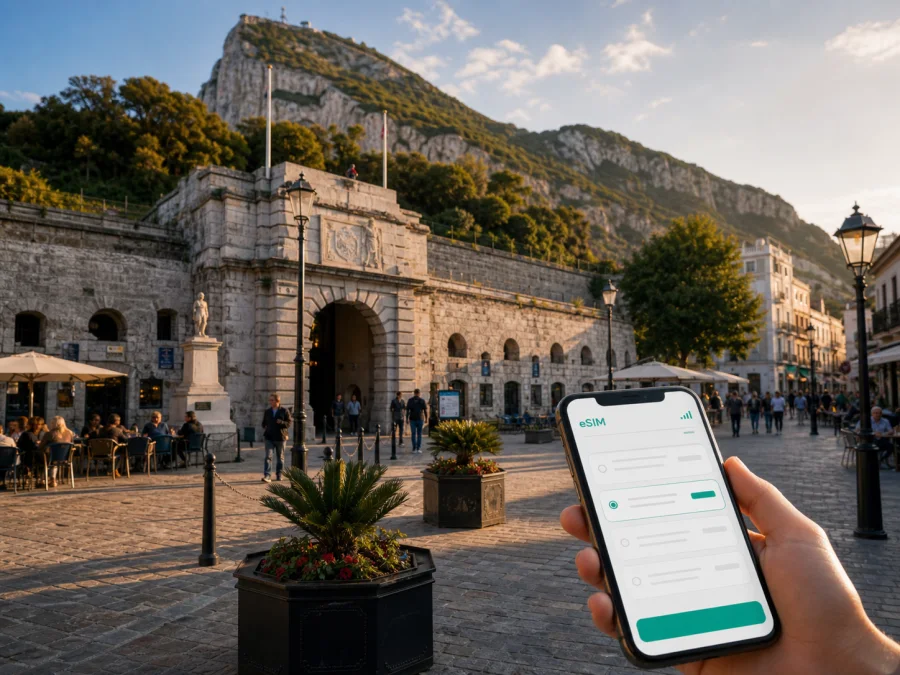
Casemates Square eSIM: mobile connection and internet for a trip to Gibraltar
Casemates Square is a practical starting point for exploring Gibraltar. It sits at the northern end of Main Street, inside the city walls, with restaurants, cafés and bars around the open square. From the first hour, you may need a map, a hotel message, a booking confirmation, a taxi or a route to the next stop. An eSIM can help you prepare mobile internet without looking for a physical SIM card on arrival.
Kaspersky eSIM Store is an app and website where you can choose, arrange and activate an eSIM with a suitable data plan for an overseas trip. Consider how you will use data around the square, across Gibraltar’s town centre and on the routes you take afterwards.
Why an eSIM can be useful around Casemates Square
The square is a meeting point as much as a sightseeing stop: a restaurant reservation, walking tour or rendezvous may all use it as a reference. A working data connection lets you check a map, share your location and read messages without relying on café or hotel Wi‑Fi.
The first few hours are often the most practical test of a travel connection:
- Arrival and orientation. Check the route from the airport, land border or port to your accommodation.
- Town-centre navigation. Follow Main Street, find a side street or return to the square after a walk.
- Transport and plans. Check a stop, taxi, booking or restaurant message when timings change.
- Work and family contact. Join a short call, send a file or tell people at home that you have arrived.
This is why a city-focused eSIM plan is best considered as part of the whole Casemates Square itinerary. It supports the transitions between arrival, accommodation, the square, Main Street and other parts of Gibraltar rather than being useful only at one landmark.
A quick orientation to the destination
Casemates Square takes its name from the Grand Casemates, a fortified casemate and bombproof barracks completed in 1817. The square stands at the entrance to Main Street and is within the historic town area. Its setting combines defensive architecture with a busy public space, so the same phone may be used for a heritage walk in the morning, a meal in the afternoon and an event or evening reservation later in the day.
The most useful way to plan mobile data here is to think in zones rather than in a single pin on the map:
| Part of the day | Likely digital tasks | Why a prepared connection helps |
|---|---|---|
| Arrival | Map, accommodation address, messages and transport | You can move on from the entry point without first searching for Wi‑Fi |
| Casemates Square | Meeting points, menus, reservations and photos | You can keep details available while moving between the square and Main Street |
| Town-centre walk | Navigation, opening information and route changes | A map is useful when the most direct route is not the most comfortable one |
| Longer outing | Transport, weather checks and contact with your group | You can coordinate the return journey instead of depending on one person’s phone |
| Evening | Taxi details, messages and hotel directions | A connection is useful when plans change after the shops and cafés become quieter |
On a busy event day, keep the square saved in your map and agree on a backup meeting place.
Walking, navigation and moving beyond the square
Casemates Square is a natural base for a compact town-centre route. Main Street begins here, while nearby streets lead toward shops, historic walls, public buildings, cafés and other districts. Walking may be simplest, but steep sections, heat, luggage or a tight schedule can change the decision; mobile data lets you reassess the route.
Before leaving your accommodation, save Casemates Square, your hotel entrance, the next appointment, a return transport point and the airport, port or border route if you are leaving Gibraltar that day. When using buses or taxis, check current information because routes and stop arrangements can change. Save essential details as a backup, but keep mobile data available for changes and messages.
The same habit helps on routes toward the Upper Rock, the south, the waterfront or accommodation away from the old town. The connection should fit the complete route, not only the square.
How to choose an eSIM plan for Casemates Square
Start with the destination shown in the plan details. For this trip, look for Gibraltar rather than expecting a separate plan named after Casemates Square. The square is a local destination within Gibraltar, so the relevant choice is the country or territory plan that covers the journey you are preparing for. Review the stated destination, data allowance, validity period and price before completing the order.
Next, estimate usage by behaviour rather than days alone. A short stop with occasional navigation is different from a working visit with video calls, cloud files and hotspot use. Review the allowance against your real itinerary.
| Your itinerary | Typical data activity | What to consider |
|---|---|---|
| Short visit around the town centre | Maps, messages, confirmations and occasional browsing | Choose a duration that covers the full arrival and departure window, not only the hours at the square |
| Several days with regular sightseeing | Navigation, social uploads, bookings and music or video in moderation | Allow for repeated map use and photo backups; check whether automatic updates are disabled |
| Business trip | Email, documents, calls and collaboration tools | Estimate work usage separately from sightseeing and confirm whether hotspot use is permitted by the plan |
| Group or family travel | Shared planning, frequent messages and location coordination | Decide whether one person’s connection is enough or whether each traveller needs an eSIM |
| Stopover with onward travel | Airport or border logistics, a hotel search and a fast route through town | Check the plan’s validity and activation conditions before installing it |
Data use is shaped by settings as much as by the destination. Video autoplay, cloud photo backup, app updates and satellite view can consume more than text messages. Turn off unnecessary automatic updates, keep key addresses accessible and decide which apps should use the travel eSIM.
Once you know the destination, dates and usage pattern, you can choose an eSIM plan for your Gibraltar trip and review the current options shown for that direction. Kaspersky eSIM Store helps you compare the available plan details in the app or on the website so you can prepare a connection that matches the journey rather than guessing from the name of the landmark.
Install the eSIM before departure or after arrival
Installing before departure can simplify arrival at the airport, border or hotel; installing after arrival may also suit your plan. Follow the conditions and keep access to the purchase profile or QR code.
Before you begin, check that the phone supports eSIM and is not locked to another operator. If you need to confirm that, check your device compatibility before choosing a plan. Some models vary by region, so the exact settings and available features can differ even when two phones have similar names.
For more detail, use the Android eSIM installation instructions or iOS eSIM installation instructions. The general sequence is:
1. Check the conditions
Confirm compatibility, operator-unlock status, internet access and the activation information supplied with the eSIM.
2. Add the mobile plan
Open mobile-network or cellular settings and choose the option for adding an eSIM or mobile plan. Menu names vary.
3. Scan or enter the details
Use the QR code from your purchase profile or email when prompted. Make sure it belongs to this trip and device.
4. Label the profile clearly
Give the line a practical name such as “Gibraltar trip” so you can distinguish it from your home SIM.
5. Select the line for mobile data
Choose the travel eSIM for mobile data when ready. Keep your usual line for calls or messages if allowed, and check the required data-roaming setting.
6. Test the connection
Open a map or send a short message after activation. Connection may take a few minutes and depends on the device, plan and local network. If it does not start, check the data line, signal, roaming setting and plan status.
A practical checklist for the Casemates Square itinerary
Before leaving home
- Confirm eSIM support and that the phone is unlocked.
- Check the Gibraltar destination, duration, allowance and activation conditions.
- Install the profile with stable internet, if that suits your plan.
- Save your accommodation, arrival details and Casemates Square meeting point.
- Decide whether the home SIM should remain active.
During the first hour in Gibraltar
- Select the travel eSIM for mobile data.
- Check a route to your accommodation or the square.
- Message your travel companion or host.
- Keep plan details and support information accessible.
Before a longer walk or trip out of the town centre
- Check battery and save the return route and next appointment.
- Check transport information again rather than relying on an old screenshot.
- Save essential confirmations and agree on a meeting point if the group separates.
Four common travel scenarios
A day visitor using Casemates Square as a base
With only a few hours, use data to confirm the route, store the square as a meeting place and keep onward transport details on the phone.
A hotel guest meeting friends in the square
Send the hotel address and a clear meeting message before leaving. If arrivals differ, the square is easier to identify than a small entrance; keep a nearby café or landmark as a backup.
A business traveller with a short appointment
Download the agenda and key documents first. Include work calls or large files in your estimate, and check plan conditions before using hotspot with a laptop.
A stopover before travelling onward
Install or activate according to the plan terms, keep the route visible and allow time to return to the airport, port or border. An eSIM can suit a short stopover without a search for a physical SIM card.
What an eSIM does and does not cover
An eSIM plan for Gibraltar is primarily a way to use mobile data on a compatible device for maps, messages, bookings and work tools. It is not automatically a replacement for a local mobile operator and does not automatically include a phone number, voice calls or SMS. Check the plan conditions; if those services are not listed, use messaging apps over data.
Performance can vary with the local network, phone, indoor conditions, congestion and plan. Manage battery life, keep addresses available and check the data line when moving from the open square into buildings or a busy event.
Kaspersky eSIM Store is not a mobile operator or a VPN. It is an app and website that helps you choose, arrange and activate an eSIM with a suitable plan for mobile internet during an overseas trip. The service does not replace sensible travel planning: you still need to review the destination, validity, allowance, compatibility and activation rules.
Frequently asked questions
Is there a separate eSIM for Casemates Square?
The relevant destination is Gibraltar rather than the individual square. Select the Gibraltar direction shown in the available plan details and check the stated validity and coverage information.
Can I install the eSIM before I arrive?
Yes, if the device is compatible and the plan conditions allow it. Install while you have reliable internet, then select the profile for mobile data when ready. Follow the plan’s activation timing.
Will the eSIM give me a normal phone number?
Not unless specifically included in the plan conditions. These travel eSIM plans are intended for mobile internet; use messaging services over data and keep your regular SIM active where permitted.
What should I do if the connection does not work near the square?
Check that the Gibraltar eSIM is selected for data, the profile is active, the device is unlocked and the required roaming setting is enabled. Wait a few minutes and check the signal. If the issue remains, check plan status and contact support with the device and activation details.
Is an eSIM useful if I am staying in a hotel near Main Street?
Yes. It can reduce dependence on hotel or café Wi‑Fi for maps, messages, bookings and arrival coordination. Use Wi‑Fi for large downloads when appropriate and manage background data.
Do I need mobile data for a short visit?
That depends on your itinerary. If your roaming arrangement is reliable, you may use it instead. For a day visit, a meeting in Casemates Square or onward travel, an eSIM is another data option to consider alongside your existing service.
Prepare for a connected visit to Casemates Square
The most useful preparation is specific: know where you are going, how long you will stay, how much data your itinerary may use and which device will carry the eSIM. Save Casemates Square as a meeting point, keep your accommodation and onward route available, and test the travel line before you need it in the middle of a busy day.
When your dates and usage pattern are clear, prepare an eSIM plan for Gibraltar and your Casemates Square itinerary. Review the current destination, allowance, validity and activation details, then install the eSIM on a compatible, unlocked device so that mobile internet is ready for arrival, navigation and the rest of your trip.


