Travel connectivity guide
Castel eSIM Guide: Mobile Internet in Guernsey
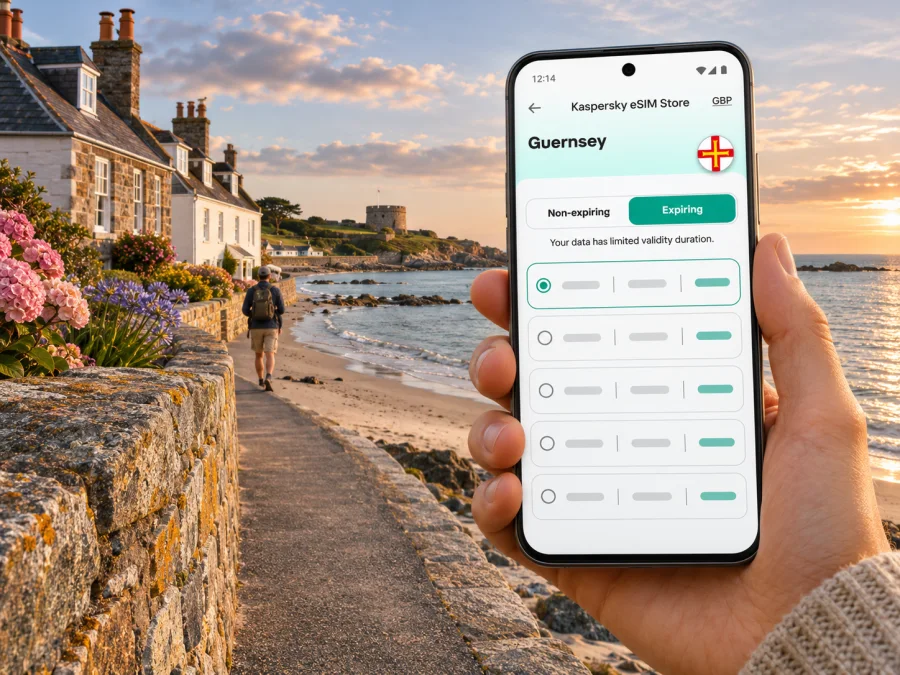
Castel eSIM: mobile connection and internet for your Guernsey trip
Castel is a parish on Guernsey, not a city in the usual administrative sense. For a visitor, it is a useful base for the island’s west coast: Cobo Bay, Vazon Bay, Grandes Rocques and Saumarez Park are all associated with this part of Guernsey. The distances are manageable, but the experience is shaped by beaches, country lanes and bus timetables rather than a dense urban grid. A working mobile connection helps you check a route, coordinate a pickup, find an accommodation entrance or look up the next bus while you move between the coast and the island’s centre.
An eSIM can make mobile internet easier to arrange before you travel, provided that the particular plan covers Guernsey and your device supports eSIM. Those two checks matter: Guernsey is a Crown Dependency and is not part of the United Kingdom, so a plan described as “United Kingdom” should not be assumed to include the island. Confirm the destination and network details in the terms shown at checkout. If Guernsey is not listed as a destination, do not treat a nearby country or a regional label as proof of coverage.
What to expect around Castel
Castel is an inland parish that reaches Guernsey’s west coast. It is known to many visitors through Cobo, a sandy bay with cafés and other facilities nearby, and through Vazon, a broad beach popular with walkers and water-sports visitors. Saumarez Park offers a different kind of stop, with open lawns, gardens and the Folk and Costume Museum. These places make a practical itinerary, but they do not form one compact town centre: you may walk a coastal stretch, take a bus, or arrange a taxi between stops.
That geography affects how you use data. You may need maps and transport information while away from your accommodation, but you can prepare key details in advance and keep them available offline. Mobile service depends on your plan, the local network it uses, the phone and the exact spot. Do not assume that a connection will be identical at the beach, inside a stone building, on a quiet lane and in St Peter Port. If a page does not load, move to a more open location, reconnect, or use saved information while you troubleshoot.
| Part of a Castel visit | Why you may want data | Useful preparation |
|---|---|---|
| Cobo Bay and the west coast | Check maps, meet companions, look up opening information | Save the accommodation address and a map area before leaving |
| Vazon Bay | Coordinate a return trip and check the next leg of your journey | Keep a bus route or taxi contact accessible offline |
| Saumarez Park | Find the entrance, trails or museum information | Save the route and note your planned meeting point |
| Airport or harbour transfer | Confirm onward transport and message your host | Download tickets, booking details and the first route in advance |
| A day crossing the island | Check stops and adjust plans between places | Carry a power bank and avoid relying on a single live map |
Getting to Castel from the airport or harbour
Guernsey Airport is in the parish of Forest in the south of the island. The airport information describes St Peter Port, where the main harbour and bus terminus are located, as about a 15-minute drive from the airport. That is a general orientation, not a promise about journey time to Castel: traffic, the route and your final address all matter. Check your accommodation location before choosing a transfer, especially if you arrive after a long journey or have luggage.
The airport is served by several bus routes. Official airport information lists routes 93, 94 and 95 between the airport and St Peter Port Bus Terminus, and routes 91 and 92 as island-wide services that circle Guernsey in opposite directions. Route 71 runs via the Princess Elizabeth Hospital to St Peter Port. For a trip to a specific address in Castel, check the latest timetable, stop and direction rather than assuming that the first bus passing the airport goes to your door. Seasonal schedules and diversions can affect the practical choice.
If you have internet on arrival, check the journey and message your host. Airport Wi-Fi may be available as a temporary option, but save your booking confirmation, address, check-in instructions and route beforehand. A downloaded map and the nearest bus stop are useful if you cannot get online.
The harbour is another arrival point for travellers coming by sea. St Peter Port is on Guernsey’s east side, while Castel is to the west, so allow time for the cross-island leg. If continuing to Herm or Sark, verify the departure point and sailing details separately; a regional plan label does not confirm service on every island or during a crossing.
Buses, walks and coastal routes
Guernsey’s bus service connects the airport, St Peter Port and many island destinations. Visit Guernsey describes year-round service with schedules that vary between summer and winter. The airport’s route information and the island bus service’s journey-planning tools are useful starting points, but verify a route on the day because a stop, timetable or diversion may change. Keep the destination name and stop name handy; a small difference in spelling can send a map search to the wrong place.
For Castel, official visitor information associates Cobo Bay with routes 41, 42, 62, 91 and 92. Saumarez Park lists routes 41, 42, 62 and P2. Accommodation and activity listings around Vazon may show routes 42, 91 and 92, but the closest stop depends on the property and direction of travel. Treat route numbers as a lead for checking, not a substitute for the live timetable. The island’s bus operator accepts contactless payment on buses; cash is not accepted there, according to Visit Guernsey’s current transport guidance. Payment arrangements can change, so check before boarding if you plan to use a pass or a different payment method.
Before setting out on a walk-and-bus day, save the route, nearest stop and accommodation address; check the return timetable and download an offline map. Carry enough battery for the return. Follow local signs and access guidance: a map pin does not show every terrain or access condition.
A popular local nature trail links Saumarez Park and Cobo Bay. One route description passes through the Guet and descends towards Cobo by country lanes and a headland. It is not simply a paved promenade: check the route, gradients, conditions and your own pace before setting off.
At the coast, mobile data can support practical tasks such as checking a forecast, finding a café or arranging a ride. But sea walls, buildings, terrain and local network conditions can affect reception. Download walking directions and essential information before leaving a reliable connection. Do not make a safety decision based only on an online map or a mobile signal.
Choosing a data plan for Guernsey
A city page is not a country tariff, and an eSIM label alone does not establish where a plan works. Guernsey has a distinct jurisdictional status from the UK. Some travelers’ domestic plans may include the island, others may treat it differently, and a “UK” package may or may not cover Guernsey depending on its provider’s terms. Check your existing operator’s roaming terms before travel, including data charges and any fair-use limit. For a travel eSIM, look for Guernsey explicitly in the supported destinations or in the plan’s coverage details. If the wording is unclear, ask the seller or support team before you buy.
Kaspersky eSIM Store is an app and website where you can choose, arrange and activate an eSIM with a data plan for an overseas trip. Availability is destination-specific and may change. The English country list supplied for this article does not include a dedicated Guernsey landing page, so use the Kaspersky eSIM Store home page to check the destinations and current plan details. Treat the result shown for Guernsey as the source of truth; do not select a United Kingdom plan unless its terms explicitly confirm Guernsey coverage.
Compare plans by the information that affects your trip, not by a headline alone:
| Check | What to look for | Why it matters in Castel |
|---|---|---|
| Destination | Guernsey named in the coverage terms | Castel is in Guernsey; nearby destinations are not interchangeable |
| Data allowance | Enough for maps, messages, browsing and any planned work | Photo uploads and video can use much more data than maps |
| Validity | A period that covers your actual travel dates | A plan can expire even if you still have data remaining |
| Start condition | When validity or data use begins | Installing a profile and starting a plan may be separate events |
| Network and restrictions | Supported network, speed limits, tethering and exclusions | The terms determine where and how you can use the allowance |
| Price and currency | Full amount at checkout and any stated conditions | Compare the complete plan terms rather than an isolated per-unit figure |
Estimate your usage by looking at how you use your phone. For a short stay with light browsing, messages and route checks, a modest allowance may be enough; video calls, cloud backups, streaming and uploading large photo files need more. This is a budgeting guide, not a promised allowance. If your accommodation has Wi-Fi, use it for large updates and backups, but keep mobile data available for navigation and communication outside.
Plans described as “regional” can be helpful on an itinerary that crosses borders, but the word does not guarantee coverage in every place in that region. Confirm each destination on the plan details, including any island or territory. If your trip is only to Guernsey, compare a plan that explicitly includes Guernsey with your home operator’s roaming terms and any local option you are considering. Do not rely on a map image or a broad geographic grouping when the written terms are available.
Device compatibility and regional variants
Before you purchase, confirm that your exact phone supports eSIM and is not locked to a mobile operator. Model family names can cover different regional variants: the same retail name may have different SIM features depending on where it was sold. A list of popular devices is only a guide, not confirmation for your unit. Check the manufacturer’s specifications for the exact model number and the country or market variant. You can also check whether your device is compatible with eSIM.
Also check whether your phone can keep your usual SIM active while using a travel eSIM for data. This may allow you to receive calls or verification messages on your regular number, subject to your home operator’s charges and device settings. An eSIM data plan generally does not provide a normal phone number, voice calls or SMS unless its terms say otherwise. Internet calling and messaging apps can work over data if you already have the necessary accounts and the other person can be reached there.
A practical device check before you leave:
- Find the exact model number in your phone’s settings or on the device documentation.
- Confirm eSIM support for that precise regional variant with the manufacturer.
- Ask your home operator whether the phone is unlocked for another provider’s profile.
- Check how many eSIM profiles your device can store and how many it can use at the same time.
- Update the operating system while connected to trusted Wi-Fi, and make a backup.
- Confirm you can access the email or account where the activation details will arrive.
If one point is uncertain, resolve it before paying. Do not remove your existing SIM or delete an installed eSIM as a test; profiles may not be reusable after removal, depending on the provider’s instructions.
Install before travel, activate with care
If your plan allows installation before departure, setting it up at home over reliable Wi-Fi can reduce arrival-day friction. Read the activation instructions carefully: some plans start when installed, while others begin on first connection or on a selected date. Follow the terms for your specific plan. Keep the QR code or manual installation details available on a second screen or printed copy if the instructions require scanning it with the phone you are setting up.
For step-by-step help, use the Android eSIM installation instructions or the iPhone eSIM installation instructions. After installation, label the profile clearly, such as “Travel data,” and choose which line will provide mobile data. Before leaving your home country, keep your usual line’s data-roaming settings under control to avoid unwanted charges. Once in Guernsey, enable data roaming for the travel eSIM only if the plan’s instructions require it, and verify which line is selected for data.
A sensible arrival sequence is:
- Connect to Wi-Fi or another working connection long enough to install the profile if you have not done so already.
- Turn on the travel eSIM and select it for mobile data.
- Follow the plan’s instructions about data roaming and network selection.
- Wait a few minutes in an open area, then test a simple webpage or message.
- If it does not connect, confirm the destination, remaining allowance, validity, data line and roaming setting before changing advanced settings.
- Keep your accommodation address and transport details accessible offline while you troubleshoot.
Some devices need a restart or a short wait after activation. Do not repeatedly delete and reinstall the profile unless support tells you to; an activation code may be one-use. If there is still no connection, check the plan’s stated coverage and contact the provider’s support with the device model, location and error message. A local public Wi-Fi connection or your home SIM’s roaming service may be a temporary backup, subject to its terms.
If the connection is slow or unavailable
Confirm the travel profile is on and selected for data, the plan is valid, and Guernsey is included. Move outdoors, toggle airplane mode once, and restart only if the provider recommends it. Check for service notices. A brief interruption does not prove that your device is incompatible.
Use offline directions rather than walking somewhere isolated while searching for a signal. Keep the bus stop and route number written down, and download the next day’s information over accommodation Wi-Fi.
Common questions
Is Castel a city?
No. Castel is one of Guernsey’s parishes. This guide uses the requested destination name and focuses on places visitors commonly associate with the parish, including Cobo Bay, Vazon and Saumarez Park.
Does a UK eSIM automatically work in Guernsey?
Not necessarily. Guernsey is a Crown Dependency and is not part of the United Kingdom. A specific provider may include it in a UK or regional plan, but that depends on the written terms. Look for Guernsey by name before purchase and check the same point with your existing mobile operator.
Can I rely on an eSIM for every part of Castel?
No plan can guarantee service at every location. Reception and performance depend on the network, device, terrain, building and local conditions. Save key routes and travel details offline and keep a backup way to communicate.
Will an eSIM give me a local phone number?
A data-only eSIM is for internet access and usually does not include a standard phone number, calls or SMS. Check the product terms. You can continue to use supported messaging or calling apps over data, and your regular SIM may remain available subject to your home plan.
Should I install the eSIM before arriving?
If the plan permits advance installation, doing it over trusted Wi-Fi can make setup easier. First check when the validity period begins and whether installation itself starts the plan. Follow the instructions for the exact eSIM you selected.
What if Guernsey is not shown when I browse plans?
Do not assume a nearby destination covers it. Check the written coverage terms or ask customer support before buying. If the destination is unavailable, compare your home operator’s roaming options or consider a local service after arrival.
Is mobile data essential for getting around?
It is useful for live journey checks and map updates, but you can reduce reliance on a live connection by saving directions, booking details, bus information and addresses in advance. This is particularly helpful when walking between coastal stops.
A simple Castel connectivity checklist
Before departure, confirm the plan names Guernsey, check the exact phone variant and operator lock, read the validity and activation rules, and install the profile only as instructed. Save your arrival route, accommodation details, bus stops and walking directions offline. During the trip, use mobile data for live updates, keep an eye on usage, and avoid assuming that a regional plan includes every island on your itinerary.
When you are ready, open Kaspersky eSIM Store to check current destinations and choose a suitable data plan. Confirm Guernsey in the plan terms before purchase, then install and activate the eSIM according to its instructions. This gives you a clear preparation path for reaching Castel, exploring Cobo and Vazon, and keeping maps and messages available during your Guernsey visit.


