Travel connectivity guide
Catalan Bay eSIM: Mobile Internet Guide
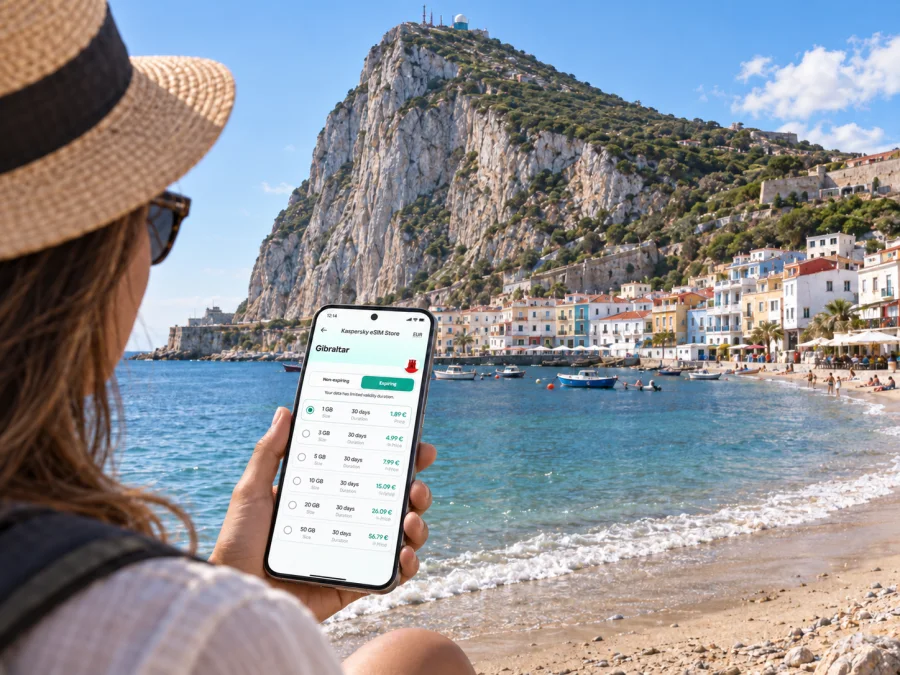
Catalan Bay eSIM: mobile connection and internet for your stay
Catalan Bay is a small seaside village on Gibraltar’s eastern side, set around a sheltered cove below the Rock. It feels different from the busier streets and waterfront on the western side: the beach, close-set homes and water shape the visit. Whether you are staying nearby, coming down for a few hours or adding the bay to a wider Gibraltar itinerary, a working mobile data connection can make the practical parts easier: checking your route, finding your accommodation, messaging your host and looking up transport before you leave.
An eSIM can help you prepare mobile internet for a trip without swapping a physical SIM card. Before choosing a plan, confirm that it covers Gibraltar, check the data allowance and validity period, and make sure your device supports eSIM. The right setup depends on the length of your visit and how you use your phone; a beach day and a week of navigation, calls over messaging apps and photo sharing do not require the same amount of data.
What to expect in Catalan Bay
Catalan Bay, also known by its Spanish name La Caleta, is a bay and fishing village on the eastern side of the Rock. It is away from Gibraltar’s main city centre, so it helps to think of it as a distinct stop rather than simply another street in the central shopping area. The shore and village are compact, while the Rock rises behind them. Visitors come for the coastal setting, a swim or time by the water, a meal, or a quieter pause in a day spent exploring Gibraltar.
That geography affects how you plan a visit. A map is useful for the approach and the return journey, particularly if you are staying elsewhere. Once there, you may need your phone less while you are on the beach, but it remains helpful for arranging a pickup, checking a bus route, confirming a restaurant booking or finding your way back to your hotel. Downloading or saving key details in advance gives you a fallback if you do not want to rely on a signal at every moment.
| Part of the visit | What a connection can help with |
|---|---|
| Before leaving your hotel | Checking the route, weather and current transport information |
| On arrival | Confirming the entrance, meeting point or accommodation details |
| At the bay | Messaging companions and checking opening information |
| Leaving Catalan Bay | Reviewing a return route or arranging a ride |
| Continuing around Gibraltar | Navigating between the east side, the centre and other stops |
The table describes useful phone tasks, not a promise about local network performance. Signal quality can vary with the network, your device, indoor location and surroundings. Keep important confirmations available offline when possible.
Getting to the bay and finding your way back
Your route depends on where you begin. From Gibraltar International Airport, a land arrival or a port, check onward options from that specific point. Use “Catalan Bay” or “La Caleta” in your map app and confirm the pin is on Gibraltar’s eastern shore. Review the full route, final approach and return direction before setting out. A short distance on a screen is not always a comfortable walk, particularly with luggage, in warm weather or if mobility is a concern.
For a smooth arrival, save your accommodation address and host contact, check the route and a practical alternative, and confirm transport details for your travel date. Bus routes and seasonal beach services can change, so verify current times rather than relying on an old screenshot. If you will return late, check the options before you arrive. For a taxi or private transfer, confirm the pickup point with your driver and share it with anyone travelling with you.
Keep enough battery for maps and messages. If several people are meeting at the bay, choose a specific landmark and share it in advance. A clear meeting point helps even if a phone battery runs low or a message is delayed.
Choosing mobile internet for a Gibraltar trip
The useful question is not simply how much data a plan advertises. Match the plan to the way you expect to use your phone and the number of days you need it. A brief stop in Catalan Bay may involve maps, messages and a few searches. A longer stay that includes video calls, frequent uploads or tethering can use more data. Background syncing, automatic photo backups and streaming also add to consumption, sometimes without being obvious.
Before checkout, compare the details shown for the selected plan:
- Destination: Make sure Gibraltar is included. A plan for another destination should not be assumed to cover Gibraltar.
- Data allowance: Estimate navigation, messages, browsing and any work use. Video and cloud backups can consume data quickly.
- Validity: Check how long the plan remains active and when its validity begins under its terms.
- Price and conditions: Review the full price, any top-up options and the plan’s stated limitations.
- Device: Confirm eSIM support and that the phone is not restricted by a carrier lock.
- Use of your existing number: Decide which SIM should handle calls and texts, and which line should use mobile data.
Kaspersky eSIM Store is an app and website where you can choose, arrange and activate an eSIM with a suitable plan for mobile internet on an international trip. Review the plan details for Gibraltar before you travel and keep the confirmation accessible. You can see the available options for a Gibraltar trip when comparing data allowance and validity.
An eSIM plan for mobile data does not automatically include a conventional phone number, voice calls or SMS; check the specific plan terms. You can usually continue to use your usual number for calls or messages if your primary SIM remains enabled, but charges depend on your home operator and settings. Internet-based messaging and calling apps can work over data, subject to their own requirements and the connection available at the time.
A quick data-use estimate
A practical estimate is more useful than choosing a plan by habit. Think through a typical day rather than the whole trip as one undifferentiated block:
| Phone activity | Data planning note |
|---|---|
| Map searches and route refreshes | Save the area offline where your map app allows it; live updates still need data |
| Text messages and basic browsing | Usually lighter use than media, but repeated page loading adds up |
| Photo sharing and social feeds | Automatic uploads and video clips can use substantially more data |
| Video meetings or streaming | Plan for heavier use and use Wi-Fi when appropriate |
| Laptop tethering | Check whether the plan permits it and monitor usage closely |
These are relative comparisons, not fixed consumption figures. App settings, image quality, video resolution and usage time all matter. If you are unsure, start with a realistic daily pattern, leave some room for unexpected navigation or delays, and check the balance during your trip. Turn off automatic updates and backups over mobile data if you want more control.
Set up your eSIM before you leave
Install at a convenient time while you have reliable internet access. First confirm that your exact device supports eSIM, is not carrier-locked and matches the plan’s requirements. Check whether your device supports eSIM. Regional versions of the same phone model can differ.
Follow the relevant guide for your device: eSIM installation instructions for Android or eSIM installation instructions for iOS. Keep the QR code or activation details available as instructed, and do not remove an installed profile unless the guide or support team advises you to.
- Confirm Gibraltar coverage, data allowance, validity and activation terms.
- Install the profile using the device-specific instructions.
- Label the travel line and select it for mobile data when appropriate.
- Review roaming settings if the instructions require them.
- Decide whether your regular SIM should remain active for calls and texts; check possible charges with your home operator.
Menu names vary by phone and software version. If a screen differs from the guide, pause and check the device instructions before changing several settings at once.
A day in Catalan Bay: where connectivity helps
If you are coming from central Gibraltar, check the route to the east side and the return options before leaving. Save the bay pin, any reservation and a clear meeting point for friends. At the shore, you may put your phone away; keep it available for a changed plan or the trip back.
If Catalan Bay is your accommodation base, save check-in instructions, the host’s number and routes to places you plan to visit. For a short stopover, plan the return leg first and leave time for waiting or a changed connection. Work travellers should confirm where they can take a call and whether their accommodation has suitable Wi-Fi; data needs for video meetings are different from ordinary browsing. Travelling with family, share the day’s route and make sure anyone who needs directions has a charged phone.
Navigating beyond the beach
Catalan Bay can fit into a day that also includes Gibraltar’s centre, western waterfront or another coastal area. The Rock separates the east and west sides, so check a complete route instead of assuming you can move directly along the shore. Confirm destination details before leaving the bay and use current maps for the final approach.
Cross-border excursions into Spain need separate planning. Check entry requirements for your nationality, allow time for border formalities and verify whether your eSIM plan includes Spain. A Gibraltar plan should not be assumed to cover another destination.
Make mobile data last through the visit
Download an offline map if your app supports it, set photo backups and updates to Wi-Fi only, and check data use before a long day out. Streaming, video calls and cloud uploads can use much more data than messages or occasional route checks. These are relative differences; actual use depends on app settings and quality.
Battery matters as much as data. Navigation, camera use and a bright screen can drain a phone, so start the day charged and carry a cable or power bank if practical. Save key directions and contact details before you need them.
Common mistakes to avoid
- Assuming nearby destinations are included: Check that Gibraltar appears in the selected plan’s coverage details.
- Installing in a rush: Read the activation terms and instructions before changing cellular settings.
- Expecting every phone function: A mobile-data plan may not include a number, voice calls or SMS.
- Following an unchecked pin: Confirm that the map shows Catalan Bay in Gibraltar and review the return route.
- Depending on live access: Save accommodation details and essential directions offline.
Frequently asked questions
Is Catalan Bay in Gibraltar’s city centre?
No. It is a small bay and fishing village on the eastern side of the Rock, away from the main centre. Plan the journey as a separate part of your itinerary.
What should I check before using an eSIM there?
Confirm Gibraltar coverage, plan validity and data allowance, device eSIM support and carrier-unlock status. Read the activation terms before installation.
Can an eSIM be used for maps and messaging?
Yes, if the plan provides mobile data and the apps work over an internet connection. Video and media uploads use more data than basic messaging.
Does the plan include a local number?
Do not assume so. Check whether the selected plan includes voice calls or SMS; many travel eSIM plans are for mobile data.
What if data does not work on arrival?
Check that the profile is enabled, the correct line is selected for data and the activation conditions are met. Follow the device guide for any required roaming setting, then use the support details in your confirmation if the issue continues.
Prepare a simple arrival checklist
Before travelling, confirm that Gibraltar is included in your plan, your phone supports eSIM and is unlocked, and you know when the plan activates. Save a Catalan Bay map pin, accommodation details and the return route. Decide which SIM will handle mobile data, and keep essential information accessible if your battery or connection runs low.
A little preparation makes this coastal stop easier to fit into a wider Gibraltar visit. Use mobile data for navigation, updates and messages, and keep important details available offline. Review the destination, allowance and validity before choosing a plan.
Choose an eSIM plan for Catalan Bay
If you are travelling to Catalan Bay, choose a plan that includes Gibraltar and suits the length and data needs of your visit. Kaspersky eSIM Store lets you select, arrange and activate an eSIM through its app or website. Review the plan conditions, prepare the eSIM before departure and keep your route and accommodation details handy. Explore eSIM options for Gibraltar and choose the allowance and validity that fit your trip.


