Travel connectivity guide
Catania eSIM: Mobile Internet in Sicily
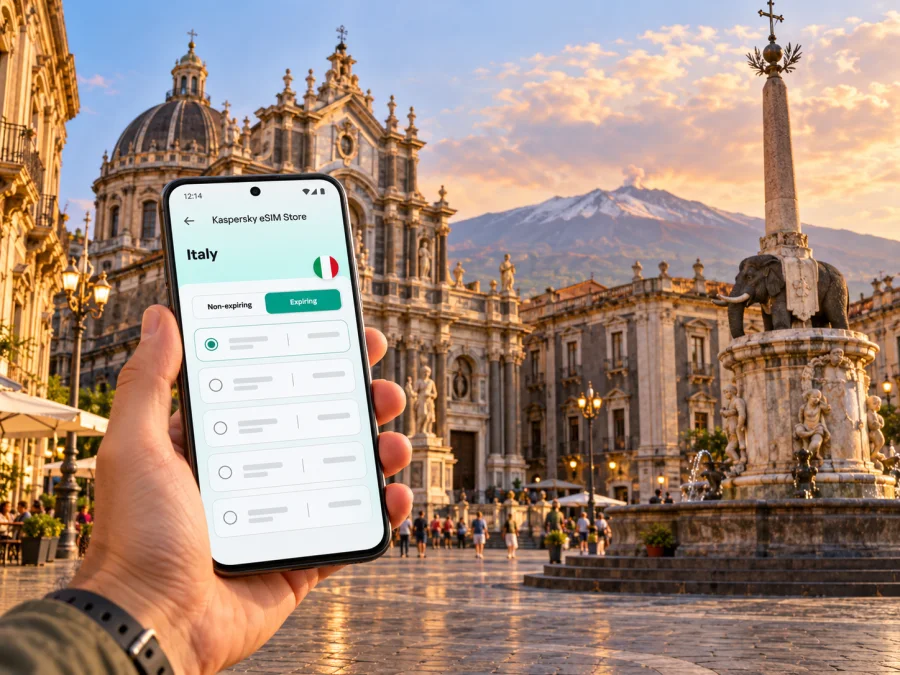
Catania eSIM: Mobile Connection and Internet for Your Sicily Trip
Catania is a practical base for eastern Sicily: the airport is close to the city, the historic centre is compact enough to explore on foot, and rail and coach connections can take you farther along the coast or inland. A dependable mobile connection helps with the parts of a trip that do not fit neatly into a postcard: checking a late arrival, finding a guesthouse entrance, translating a menu, confirming a bus platform, or changing plans when weather affects an excursion.
An eSIM can provide mobile data without swapping the physical SIM in your phone. For a city break, that can make it easier to use maps and travel services as soon as your selected plan is active. It is still important to check the plan’s destination, validity, data allowance and activation rules: an eSIM is a travel-data option, not a guarantee of coverage in every building or on every route.
Catania at a glance: where mobile data helps
Catania sits on Sicily’s eastern coast, below Mount Etna. Its identity is strongly tied to dark volcanic stone and Baroque streets, but the visitor’s day is often a series of small transitions: airport to accommodation, accommodation to Piazza Duomo, the centre to the station, or a city address to a coastal stop. Keeping mobile data available is useful for those transitions, especially if your plans depend on real-time transport information.
| Part of the trip | Why you may want mobile data |
|---|---|
| Arrival at Fontanarossa | Check your transfer, contact your host, and open your route before leaving the terminal. |
| Historic centre | Navigate between Piazza Duomo, Via Etnea, Piazza Stesicoro and your accommodation. |
| Food and local errands | Look up opening information, translate details, or message your travel companions. |
| A day outside the city | Recheck departure points and service updates before returning to Catania. |
| Work or a longer stay | Join calls where the connection permits, use cloud tools, and keep a backup route to your meeting. |
This is a guide to using mobile internet around Catania, not a promise about a particular local network. Signal and speed depend on the selected plan, its partner network, your device, the surroundings and current network conditions. Thick walls, underground spaces, crowded events and the slopes or distance involved on an excursion can all affect the experience.
Start at the airport with a simple arrival plan
Catania Fontanarossa Airport, also known as Vincenzo Bellini Airport, serves the city and eastern Sicily. Before landing, save your accommodation address, arrival instructions and a map area for offline use. That gives you a fallback if you need to conserve data or have a short delay before mobile service is ready.
The airport’s published transport information describes the AMTS Alibus as a connection between the airport and Catania, with stops serving central areas. The airport currently lists departures from the airport terminus between early morning and after midnight, at intervals shown on its bus page. Timetables, fares and operating patterns can change, so confirm the current details for your arrival date rather than relying on a screenshot from an older trip.
A separate rail option is the Catania Aeroporto Fontanarossa station. The airport describes a pedestrian route of about 600 metres from the terminal and a shuttle link; Trenitalia also explains the train-plus-bus connection to the terminal. This can be useful when your next destination is on a rail route, but it is not the same as a direct train from the terminal doors. Check the live journey options and any service notices before choosing it. If you arrive late, have bulky luggage, or need to reach a specific address, compare the total door-to-door route rather than only the map distance.
If your flight is delayed, use the airport’s current transport information rather than assuming the last service still matches the original plan. ## Getting around the centre without losing your bearings
Piazza Duomo is a natural orientation point. The cathedral, the Elephant Fountain and the surrounding civic buildings make it easy to identify on a map, and the square is a convenient place to reset your route. From there, Via Etnea runs north through central Catania; Piazza Stesicoro, the Roman amphitheatre area, markets and many historic streets are within the wider central walking area.
The old centre rewards walking, but navigation still matters. Street names can be easy to miss when you are looking up at façades, and a route that looks short on a screen may include uneven paving, steps, traffic or a detour around a busy square. Set the destination before you start walking, then check the next turn when you reach a safe place to pause. Do not rely on a phone screen while crossing a street or navigating a crowded market.
Use a map app for orientation, not as the sole authority on access. A pin may point to a building’s rear entrance, a restricted lane or a business that has changed its hours. For a restaurant, museum or accommodation, check the name and address together. If the route takes you to the wrong side of a large block, use the street names and a nearby landmark to correct it.
Choose a base that fits the shape of your visit
For a first short stay, many travellers value the ability to walk to central sights and dinner. Others prefer a quieter residential street, a property near the station, or a base closer to the seafront. These are different trade-offs, not a universal ranking. Compare the property’s exact address, late check-in arrangements, luggage access and your planned transport before booking.
| Base area or landmark | Useful for | Check before booking |
|---|---|---|
| Piazza Duomo and the central streets | Walking to landmark architecture, markets and restaurants | Street noise, vehicle access, stairs and the precise entrance |
| Via Etnea and nearby central blocks | A straightforward north–south reference line and shops | Distance uphill to your room and evening noise |
| Around Catania Centrale | Rail departures and onward connections | The walking route with luggage and late-night arrival arrangements |
| Ognina and the coastal side | A different pace and access to the waterfront | The additional journey time to the historic centre and your daily plans |
These descriptions are broad orientation cues. A neighbourhood boundary is not a service guarantee, and a nearby map pin does not tell you what indoor mobile reception will be like inside a particular room. If stable data matters for a work call, ask the accommodation about its Wi‑Fi and plan a backup option.
Plan mobile data around the way you will use Catania
A useful data allowance depends on your habits. Turn-by-turn maps, messaging and web searches usually use less data than hours of video, large file uploads or frequent hotspot use. Downloading a city map or entertainment over Wi‑Fi before leaving can reduce mobile-data use, but offline maps may not include live traffic, current opening hours or service alerts.
Before choosing an eSIM plan, estimate the days it needs to cover and how you use your phone. A short visit with light browsing is different from a week combining navigation, work calls and photo backups. Review whether the listed allowance is total or daily, how long the plan remains valid, when validity begins, whether top-ups are possible, and whether tethering is permitted. Read the specific plan conditions rather than assuming every eSIM follows the same rules.
Once you know your itinerary and device requirements, you can review eSIM plan options for Italy and compare the displayed allowance, validity and price for the destination. Kaspersky eSIM Store is an app and website that helps travellers choose, arrange and activate an eSIM with a suitable plan for mobile data abroad. The plan’s actual network access depends on its stated destination and service conditions.
Catania-specific situations where a connection helps
A walking day in the historic centre
Start with the route from your accommodation to Piazza Duomo, then save the next stop rather than repeatedly searching from scratch. If you plan to visit the fish market or walk through Via Etnea, keep your phone secure and use it briefly at a safe stopping point. A saved map is helpful in narrow lanes where buildings can make orientation less obvious.
A coastal break at Ognina
The municipality’s tourism route along Catania’s coast links the port area, the exhibition centre at Le Ciminiere, Piazza Europa, the promenade and the old fishing village of San Giovanni Li Cuti before continuing toward Ognina. It is a useful example of how a city itinerary can stretch beyond the compact historic core. Save the route in advance and confirm any transport needed to return, especially if you are visiting near sunset or have dinner reservations elsewhere.
An excursion toward Mount Etna
Catania is a common starting point for visits to Mount Etna, but conditions on the volcano and transport arrangements vary. A travel-data plan can help you check meeting instructions, maps and messages, yet it should not replace the excursion provider’s guidance, local notices or weather information. Confirm pickup location and time the day before; save them offline; and keep the provider’s contact details somewhere accessible without a live connection.
Do not assume your phone will have reliable service on every trail or at every elevation. Battery life can drop faster in cold or windy conditions, and navigation apps can drain power when left running. Carry a power bank if your itinerary requires a long day out. For safety-critical route decisions, follow the guide and official local instructions rather than improvising from a map pin.
A rail or coach day trip
Catania’s airport and central transport hubs connect with destinations elsewhere in Sicily, but departures and disruptions vary by date. Trenitalia’s airport information describes the Fontanarossa station and a bus link to the terminal, while the airport lists several coach operators serving destinations outside the city. Rail works can also lead to replacement buses or altered routes. Check the current operator notice shortly before travelling and verify the exact departure point: “Catania” may refer to more than one station or bus stop.
For a day trip, keep your return ticket or booking reference available offline. Make a note of the last realistic return option and a backup, then leave room for walking between the attraction and the departure point. Mobile internet is useful for updates, but you should still know the station name and planned route without needing to search again.
Check your device and prepare the eSIM
An eSIM profile can only be installed on a device that supports eSIM and is not restricted by a carrier lock. Device names alone may not settle the question: regional variants can differ, and support may depend on the exact model number and market. Before purchasing, check whether your device supports eSIM and confirm the device is unlocked for another carrier profile.
Kaspersky eSIM Store helps you select and activate an eSIM for travel data; it does not replace your normal phone number. Unless a specific plan says otherwise, do not expect it to include standard calls or SMS. You can usually keep your regular SIM for calls and messages while assigning mobile data to the travel eSIM, but the options depend on your device and carrier settings. Check your home carrier’s roaming terms if your primary SIM remains enabled abroad.
A sensible setup sequence is:
- Check compatibility and unlock status. Confirm the exact device variant supports eSIM and can accept another profile.
- Choose the destination and plan. Match the plan’s coverage destination, validity period and data allowance to the trip.
- Read activation details. Find out whether the validity clock starts at installation, activation or first connection, and whether a Wi‑Fi connection is needed for setup.
- Install while you have reliable internet. Follow the on-screen steps or use the QR code if the plan provides one. Do not delete an installed eSIM profile unless the instructions say it can be reinstalled.
- Set the data line deliberately. At the appropriate time, select the travel eSIM for mobile data and check whether data roaming must be enabled for that profile under its instructions.
- Test essential functions. Confirm the selected line and data setting, then open a lightweight page or map. Allow a little time for registration; exact behaviour varies by device and network.
For device-specific steps, use the Android eSIM installation instructions or the iOS eSIM installation instructions. Menu labels can differ by operating-system version. Keep access to the installation details until the profile is working, and contact support if the installation screen or plan status does not match the instructions.
If mobile data does not work as expected
Start with the simplest checks. Confirm that the eSIM profile is enabled, selected for mobile data and within its validity period. Check that airplane mode is off, restart the phone if appropriate, and allow the device a short time to register. If the plan instructions require data roaming for the travel profile, enable it for that profile only after reviewing those instructions.
If there is still no connection, check the plan’s destination and any network-selection guidance. Move to a location with a clearer signal, such as outdoors or near a window, and try again. Avoid deleting the eSIM profile as a first troubleshooting step: some profiles cannot be downloaded again after removal. If the issue continues, record the device model, software version, selected line and any displayed error, then contact the relevant support channel.
For a transport or hotel problem, mobile service is only one part of the solution. Keep the address, booking confirmation, ticket and essential phone numbers available offline. If you need to make a conventional voice call, use your regular line under its own roaming terms or another available calling method; a data-only travel eSIM may not provide a telephone number.
Frequently asked questions
Is Catania part of Italy for choosing a destination plan?
Yes. Catania is a city in Sicily, Italy. When choosing a country-specific travel plan, select Italy and confirm the destination and conditions shown for that plan. A city guide does not imply a separate Catania-only plan.
Can I use an eSIM as soon as I land at Catania Airport?
Possibly, once the profile is installed and the plan is active under its terms. Install ahead of time if the plan permits, and check when validity begins. Network registration may take a little time and depends on the device and service conditions.
Does the travel eSIM give me an Italian phone number?
Usually a travel-data eSIM is intended for mobile internet and may not include a standard number, calls or SMS. Check the exact plan description. Internet calling and messaging apps can work over data, subject to their own requirements.
Will the same connection work indoors and on Mount Etna?
No plan can guarantee identical service in every place. Buildings, terrain, elevation, network availability and congestion affect reception. Keep offline maps and itinerary details for locations where service may be limited.
Is the train station inside the airport terminal?
No. The airport and Trenitalia describe Catania Aeroporto Fontanarossa as a separate station linked to the terminal by a shuttle; the airport also describes a walking route of roughly 600 metres. Check current instructions, accessibility and service notices before setting out with luggage.
What should I do if my itinerary changes?
Check the plan’s remaining data and validity, then review updated transport information and your accommodation arrangements. If you are travelling beyond Catania, confirm that the plan is valid for the rest of your route rather than assuming a city-specific reference covers every destination.
A mobile connection is most useful when it supports a well-planned trip: it helps you adapt directions, check a service update and stay in touch, while offline notes and a sensible backup keep small connection gaps from becoming major obstacles. In Catania, that balance works for a walk through the Baroque centre, an evening by the coast, a working visit or a longer Sicily itinerary.
Prepare your Catania trip
Before you go, check your phone’s eSIM compatibility, compare the plan’s destination, data allowance and validity with your itinerary, and install the profile while you have a reliable connection. When you are ready, choose an eSIM plan for your trip to Italy through Kaspersky eSIM Store, the app and website that help you arrange and activate a travel eSIM. Follow the plan instructions when you arrive, and keep your route and essential travel details available offline as well.


