Travel connectivity guide
Catio eSIM: Mobile Internet for Your Trip
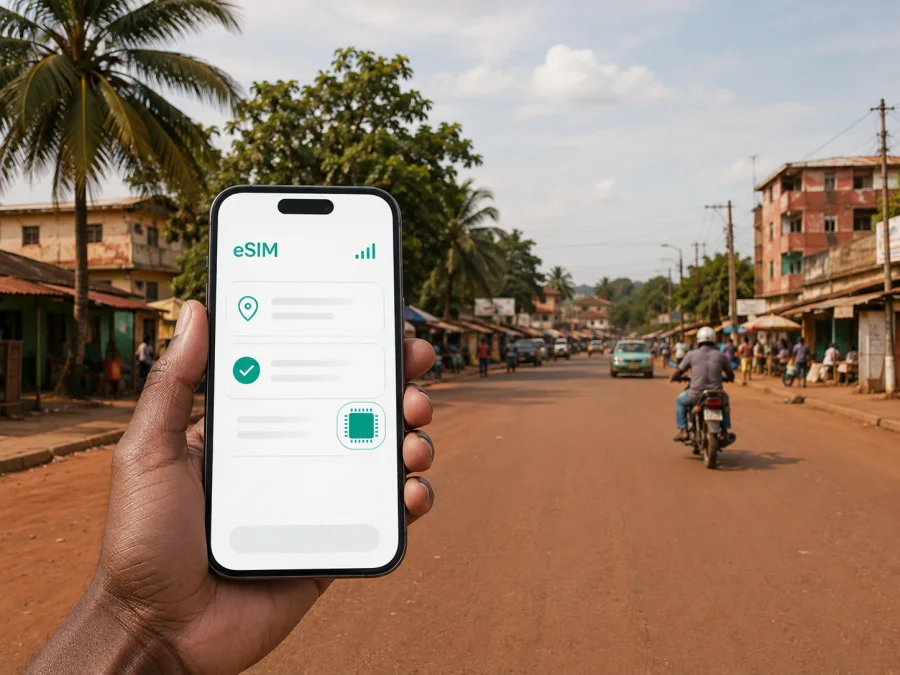
Catio eSIM: mobile connection and internet for your trip
If you are travelling to Catio in Guinea-Bissau, mobile internet belongs in the arrival plan. You may need to confirm an onward journey, contact accommodation, follow a route, message a colleague or tell family that you have arrived. An eSIM, or digital SIM card, can provide a practical mobile-data option on a compatible, unlocked phone without removing your home SIM.
Catio is the capital of the Tombali region in southern Guinea-Bissau. It is a smaller regional centre rather than a large tourist city, so connectivity planning is less about finding a landmark and more about managing the road into town, meeting points, accommodation and local movement. Choose a package for the full itinerary, not only the hours spent at one address.
Why an eSIM can help in Catio
The first useful data task may happen before you reach the town: confirming a vehicle, sending an arrival message, checking an address, opening a map or translating a short phrase. A prepared travel eSIM means you do not have to make that first connectivity decision while looking for a Wi-Fi password.
It is also useful when Catio is one stage of a longer journey. A realistic plan may begin in Bissau, continue south by an arranged vehicle, include several days in Catio and then move on through the Tombali area. A business visitor, family member or field worker may need regular messages while moving between town and less familiar roads.
An eSIM can help you:
- keep a data profile ready while leaving your home SIM in the phone;
- use maps, messages, translation and reservations while moving around Catio;
- contact a driver, host or colleague away from accommodation;
- review the allowance, validity and possible top-ups before the trip.
Conditions vary, so keep route notes offline and your phone charged.
What to plan around Catio
| Travel question | Practical answer |
|---|---|
| City focus | Catio, the regional capital of Tombali in southern Guinea-Bissau |
| Coverage to check | Guinea-Bissau or the region that matches the complete itinerary |
| First data tasks | Arrival messages, navigation, transport coordination and translation |
| Device requirement | eSIM support and no operator lock |
| Package factors | Data allowance, validity, activation conditions and price |
| Offline backup | Accommodation, meeting points, contacts and key route notes |
If your route crosses a border, check the selected package’s destination list rather than assuming that a Catio trip applies beyond Guinea-Bissau.
Prepare before travelling to Catio
Installation is usually easier before departure, while another dependable internet connection is available. Use this sequence:
- Write down the full route: entry point in Guinea-Bissau, onward travel to Catio, length of stay and return or next destination.
- Select Guinea-Bissau or the appropriate region in Kaspersky eSIM Store and read the current package conditions.
- Estimate your usage. Text messages and occasional maps require less data than video calls, photo uploads, cloud backups or hotspot use.
- Check the phone’s eSIM support and confirm that it is not locked to a home operator. Versions of the same model can differ by market.
- Save the accommodation address, host contact, meeting point and transport details offline.
- Charge the phone, carry a power bank if needed, and decide which line handles calls and SMS at home.
Estimate data by activity, not by guesswork
There is no universal allowance for a Catio trip. Consider what you will actually do on the phone:
| Usage pattern | Likely activities | Sensible habit |
|---|---|---|
| Light | Text messages, occasional directions, email and short searches | Limit background updates and media downloads |
| Regular | Frequent navigation, photo messages, bookings and voice calls in messengers | Keep a reserve for arrival and departure days |
| Intensive | Video meetings, uploads, hotspot use and cloud synchronisation | Read package conditions carefully and monitor usage |
These are behaviour categories, not promised data quantities. Photo backup and video can consume an allowance quickly. Before leaving, review which apps use background data. In Catio, use Wi-Fi for large updates when appropriate, turn off automatic backups that you do not need, and check the remaining balance before a high-volume task.
Arrival and the road to Catio
Many international journeys into Guinea-Bissau begin in Bissau. Since Catio is in the south, the onward leg is a separate part of the itinerary. Confirm it with your host, organisation or travel contact before leaving. Save the meeting point and expected time in a note that does not depend on live data.
Your travel eSIM may be useful at several points:
- after arrival, to confirm the next step and send a message;
- on the road south, to check saved directions or contact the person expecting you;
- in Catio, to coordinate accommodation, meetings and the next leg.
Do not make your journey dependent on a continuously available online map. Ask your host or local contact which meeting points are easiest to recognise, and keep a screenshot or written route note. Online navigation is a useful layer; it does not replace confirming an address.
The most useful choice is the country-level option for your city trip. For Catio, choose an eSIM plan for Guinea-Bissau and compare its allowance and validity with the route. Confirm current conditions on the destination page; compare more than price.
Moving around Catio
Local movement may involve a pre-arranged car, taxi, shared vehicle or walking between nearby points. Availability and timing can vary, so confirm the arrangement locally instead of relying on an unchecked timetable. The following routine keeps the important data tasks short:
- Confirm the destination and meeting point before leaving.
- Send the address to your companion or driver while the connection is available.
- Open the route and save a screenshot or note.
- Check that the travel eSIM is selected for mobile data.
- Share your expected arrival time, then close unnecessary applications.
- Save return details when you reach the destination.
This works for journeys between accommodation, markets, offices, meeting venues and the town’s main roads without requiring a long live-map session. It is also useful when a short walk connects with a vehicle transfer.
Navigation checklist
- [ ] The address is written in a form your local contact will recognise.
- [ ] A route note or screenshot is available offline.
- [ ] The phone has enough battery for the next movement.
- [ ] The travel eSIM is selected for mobile data.
- [ ] Background updates are controlled.
- [ ] A second person knows the meeting point for an important journey.
Accommodation and communication
At a hotel or guesthouse in Catio, use the first connected moment to save the address, a contact and the next departure details. If Wi-Fi is available, use it for large updates; the eSIM remains useful when you go outside. Keep messages practical: your name, arrival time, meeting point and any change to the plan.
Save these details:
| Detail | Use |
|---|---|
| Property name and address | Directions and vehicle arrangements |
| Host or reception contact | Reporting a delay |
| Departure arrangement | Keeping the return plan offline |
A data eSIM normally does not add a regular number, and ordinary calls or SMS are not included unless the package says otherwise. Messenger calls and messages can use data when their requirements are met. Use trusted channels for accounts and documents.
Business trips and workdays
A work visit needs a plan for the transitions between transport, accommodation and meetings. Before leaving, download permitted documents, note the meeting address and agree how participants will communicate if plans change.
For a working day in Catio, use data for essential messages and route checks, restrict non-essential synchronisation, and monitor the allowance before uploads or video calls. Use hotspot only when the phone, package and work policy permit it. Plan any assignment outside town as a separate leg.
Install and activate the eSIM
First check the device and make sure you have an internet connection for installation. Then complete the selected package and keep its confirmation details accessible. For device-specific steps, use the Android installation instructions or the iOS installation instructions.
The general sequence is:
- Open mobile-network settings.
- Choose the option to add a mobile plan or eSIM.
- Scan the QR code or follow the in-app installation flow.
- Label the profile so you can recognise it during the trip.
- Select the eSIM for mobile data when you are ready to use it.
- Check whether the phone requires data roaming for this profile.
- Disable automatic data switching if you want to avoid use of the home line.
- Allow a few minutes for registration when you first connect at the destination.
Before purchase, check whether your device is compatible with eSIM. A phone model can vary by sales region, and an operator lock can prevent activation even when the family normally supports eSIM. If you install at home but plan to use the profile later, follow the package’s activation instructions and check when data use begins.
A careful first-day phone setup
On many compatible phones, the home SIM and travel eSIM can remain installed together. Label them clearly, select the travel eSIM for mobile data, disable automatic data switching if needed, and enable data roaming for the travel profile only when the instructions require it. Keep automatic updates and hotspot use under control.
If data does not work, check the selected line, roaming setting, package status and local conditions. Briefly toggle airplane mode or restart the phone, then contact support if needed. Do not delete the profile immediately; keep the confirmation email or QR code accessible.
Common Catio travel scenarios
Short stopover
Prioritise a charged phone, the next meeting point, a transport contact and a small reserve for messages and navigation. Install before leaving a reliable connection and avoid automatic updates.
Several days in town
Review map, message and media use, save the return route and keep some data for departure day. Use accommodation Wi-Fi for large downloads when appropriate.
Wider southern itinerary
Select a country or regional package that matches all intended destinations. Confirm the destination list, allowance and validity before travelling, and keep offline notes for each transfer.
What Kaspersky eSIM Store does in this plan
Kaspersky eSIM Store is an app and website that helps you choose, arrange and activate an eSIM with a suitable data package for an international trip. You select the destination, review the allowance and validity, install the profile on a compatible device and manage the package through the available account features.
The product is intended for mobile data in travel, not ordinary phone service. A selected package generally does not include a separate number, voice calls or SMS unless its conditions say otherwise. Costs, activation, top-ups and refunds depend on the selected package.
Frequently asked questions
Is an eSIM useful for a trip to Catio?
Yes. It can support messages, navigation, coordination and online services during your visit. Choose a package for Guinea-Bissau or the relevant region and compare it with your complete itinerary.
Should I install it before travelling?
Preparing it before departure is often convenient because another internet connection is available. Follow the package instructions and distinguish installation from the moment when data usage starts.
Will it replace my normal SIM?
No. It is a digital SIM profile for travel data. If your phone supports both lines, your home SIM can remain installed, but mobile-data settings must be checked carefully.
Can I make ordinary calls?
Not normally, unless the selected package expressly includes that function. Data-only eSIMs do not add a standard number, voice service or SMS. A messenger can handle calls and messages through data when its requirements are met.
What if I travel from Bissau to Catio and continue elsewhere?
Review the whole route before purchase. A country package may fit travel within Guinea-Bissau, while a regional option may be relevant if you cross a border. Confirm the destination list rather than assume.
Do I need data roaming or tethering?
Some devices require roaming for a travel eSIM to register. Follow the phone instructions, select the travel profile for data and use tethering only if the phone and package permit it.
Final checklist for a connected Catio trip
- [ ] The route, package allowance, validity and activation conditions fit the journey.
- [ ] The phone supports eSIM and is not operator-locked.
- [ ] Installation details, route notes and accommodation contacts are available offline.
- [ ] The phone is charged and mobile data is assigned to the travel eSIM after arrival.
- [ ] Remaining data is checked before high-volume tasks.
Choose your eSIM plan for Catio
Prepare the data side of your Guinea-Bissau itinerary before the road to Catio begins. Review the available eSIM options for Guinea-Bissau, compare the terms with your route and install the selected profile on a compatible device. With the destination, settings, offline notes and transport arrangements prepared together, you can use mobile internet as a practical travel tool from arrival through your stay in Catio and the next leg of the journey.


