Travel connectivity guide
Causeway Bay eSIM for Mobile Internet in Hong Kong
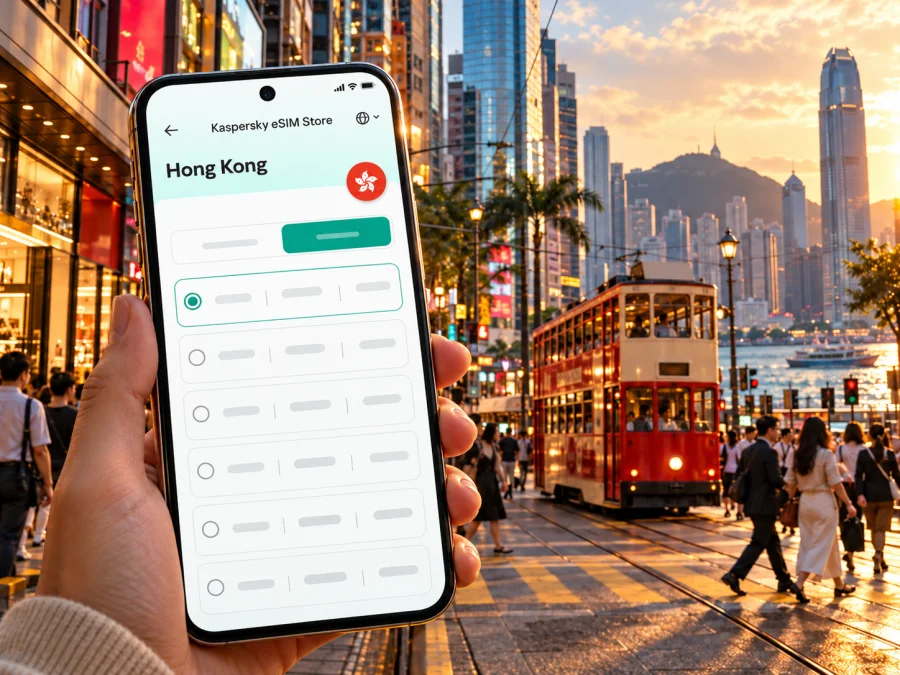
Causeway Bay eSIM: mobile connection and internet for your Hong Kong trip
Causeway Bay is one of Hong Kong Island’s busiest districts: a compact mix of shopping streets, office towers, hotels, restaurants and neighbourhood lanes. A reliable mobile data plan can make the first day easier, from finding the right station exit to checking a booking or sharing a route with someone you are meeting. An eSIM lets you prepare that connection digitally, without replacing your home SIM physically.
This guide is about using mobile internet around Causeway Bay and planning nearby trips. Causeway Bay is a district of Hong Kong, not a separate country or network market. An eSIM destination labelled Hong Kong should be checked against your itinerary and the specific plan terms; don’t assume that a city name means a separate local tariff or guarantees identical service in every location.
What mobile data helps with in Causeway Bay
The district is easy to reach by public transport, but its busy streets and large commercial buildings can make simple wayfinding more demanding than a map suggests. You may need data to compare walking routes, locate a hotel entrance, check a restaurant’s current opening details, call a ride, translate a menu, or message a colleague after a meeting runs late.
Mobile internet is particularly useful when your day moves between several types of place:
- Arrival: confirm your hotel address and choose a route from the airport.
- Shopping: save store locations and check how to return to a station or meeting point.
- Business: use maps, email, calendar updates and video or messaging apps between appointments.
- Food and evening plans: look up an address and arrange a pickup point before leaving a crowded block.
- Short stopover: keep essential confirmations available while deciding which nearby place fits the time you have.
An eSIM is a digital SIM profile installed on a compatible device. The selected plan’s terms determine its destination, data allowance, validity, price and activation rules. It is intended for mobile data unless the plan explicitly says otherwise, so do not assume it comes with a regular local phone number, voice calls or SMS. Keep your home number available if you need it for calls or one-time passcodes, and use internet-based messaging where appropriate.
Getting from Hong Kong International Airport to Causeway Bay
Hong Kong International Airport is on Lantau Island. The airport authority lists public transport, including Airport Express and public buses, as well as taxis. Causeway Bay is on Hong Kong Island, so the best route depends on your arrival time, luggage, hotel location and whether you prefer fewer transfers or a direct ride.
A common rail approach is to take Airport Express toward the city and continue by MTR after changing to the Island Line. Check the current route planner before travel: station transfers, service arrangements and operating times can change. A bus may suit you if its route stops close to your accommodation and you are comfortable navigating after landing. A taxi can reduce transfers with heavy bags, but allow for road conditions and confirm the destination address in writing or on a map.
Before you leave the airport, save or screenshot:
- Your hotel name and full street address.
- The nearest MTR station and the most suitable exit, if known.
- The route you plan to use, plus one alternative.
- Your booking confirmation and any arrival instructions.
Data is helpful for live directions, but an offline copy is useful if you have not yet activated a plan or need to conserve battery. If installing an eSIM before departure, complete the installation while you have stable Wi-Fi and follow the plan’s activation instructions. Do not turn on data roaming for a line unless the plan’s instructions require it.
Find your way around the district
Causeway Bay MTR station is on the Island Line. The station has multiple exits leading toward different blocks, so “Causeway Bay station” is only the beginning of a useful direction. Check the closest exit to your hotel, shop or appointment before going through the gates. For a large mall or office tower, use the building’s own entrance name or landmark in your map app; the nearest street address may lead you to a different side of the block.
The district is walkable in short sections, but dense streets, elevated walkways, underground links and multi-level buildings can make a route look simpler on a map than it feels on the ground. Use a navigation app to check whether it is sending you through a pedestrian route, a station passage or a road crossing. Follow signs on site if a construction diversion or crowd-control arrangement changes the obvious path.
Causeway Bay is also a useful base for reaching nearby parts of Hong Kong Island. Wan Chai and Central are along the Island Line, while Tin Hau and North Point are on the same line in the other direction. For trips to Kowloon or other districts, a transfer may be needed. Treat these as orientation points rather than a fixed itinerary: select the exact destination in a current journey planner and check service notices before setting out.
A practical way to avoid getting disoriented is to pick a clear regrouping point, such as your hotel lobby or a named station exit. Send that location to companions before separating. When meeting a taxi, use a nearby entrance or landmark instead of a vague pin dropped inside a large complex.
Choosing an eSIM for a Hong Kong visit
The right plan depends less on the district name and more on the shape of your trip. Think about how many days you will be in Hong Kong, whether you will travel beyond Causeway Bay, what you do online, and whether you can use Wi-Fi at your accommodation. Compare the plan’s displayed terms instead of choosing by data size alone.
| Your travel pattern | What to consider |
|---|---|
| A short visit centred on Causeway Bay | A modest data allowance may be enough if you mainly use maps, messaging and booking details. Check validity against your actual arrival and departure dates. |
| Several days of sightseeing | Allow for regular map use, photo uploads, transit searches and browsing. Choose a data amount that leaves room for your normal habits. |
| Remote work or frequent calls through apps | Estimate video, cloud file and hotspot use carefully; these activities can consume data faster than text and maps. Confirm tethering rules in the plan terms. |
| A multi-stop itinerary in Hong Kong | Check that the plan’s destination coverage and validity match every planned stop, not only the first hotel. |
| Hong Kong followed by another market | Verify whether a separate destination plan is needed. A Hong Kong plan should not be assumed to cover another country or territory. |
To compare fairly, look at four items together: destination, data amount, validity period and the point at which validity starts. Also review whether top-ups are available, whether tethering is allowed, and what happens when the data allowance is used. Offers and plan details can change, so check the live terms at the time you choose.
Kaspersky eSIM Store is an app and website that helps you choose, arrange and activate an eSIM with a suitable plan for mobile internet on an international trip. You can browse eSIM options for Hong Kong and compare the current details for your dates and usage. The destination page is for Hong Kong; it is not a Causeway Bay-specific network promise.
Estimate how much data you may use
There is no single allowance that suits every traveller. A person who checks a map a few times a day may use far less than someone who uploads video, joins work calls or uses a phone as a hotspot. Your usual apps, image quality settings and background syncing all matter.
Use this simple planning method:
- List the tasks you expect to do on mobile data: maps, chat, email, browsing, music, video calls, social media or hotspot use.
- Identify which tasks can happen over hotel or café Wi-Fi, without relying on public Wi-Fi for sensitive activity.
- Check whether photos and app updates upload automatically. Pause large backups if you prefer to reserve data for navigation and communication.
- Choose a plan with a validity period that spans your trip, including the day you arrive and the day you leave.
- If your usage is uncertain, decide in advance how you will monitor data and whether the plan offers a top-up option.
For a short city stay, the most important online tasks are often practical rather than data-heavy: directions, transit checks, messages, reservations and payment confirmations. Video streaming and hotspot sessions can change the calculation quickly. Set your phone to warn you about data use and review the eSIM line’s consumption during the trip.
Prepare your phone before departure
Check that your exact device variant supports eSIM and is not locked to a carrier. Model families can differ by country or region of sale, so a similar name on a device list is not enough to confirm compatibility. You can check whether your device supports eSIM, then confirm the result with your manufacturer or carrier if anything is unclear.
Before purchasing, also confirm that:
- Your operating system is up to date enough for the device’s eSIM functions.
- You can connect to Wi-Fi during installation if needed.
- You have access to the email account or app profile used for the order.
- You understand whether the plan activates at installation, on first connection, or at another stated point.
- Your home SIM remains available for calls or verification messages, if you need it.
If your phone supports dual SIM, label the lines clearly—for example, “Home” and “Hong Kong data.” Set the eSIM as the mobile-data line when you intend to use it, but keep your home line’s roaming settings under control to avoid unexpected charges. The exact menus differ across iOS, Android versions and manufacturers.
Install and activate the eSIM
Follow the instructions supplied with your selected plan. Installation and activation are separate steps in some plans: adding the profile to the phone does not necessarily mean that validity starts immediately. Read the plan details before scanning a QR code or confirming an activation prompt, particularly if you are preparing well ahead of the trip.
A typical preparation sequence is:
- Check the phone’s eSIM support and carrier-lock status.
- Choose a Hong Kong plan that matches your dates and expected data use.
- Install the eSIM while connected to a stable network, following the on-screen steps.
- Give the line a clear label so you can distinguish it from your home SIM.
- Review the plan’s instructions for when to switch on the line and data roaming.
- After arrival, select the eSIM for mobile data if that is what the plan requires, then check that the phone connects.
For the device-specific steps, use the Android eSIM installation guide or the iOS eSIM installation guide. Keep the QR code and order details private, and do not delete an installed eSIM profile unless the plan’s instructions or support team tells you to do so. Some profiles cannot simply be reinstalled after removal.
If the connection does not start
A new arrival can be tired and in a hurry, so troubleshoot in a calm order before reinstalling anything. First check that you are in the plan’s destination, the eSIM line is switched on, and the correct line is selected for mobile data. Then review the plan’s activation instructions; some plans require a data roaming setting for the eSIM, while others may specify a different setup.
Try these checks one at a time:
- Confirm the eSIM appears in the phone’s SIM or mobile network settings.
- Check whether the plan’s validity has begun and whether data remains available.
- Turn airplane mode on briefly and off, or restart the phone if appropriate.
- Check that mobile data is enabled for the eSIM line and that the home SIM is not selected instead.
- Review any access point or network selection instructions provided for the plan.
- Move to a different indoor or outdoor spot if the phone has no usable signal where you are.
If it still does not connect, contact the service’s support channel with the device model and software version, your destination, the error message and the steps you already tried. Avoid sharing passwords or one-time codes. Preserve screenshots of the plan instructions and connection settings if they will help support understand the issue.
Short stopover and phone battery
If you have only a few hours, choose one or two nearby stops rather than crossing the city repeatedly. Save your return route, check your onward check-in time and leave room for queues and station transfers. Confirm that the eSIM plan’s validity suits a short visit before activating it. If you continue to another destination, verify separate coverage and terms rather than assuming nearby markets are included.
Navigation uses battery as well as data. Save your hotel address offline, carry a power bank if useful, and keep a screenshot of a station exit or meeting point. Dense high-rises can affect GPS accuracy; compare the map with street signs and building entrances if your location jumps.
Business travel and longer stays
For a meeting-heavy visit, connectivity supports the small handoffs that keep a day on schedule: a last-minute room change, a map pin, a calendar update or a message to a client. Before leaving the hotel, download presentation files and confirm that any call platform works on your device. If you expect to use a laptop hotspot, check the plan terms and your data needs rather than assuming tethering is included.
Separate work and personal usage in your estimate. Email and messaging may be modest; video calls, cloud synchronisation and large attachments can use substantially more. When possible, use a trusted connection for large transfers and keep mobile data available for travel between appointments. If the phone is also your work authentication device, keep your home SIM reachable if your organisation requires it.
For stays extending beyond a few days, review your remaining data and validity periodically. A plan that worked for arrival day may not suit a week of navigation, work calls and image uploads. Any add-on or replacement should be checked against the same destination and start-date conditions as the initial plan.
Common questions
Is Causeway Bay a separate eSIM destination?
Causeway Bay is a district on Hong Kong Island. For an eSIM purchase, check the destination shown in the plan details—typically Hong Kong—and confirm that the plan matches your itinerary. Do not expect a separate Causeway Bay tariff unless one is explicitly listed.
Will an eSIM give me a local phone number?
Not necessarily. Travel eSIM plans are often intended for data, and the selected plan’s terms define what is included. Check those terms if you need voice calls or SMS. Internet messaging and calls may work through compatible apps when you have data.
Do I need to remove my home SIM?
Usually you can keep a physical home SIM in a dual-SIM phone while adding an eSIM, but the exact capability depends on your device. Check how your phone handles two active lines and select the intended line for mobile data. Monitor your home carrier’s roaming settings and charges.
Should I install the eSIM before flying?
You can prepare it before travel if the plan instructions allow it. Read when validity begins before installation or activation, and use a stable internet connection for setup. If the instructions say to install or activate only after arrival, follow them.
Can I use the same plan outside Causeway Bay?
Check the listed destination and terms. A Hong Kong plan may be intended for use around Hong Kong, but no plan should be assumed to work identically in every place or under all conditions. Confirm any planned cross-border leg separately.
What if the phone shows no service indoors?
Move to a different location and check the eSIM line, mobile-data selection, plan validity and any roaming instructions. Buildings, network conditions and device settings can affect reception. If the issue continues, contact support with the error details.
A simple pre-trip checklist
Before you leave for Causeway Bay, confirm the basics in one pass:
- Your device variant supports eSIM and is not carrier-locked.
- The Hong Kong plan’s data allowance and validity suit your dates.
- You know when the plan starts and whether data roaming is required.
- The eSIM is installed or you know how you will install it.
- Your hotel address and airport route are saved offline.
- Your home line settings will not trigger unwanted roaming charges.
- You have a backup way to access essential reservations and travel details.
Causeway Bay is a convenient base for shopping, dining, meetings and exploring Hong Kong Island, but the most useful connection plan is the one that fits your own itinerary. Compare the current destination, data and validity details, prepare your phone in advance, and keep key route information available offline as a fallback.
Get ready for your Causeway Bay visit
Use Kaspersky eSIM Store on the website or in the app to choose, arrange and activate an eSIM plan for your trip. Review the Hong Kong options, check the terms against your travel dates and install the eSIM on a compatible, unlocked device. Explore current eSIM options for Hong Kong and prepare your mobile data before you set out around Causeway Bay.


