
Travel connectivity guide
eSIM for the Cayman Islands: mobile internet
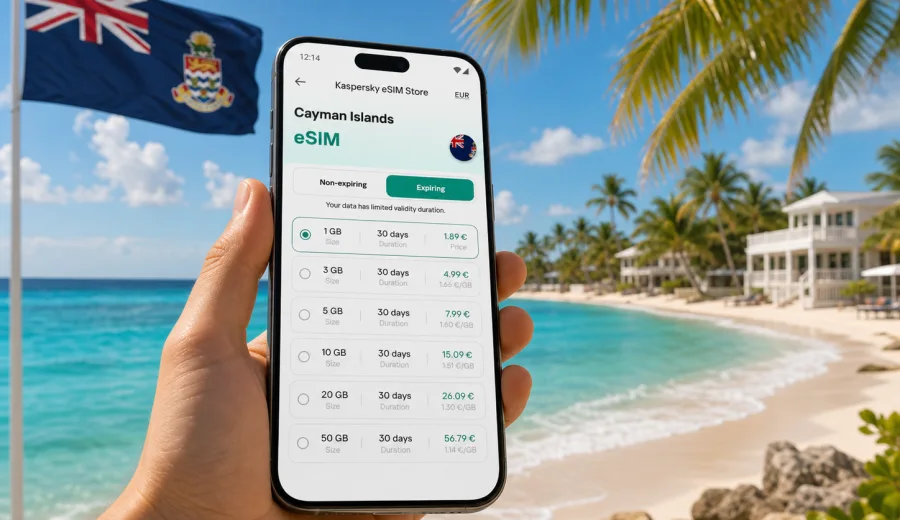
eSIM in the Cayman Islands: mobile connection and internet for your trip
The Cayman Islands are a compact destination, but mobile internet can still shape the first hours of your trip. You may need maps from Owen Roberts International Airport to George Town, ride details for a hotel transfer, a message to your host, a restaurant booking on Seven Mile Beach, or quick access to travel documents. An eSIM helps you prepare mobile data before you start looking for a local SIM card desk or relying on public Wi-Fi.
This guide explains how to use an eSIM for the Cayman Islands, how to choose a data plan, what to check before payment, and how to install and activate the eSIM on a compatible device. The focus is practical: staying online with mobile data during a holiday, business trip, cruise stop, family visit, or multi-island itinerary.
Why eSIM is useful in the Cayman Islands
The Cayman Islands are made up of Grand Cayman, Cayman Brac, and Little Cayman. Most visitors spend time on Grand Cayman, especially around George Town, Seven Mile Beach, West Bay, and the airport area. Others continue to quieter parts of the islands, join dive trips, or move between accommodation, marinas, restaurants, and beaches. In all of these situations, mobile data is useful for small but frequent tasks.
With an eSIM, you use a digital SIM profile instead of inserting a physical SIM card. You choose a suitable data plan, install the eSIM on your phone, and use it for mobile internet when the plan is active and your device is connected to an available local network. The exact conditions depend on the selected plan, your device, and local network availability.
An eSIM can be helpful when you want to:
- open maps and navigation shortly after arrival;
- confirm hotel, villa, dive, boat, or car rental details;
- message family, colleagues, or travel partners through internet-based apps;
- check flight, cruise, or ferry-related updates;
- use translation, banking, and booking apps while away from hotel Wi-Fi;
- reduce dependence on public Wi-Fi in cafes, airports, lobbies, and marinas;
- keep your usual physical SIM in the phone for calls or SMS, if your device supports dual SIM use.
The main advantage is preparation. Instead of solving connectivity after landing, you can set up the eSIM before departure or while you still have reliable Wi-Fi. Then, after arrival, you only need to enable the correct mobile data line and follow the plan instructions.
What eSIM gives you during the trip
For most travel scenarios, eSIM is about data. It is not usually a full replacement for a local mobile subscription. Unless a specific plan says otherwise, you should expect a travel eSIM to provide mobile internet rather than a local phone number, regular voice calls, or SMS. Calls and messages can usually be handled through apps that work over data.
This distinction matters in the Cayman Islands because many travel tasks are app-based. Hotel confirmations, restaurant bookings, ride coordination, maps, airline updates, email, and messaging can all work through mobile internet. If you need traditional voice calling or SMS, check the conditions of your home plan and the selected eSIM plan before you travel.
| Travel task | Why mobile data helps |
|---|---|
| Airport arrival | Open maps, message your transfer, check booking details |
| Beach days | Coordinate meeting points, use weather and tide-related apps |
| Diving and boat trips | Confirm schedules, pickup points, and operator messages |
| Business travel | Use email, calendar, cloud documents, and messaging |
| Family travel | Keep everyone reachable without sharing one hotspot |
| Cruise stop | Navigate quickly during limited time on shore |
The goal is not to replace every type of connection. The goal is to have a practical mobile internet option for the everyday actions that make a trip smoother.
How to choose an eSIM data plan for the Cayman Islands
Start with your trip length and expected data use. A short beach break may need less data than a working trip with video calls, file sharing, or heavy map use. A traveler who mostly uses hotel Wi-Fi may need a smaller plan than someone who wants mobile data active all day while moving around Grand Cayman.
Think through these points before you choose:
- Trip duration. Match the validity period to the number of days you will need mobile data.
- Data volume. Estimate how much you use for maps, messaging, email, browsing, photos, and work apps.
- Route. If you are only visiting the Cayman Islands, a country plan may be suitable. If your itinerary includes several Caribbean destinations, compare regional options where available.
- Activation timing. Check when the plan validity starts: at purchase, installation, or first connection, depending on the plan terms.
- Device use. If you plan to share a hotspot, confirm whether tethering is supported by the selected plan and your device.
- Backup connection. Keep access to Wi-Fi during setup and retain important travel details offline.
Here is a simple way to estimate your needs:
| Traveler profile | Typical data behavior | Planning note |
|---|---|---|
| Light user | Messaging, maps, email, occasional browsing | Smaller data allowance may be enough |
| Standard vacation user | Maps, photos, restaurant searches, social apps | Choose a comfortable buffer for daily use |
| Remote worker | Email, cloud files, calls, hotspot use | Check data volume and validity carefully |
| Family coordinator | Messaging, navigation, booking apps for several people | Consider whether each traveler needs their own eSIM |
| Cruise visitor | Maps, messaging, quick searches during shore time | Short validity can be practical if available |
Avoid choosing only by the lowest price. A plan that is too small can run out at an inconvenient time, while a plan with too much data may not be necessary for a short stay. The better choice is the one that matches your route, validity period, and real data habits.
Cayman Islands scenarios where eSIM is practical
Your mobile connection needs may change by location and trip style. In George Town, you may use maps, restaurant searches, online payments, and messages throughout the day. Near Seven Mile Beach, you may rely on mobile data between your accommodation, beach clubs, shops, and evening plans. On Cayman Brac or Little Cayman, you may want offline backups as well as mobile data because travel logistics can be more spread out.
For a first-time visitor, eSIM is especially useful in the first day of the trip. You can check the address of your accommodation, send arrival messages, compare transport options, and confirm check-in details without searching for a physical SIM card. For repeat visitors, it is useful because it turns connectivity into a predictable pre-trip task.
For business travelers, a travel eSIM can help keep work apps available outside meeting venues and hotels. For divers and boat tour guests, mobile data helps with schedule changes, pickup locations, weather checks, and communication with operators. For families, it helps separate responsibilities: one person can handle maps while another keeps bookings and messages open.
If you want to prepare before departure, you can use Kaspersky eSIM Store to choose an eSIM data plan for the Cayman Islands and review the available plan details before your trip. Check the data allowance, validity period, destination, and any setup notes so the plan fits your route.
What to check before buying
Before you pay for any travel eSIM, confirm that your device is ready. eSIM support depends on the phone or tablet model, region, and sometimes the carrier lock status. A phone can be modern and still not support eSIM in a specific market version. A device can support eSIM but be restricted by a carrier lock.
Use this checklist:
- Your phone or tablet supports eSIM.
- The device is not locked to a carrier in a way that prevents adding another mobile plan.
- You have stable Wi-Fi for installation.
- You can access your email or account where the eSIM details will appear.
- Your operating system is up to date enough to add and manage eSIM profiles.
- You understand when the plan validity and data use begin.
- You know whether the plan includes only data or also any other services.
- You have saved important travel details offline in case you need them during setup.
If you are unsure whether your device can use eSIM, check your device before choosing a plan. This is a small step, but it prevents one of the most common travel connectivity problems: buying a plan for a phone that cannot install or activate it.
How to install and activate your eSIM
The general setup process is simple, but you should do it carefully. Use a reliable Wi-Fi connection, keep your device charged, and avoid deleting an eSIM profile unless you are sure you no longer need it. Some eSIM profiles cannot be moved to another device after activation, depending on the plan conditions.
Basic setup flow:
1. Choose the Cayman Islands as your destination and select a suitable data plan.
2. Complete the order and open the eSIM details in your account, app, or confirmation email.
3. Add the eSIM to your phone using the on-screen instructions or QR code.
4. Label the new mobile line clearly, for example “Cayman data”.
5. Before travel, keep your home SIM as the default for calls if you still need it.
6. On arrival, set the eSIM as the mobile data line.
7. Turn on data roaming for the eSIM if the plan instructions require it.
8. Check that mobile data works before leaving Wi-Fi coverage.
For device-specific steps, use the Android eSIM installation guide or the iOS eSIM installation guide. The exact labels in settings can differ by device model and operating system version, so follow the instructions shown for your phone.
What eSIM does not do
It is useful to understand the limits before you travel. A travel eSIM is mainly a way to use mobile data in the selected destination under the conditions of the plan. It does not guarantee service in every building, beach, road, boat area, or remote spot.
Keep these limits in mind:
- eSIM availability and performance depend on local network conditions;
- some plans may require data roaming to be turned on for the eSIM line;
- voice calls and SMS are not included unless the plan states otherwise;
- a plan may have a fixed validity period;
- an installed eSIM may not be transferable to another device;
- refunds and changes depend on the purchase and usage conditions.
This is why checking the plan details matters. Good preparation is not just choosing a destination. It is also confirming device compatibility, data allowance, validity, and the setup steps before you need mobile internet.
Quick answers for travelers
Can I use eSIM as soon as I land in Grand Cayman?
You can usually prepare the eSIM before travel and enable it after arrival, but the exact start time and setup rules depend on the selected plan. Check the plan terms before installation.
Will eSIM give me a Cayman Islands phone number?
In most travel use cases, eSIM plans are for mobile data. Do not assume that a local phone number, voice calls, or SMS are included unless the plan clearly says so.
Can I keep my regular SIM active?
Many compatible phones allow a physical SIM and eSIM to be used together. You can often keep your regular line for calls or messages and use the eSIM for mobile data. Check your device settings and carrier restrictions.
Do I need Wi-Fi to install eSIM?
Yes, you should have reliable internet access during installation, usually through Wi-Fi. After the eSIM is installed and active, it can provide mobile data according to the plan conditions.
Can I use the same eSIM on another phone?
Do not assume that you can transfer an activated eSIM to a new device. Many eSIM profiles are tied to the device after installation or activation.
Is eSIM better than roaming?
It depends on your home operator, trip length, and data needs. eSIM can be a convenient alternative because you can see the plan data and validity in advance, but you should compare it with your own roaming conditions.
Final checklist before your Cayman Islands trip
Before you travel, make sure you can answer these questions:
- Is my device compatible with eSIM?
- Is my phone unlocked for another mobile plan?
- Which Cayman Islands data plan matches my trip length?
- When does the plan validity start?
- How much data do I realistically need?
- Do I know how to switch mobile data to the eSIM line?
- Have I saved important travel details offline?
- Do I know where to find installation instructions if I need them?
If those points are clear, eSIM becomes a straightforward part of your travel setup. You arrive with a plan for mobile internet, you keep control over data use, and you spend less time solving connectivity during the trip.
For a smoother arrival in George Town, a beach stay on Grand Cayman, or a wider route across the islands, you can prepare an eSIM plan for the Cayman Islands in Kaspersky eSIM Store before you go. Choose the option that fits your travel dates and data needs, check device compatibility, install the eSIM on a supported phone, and keep your mobile internet plan ready for the trip.