Travel connectivity guide
Cayon eSIM: Mobile Internet in Saint Kitts
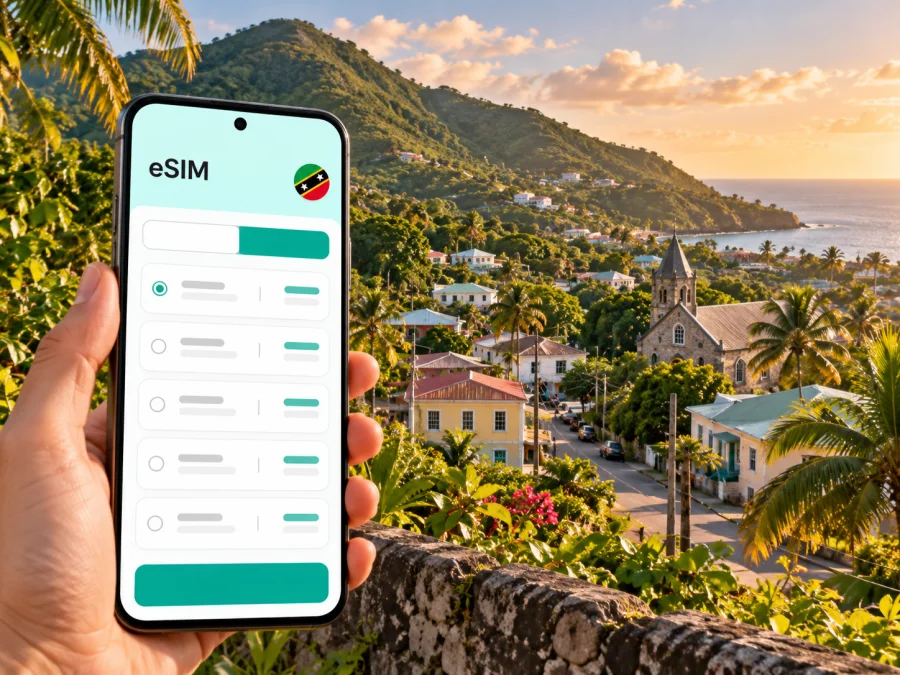
Cayon eSIM: mobile connection and internet for your Saint Kitts trip
Cayon is a small community on the island of Saint Kitts, set inland beneath green hills rather than on a busy waterfront. It makes a useful base or stop on an island itinerary if you want to see more than the capital and the resort coast. A phone with mobile data can help you check a pickup, follow a route, message your host, and keep plans together as you move between Cayon, Basseterre, the coast, and other parts of Saint Kitts.
Preparing connectivity is a practical part of the trip. Before choosing an eSIM, check that your exact phone variant supports eSIM and is unlocked, then compare the destination, data allowance, validity period, and activation conditions shown for the plan. Coverage and performance depend on the local network and where you are; no single mobile option can promise the same signal in every building, valley, or stretch of road.
Where Cayon fits into a Saint Kitts itinerary
Cayon is on Saint Kitts, one of the two islands in the federation of Saint Kitts and Nevis. It is associated with Saint Mary Cayon parish and lies away from the capital’s central waterfront. That distinction matters when planning: a booking or route described simply as “Cayon” may take you to a residential community, not to a beachfront hotel district or a transport hub with a constant stream of visitor services.
The town and its surrounding area sit in a landscape of foothills, farms, villages, and an Atlantic-facing coast. The wider parish includes Cayon and neighboring communities such as Keys and Ottley’s. Treat the name as a local destination, not as shorthand for the whole island. If an accommodation host gives directions, save the exact pin and the property’s contact details before leaving an area with reliable data.
Cayon works well in several kinds of itinerary:
- A local stay: you are visiting friends or family, staying in a guesthouse, or spending time in the community rather than at a large resort.
- An island loop: you are crossing the island by road and want maps, messages, and booking details available between stops.
- A slower inland day: you are combining a village visit with a drive or taxi ride toward the foothills and nearby coast.
- A work or family visit: you need data for email, calls through internet apps, directions, and schedule changes while keeping your usual number available where your home plan allows.
Cayon is not a substitute name for Basseterre. Basseterre is the capital and an important place for onward transport, shopping, and services; Cayon has a smaller, community-centered feel. Plan time and transport between them rather than assuming city-style transit frequency or late-night services in Cayon.
Arriving and getting to Cayon
Most visitors reach Saint Kitts through Robert Llewellyn Bradshaw International Airport (SKB), which serves Saint Kitts and Nevis, near Basseterre. From there, continue to Cayon by taxi, rental car, or a locally available minibus. Choose based on arrival time, luggage, accommodation location, and driving comfort.
A taxi or arranged transfer is convenient after a flight. Confirm the fare, pickup point, and exact address first. Minibuses can suit flexible daytime travel along main roads, but do not assume a fixed timetable or door-to-door service; ask locally about direction, stop, fare, and return options. For a rental car, confirm the company’s requirements and driving arrangements in advance.
| Situation | Practical choice | Confirm |
|---|---|---|
| Late arrival or luggage | Pre-arranged taxi | Pickup, fare, exact address |
| Flexible daytime trip | Ask about a minibus | Direction, stop, fare, return |
| Several island stops | Rental car or driver | Route, parking, local rules |
| Unclear property location | Contact the host | Map pin, landmark, reachable number |
Transport details and road conditions can change. Save an offline map and the written accommodation address before setting out; use local guidance if a closure or condition makes the mapped route unsuitable.
Arrival steps
- Save the address, host’s number, and pickup details before boarding.
- At the airport, check messages and confirm the meeting point.
- Once connected, open the route and verify the destination with your driver.
- On arrival, message your host and note the pickup point for your return.
Getting around from a village base
Treat Cayon as one stop in a wider island plan. Walking may suit a short trip if the distance, heat, daylight, and road shoulder are appropriate; for longer journeys, arrange a ride or ask about minibuses. A route that looks short on a screen is not necessarily comfortable or safe to walk.
Basseterre is a useful reference for services and onward transport. Plan your return before leaving Cayon. If using a minibus, ask about the last useful service in your direction; if taking a taxi, agree on a pickup point and fare, especially for a return from a quieter area.
For a day with several stops, group nearby plans and confirm transport rather than relying on a last-minute ride. If you plan to visit Nevis, check current ferry arrangements and allow time to reach the departure point. Crossing to another island is a separate leg, not a local trip from Cayon.
What mobile internet is useful for in Cayon
A data connection is most useful when it supports a concrete task: opening maps, contacting a taxi or host, confirming a booking, sharing your location, checking weather, or using messaging and voice calls through internet apps. Video calls, photo uploads, live navigation, and hotspot use can consume more data than text messages. Download large files over trusted Wi-Fi and disable automatic backups if you want to keep usage predictable.
Mobile data does not necessarily include ordinary calls or SMS. Many travel plans are data-only, so check the terms and keep your home SIM available if its roaming charges suit you. Internet calls require the relevant app and account; do not assume a local phone number is included.
| Use | Relative data impact | Preparation |
|---|---|---|
| Messaging and text directions | Usually light | Limit automatic media downloads |
| Map navigation | Moderate and variable | Save offline maps and charge your phone |
| Photo feeds, video calls, hotspot | Can be high | Use Wi-Fi where practical and monitor usage |
These are relative patterns, not guaranteed consumption figures. App settings, media quality, syncing, and time online affect actual use.
Choosing an eSIM for Cayon and Saint Kitts
A city guide cannot promise a specific network experience for every address. Before you buy, confirm that the plan explicitly covers Saint Kitts and Nevis or the relevant regional destination and review any fair-use, speed, validity, or activation limits. A country plan may be suitable for a stay centered on Cayon, while a regional plan may be worth comparing if your itinerary also includes other Caribbean islands. Whether a regional package includes every stop should be checked in its destination list.
You can compare available eSIM options for Saint Kitts and Nevis and read the current terms attached to each option. Kaspersky eSIM Store is an app and website where you can select, arrange, and activate an eSIM with a suitable plan for mobile internet while travelling abroad. The destination page is a starting point for checking current availability; plan details and network arrangements can change, so use the information shown at the time you choose.
Use this checklist before completing a purchase:
- Destination: Saint Kitts and Nevis is included, and any other islands on your itinerary are listed if you need coverage there.
- Data: the allowance fits your likely use. Navigation and messaging differ from daily video streaming or laptop hotspot use.
- Validity: the plan lasts long enough for your actual travel dates, including any buffer for delayed arrival or an extended stay.
- Start of validity: understand whether the plan begins at installation, activation, or first connection to a supported network.
- Device: your exact phone model and regional variant support eSIM, and the device is not locked in a way that prevents another provider’s profile.
- Network and service: check the terms for the supported local network, speeds, tethering, and any restrictions that matter to you.
- Support: save the help route and installation instructions before departure, while you still have a reliable connection.
The local market and an international travel plan are not the same thing. Apple’s current carrier information lists Digicel and Flow among providers supporting eSIM activation methods in Saint Kitts and Nevis, with Digicel also listed for prepaid plans aimed at international travellers. This describes provider options for eligible Apple devices; it does not establish which local network a separate travel plan uses in Cayon, nor guarantee coverage at a particular address. Verify the network details stated for the specific plan you select.
Device and eSIM compatibility
eSIM support depends on the exact device, software, sales region, and sometimes the carrier or network configuration. The same model family can have different capabilities in different markets. Some phones sold in particular regions do not include eSIM, and carrier locking can prevent installation or use of a profile from another provider. Before purchase, check whether your device supports eSIM and confirm that it is unlocked for the service you intend to use.
On an iPhone, look in the mobile or cellular settings for an option to add an eSIM. On Android, look in SIM or network settings for an option such as “Add eSIM” or “Download a SIM.” Menu names vary by manufacturer and software version, so the manufacturer’s instructions for your exact regional model are the reliable reference. If the option is missing, contact the device maker or carrier before paying for a plan.
A local operator’s eSIM compatibility list is not automatically a list of every phone that works with every travel eSIM. For example, an operator may support eSIM activation on selected devices in its own market, while a travel plan can have different installation conditions. Check both the device’s eSIM capability and the plan’s requirements. Do not rely on the phone’s brand name alone.
Install before the trip, activate with care
If plan terms permit, install the eSIM over stable Wi-Fi before travelling. First check when validity begins: installation and activation may differ. Keep the QR code or manual details accessible, and do not delete an installed profile unless support confirms it can be restored.
For step-by-step help, use the Android eSIM installation instructions or the iPhone and iOS eSIM installation instructions. In general:
- Confirm device compatibility, unlock status, destination, and start conditions.
- Add the profile using the supplied QR code or manual details.
- Label it “Travel data” and select the appropriate line for mobile data.
- Follow the plan’s guidance on data roaming. Keep home-line data roaming off if you want to avoid unintended charges.
- On arrival, enable the travel line and allow it to register on a supported network.
If it does not connect, check that the line is enabled, the correct data line is selected, airplane mode is off, and the plan is active. Refresh the connection or restart the phone, then follow the plan’s network instructions. Use Wi-Fi and contact support if service still does not start; do not delete the eSIM as the first troubleshooting step.
Three practical visitor scenarios
Late arrival and a stay in Cayon
Save the accommodation address and arrange a confirmed airport pickup before departure. Check when your eSIM’s validity begins; installation and activation may be different events. After landing, confirm the meeting point and message your host when you are on the way. A taxi is usually the simplest late-arrival option; check current local availability rather than expecting a minibus at any hour.
Cayon as one stop on an island loop
Keep maps and stop addresses available offline. Confirm whether each leg needs a prearranged ride or whether a daytime minibus is practical. If driving, charge the phone and save a route; ask locally if road conditions make the map’s suggestion unsuitable.
Staying available for work
Estimate data for email, messages, and calls, and test work apps before leaving home. A data eSIM may not include a local voice number. If you need a laptop hotspot, check that tethering is allowed and the allowance is sufficient.
When service is slow or unavailable
A weak signal may be caused by the building, terrain, device settings, local network conditions, or temporary congestion. Try these checks in order:
- Move nearer a window or outdoors if it is safe and appropriate.
- Verify that the travel eSIM is enabled and selected for mobile data.
- Confirm that the plan is active and covers the current destination.
- Follow the provider’s instruction about data roaming and network selection.
- Toggle airplane mode briefly or restart the phone, then allow it time to reconnect.
- Use Wi-Fi for urgent communication and contact support if the plan still does not work.
Around a foothill community, a map may show roads and settlements without indicating the strength of a mobile signal. Do not use a map’s presence as proof of coverage. If you will be away from your accommodation for much of the day, tell someone your general plan, keep the phone charged, and save essential information offline.
A compact Cayon connectivity checklist
Before booking
- Check exact device variant, eSIM support, and carrier-unlock status.
- Compare destination list, data, validity, activation trigger, and restrictions.
- Save your accommodation pin and arrange the first ride.
Before departure
- Install over reliable Wi-Fi if permitted and keep instructions available.
- Download maps and save addresses, pickup details, and onward travel notes.
- Pack a charger and confirm which SIM will use mobile data.
During the stay
- Monitor data use and confirm transport before a late return.
- Recheck destination coverage before travelling onward to Nevis or another island.
Frequently asked questions
Is Cayon a city or a beach resort?
Cayon is a community on Saint Kitts in Saint Mary Cayon parish. It is an inland foothill destination, not the name of a resort strip or a separate island. Confirm your exact accommodation location when arranging transport.
Can I use an eSIM in Cayon?
It may work if your device supports eSIM, is unlocked, and the selected plan covers Saint Kitts and Nevis. Actual access depends on the plan’s network and local conditions; check its current details before buying.
Will a travel eSIM give me a local phone number?
Not necessarily. Many travel plans provide data only. Check the terms if you need ordinary calls or SMS; internet calls require the relevant app and account.
Is there public transport from Basseterre toward Cayon?
Minibuses and taxis operate locally, but routes and schedules may not follow a fixed city timetable. Ask about the current direction, stop, fare, and return service. A taxi or prearranged transfer may be easier with luggage or a tight schedule.
Should I activate before flying, and what if data drops?
Install in advance if permitted, but check when validity starts. Save an offline map, keep your phone charged, and follow the plan’s troubleshooting steps if service drops. Signal varies with terrain and location.
Prepare your connection for the trip
A little preparation makes Cayon easier to navigate: save the address and route, arrange the first ride, and plan how you will return from Basseterre or another stop. Choose a data allowance that fits your actual use, check your device and the plan’s conditions, and keep offline directions as a backup. You can choose an eSIM plan for Saint Kitts and Nevis through Kaspersky eSIM Store, the app and website for selecting, arranging, and activating an eSIM for mobile internet abroad. Review the current plan details before you travel, then install and use the eSIM according to its instructions.


