Travel connectivity guide
CelcomDigi eSIM in Malaysia: visitor guide
CelcomDigi eSIM in Malaysia: availability, activation and travel options
For a trip to Malaysia, choose mobile access based on what you need: a local phone line, data for maps and messaging, or both. CelcomDigi is a mobile operator in Malaysia and its current support pages document eSIM service. There is an important visitor restriction, though: CelcomDigi says that new eSIM sign-ups through its online store are currently supported only for Malaysian citizens with a valid MyDigital ID. A traveller should not assume that a foreign passport alone is enough to order a local eSIM online.
CelcomDigi separately offers prepaid service and describes a prepaid Tourist SIM for non-Malaysian passport holders visiting Malaysia. The public tourist information does not establish that this offer is available as an eSIM. Treat the tourist SIM and the operator's eSIM process as separate options, and confirm the current format, registration route and requirements with CelcomDigi before relying on either one. The availability of eSIM for some customer types does not mean that every prepaid or tourist offer can be activated in that format.
CelcomDigi was formed after the merger of Celcom and Digi, completed in December 2022. The company has described ongoing work to integrate and modernise its mobile network. For travellers, this makes a current location check more useful than relying on older coverage information. CelcomDigi's network checker says mapped availability is not guaranteed and actual service can vary with topography, indoor conditions, device model and system limits.
This article distinguishes eSIM support, visitor eligibility and practical coverage. CelcomDigi Help Centre pages titled “CelcomDigi eSIM,” “eSIM Activation Guide,” “CelcomDigi eSIM - Compatible Devices,” and “FAQ: CelcomDigi Tourist SIM,” its network checker, and the corporate newsroom release announcing completion of the merger on 1 December 2022, were checked on 25 September 2026. They are public operator information current at the time of review; eligibility, processes and availability can change, so verify again before travel.
CelcomDigi eSIM availability
An eSIM is a digital SIM profile installed on a compatible phone. It can activate a mobile line without a removable SIM card. CelcomDigi's Help Centre describes eSIM for eligible new postpaid sign-ups, switching to CelcomDigi postpaid, converting an existing physical SIM, and replacing a lost or deleted eSIM profile. The article also lists conversion and replacement requests for existing prepaid and postpaid lines. These are different account situations, and not all customers can use the same sign-up route.
The online-store eligibility note is particularly relevant to visitors: CelcomDigi currently supports new eSIM sign-ups through that channel only for Malaysian citizens with a valid MyDigital ID. The public page does not confirm a standard self-service online route for a tourist seeking a new local eSIM. This should not be expanded into a claim that no foreign visitor can ever use a CelcomDigi eSIM, since the page describes one channel and other customer circumstances may differ. If a Malaysian number is important for calls, messages or local account verification, ask CelcomDigi directly which application route fits your status.
The company separately describes a prepaid Tourist SIM for non-Malaysian passport holders visiting Malaysia. Its Help Centre says registration is available at CelcomDigi stores or kiosks at selected visitor and transport locations, including near airports and bus terminals. The public page does not confirm that this tourist product is an eSIM. Check the current format, registration documents, sales locations and opening times with the operator. Do not infer eSIM support from the word “prepaid,” or tourist eligibility from the general availability of eSIM.
Existing CelcomDigi customers may have different options from new arrivals. An existing customer might be able to convert a physical SIM, replace a profile or restore a line, subject to the account, device and request channel. Those processes do not establish that a visitor can open a new local account. General prepaid activation guidance also distinguishes online self-service for MyKad holders from assisted registration for customers without MyKad; it tells foreign citizens to bring original identification and valid visa information. Because this guidance concerns SIM registration generally, confirm with CelcomDigi which steps apply to the tourist product and your circumstances.
Before choosing, clarify what you expect from the service. A local line may be useful if you need a Malaysian number and voice or SMS service. A travel eSIM may suit a data-focused visit, but can be data-only and follows the conditions of its own provider. Ask when an eSIM profile can be installed, when it becomes active, whether registration needs to happen in Malaysia, and what support channel is available if setup fails.
After confirming those distinctions, you can review eSIM options for Malaysia as a travel-data alternative. Kaspersky eSIM Store is an app and website that helps travellers choose, purchase and activate an eSIM plan for mobile internet abroad. It is not a Malaysian mobile operator, does not own a network and does not itself provide mobile internet. Check whether the selected service supports data only or also calls and SMS, which network access it uses, and when activation begins. Your phone must support eSIM and be unlocked for another provider.
Network technologies and coverage
CelcomDigi's network pages describe mobile service using 4G LTE and 5G. The company's 5G guidance says the device must be compatible and the 5G setting enabled. An eSIM profile alone does not guarantee access to 5G: the phone, service, settings and local coverage all matter. CelcomDigi does not promise that a given connection will be available at every destination or indoors.
Malaysia's routes include cities, islands, highways and rural or mountainous areas. Check each stop, not only the arrival city. Coverage inside buildings, below ground, on ferries and on remote roads can differ from a map. Download maps and important details in advance if you expect to travel through areas with limited service.
CelcomDigi's network status checker provides 4G and 5G information and notes that 5G coverage data comes from Digital Nasional Berhad (DNB). The checker cautions that availability and quality can vary with topography, indoor coverage, system limitations and device model; mapped coverage is best effort, not a service guarantee. Network conditions and outages can also change, so check the status information close to departure. A compatible device should support the relevant network bands for the region in which it was sold.
| Travel question | What to check |
|---|---|
| Is the phone eSIM-compatible? | Confirm the exact model and regional variant against the manufacturer's and CelcomDigi's device guidance. |
| Can I register as a visitor? | Ask about passport, visa, MyDigital ID and channel requirements for your status. |
| Is 5G available at my stops? | Use the current network checker and confirm that the phone supports the relevant bands. |
| Will service work indoors or on a route? | Treat maps as indicative and check the actual buildings, transport paths and remote areas. |
| Do I need calls or SMS? | Confirm whether the service is a local voice line or data-only travel eSIM. |
This is a planning reference, not a promise of service. Coverage, registration and feature availability depend on the selected offer, account eligibility, device configuration and conditions at each location.
Activation and setup
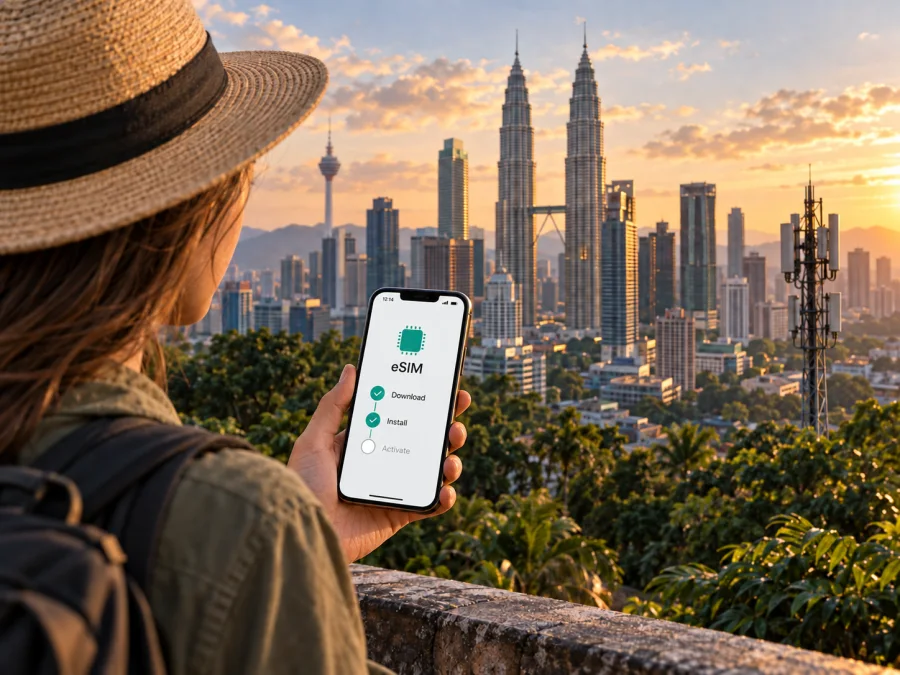
CelcomDigi's activation guide describes adding an eSIM by scanning a QR code or entering activation details manually on supported iPhone and Android devices. Depending on the request, the activation code is sent to the registered email after approval. The operator recommends having Wi-Fi or mobile data during setup and says QR or activation codes are typically for one-time use. Keep access to the registered email and do not share a setup code with an untrusted person.
For a confirmed CelcomDigi eSIM request, the usual steps are:
- Check your exact phone model, software version and eSIM compatibility.
- Confirm you are eligible for the requested line and channel, including any identity requirements.
- Connect to Wi-Fi and open the phone's Mobile Service, Connections or SIM Manager settings.
- Select the option to add an eSIM, then scan the operator's QR code or enter the provided activation details.
- Follow the on-screen prompts and wait for the profile to install and activate.
- Choose which line handles mobile data, calls and messages, then confirm the profile is enabled.
- If activation fails, restart the phone and follow CelcomDigi's current troubleshooting or support instructions.
Menu labels vary. CelcomDigi's guide refers to Mobile Service on iPhone and Connections or SIM Manager on Android. Supported transfer methods also vary by model. Ask when the line becomes usable and whether it must first connect in Malaysia.
Avoid deleting an installed profile as a first troubleshooting step: CelcomDigi says an activation code is typically single-use, and a replacement may be needed after deletion or a device change. A travel eSIM selected through Kaspersky eSIM Store follows its own provider's activation instructions and timing.
Compatibility and travel restrictions
Phone variants differ by region, devices can be carrier-locked, and software or carrier settings can affect activation. CelcomDigi maintains a compatibility page and lists system requirements for some transfer methods. Check the exact model, update the phone and confirm it is unlocked before adding another provider's profile.
For a general check, see eSIM device compatibility, then verify the exact model using CelcomDigi's current help information. If you use two SIMs, set the intended data line before arrival and review whether automatic data switching is enabled. Settings names vary. Keep in mind that a phone may store multiple profiles but support only a limited number of active lines at once.
Identity and account status can be decisive. CelcomDigi's online eSIM route specifies Malaysian citizenship and valid MyDigital ID, while its tourist FAQ identifies non-Malaysian passport holders as eligible for the Tourist SIM. The pages do not resolve every status or an eSIM version of the tourist offer; confirm your case with the operator.
A local prepaid or tourist SIM may suit someone who needs a Malaysian line and can complete registration. A travel eSIM may be convenient for data without a local counter, but may not include a phone number or SMS. Consider:
- whether you need a local number, data only, or both;
- whether you meet identity and registration requirements;
- whether installation timing, phone compatibility and network coverage suit the trip;
- how to reach support if registration or activation fails.
You can keep a home SIM for calls or verification and use a second line for data. Check your home provider's roaming terms and choose the data line deliberately. Kaspersky eSIM Store helps travellers choose, purchase and activate a travel eSIM; it is an app and website, not a carrier. Review the service type, device support and activation terms, especially if you need calls, SMS or a local number.
Checklist before departure
- Confirm the exact phone model supports eSIM and is unlocked.
- Decide whether you need a Malaysian number, data only or both.
- Ask CelcomDigi whether your status meets the eSIM channel requirements; online new sign-ups specify Malaysian citizens with valid MyDigital ID.
- For the Tourist SIM, verify format, documents, locations and opening hours; visitor eligibility does not confirm eSIM availability.
- Check coverage for your route, save support details and download essential maps.
- Install according to the service instructions and set the correct line for mobile data.
On arrival, allow the line to register. If it does not connect, check that the profile is enabled, data is assigned to it and airplane mode is off. Restart the phone and consult support. Avoid deleting a profile repeatedly because a single-use code may no longer work.
Frequently asked questions
Can a tourist get a CelcomDigi eSIM with a passport?
The public information checked on 25 September 2026 does not confirm a tourist eSIM route. CelcomDigi separately documents a prepaid Tourist SIM for non-Malaysian passport holders, but the public page does not establish that it is an eSIM. Ask the operator about the current format and registration route.
In summary
CelcomDigi has a documented eSIM service in Malaysia, but the channel and customer type matter. Its online new-sign-up process currently specifies Malaysian citizens with valid MyDigital ID. The operator separately describes a prepaid Tourist SIM for visiting non-Malaysian passport holders; the public page reviewed does not confirm that it is an eSIM. Confirm your format, eligibility, documents and registration route directly with CelcomDigi before you travel.
Check your phone's exact model and unlocked status, review 4G and 5G information for your actual destinations, and follow the activation instructions for the service you choose. A travel eSIM may be an option for mobile data where the phone and destination are supported. Kaspersky eSIM Store can help prepare that travel eSIM, but it is an independent app and website and is not affiliated with CelcomDigi, endorsed by it or sponsored by it.


