Travel connectivity guide
Celje eSIM: Mobile Internet for Your Trip
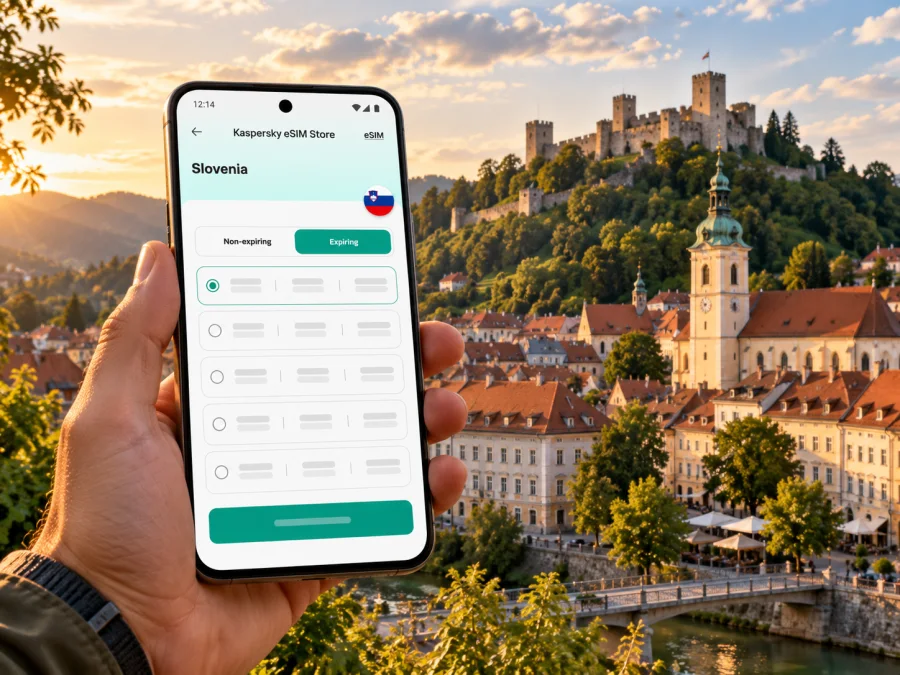
Celje eSIM: Mobile Connection and Internet for Your Trip
A visit to Celje may begin with a train arrival, a transfer from Ljubljana Jože Pučnik Airport, or a drive into the Savinja Valley. In each case, mobile internet can make the first practical steps easier: checking your accommodation address, opening a map, confirming a train or bus connection, and messaging your host. An eSIM is a digital SIM profile for a compatible device, so you can prepare mobile data without replacing your physical SIM card.
Celje is a city in Slovenia, not an airport or a separate mobile-network market. Plans for Slovenia are the relevant place to check when your stay is in Celje. A plan’s country label alone does not guarantee a particular signal in every building, on every route, or with every device. Confirm the plan’s stated destination, provider, validity, data allowance, and activation terms before you travel.
Why mobile data helps in Celje
Celje’s compact old town has Roman and medieval traces, squares, museums, cafés, and accommodation. The Old Castle rises above it, while the City Park and the Savinja offer a greener walk. A map helps you check walking routes and opening information as you move between these stops.
Visit Celje places the railway and bus stations at the edge of the old town, which it describes as a pedestrian area. A data connection can help with the last leg to a hotel, a bus stop, or a meeting point. Follow local signs and transport notices if an app route conflicts with them.
After arrival, mobile data is useful for checking your booking, sharing an updated arrival time, looking up opening information, and keeping digital tickets accessible. Save the route before leaving the station in case reception changes indoors.
Check current train, bus, and attraction information shortly before departure. Downloading maps and tickets while you have a reliable connection provides a backup if a signal becomes weak.
From arrival to your first stop
Arriving by train or intercity bus
Both stations sit near the old-town edge. Use the station and accommodation as separate map points; a booking pin may lead to a different street or entrance in the pedestrian zone. Keep the address in your confirmation as a backup.
Slovenian Railways publishes timetables and updates for delays or replacement buses. Check the journey for your travel date instead of relying on an old screenshot, and keep ticket details offline.
Arriving by air
Ljubljana Jože Pučnik Airport is not in Celje. You will need to arrange the onward leg separately. The airport’s official technical information places it northwest of Ljubljana; Visit Celje lists the airport as a drive away from town. Actual travel time depends on the day, traffic, connections, and your chosen mode, so confirm the current route before landing.
For public transport, check how you will reach the departure point and whether the route includes a transfer. If someone is collecting you, agree on a meeting point and keep their contact details accessible. Mobile data helps you share an updated arrival time if your journey is delayed.
Driving into Celje
For a road arrival, navigate to your accommodation or a parking area, then switch to walking directions. The old town is a pedestrian zone; follow current road signs and parking instructions rather than treating an app map as permission to enter a restricted street.
Exploring the centre, castle, and green edges
The city centre is a practical base for a short stay. Explore its lanes and squares on foot, then orient yourself toward the City Park, the river, or the Old Castle. Reception can vary between open streets, thick-walled buildings, basements, and busy venues. Save the castle address and visitor information before setting off instead of relying on a live map for every turn.
The castle sits on a hill above Celje, so allow for an uphill walk or check current local transport options if you prefer not to walk. Visit Celje describes a city-bus connection to the foot of the castle on line 5A from the railway station, with service exceptions on Sundays and public holidays. This detail can change: verify the current timetable and the exact stop before travelling. A downloaded map is helpful for the final approach, while a live connection can help you confirm whether the service is running.
For a slower afternoon, the City Park and nearby trails offer a change from indoor attractions. The park paths follow the Savinja, while the Town Forest is close to the centre. Check the return route before leaving central streets; reception in wooded or hilly areas may differ, and no travel eSIM guarantees a signal on a particular trail.
| Travel moment | What mobile data can help with | A useful backup |
|---|---|---|
| Station arrival | Finding your lodging and checking onward transport | Save the address and ticket before arrival |
| Old-town walk | Navigation between squares, cafés, and museums | Download an offline map |
| Castle visit | Checking the approach and current bus information | Keep the stop name and route noted |
| Business meeting | Confirming the venue and sending updates | Save the organiser’s contact and address |
| Trip outside Celje | Reviewing route changes and meeting points | Check the return connection before departure |
Choosing an eSIM plan for Slovenia
Start with the whole itinerary, not just the city name. If Celje is one stop on a Slovenia-only trip, a Slovenia plan may be appropriate. If your route crosses borders, check whether a regional plan explicitly includes every destination. A country-specific plan should not be assumed to work in a neighbouring country, and a regional plan should be checked for the actual countries listed in its terms.
The current Slovenia destination page in Kaspersky eSIM Store identifies TLSG and Telemach as local providers. That is useful market context, but it does not mean every plan uses both networks, that either provider has identical reception everywhere, or that a particular plan will connect to the strongest signal at your exact location. Read the details shown for the plan you select and confirm the listed provider and destination before payment. If a provider is not stated for a plan, do not infer it from the general destination page.
Kaspersky eSIM Store is an app and website where you can choose, arrange, and activate an eSIM with a suitable data plan for an international trip. It is not a Slovenian mobile operator. The service’s Slovenia page currently identifies local network providers for its travel plans; this is distinct from taking a direct subscription with a Slovenian operator. Local operators’ own eSIM instructions describe their own customer lines and eligibility. They do not establish compatibility or coverage for a separate travel eSIM.
To compare plans, look at the details that affect your trip rather than choosing by a single headline:
- Destination. Confirm Slovenia is included. For a multi-country itinerary, check each border crossing against the plan’s country list.
- Data amount. Think about how often you will use video, upload photos, navigate, or work remotely. Maps, messaging, email, and web searches usually need less data than streaming or large file transfers, but actual use varies.
- Validity. Match the plan’s validity period to your travel dates. Read when the validity begins and whether activation can be scheduled.
- Network information. Check the provider named for the plan and understand that reception depends on its network, local conditions, buildings, and device.
- Tethering. If you intend to connect a laptop or another device, check whether your chosen plan and phone allow hotspot use and whether the terms place limits on it.
- Top-ups and remaining data. Confirm how you can see usage and whether an additional package can be added if your trip runs longer.
If your dates and route are settled, you can review the current Slovenia eSIM options and compare the terms that appear at the time of purchase. The displayed destination plans can change, so use the live plan details rather than an old screenshot, saved quote, or someone else’s past price.
Estimate data for your Celje itinerary
Estimate data around how you will actually use your phone:
- Light use: maps, text messages, email, tickets, and occasional searches. Connect to trusted Wi-Fi for large downloads when convenient.
- Regular travel use: frequent navigation, social posts, photo uploads, restaurant searches, and messaging throughout the day.
- Work-heavy use: tethering, cloud files, video meetings, and large uploads. Check hotspot terms and budget more data, or keep a secure Wi-Fi option for bandwidth-heavy tasks.
Before leaving, turn off automatic downloads and background syncing for apps that consume data unexpectedly. If you use cloud photo backup, decide whether it should wait until Wi-Fi. Set a mobile-data warning on your phone if available, and review usage after the first day. These steps help you adjust before the package runs low.
Check your phone before you buy
An eSIM plan can only be installed on a device that supports eSIM and is not restricted by a carrier lock or other limitation. Support depends on the exact model and the market where it was sold; phones with similar retail names can differ by region. Check the device maker’s specifications for your full model number and look in the mobile settings for an option to add an eSIM. If you are unsure, check whether your device is compatible before payment.
Also confirm that you can access the account or email where the installation details will be sent. Keep your phone’s operating system updated, connect to reliable Wi-Fi for setup, and do not delete an installed eSIM profile unless you understand the provider’s reinstallation rules. Some profiles cannot simply be moved to a replacement phone after activation.
If you plan to keep your home SIM active, check how your device handles two lines. Select the travel eSIM for mobile data when appropriate, and review the home SIM’s roaming settings so it does not create unexpected charges. Some devices or plans require data roaming to be enabled for the travel eSIM; follow the plan’s instructions and make sure the correct line is selected.
Install before departure or after arrival
If you install the eSIM at home, you can use a stable Wi-Fi connection and take time to read each screen. Follow the specific installation instructions for your device: Android eSIM installation guide and iOS eSIM installation guide. The labels and steps may differ by phone model and operating-system version.
A practical sequence is:
- Check compatibility, carrier lock status, destination, validity, and the plan’s activation rules.
- Purchase the selected plan and open its installation details in your account or confirmation email.
- Connect to reliable Wi-Fi and add the eSIM using the on-screen method or QR code provided.
- Label the profile clearly, for example “Slovenia travel data,” so it is easy to identify alongside your home line.
- Decide when to turn the profile on. If you are installing well before the trip, follow the plan’s instructions so you do not start using data earlier than intended.
- On arrival, select the travel eSIM for mobile data and check the plan’s guidance on data roaming.
- Allow time for registration. If it does not connect, check airplane mode, the selected data line, roaming settings, and the plan instructions before contacting support.
Installing and activating a profile are not always the same event as beginning to use data or starting a validity period. These details vary by plan. Read the checkout and installation information and avoid switching on a plan early unless its terms say that doing so is safe for your travel dates.
Staying connected without relying on one connection
Treat mobile data as one useful part of a travel setup, not as a guarantee. Before you head out, download a map of central Celje, keep your accommodation details offline, and take a screenshot of the return journey if you need one. Carry a charger or power bank on a longer day, especially if you are using navigation, camera, translation, and messaging apps continuously.
If the phone shows no data, confirm that the eSIM is enabled and selected for mobile data, Slovenia is included, and the validity window is active. Check the plan’s network settings and restart the phone if needed. If the issue continues, contact support over Wi-Fi with your order details available.
Save destination names as well as map pins: “Celje railway station,” your hotel, “Old Castle of Celje,” and the next transport stop remain useful if a map will not load. Before heading to the Town Forest, Celjska Koča, or Šmartinsko Lake, check return transport and weather; reception may vary outside built-up streets.
Quick checklist before leaving for Celje
- [ ] The phone supports eSIM in its exact regional variant and is not carrier-locked.
- [ ] Slovenia is included in the selected plan; any other countries on the route are checked too.
- [ ] You have reviewed the plan’s provider, data amount, validity, activation, and hotspot terms.
- [ ] The installation instructions and account details are available offline or in your email.
- [ ] Your home SIM’s roaming settings are understood, and the travel eSIM is selected for mobile data when needed.
- [ ] Accommodation address, tickets, and the first onward route are saved.
- [ ] Current rail, bus, castle, and attraction information has been checked close to the travel date.
- [ ] A map and important confirmations are available if the mobile signal or battery becomes limited.
Frequently asked questions
Is Celje a separate eSIM destination from Slovenia?
No. Celje is a city in Slovenia, so check a Slovenia destination plan for a stay in Celje. A city name in a map or booking does not imply a separate local plan or guarantee city-specific network coverage.
Which local networks does a Slovenia travel plan use?
The Slovenia destination page currently names TLSG and Telemach as local providers. The provider can depend on the individual plan, and this listing is not a promise of equal coverage in every part of Celje. Check the chosen plan’s own details before purchase.
Will my phone work with an eSIM in Celje?
It depends on the exact device model, its regional variant, carrier-lock status, and plan requirements. Check the manufacturer’s specifications and your phone settings before buying. A device sold under the same model name in another market may not have identical eSIM support.
Can I use the eSIM for ordinary calls and text messages?
The travel eSIM is for mobile data and does not include a phone number unless the selected plan explicitly says otherwise. Messaging and calling apps may work over data if already set up. Keep your normal SIM available if needed and check its roaming charges.
Should I install the eSIM before I fly?
You can install it before departure if you have reliable internet and follow the plan’s activation instructions. Check whether installation, activation, and the start of the plan’s validity are separate steps. If the timing is unclear, consult the plan information or support before enabling it.
Is mobile coverage guaranteed inside the castle or on nearby trails?
Reception depends on the provider’s network, terrain, buildings, congestion, and device. Save routes and essential information offline before heading uphill or into wooded areas.
What if I am visiting more than one country?
Check each destination against the plan’s country list; a Slovenia plan does not automatically include neighbouring countries. A regional option only fits if it lists every stop and suits your dates and data needs.
Prepare your mobile connection for Celje
Before you leave, save the station-to-hotel route and keep tickets accessible. Confirm your phone’s regional eSIM compatibility and read the selected plan’s destination, provider, validity, and activation terms.
Kaspersky eSIM Store is an app and website that helps you choose, arrange, and activate an eSIM plan for mobile data on an international trip. When you are ready, compare the current Slovenia options for your trip, then install the eSIM on a compatible device using the instructions for your operating system.


