Travel connectivity guide
Cellact eSIM in Israel: What to Check
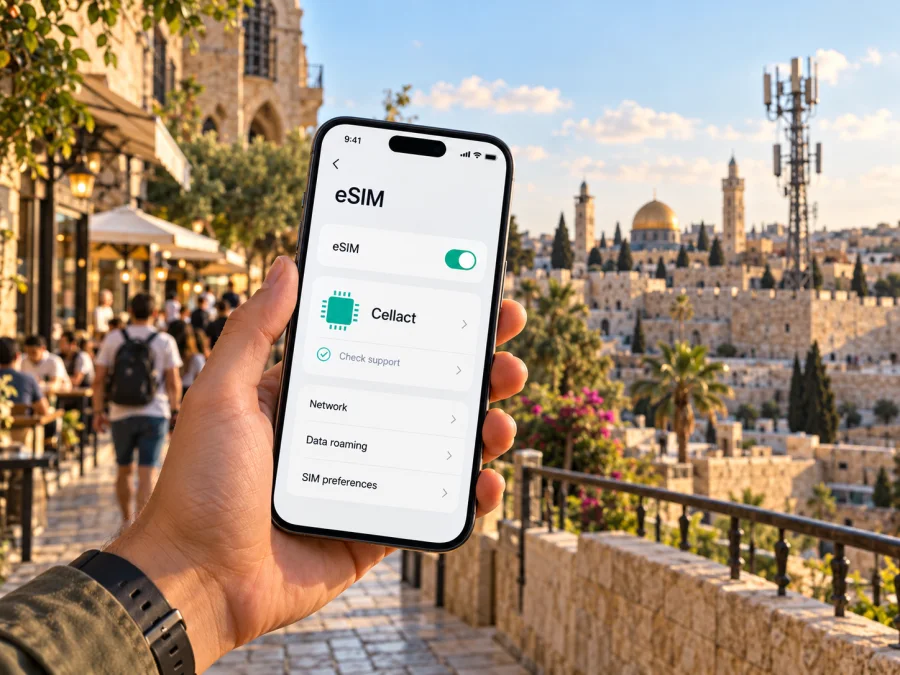
Cellact eSIM in Israel: What Travelers Should Check
Publication date: 1 November 2026
Cellact is an Israeli communications company, but its current public materials do not confirm a Cellact eSIM data product for visitors to Israel. The consumer pages describe a secondary-number service associated with a mobile line and SIM already in use. That is different from installing a travel eSIM for mobile data. If you want a Cellact service, confirm directly what is available for your situation before travelling.
This guide explains Cellact’s verified market role, what remains uncertain about eSIM, and how to check a phone and choose a separate travel-data option if needed. Cellact and Kaspersky eSIM Store names and marks belong to their respective owners. Kaspersky eSIM Store is not affiliated with Cellact and is not its official partner or distributor.
Cellact’s role in Israel
Cellact operates in Israel’s communications market. Cellact Israel’s homepage, in its “What businesses ask us” section (checked 1 November 2026), describes Cellact Communications as an Israeli communications company and says it holds a unified general license from the Ministry of Communications. The Ministry’s “General Licenses” list (retrieved 1 November 2026) includes Cellact Communications Ltd. with authorization for mobile services and states a license term through August 2027. These facts identify the company’s regulatory status, but do not prove which consumer products are currently available, what network carries a particular service, or whether a visitor can sign up.
Cellact’s websites describe several communications services. The Cellact English corporate homepage (checked 1 November 2026) covers messaging solutions for organizations and describes an Israeli mobile number used with a local SIM. Cellact Israel’s consumer homepage describes a “secondary number” app with calling and messaging functions. Cellact’s Terms of Use, sections 2.5–2.6 and 3.6 (checked 1 November 2026), say users register with a mobile number they own, control, or are permitted to use, and that cellular services are provided by an authorized mobile operator or another provider.
This distinction matters when searching for “Cellact eSIM.” An additional number provided through an app is not, by itself, an eSIM profile. It does not establish that Cellact can provision a digital SIM, provide a separate data-only travel line, or sign up a visitor who has no existing Israeli mobile number. The secondary-number service may serve a different need, but travellers should not treat it as interchangeable with a travel eSIM.
Is Cellact eSIM available to visitors?
As checked on 1 November 2026, Cellact’s official consumer website, corporate website, and published app terms did not provide explicit, current confirmation of a Cellact eSIM data plan for tourists. I also did not find a Cellact eSIM installation guide, QR activation flow, supported-device list, or visitor eligibility rules for such a product. This describes the public information found; it is not proof that no private, newly launched, or account-specific service exists.
Do not assume that Cellact offers a travel eSIM in Israel. Contact Cellact and ask: “Do you currently provide an eSIM profile for a new visitor to Israel that supplies mobile data, and can you activate it on my exact phone model and regional variant?” If the answer is yes, request current written instructions and check eligibility, included services, network information, service area, and support contacts. Verify that the product is an eSIM profile rather than an app feature that relies on an existing line.
Cellact’s published terms describe a secondary number connected with a phone number the customer owns or controls. They refer to cellular services supplied by an authorized operator or service provider. Those statements are useful for understanding the app service, but they do not establish a tourist data eSIM. Do not rely on an old listing, an unsourced forum post, or a search result using “eSIM” loosely. Ask the company to confirm the precise product and conditions for your travel dates.
If you need an Israeli number for calls or SMS, separately ask whether Cellact’s secondary-number service can be registered by a non-resident, which existing Israeli line it requires, and whether it is available for your destination. If you only need internet access for maps, transport, translation, and messaging apps, a travel data eSIM is a different category. Such services may not include an ordinary phone number, standard calls, or SMS; read the selected product’s terms.
Local service and travel eSIM solve different needs
A local mobile service may suit someone who needs an Israeli phone number, local calling or messaging, or a continuing relationship with a provider. A travel eSIM is commonly arranged online for data in a destination or region. Neither label guarantees eligibility, coverage, or particular features; the current product conditions determine those details.
For a Cellact service, confirm whether it requires an existing Israeli line or SIM, whether visitors can register, whether identification or payment checks apply, and which functions work on your phone. Cellact’s published terms say users must register with a number they own, control, or are authorized to use. This is important if you arrive without an Israeli number. Do not infer that a foreign number, travel eSIM, or app download alone will qualify you.
For a travel eSIM, check that Israel is included and understand how activation works. Some profiles are installed before departure and start later; others may begin validity during installation or on first connection. The trigger varies. Installing a profile and starting service are not necessarily the same event, so follow the provider’s exact instructions. Keep QR or activation details accessible, and do not delete a profile while troubleshooting unless the provider tells you to.
Start with the task you need to complete:
- If you need an Israeli telephone number, ask Cellact what number service is open to visitors and what existing line it requires.
- If you need data only, check a travel eSIM whose current destination page explicitly includes Israel.
- If you need data and your home number, check whether your phone supports dual SIM and which line should handle data, calls, and verification messages.
- If you need to keep a work or personal number reachable, review your home provider’s roaming conditions before changing that line’s settings.
- If you cross borders, check every country and territory on your itinerary. A destination label does not automatically include nearby locations.
After the first third of this article, you can browse current eSIM options for Israel in Kaspersky eSIM Store. This is a destination page for browsing current options, not a Cellact tariff page, and it does not imply that Cellact supplies or endorses those products. Review the provider and current conditions shown for your route and dates.
Coverage, technology, and geography
No Cellact visitor eSIM coverage map or radio-technology description was found in the public pages reviewed on 1 November 2026. It would be misleading to assign Cellact a particular 4G or 5G footprint, name a host network for an unconfirmed travel eSIM, or promise service in specific cities. Cellact’s terms say cellular service is supplied by an authorized mobile operator or another provider, but do not identify which network would carry a hypothetical visitor eSIM.
For any service Cellact confirms, ask which network carries it, what technologies are enabled, whether mobile data is included, and where the provider publishes current coverage information. If the provider cannot identify the network or a coverage source for the exact product, treat that point as unresolved rather than borrowing another provider’s map.
Israel is the country market addressed here. A plan labelled “Israel” should not automatically be read as covering every nearby territory, border area, or stop on a multi-country route. Actual service boundaries depend on the selected product and its provider. Before travelling near a border or between jurisdictions, confirm which locations are included. Do not assume an Israeli phone number, an Israel destination plan, or a Cellact service automatically works in a neighbouring country.
The Ministry’s license list identifies Cellact’s authorization; it is not a live coverage map or consumer service checker. General information about national mobile technologies also cannot establish which technologies a particular Cellact account or eSIM can use. For trip planning, obtain confirmation from the provider and consult its current coverage information.
Check your phone before choosing an eSIM
An eSIM-capable phone is not necessarily compatible with every provider or profile. Support can vary by exact model and the market where the device was sold. A carrier lock can prevent a phone from using another provider. Apple Support’s “Use eSIM while travelling internationally with your iPhone” and carrier-lock guidance (checked 1 November 2026) say a phone must be unlocked to use another provider while travelling. Google Pixel Phone Help’s “Set up a new eSIM” (checked 1 November 2026) advises users to check provider support and device requirements. The exact model and regional variant therefore matter.
Before purchase, check these points:
- Find the exact model and region in your phone settings or the manufacturer’s support information. Do not rely only on a family name used in advertising.
- Confirm that the specific variant has eSIM capability; regional versions of one device family can have different SIM configurations.
- Confirm that the phone is unlocked. Apple’s instructions say iPhone users can check Settings, General, About, then Network Provider Lock; contact the original carrier if it remains locked.
- Ask the provider whether it supports your model and whether registration, identification, or a local number is required.
- Make sure you can connect to Wi-Fi or another internet service during installation, unless the provider gives another method.
- Keep access to your original SIM and account recovery options until the new service works.
You can also check eSIM compatibility before travelling. Confirm compatibility with both the manufacturer and the provider; a generic device list cannot prove that Cellact supports that phone.
General setup if a provider confirms an eSIM
These are general steps for a provider-confirmed eSIM, not a Cellact activation guide. The Cellact pages reviewed did not publish one. Screen names vary by device.
- Connect to Wi-Fi and keep the provider’s QR code or activation details available.
- Open cellular settings. On iPhone, choose Settings, Cellular or Mobile Service, then Add eSIM. On many Android phones, choose Settings, Network and Internet or Connections, then SIMs or SIM manager and Add eSIM.
- Follow the provider’s supplied method. Scan its QR code or use its app only if those are the instructions for your order.
- Label the new line, then select it for mobile data when you are ready to use it.
- Enable data roaming for that eSIM only if its provider requires it; check your home line’s roaming terms separately.
Installation stores a profile on the phone; activation may happen later under the provider’s conditions. Confirm what event starts service before installing early. If the profile does not connect, check that it is on, the right data line is selected, airplane mode is off, and the activation date and destination are correct. Contact the provider before deleting the profile or resetting settings.
What to confirm with Cellact
Before relying on a service, ask Cellact whether it is a downloadable eSIM profile or its app-based secondary number; whether it includes data, calls, or SMS; whether visitors can register without an existing Israeli line; and whether your exact unlocked phone model is supported. Also ask which network carries the service, what starts activation, and how to contact support from abroad. Request the current terms in writing if the product is not clearly described online.
Cellact’s Terms of Use say registration requires a number the user owns, controls, or may use, and explain that cellular services are furnished by an authorized operator or provider. Those terms describe the app service; they do not confirm a visitor eSIM. Use Cellact’s own contact channels for account or payment questions.
A travel-data alternative
If Cellact cannot confirm an eSIM for your needs, you can consider a separate travel-data service. Kaspersky’s official Kaspersky eSIM Store launch announcement (checked 1 November 2026) describes a website and app that helps users choose, arrange, and activate an eSIM data plan for an international trip. Kaspersky eSIM Store is not a mobile operator, network owner, or direct provider of mobile connectivity. The actual service depends on the selected product and its provider.
The official Kaspersky eSIM Store Israel destination page (checked 1 November 2026) lets visitors browse current eSIM options for Israel. Check the provider shown for a selected product, the included destination, when activation begins, and whether the product is data-only. Do not assume it includes an Israeli phone number, ordinary calls or SMS, or coverage outside the stated destination. Details can change, so rely on the terms displayed when making your decision.
A separate travel eSIM may help you arrange data online before or during a trip. It does not replace every function of a local mobile subscription. If you need calls or verification messages on your usual number, keep that line available according to your home provider’s terms. Internet messaging and calling apps may work over data if your accounts support them, but they do not necessarily replace ordinary SMS verification.
Before choosing a travel eSIM, check destination inclusion, device compatibility, activation trigger, data-line selection, roaming settings, and support. Compare the functions you need, not just the label “eSIM.” If you need a local number, confirm that separately. If you need data only, choose a product whose current terms explicitly include Israel.
Frequently asked questions
Does Cellact currently offer a tourist eSIM in Israel?
I could not confirm a current visitor eSIM data offer in Cellact’s public pages and terms checked on 1 November 2026. Ask Cellact directly about the product, eligibility, supported phone, and activation method.
Is Cellact’s secondary-number app the same as an eSIM?
No. Cellact describes an app-based secondary-number service associated with a mobile line and an existing local SIM. That does not establish that the app installs an eSIM profile or provides travel data.
Can I use Cellact without an Israeli number?
The published terms say registration uses a number the user owns, controls, or is authorized to use. They do not establish that every visitor without an Israeli number is eligible. Confirm the current requirement with Cellact.
Will any eSIM-compatible phone work?
Not necessarily. Check the exact model and regional variant, confirm that the phone is unlocked, and verify that the service supports it. The manufacturer’s general eSIM capability and the provider’s support both matter.
What if Cellact has not confirmed eSIM support?
Do not buy or install a product assuming it is a Cellact eSIM. Ask Cellact for current product details. If you need internet access, consider a separate travel eSIM whose Israel availability, device requirements, and activation conditions are stated clearly.
Travel checklist
Before departure, ask the provider whether the service is an eSIM profile, an app-based secondary number, or another product. Confirm visitor eligibility, whether an existing Israeli number is required, exact device support, network provider, setup, activation trigger, and support from abroad. If product details are not public, request current written terms.
For any eSIM, check the phone’s exact model and region, carrier lock, and eSIM capability. Save QR or activation details where you can access them, and arrange Wi-Fi for setup. Check the home line’s roaming conditions, select the correct data line, and find out what starts the travel service. For a multi-stop trip, check each country and territory rather than assuming one destination label covers the route.
Cellact’s verified public information establishes its Israeli communications role and describes a secondary-number service; it does not currently establish a Cellact tourist eSIM data offer. Confirm the exact product before relying on it. To browse current destination options, check the eSIM selection for Israel and review the provider and terms displayed there.
Source check: Cellact Israel homepage and secondary-number information; Cellact English corporate homepage; Cellact Terms of Use, sections on registration, cellular service, and secondary numbers; Israel Ministry of Communications, unified general licenses list; Apple Support guidance on eSIM and carrier lock; Google Pixel Phone Help on eSIM setup; and the Kaspersky eSIM Store Israel destination page. Checked 1 November 2026. Product availability, eligibility, activation conditions, and network information can change; confirm them in current provider materials before purchase. Prices, packages, features, terms, and coverage can also change; verify current details with the relevant provider. This article is informational and is not an official Cellact notice.


