Travel connectivity guide
Cellcard eSIM in Cambodia: what to check
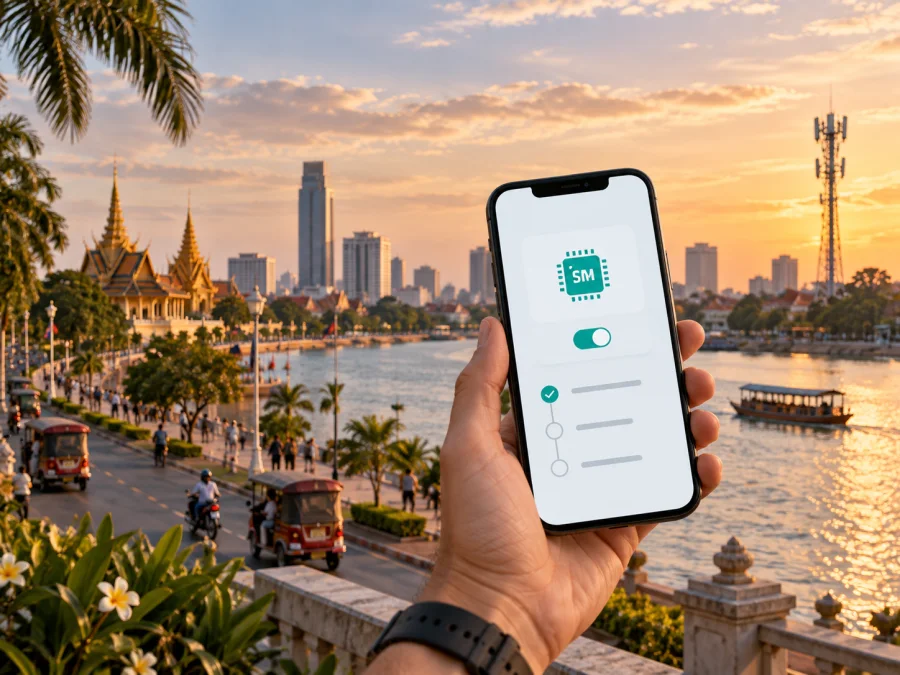
Cellcard eSIM in Cambodia: what travelers should check
If you are planning a trip to Cambodia and want mobile data without replacing a physical SIM card, Cellcard eSIM is one local option to investigate. Cellcard’s current public information confirms eSIM, digital purchase and activation routes, and general prepaid and traveler-oriented mobile offers. The practical choice depends on your phone, registration documents, arrival plans, and route.
This guide explains what to verify before choosing Cellcard eSIM in Cambodia. It does not reproduce the operator’s commercial catalogue. Commercial conditions and eligibility rules can change, so confirm current conditions directly with Cellcard before ordering. The factual details below were checked against Cellcard’s public website and support pages on 20 September 2026.
What Cellcard eSIM means in Cambodia
An eSIM is a digital SIM profile built into a compatible phone. It can let you add a Cambodian mobile line without waiting for a plastic card or opening the SIM tray. The phone still connects through the local operator’s radio network; the eSIM only changes how the subscriber profile reaches the device.
Cellcard places eSIM in the SIM section of its official website. Its Get SIM information says customers can obtain eSIM through digital channels or a Cellcard store, while a separate eSIM information page describes QR-code delivery and a compatible-device list. This confirms a Cellcard eSIM path, but not automatic eligibility for every handset, account, or purchase channel. Compatibility and registration still matter.
Is Cellcard eSIM available for travelers?
Yes. Current Cellcard pages describe eSIM as a purchase and activation option. The official Get SIM page explains that eSIM is a digital SIM, points customers to the Cellcard app or stores, and says a QR code can be accessed after purchase. Cellcard’s June 2026 news pages also describe digital eSIM purchase and activation through mobile applications, including an arrival-focused route intended to help travelers prepare connectivity before leaving the airport.
This confirms availability, not instant eligibility for every visitor. A foreign traveler may need local SIM registration and identity documents before activation. Cellcard’s support answer on required documents says registration can use a valid national ID card or passport. Its eSIM-specific information says foreign customers should have a valid passport with a valid visa. Since the pages address different registration contexts, prepare a passport and any required visa or entry document, then verify the current rule with Cellcard before purchase.
Cellcard’s current website also presents general prepaid and traveler-oriented categories. That confirms the general availability of those offer types, but not that every offer is issued as an eSIM or sold through every channel. Ask whether your selected option can be issued digitally before arrival.
What to check before ordering
Confirm device and network compatibility
Start with the exact phone model. Look for Add eSIM or Add Mobile Plan in cellular settings, check the EID in the device information, and consult Cellcard’s current compatible-device list where available. Models can differ by country of sale. A refurbished phone may also be operator-locked; a downloaded profile may fail to register if the phone is locked.
Cellcard’s official coverage page identifies 2.5G/EDGE, 3.75G/HSPA+, and 4G/LTE layers in its map tools. Its current public communications also refer to 5G. To use 5G, you need a compatible handset, suitable SIM or eSIM support, and coverage at your location.
Prepare registration documents
Have your passport available and ensure your entry documentation is valid. The name and document details should match the information requested by the operator. If the current channel asks for a visa or another proof of lawful stay, follow that instruction rather than relying on an older travel forum.
Decide when to install
Installation and activation are separate decisions. You may be able to install an eSIM on reliable Wi-Fi before departure and select it for mobile data after landing. In another route, Cellcard may require purchase and identity checks through an approved channel in Cambodia.
Ask when the profile becomes usable and what event starts service. Scanning the QR code is not necessarily the same as starting a data allowance. If you plan to keep the profile unused until arrival, follow the operator’s instructions about installation and activation rather than assuming the timing.
Check the route
Your route may include Phnom Penh, Siem Reap, coastal areas, smaller towns, rural districts, or long roads. Cellcard’s coverage page says its current 4G network covers more than 90 percent of the country and provides maps for checking availability by network layer. This is the operator’s stated coverage, not an independent performance ranking and not a guarantee for a particular building, road, island, or border area.
Check the map for the landing city, accommodation, and long overland segments. Indoor conditions, terrain, handset bands, congestion, and maintenance can affect service; save essential maps and reservations offline.
How Cellcard eSIM activation generally works
The labels differ by device and purchase channel, so follow Cellcard’s current on-screen instructions if they differ from this general sequence.
1. Check the prerequisites
Confirm eSIM support, an unlocked phone, enough battery, and a reliable internet connection. Keep your passport and requested visa or entry document nearby. If two lines will remain active, decide which one should receive calls and verification messages.
2. Complete purchase and registration
Use the official Cellcard app, an official store, or another route identified by Cellcard. Complete the identity check before expecting the profile to work. For an international visitor, confirm passport and visa conditions during this step. Do not use an unofficial QR-code seller.
3. Retrieve the QR code
Cellcard’s eSIM information says a QR code can be provided after a successful purchase or a conversion from a physical SIM. Check the app and the customer channel used for the order. If the code is missing, contact Cellcard instead of scanning random copies.
4. Add the eSIM
On iPhone, open cellular settings, choose the option to add an eSIM, and scan the QR code or use the provided transfer method. On Android, open SIM or mobile-network settings and choose to add a mobile plan or eSIM. The wording depends on the manufacturer and operating system. Give the line a clear label such as Cambodia.
5. Select the data line
Choose the Cellcard profile for mobile data if that is the line you intend to use. If your home SIM stays active, turn off automatic mobile-data switching unless you deliberately need it. Consider disabling data roaming on the home line. The Cellcard eSIM may require the data-roaming setting stated in the service instructions, so check those instructions before changing it.
6. Test the connection
Wait for registration and test a simple web page or messaging service. Check the network name, selected data line, and mobile-data settings. If there is no service, move to an open location, toggle airplane mode once, restart the phone, and review the selected line. Do not repeatedly delete and reinstall the eSIM without Cellcard’s advice.
Coverage and supported technologies
On the official Network Coverage page checked on 20 September 2026, Cellcard described more than 3,100 4G sites and more than 90 percent nationwide 4G coverage, with separate map layers for older and newer radio technologies. Those are Cellcard’s current figures, not an independent ranking. Actual service varies by location, device, indoor conditions, and network load.
The same page lists 2.5G/EDGE, 3.75G/HSPA+, and 4G/LTE in its map selector. Current Cellcard 5G information and news describe 5G in suitable locations and state that a compatible device, suitable SIM or eSIM, and 5G coverage are required. Treat 4G/LTE as a key compatibility check and 5G as location- and device-dependent.
A network generation is not a quality guarantee. Check settings and the coverage map first, then contact Cellcard support with the phone model and approximate location if the problem continues.
Local Cellcard eSIM or a travel eSIM?
The two options solve related but different tasks.
| Question | Local Cellcard eSIM | Travel eSIM for Cambodia |
|---|---|---|
| Issuer | Cellcard through its approved purchase and registration channels | A travel eSIM service for the destination or route |
| Main preparation | Device compatibility, identity registration, and local activation rules | Device compatibility, service conditions, and installation instructions |
| Timing | May depend on identity verification and an approved local channel | Often selected before the trip, subject to the service’s terms |
| Check | Local number, support route, coverage map, and activation requirements | Data scope, network partners, activation timing, and support |
| Typical fit | A traveler who wants a local operator relationship in Cambodia | A traveler who wants a prepared mobile-data option for an itinerary |
This reference table does not compare specific tariffs. A local eSIM may fit when local registration is acceptable; a travel eSIM may be more convenient when you want mobile data arranged before departure.
Kaspersky eSIM Store is a separate travel-preparation route. It is an app and website that helps users choose, arrange, and activate an eSIM with a suitable plan for mobile internet during an international trip. It is not a Cambodian mobile operator, does not own Cellcard’s network, and does not provide Cellcard coverage. After checking device compatibility and current conditions, you can choose an eSIM plan for Cambodia.
Common limitations for visitors
Registration is required
Cellcard’s support page confirms that a national ID or passport can be used for SIM registration, while its eSIM information highlights a valid passport and visa for foreign customers. Carry the original document requested by the current channel. An expired document or mismatch can delay activation.
Transfer needs care
Cellcard support says an existing profile can be downloaded on another compatible device after it is removed from the previous phone, using the provided QR code. The operator also recommends removing profiles before sending a device for service. Plan a device change only when you have the QR code and know how to restore the line.
Checklist before departure
- Confirm that the exact phone model supports eSIM and is unlocked.
- Review Cellcard’s compatible-device information and coverage map.
- Prepare a valid passport and check whether a valid visa is required.
- Decide whether you need a local number or only mobile data.
- Ask when installation is possible and when activation begins.
- Keep the QR code and account accessible, but do not share them.
- Save Cellcard’s current support route and keep your home line active until testing is complete.
- Download essential maps and travel information for offline access.
- After installation, select the correct data line and test a simple connection.
Frequently asked questions
Does Cellcard support eSIM in Cambodia?
Yes. Current Cellcard pages list eSIM and describe digital purchase, QR-code delivery, and activation through approved channels. The exact route depends on the device, customer type, registration status, and current offer.
Can a foreign traveler register a Cellcard eSIM?
Cellcard’s registration information allows a passport to be used, and its eSIM-specific information says foreign customers may need a valid passport with a valid visa. Confirm the current document requirements for your channel before ordering.
Can I install it before flying?
Possibly, depending on the purchase and activation route. Cellcard’s public communications describe digital access for travelers, but installation, identity verification, and service start are not necessarily the same event. Ask Cellcard when the profile can be installed and activated.
Does Cellcard eSIM support 4G and 5G?
Cellcard’s public network information covers 4G/LTE and describes 5G in suitable locations. Your device, eSIM, selected service, location, and coverage must support the relevant technology. Check the map rather than assuming 5G everywhere.
Final guidance
Cellcard eSIM is a confirmed local option in Cambodia, with current official information covering digital purchase, QR-based activation, registration, general prepaid and traveler-oriented services, and 4G/5G network layers. The key questions are practical: does your exact phone support eSIM, is it unlocked, do you have the required documents, can your chosen channel complete registration, and does the coverage map fit your route?
If those conditions fit your trip, review current Cellcard instructions and ask support about the precise service you intend to use. If you prefer to prepare mobile data through a travel-focused app and website, you can review the Cambodia eSIM option in Kaspersky eSIM Store, then verify compatibility and the conditions shown at purchase.
Kaspersky eSIM Store and Cellcard are separate services. This article is informational and is not an official Cellcard publication, endorsement, partnership announcement, or support channel. Kaspersky eSIM Store is not affiliated with Cellcard unless a separate official statement says otherwise. Coverage, device support, registration rules, activation routes, and commercial conditions may change, so confirm them with the relevant service on the day you travel.


