Travel connectivity guide
Cellfie eSIM in Georgia: what to check
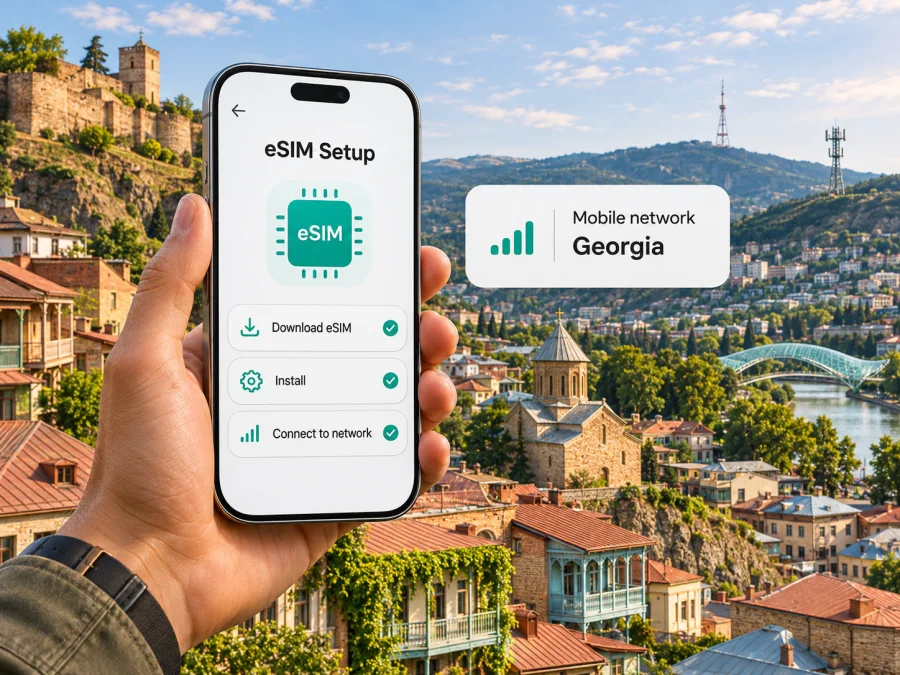
Cellfie eSIM in Georgia: what travelers should know
Published 4 November 2026. Cellfie and other product names belong to their respective owners. Kaspersky eSIM Store is not affiliated with Cellfie and is not its official partner or distributor.
Cellfie is a mobile operator serving customers in Georgia. Its eSIM can let eligible customers arrange a local mobile line digitally rather than collecting a physical SIM. Cellfie’s current eSIM page and online number-ordering flow describe eSIM purchase, QR-based setup and a device-support check. This guide covers what to verify before travel, how activation works, coverage considerations, and when a separate travel eSIM may suit a different need. Specific service eligibility and conditions can change, so confirm them with Cellfie before ordering.
Is Cellfie eSIM available in Georgia?
Yes. Cellfie’s eSIM information and English number-ordering page show eSIM as an available SIM type. The eSIM page describes online purchase without a shop visit and QR-based activation; the ordering flow distinguishes digital eSIM from physical SIM and asks customers to verify device support. These official pages were checked on 4 November 2026. Whether you can complete a particular transaction may depend on whether you are ordering a new number or converting an existing SIM, and on the account or verification steps shown during checkout.
Cellfie also presents travel eSIM and tourist-oriented offers on its public site. In a company announcement dated 29 July 2025, it described a partnership that gave tourists access to special eSIM offers remotely through a third-party service. This confirms that remote tourist options have been offered, but it does not establish that any specific offer, purchase path or eligibility rule remains available today. Check Cellfie’s current information and the conditions displayed for your own transaction. No operator plan names or plan parameters are included here.
A local Cellfie eSIM and a travel eSIM are different purchases. A Cellfie profile connects to Cellfie’s Georgian service subject to its current account, number and service conditions. A travel eSIM arranged through Kaspersky eSIM Store is intended for mobile data abroad; Kaspersky eSIM Store is not a mobile operator, network owner or internet provider. Its Georgia destination page, checked on 4 November 2026, identifies local telecommunications providers as the suppliers of service. The displayed provider and availability can depend on the product selected, so check the destination and conditions at checkout.
Cellfie’s place in Georgia and network footprint
Cellfie Mobile is a Georgian mobile operator. Its company information page, checked on 4 November 2026, describes service to customers across Georgia. A Cellfie announcement on 29 July 2025 reported 1.42 million subscribers. This is a company-reported figure from that date, not a current market-share estimate or a ranking against competitors. It gives context for Cellfie’s local presence without implying that one network is best for every traveler or route.
For a visitor, a national presence does not guarantee reception at each hotel, building or road. Terrain, indoor walls, tunnels, local network conditions and the phone itself can affect service. Cellfie’s subscriber agreement says service is available within its coverage area and that its coverage map is an outline rather than a guarantee of actual signal at a particular point. Use the current coverage information to plan around your stops, not as a promise of continuous connectivity.
Cellfie’s official 5G information page lists locations where the operator says 5G is currently available, including Tbilisi, Batumi, Kobuleti, Gonio, Kvariati, Shekvetili, Gudauri, Bakuriani, Zugdidi, Kutaisi, Rustavi, Poti, Telavi and Gori. The page was checked on 4 November 2026. Cellfie states that both local 5G coverage and a 5G-capable phone are needed. Its list does not guarantee 5G across every neighborhood, venue or road in each location. Check current coverage for your itinerary, especially if it includes mountain areas or long intercity journeys.
A 5G label does not guarantee a particular speed or quality. Technology depends on location, signal, device bands and network conditions; an eSIM does not improve radio coverage. Download maps and essentials before leaving reliable service. Cellfie says eSIM can be used in roaming like a physical SIM, with conditions unchanged. This does not confirm availability or terms in every country, so check before using the line outside Georgia.
Check device compatibility before buying
The phone needs eSIM hardware and software support, but the family name printed in an advertisement may not be enough to verify that a particular handset will work. Cellfie’s eSIM page says the phone must support eSIM and adds that the device should be certified in Georgia. Models and SIM configurations can vary by sales region. Two variants from the same product family may use different hardware or have different eSIM support, so check the exact handset you own.
Before ordering or converting a line:
- Find the full model number or code in settings, on the box or in the manufacturer’s device information. Preserve the regional suffix or variant code when checking compatibility.
- Compare that exact code with Cellfie’s current compatibility information and its Georgia certification requirement. If the listing does not identify your variant, ask Cellfie before purchase.
- Check that the phone’s settings offer an eSIM or add-mobile-plan option. Menu names vary by maker, software version and language.
- If the handset came from another carrier, check whether it is locked in a way that prevents adding or using another provider’s profile.
- Install available system updates and make sure you can connect to Wi-Fi. Keep the phone charged during setup.
- Confirm how your phone handles multiple SIMs. The number of profiles it can store and the number it can use at once may differ by model.
These checks are especially important for imported, refurbished and regional variants. A model family’s eSIM support does not prove that every variant is compatible, unlocked or eligible for Cellfie. If the exact code is missing from the operator list, ask for confirmation. Travel eSIMs also require a compatible handset. Check device compatibility before choosing a setup.
How to order and activate Cellfie eSIM
Cellfie’s public eSIM guide shows QR activation and instructions for iOS and Android. Its English number-ordering flow presents eSIM as a digital SIM option and asks the customer to check device support. The pages were checked on 4 November 2026; follow the current screen and instructions if the process changes.
- Choose the type of service. Decide whether you need a local operator line or mobile data for travel. A local line may be useful if you need a Georgian number and services attached to it. Do not assume a travel data eSIM includes a local number, ordinary calls or SMS.
- Check the device. Confirm the exact model variant, eSIM support and Cellfie’s Georgia certification or compatibility requirements. Ask Cellfie if anything is unclear.
- Follow the current order flow. Cellfie may request account, identity or other information depending on the service and purchase route. The public pages reviewed do not establish one document rule for every traveler and transaction. Follow the checkout instructions and ask Cellfie which identification it accepts in your case.
- Keep internet access during setup. Downloading an eSIM profile requires a working connection. Use reliable Wi-Fi or another connection, and do not remove your only working SIM before setup is complete.
- Keep the QR code available. Open it on a second screen or follow the operator’s displayed installation steps. Treat QR and activation details as private credentials.
- Add the eSIM in phone settings. Scan the QR code and follow the prompts. Cellfie’s guide also describes manual activation when the required details are available.
- Select the line you want to use. If the handset keeps multiple lines, choose the intended line for mobile data and separately check the preferred line for calls and messages.
- Test before relying on it. Confirm the profile is on and the phone registers to a network. Try a basic webpage with Wi-Fi disabled. If it fails, check Cellfie’s current troubleshooting advice before deleting the profile or scanning repeatedly.
Cellfie says the QR code can be accessed through MyCellfie and the customer account on its website. Its FAQ says one number can have only one SIM type active at a time: when a physical SIM is changed to eSIM, the physical card is disabled and the number becomes active after QR activation. Contacts stored on the physical SIM do not transfer automatically. Back them up or move them separately before converting a number.
Cellfie says a QR code can be used on one device and describes transfer by deleting the profile from the old phone before scanning on the new one. Check current instructions and account access first; avoid deleting a working profile to troubleshoot unless Cellfie advises it. Installation is not the same as service: registration depends on provisioning, the phone and local coverage. If you wait until arrival to install, keep another way to get online.
Local service or a travel eSIM?
A Cellfie eSIM connects to Cellfie’s Georgian service. It may suit someone who needs a Georgian number or local operator account, subject to device requirements and purchase checks. Visitors should confirm the current online route and required identity details with Cellfie.
Kaspersky eSIM Store is an app and website that helps travelers choose, arrange and activate an eSIM plan for mobile data abroad. It does not provide Cellfie service, own a network or supply mobile internet. The official Georgia destination page, checked on 4 November 2026, displays travel-data options and identifies the telecommunications providers supplying service. The exact provider and conditions should be checked on the product page at the time of purchase. Do not assume a travel data product provides a Georgian phone number or regular voice and text service unless its own terms say so.
A travel eSIM may fit if you want to prepare data before departure or keep your home number on its existing SIM for calls and messages. A local Cellfie line may fit if you specifically need a Georgian number or local operator account. Consider your itinerary, the time you will spend in Georgia, whether you can complete local registration, whether you need voice service, and whether your exact phone variant is accepted. You can review eSIM options for Georgia to see what the store currently displays for travel data. That page is not a Cellfie tariff page and does not promise that a particular provider will be selected.
Some phones support two lines at once, such as a home line for calls and an eSIM for data. This depends on the device and services. Check home roaming terms, select the data line deliberately and consider disabling automatic data switching.
Installing a travel eSIM on iOS or Android
Kaspersky eSIM Store’s public iOS and Android instructions, checked on 4 November 2026, explain QR installation and line selection. Follow the instructions for your exact phone and product; menu names vary by manufacturer, region and operating-system version.
Before setup, verify eSIM support for the exact device variant, check that the product is for Georgia, connect to Wi-Fi and keep the QR code available. Follow the provider’s activation instructions because installing a profile and starting its data service can be separate steps. Keep your existing SIM until setup is complete unless instructed otherwise.
On iPhone
- Open Settings and choose Cellular or Mobile Service.
- Tap Add eSIM, choose the QR-code option and scan the code shown on another screen, or follow the app flow.
- Confirm the profile appears and give it a clear label.
- Select the preferred lines for mobile data, calls and messages.
- Enable data roaming for the travel eSIM only if its instructions require it.
- Turn on the profile when ready and test mobile data with Wi-Fi off.
On Android
- Open Settings, then Connections, Network & internet or the equivalent menu.
- Open SIM settings and select Add eSIM or Add mobile plan.
- Scan the code or use the supported in-app installation option; follow the prompts.
- Enable the profile and select it for mobile data if that is your intended setup.
- Enable roaming only when required by the eSIM instructions, then test data with Wi-Fi off.
Kaspersky eSIM Store’s Android guide illustrates Samsung screens; other manufacturers may use different menus. Use your phone maker’s current instructions if your screen differs. Do not copy network settings from an unrelated service.
Troubleshooting checklist
If setup does not work, check the likely cause before removing the profile:
- No eSIM option appears: check the full model code, regional variant, software version and Cellfie’s current compatibility information. Ask Cellfie whether the exact device is eligible in Georgia.
- The QR code will not scan: check screen brightness and camera focus, and display it on another device. If Cellfie supplied manual details, use its guide for manual entry.
- The profile installs but does not connect: confirm that it is enabled, the phone is in an area with service and the intended SIM is selected for data. Check whether the account activation has completed.
- A physical SIM stopped working during conversion: Cellfie says the physical card is disabled when that number changes to eSIM. Contact Cellfie before attempting another conversion if the new profile has not activated.
- You changed phones: Cellfie’s FAQ describes deleting the profile from the old device before scanning its QR code on the new one. Verify the current transfer steps and account access first.
- Signal changes while traveling: check the location against current coverage information, move away from an obstruction if practical and let the phone register again. Maps do not promise reception inside a building or tunnel.
- Travel eSIM data is unavailable: confirm the destination, activation instructions, data-line selection and any roaming or network-selection steps. Contact the travel eSIM provider about its product; contact Cellfie about a Cellfie line.
For support, note your model code, location and whether the profile appears in settings. Share activation details only through the provider’s secure support process.
Frequently asked questions
Can a tourist use Cellfie eSIM?
Cellfie’s 2025 announcement described remote tourist eSIM offers through a partner. It does not confirm today’s terms or eligibility for every traveler. Check the current tourist information and registration requirements for your situation. Do not assume that every online route accepts every foreign document or payment method.
Can I keep my physical SIM and use the same Cellfie number as an eSIM?
Cellfie says one number has one SIM type at a time. During conversion, the physical SIM is disabled and the number becomes active on eSIM after QR activation. A phone may support multiple lines, but that does not mean one number is active on both cards.
Does Cellfie eSIM work outside Georgia?
Cellfie says its eSIM can be used for roaming like a physical SIM, with roaming conditions unchanged. This does not confirm availability or terms in every destination. Check the operator’s current roaming information before travel.
Is Cellfie 5G available throughout Georgia?
Cellfie publishes a list of locations where it says 5G is available, but it is not a guarantee of service everywhere in those places or across the country. A compatible device and local 5G coverage are both required.
Should I install before or after arriving?
Follow the eSIM provider’s setup and activation instructions. Installing a profile and starting to use its data may be separate events. If you set it up before departure, check how to enable it after arrival; if you wait, have another way to connect during setup.
Prepare for your trip
Before choosing Cellfie eSIM, confirm the exact phone variant, the current purchase requirements and coverage around your destinations. Keep access to the QR code and your account, and remember that converting an existing SIM may disable the physical card before the new profile is active. If you need data only and want to prepare before travel, compare that use case with a travel eSIM and inspect the actual destination and conditions. Explore Georgia travel eSIM options to see what is currently displayed for mobile data; this is not a Cellfie tariff page.
Information checked on 4 November 2026 against Cellfie’s eSIM guide, English number-ordering flow, 5G information, company information and subscriber agreement, and Kaspersky eSIM Store’s Georgia page and setup guides. Operator conditions, coverage details, compatibility lists and travel eSIM availability can change; confirm current requirements with the relevant provider before purchase. Cellfie is mentioned for identification only; Kaspersky eSIM Store is independent and is not affiliated with Cellfie.


