Travel connectivity guide
Central Hong Kong eSIM: Mobile Internet Guide
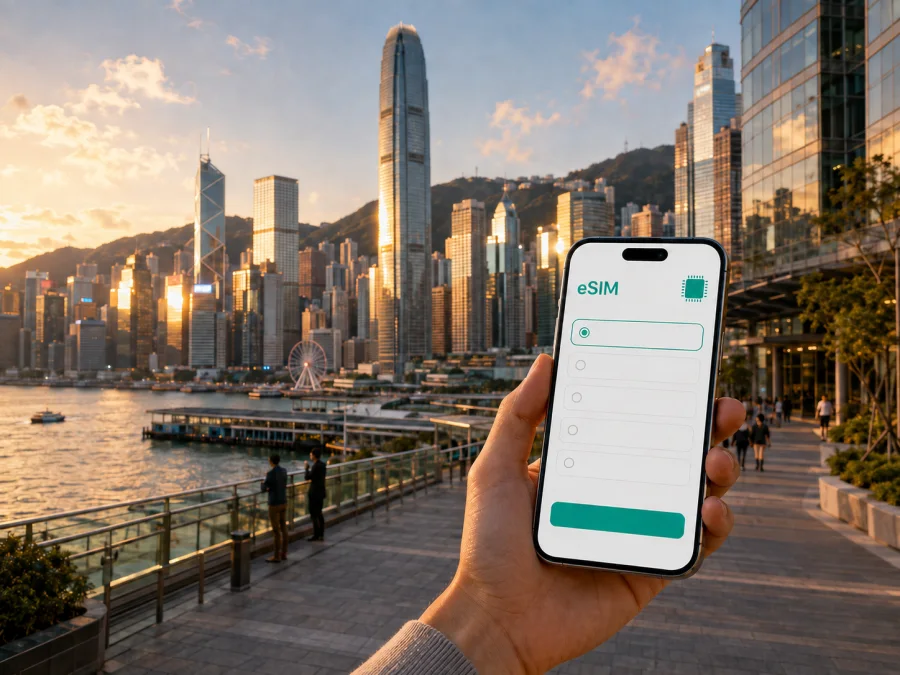
eSIM for Central: Mobile Connection and Internet for Your Hong Kong Trip
Central is where many trips to Hong Kong begin to feel real: the airport transfer brings you into the business district, the harbour is close, and a short walk can move you from office towers to older streets, markets, restaurants, or a ferry pier. It is also a place where you may need mobile internet immediately. You might be checking a hotel message, opening a map, locating a meeting room, booking a ride, or coordinating with someone who is waiting for you.
An eSIM, or digital SIM, can help you prepare mobile data for this kind of trip without replacing the physical SIM card in your phone. Kaspersky eSIM Store is an app and website where you can choose, arrange, and activate an eSIM with a suitable plan for mobile internet during an international journey. The plan’s country or regional coverage, data allowance, validity period, and other conditions depend on the option you select.
This guide is about using mobile internet in Central, Hong Kong: arriving from the airport, finding your accommodation, moving between Central and nearby districts, navigating steep streets, handling a business schedule, and making a short trip beyond the city. It is not a substitute for checking the current conditions of a particular plan.
Why an eSIM can be useful in Central
Central combines several travel situations in a compact area. A visitor may land at Hong Kong International Airport, travel towards Hong Kong Station, walk through a large interchange, and then continue uphill to a hotel or meeting venue. Later, the same person may use the MTR, a tram, a ferry, a taxi, and a map application in one day. Each step is easier when the phone can use mobile data instead of waiting for a convenient Wi‑Fi network.
Mobile internet is particularly helpful for:
- reading an airport transfer or hotel message as soon as you arrive;
- checking a map while walking between Central, Admiralty, Sheung Wan, and the waterfront;
- comparing a route when a street is steep, busy, or temporarily difficult to cross;
- keeping a booking, translation tool, or business chat available while moving between appointments;
- ordering transport or sharing your location with a travelling companion;
- finding the right pier, station entrance, shopping centre, or office tower;
- staying in touch during a short stopover when visiting a shop for a physical SIM would take time.
The practical advantage is continuity. You can keep your everyday physical SIM available for calls or messages, while assigning mobile data to the travel eSIM if your device supports that setup. Check the settings and the terms of both your home plan and the selected eSIM plan before travelling. An eSIM provides mobile internet; it does not automatically include a regular phone number, voice calls, or SMS unless those features are expressly included in the plan conditions.
Central as a starting point: what to plan before landing
Central is not a single tourist attraction with one obvious entrance. It is a dense district of stations, footbridges, roads, commercial buildings, older lanes, and waterfront connections. Planning the first data-dependent tasks is more useful than trying to memorise every street.
Before departure, save these details in an accessible place:
- The name and address of your hotel, serviced apartment, or office.
- The arrival terminal and the first transport leg you expect to take.
- A contact number or message thread for your accommodation, if you have one.
- The address of a first meeting, including the building name and floor.
- A rough plan for the first evening: check-in, food, a walk, or a ferry crossing.
- The date on which you expect to use the eSIM and how long the trip will last.
Keep the first route simple. If you arrive tired, a route that uses a clear rail connection and a short walk may be preferable to a sequence of unfamiliar transfers. Once you have checked in and confirmed your surroundings, you can explore alternatives through Central’s connected transport network.
A useful arrival checklist
- [ ] Confirm that the phone is unlocked and supports eSIM.
- [ ] Choose a Hong Kong plan whose validity and data allowance match the trip.
- [ ] Have the eSIM details ready while you have a reliable internet connection, if the plan instructions allow it.
- [ ] Label the new line clearly and decide which line will carry data after landing.
- [ ] Keep your primary SIM available for the services you still need.
- [ ] Note whether data roaming needs to be enabled for the eSIM profile.
- [ ] Store the installation details safely; do not assume that a profile can be transferred after activation.
From the airport to Central
The airport is on Lantau Island, while Central is on the north side of Hong Kong Island. For many visitors, the Airport Express is the most recognisable rail connection towards Hong Kong Station. Hong Kong Station is linked to Central Station and sits in the heart of the Central business and retail area. The final part of the journey may still involve a walk through a station passage, an escalator, a footbridge, a taxi, or a short trip to a nearby district.
Use mobile data for the parts that are most likely to change in your personal situation rather than for every possible detail. Open the accommodation message when you leave the airport. Check the route from Hong Kong Station to the exact building, not only to “Central”. Confirm the entrance you need if the address is inside a large complex. If you have luggage, compare the walking route with a short taxi journey or another public transport connection.
The first hour has its own priorities:
| Task | What mobile internet helps you do | Practical preparation |
|---|---|---|
| Arrival | Retrieve hotel or host instructions | Keep the booking message easy to find |
| Transfer | Compare the next rail, taxi, or walking leg | Save the destination in the local spelling used by the booking |
| Navigation | Follow the correct exit and building entrance | Check the route before leaving a station |
| Contact | Tell a colleague or companion that you have arrived | Prepare a short message in advance |
| Contingency | Recheck the route if a connection is delayed | Leave time for a change of plan |
Do not treat one transport mode as the only option. Central’s streets can be steep, and station exits are not interchangeable when you are carrying luggage. A live map, a clear destination pin, and a working way to message your accommodation can prevent a small navigation problem from becoming a long detour.
Moving around Central without losing your route
The MTR is useful for longer cross-district journeys, while walking often makes sense for nearby streets and the waterfront. Central Station connects with other parts of the MTR network, and Hong Kong Station is connected to the Airport Express. The Central–Tsim Sha Tsui ferry is another direct harbour crossing, and ferries from the Central piers can also be part of an onward island plan. Hong Kong’s double-decker trams operate along the north side of Hong Kong Island and can be a scenic option for suitable east–west journeys.
Each mode creates a different navigation task. For the MTR, check the line, interchange, and exit nearest your next street. For walking, allow for slopes, stairs, escalators, covered walkways, and crossings. For a tram, confirm the direction and stop; for a ferry, confirm the pier number and departure information. A taxi or ride service is easier when you can share the exact building or street address.
District-to-district scenarios
Search by the next concrete action: a station exit, pier number, or full office address.
Choose the right eSIM plan for a Central itinerary
A city trip still uses a country or regional plan. Central is in Hong Kong, so start by checking that the plan you are considering applies to Hong Kong and to the dates of your visit. If your itinerary also includes other destinations, compare the route with the plan’s stated area of validity rather than assuming that a local option follows you across every border.
Kaspersky eSIM Store lets you review available options and their stated conditions before you choose. You can compare the amount of data, validity period, destination, and price shown for the selected plan. These details matter more than a generic estimate of how much a traveller “usually” uses.
Choose an eSIM plan for your Hong Kong trip after you have estimated the route and checked your device. That country selection matches a Central itinerary because the plan is tied to Hong Kong, not to the neighbourhood name alone.
Estimate data by activity
Your usage pattern in Central may be very different from a quiet beach holiday. Navigation and messages can be light compared with video, photo backup, or long video calls. Consider how often you will cross districts, share media, use cloud documents, join meetings, or rely on a hotspot. Choose a plan whose stated data allowance and validity period fit that schedule. If you are unsure, use the plan information and your own habits rather than relying on a promise that a plan is sufficient for everyone.
How to install and activate an eSIM
Installation is easiest when the phone is connected to the internet and you have access to the eSIM details from your profile or the QR code supplied after the selected plan is arranged. Menus vary by device and operating-system version, so use the relevant step-by-step guide for Android or iOS if you need screen-specific directions.
The general sequence is:
1. Check the device
Make sure the phone supports eSIM and is not locked to an operator. Some models differ by region of sale. Check your device compatibility before you choose a plan.
2. Prepare the installation details
Open the Kaspersky eSIM Store profile or the message containing the QR code. Keep the details available on another screen when possible. If you need to scan a QR code displayed on the same phone, follow the device instructions for adding an eSIM manually or use an alternative display.
3. Add the mobile plan
Open the mobile-network or cellular settings. Select the option for adding an eSIM or mobile plan, then scan the QR code or enter the requested details. Read the on-screen prompts carefully and avoid deleting an existing profile while you are travelling.
4. Label the eSIM
Give the profile a clear label such as “Hong Kong travel”. This makes it easier to identify the correct line when you have more than one SIM profile.
5. Select the data line
Choose the travel eSIM for mobile data when you want to use it. Keep calls and SMS on your primary line if that is your preference and your home plan allows it. Turn off data switching if your device could otherwise move data to the wrong line.
6. Activate at the right time
Some plans begin their validity or data use according to their specific conditions. Read those conditions before installation and activation. If the eSIM is for a later trip, do not assume that installation and activation have the same effect.
7. Test the setup
After selecting the eSIM for data, turn off Wi‑Fi briefly and open a simple page or messaging service. Connection can take several minutes and may depend on the device and local network. If data does not work, check the selected data line, the eSIM roaming setting where required, and the plan instructions before contacting support.
What to check before and during the trip
Compatibility is only one part of preparation. A working eSIM profile also depends on the selected destination, the plan conditions, the device configuration, and the timing of activation.
Before purchase
- Confirm eSIM support and the absence of an operator lock; check your device compatibility.
- Confirm that the plan covers Hong Kong and the dates or route you need.
- Compare data allowance, validity period, price, and any stated activation conditions.
- Check whether the plan is for mobile data only and whether calls or SMS are excluded.
- Consider whether you need hotspot use for a laptop or another device.
- Read the conditions about activation, top-ups, transfer, and refunds.
When something changes
Central is busy and plans can move. If a meeting location changes, ask for the building name and entrance, not just a new street name. If rain makes a walk uncomfortable, compare MTR, tram, taxi, and covered routes. If you are crossing the harbour, confirm whether the ferry or rail route best matches your next appointment. Mobile data is most valuable when it helps you make a small decision early.
FAQ about eSIM use in Central
Why is my eSIM installed but not connecting?
Start with the basics: check that the profile is enabled, selected for mobile data, and configured according to the plan instructions. Confirm whether data roaming is required for that eSIM. Make sure Wi‑Fi is temporarily off for the test, allow several minutes for connection, and then contact support if the issue remains.
Prepare your eSIM for Central
Before you fly, check your device compatibility, review the Hong Kong plan conditions, and keep the installation instructions ready. Then choose the option that matches your time in Central and the way you expect to use mobile internet. Go to the Hong Kong eSIM plan selection to review the available destination options, arrange the selected eSIM, and activate it on your device for the trip.


