
Travel connectivity guide
Chad eSIM: mobile internet for your trip
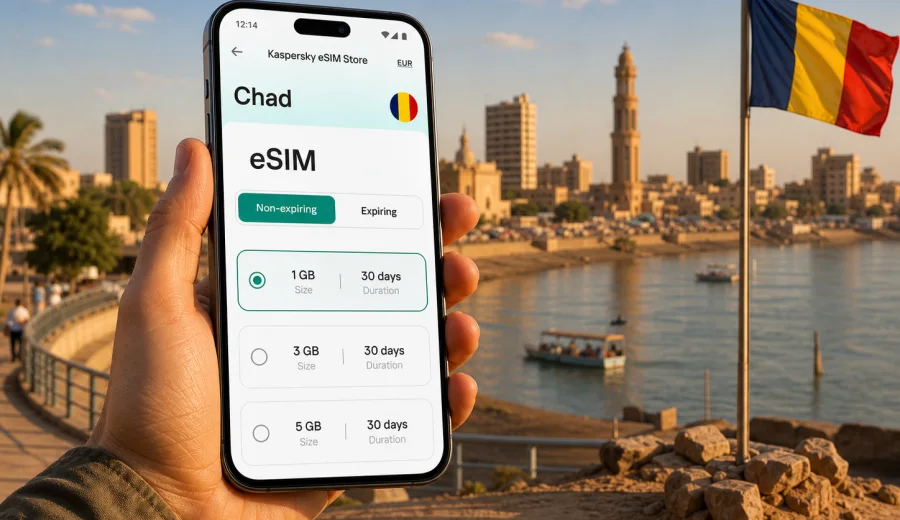
eSIM for Chad: mobile connection and internet for your trip
Planning mobile internet for Chad is not just a small travel detail. It affects how you arrange airport pickup in N'Djamena, open maps, contact hotels, check booking details, share documents for work, and keep in touch during longer routes across the country. An eSIM can make that preparation easier because you do not need to look for a physical SIM card immediately after arrival.
Kaspersky eSIM Store is an app and website where you can choose, arrange and activate an eSIM with a suitable data tariff for an international trip. For Chad, the practical goal is simple: prepare mobile internet before you need it, understand the data allowance and validity period, and install the eSIM on a compatible device.
This guide explains how to think about eSIM for Chad, how to estimate data, what to check before purchase, and how to avoid common mistakes with installation and activation.
Why mobile connection matters in Chad
Chad is a large landlocked country in Central Africa. Many trips focus on N'Djamena, business meetings, humanitarian work, field projects, regional travel, or routes that may involve long distances between services. In that kind of itinerary, mobile internet is useful for much more than casual browsing.
You may need internet for:
- airport arrival coordination and driver messages;
- maps, saved locations and route checks;
- hotel confirmations, email and document access;
- translation tools for French, Arabic or local communication contexts;
- banking notifications and payment confirmations;
- messaging apps for calls and updates;
- weather checks before road travel;
- work tools, file sharing and video calls when the connection is strong enough.
An eSIM is helpful because it lets you prepare a data plan before the trip. You still need a compatible device and local network availability, and connection quality can vary by location, device and chosen tariff. The advantage is that the setup is digital: no physical SIM tray swap, no search for a shop in the first hour, and no need to rely only on public Wi-Fi.
What eSIM does and does not include
An eSIM is a digital SIM profile installed on your phone or tablet. In the travel context, it is usually used for mobile data. It is not the same thing as a full local mobile subscription unless the tariff terms explicitly say otherwise.
| Topic | What to expect |
|---|---|
| Mobile data | The main use case is internet access while travelling. |
| Voice calls | Standard phone calls are usually not included unless stated in the tariff. |
| SMS | SMS is usually not included unless stated in the tariff. |
| Phone number | Most travel eSIM data tariffs do not provide a local number. |
| Messaging apps | You can use messengers, email and internet calling over mobile data. |
| Validity | Each tariff has its own duration, data volume and activation rules. |
Before choosing a tariff, read the conditions carefully. Check how much data is included, how long the plan remains valid, whether top-up is available, and when the validity period starts.
eSIM, roaming and local SIM: practical comparison
There is no single best option for every traveller. The right choice depends on trip length, device compatibility, budget, need for a local phone number and how much time you want to spend setting up mobile internet after arrival.
| Option | Good for | Things to check |
|---|---|---|
| Travel eSIM | Preparing mobile internet before or soon after arrival, keeping your primary SIM active, avoiding a physical SIM swap. | Device compatibility, data volume, validity period, activation steps, local coverage conditions. |
| Home operator roaming | Short trips where convenience matters and your roaming package is acceptable. | Roaming price, daily limits, fair use rules, speed restrictions. |
| Local physical SIM | Longer stays or cases where you specifically need local voice/SMS services. | Registration process, shop availability, language barrier, SIM size, opening hours. |
| Public Wi-Fi | Occasional light use in hotels or offices. | Availability, reliability, privacy, whether you can use it before check-in. |
For many visitors, eSIM and Wi-Fi work together: eSIM covers the moments between fixed networks, while hotel or office Wi-Fi can handle heavier downloads when available. This can help you conserve mobile data without losing access to maps and messages during the day.
When an eSIM is especially useful in Chad
An eSIM is most useful when you value preparation and predictable steps. It is not only for tourists. It can also help business travellers, consultants, NGO workers, researchers, journalists, contractors and people visiting family.
Common scenarios include:
- Arrival in N'Djamena: you can open messages, confirm pickup, check the address and tell contacts that you have arrived.
- Hotel transfer: maps and ride coordination are easier when mobile data is already prepared.
- Meetings and field work: email, cloud documents and messaging stay available between offices or project locations.
- Regional movement: you can keep route information, weather checks and contact channels ready, while remembering that coverage can vary outside urban areas.
- Backup connection: if Wi-Fi is unstable, mobile data can help with urgent messages or verification codes.
The key is to set expectations correctly. eSIM helps you arrange mobile internet for the trip, but it does not guarantee identical speed in every location. Buildings, distance from network infrastructure, device bands, local congestion and weather can all affect the experience.
How much data to choose for Chad
Data needs vary widely. A traveller who mostly uses maps and messages may need much less than someone who uploads field photos, joins video calls or shares a mobile hotspot with a laptop.
Use this table as a planning guide rather than a promise of exact consumption:
| Travel pattern | Typical online activity | Data planning approach |
|---|---|---|
| Light | Messaging, maps, email headers, occasional web pages. | Choose a modest package and use Wi-Fi for updates and media. |
| Standard | Daily maps, email, booking apps, messaging, some photos. | Pick a mid-size package with enough validity for the full trip. |
| Work-heavy | Cloud files, video calls, frequent attachments, hotspot use. | Consider a larger package and monitor usage closely. |
| Long route | Navigation, check-ins, weather, messages over many days. | Prioritize validity period and keep offline maps as backup. |
| Family or team travel | Multiple devices, shared updates, photos and coordination. | Avoid relying on one small data package for everyone. |
Video calls, automatic cloud backup, app updates and high-resolution media can use data quickly. Before departure, download offline maps, documents, boarding passes, hotel addresses, translation packs and essential work files over Wi-Fi. Then reserve mobile data for tasks that really need a live connection.
How to choose an eSIM tariff for Chad
When comparing eSIM tariffs, do not look only at the data allowance. The validity period, activation rules and your real route matter just as much.
Check these points:
1. Destination: make sure the tariff is intended for Chad or for a regional/global option that includes Chad.
2. Data volume: choose enough data for your expected use, with a margin for navigation and urgent work.
3. Validity: match the plan duration to the trip, including arrival and departure days.
4. Activation timing: check whether validity starts at installation, first connection or another event described in the tariff.
5. Top-up rules: see whether you can add more data or need a new tariff if the allowance runs out.
6. Hotspot use: if you plan to share data with a laptop, verify whether tethering is allowed by the tariff.
7. Device support: confirm that your phone or tablet supports eSIM and is not locked to another mobile operator.
For a practical start, open the Chad page in Kaspersky eSIM Store to choose an eSIM tariff for your trip to Chad and compare the available data volumes, validity periods and conditions before you travel.
How to install and activate eSIM before the trip
The safest approach is to prepare while you still have stable Wi-Fi. Install the eSIM profile in advance if the tariff conditions allow it, then activate mobile data for that profile when you are ready to use it.
Before installation, check your device for eSIM support. Also confirm that the device is not carrier-locked. Some phones support eSIM only in certain regional versions, and some devices can store several eSIM profiles but use only one or two active mobile lines at the same time.
Basic setup flow:
1. Choose Chad as the destination and select a suitable data tariff.
2. Complete the checkout for the selected tariff.
3. Open the eSIM details in your profile, app or confirmation email.
4. Install the eSIM using the on-screen instructions or QR code.
5. Keep your primary SIM active if you need your usual number for calls or bank messages.
6. On arrival, select the eSIM for mobile data.
7. Enable data roaming for the eSIM if the setup instructions require it.
8. Test the connection with a simple page or message before relying on heavy apps.
If you use Android, follow the Android installation guide. If you use iPhone or iPad, follow the iOS installation guide. Menus can differ by device model and operating system version, so the exact labels on your screen may not be identical.
Arrival checklist for Chad
Use this checklist before you leave and again after landing:
- Device supports eSIM and is unlocked.
- eSIM profile is installed or the QR code is available offline.
- Passport, hotel address, driver contact and key documents are saved offline.
- Offline maps for N'Djamena or your route are downloaded.
- Primary SIM remains available if you need calls or SMS from your home number.
- Mobile data is assigned to the eSIM profile when you want to use it.
- Data roaming is enabled for the eSIM if required by the instructions.
- Automatic app updates and cloud photo backup are paused on mobile data.
- You know where to check remaining data and validity.
This simple preparation reduces pressure during arrival. You can handle messages and route checks first, then adjust settings calmly at the hotel or office.
What to check before paying for any eSIM tariff
Before you confirm a tariff, pause for a minute and review the conditions. This is especially important when you are buying at the last moment in an airport or hotel lobby.
Check:
- the exact destination or region included in the tariff;
- the data allowance and whether it is enough for your planned use;
- the validity period and when it starts;
- whether the tariff supports top-up;
- whether hotspot use is allowed;
- whether the eSIM can be reinstalled if you delete it;
- refund or cancellation conditions;
- support options if installation does not work as expected.
Quick summary
For a trip to Chad, eSIM is useful when you want mobile internet without handling a physical SIM card on arrival. It can help with maps, messages, hotel coordination, work tools and backup connectivity. The main preparation steps are to check device compatibility, choose a tariff with suitable data and validity, install the eSIM correctly, and manage data use during the trip.
Kaspersky eSIM Store should be understood as an app and website that helps you choose, arrange and activate an eSIM tariff for international travel. The mobile internet experience itself depends on the selected tariff, local network conditions, your device and the settings you use.
FAQ about eSIM for Chad
Can I use eSIM in Chad instead of a physical SIM card?
Yes, if your device supports eSIM, is not locked to another operator and you choose a tariff that covers Chad. You can use the eSIM for mobile data while keeping your physical SIM in the phone for your usual number, if your device supports that setup.
Will the eSIM give me a Chad phone number?
Usually, travel eSIM data tariffs are for mobile internet and do not include a local phone number, voice calls or SMS unless the tariff conditions say otherwise. For calls, many travellers use internet-based messaging apps.
Should I install the eSIM before I fly?
It is often easier to install the eSIM while you still have stable Wi-Fi. Check the tariff conditions first, because activation and validity rules can differ. Some travellers install before departure and enable mobile data for the eSIM after arrival.
Do I need to turn on data roaming?
Some eSIM setups require data roaming to be enabled for the eSIM profile. Follow the instructions for your device and tariff. Keep roaming disabled for your primary SIM if you want to avoid unintended home-operator roaming charges.
What happens when I run out of data?
The result depends on the tariff. You may be able to top up, choose another tariff or wait until you have Wi-Fi. Check the available options in your profile or app before the allowance runs out.
Prepare your mobile internet for Chad
If Chad is on your travel route, prepare mobile internet before the first moment you need it. Check your device, choose a data volume that matches your real use, install the eSIM while you have Wi-Fi, and keep the setup instructions available offline.
Kaspersky eSIM Store helps you choose, arrange and activate an eSIM tariff for international travel through the app or website. Before departure, review eSIM options for Chad and select the tariff that fits your trip length, data needs and device.