Travel connectivity guide
Changi eSIM: mobile internet for Singapore trips
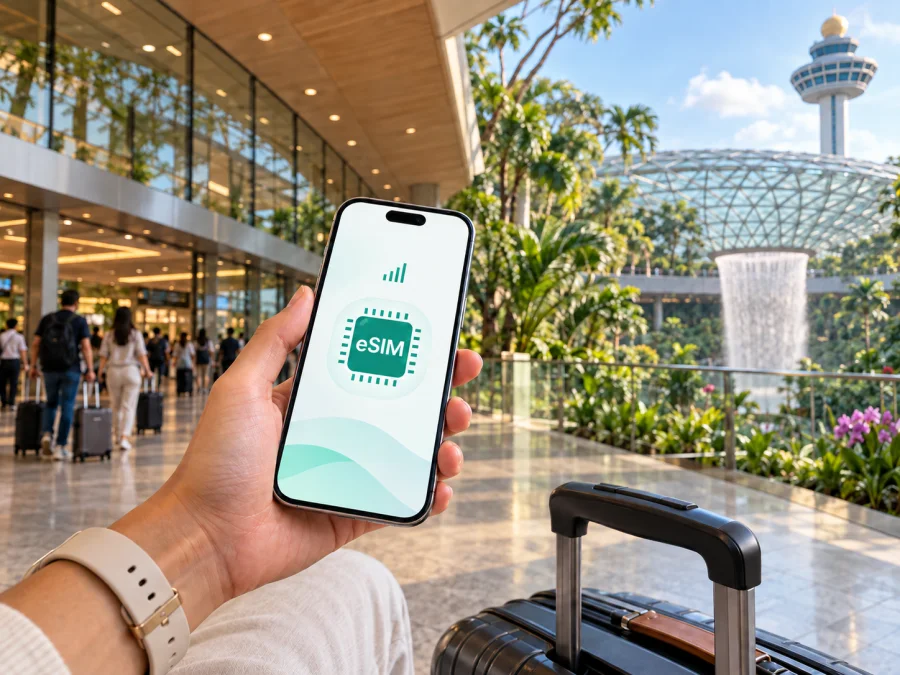
Changi eSIM: mobile connection and internet for arrival, stopovers and city trips
Changi is where many journeys through Singapore begin. You may land for a short stopover, check in near the airport, meet colleagues in the city, or use the eastern side of Singapore as the starting point for a longer itinerary. In each case, mobile internet is part of the practical plan: it helps you find the right exit, check a hotel message, arrange a ride, read a transport map and keep an eye on a changing schedule.
An eSIM can make that preparation simpler because it is a digital SIM profile installed on a compatible phone. You can choose a suitable eSIM tariff for the destination, complete the setup before departure, and keep your physical SIM in the device if your phone supports dual-SIM use. The exact data allowance, validity period, activation conditions and supported services depend on the tariff you select, so those details should be read before payment.
Why mobile internet matters from the moment you land
Changi Airport is large enough for a traveller to make several small decisions before leaving: find the right exit, locate a meeting point, open a hotel booking, check the MRT or taxi route, and tell someone that the flight has arrived. Mobile internet is useful for exactly these short tasks, including a map while walking between the airport complex, transport and accommodation.
The aim is not to keep the screen open constantly. It is to have a dependable way to check a reservation, read a notice, send a message or adjust the next step without making public Wi-Fi the only part of your arrival plan.
An eSIM is not a substitute for every communication service. This type of travel eSIM is intended for mobile internet during an overseas trip. A separate phone number, ordinary calls and SMS are not included unless the conditions of the selected tariff state otherwise. For many travellers, internet calling and messaging apps cover the everyday need, while the existing physical SIM can remain available for its original number if the device and settings allow it.
Changi Airport arrival: a calm first-hour plan
Before leaving the airport, use a short sequence rather than trying to solve the entire trip at once. This is especially helpful after a night flight or during a tight connection.
1. Confirm the first destination
Keep the hotel name, street address and booking details accessible offline as well as online. If you are meeting someone, save the precise meeting point: “Changi” can refer to the airport and surrounding eastern area, so a broad name is not enough.
2. Check your transport choice
Compare the route shown in your map app with the airport signs. The MRT suits many journeys towards central areas; taxis and app-based rides can be simpler with heavy luggage, several passengers or a late arrival. Buses are practical when you have checked the stops and direction.
3. Keep the phone ready for the next decision
Make sure the phone has enough battery, the correct time zone and access to the intended data line. Screenshots of the first route, address and booking reference reduce stress if signal or battery becomes temporarily limited.
4. Separate arrival tasks from sightseeing
First reach the right transport area, confirm the accommodation and message the people waiting for you. Plan food, a walk or a short visit only after those arrival tasks are settled.
Moving from Changi to central Singapore
The airport is in the east of Singapore, while many first visits centre on Marina Bay, the Civic District, Orchard Road, Bugis, Chinatown or Little India. Compare the route to your exact hotel or meeting point rather than planning only to a district name. The MRT is a practical choice for many travellers who can manage a change and a final walk; a taxi or app-based ride can be simpler with heavy luggage, several passengers or a tight schedule. Buses are useful when you have already checked the stops and direction.
Use live route information when you are ready to leave, because crowding, weather and service conditions can change the best option. Save the destination station or pickup point, and keep the route back to Changi visible if you are travelling on a short timetable. A working data line is useful for locating the correct pickup area, reading a driver’s message or checking the walking section after leaving the train.
| Travel situation | Practical first choice | Small preparation |
|---|---|---|
| Light luggage and a central hotel | MRT | Save the station and interchange |
| Heavy bags or a direct hotel transfer | Taxi or app-based ride | Confirm the pickup area and address |
| A route already checked in advance | Bus | Watch the stop and direction |
| Short stopover | The simplest route with a clear return | Keep the airport plan visible |
Choosing an eSIM for a Changi itinerary
The right tariff depends on how you will use data. Someone staying near Changi and using hotel Wi-Fi has a different pattern from a business traveller using maps, video calls and file transfers across the island.
Review these points before selecting an option:
- Destination. Confirm that the tariff applies to Singapore and to any onward route.
- Data volume. Maps and messages use less data than video calls, cloud uploads or hotspot use.
- Validity and activation. Match the period to the trip and read when usage begins.
- Device support. Confirm eSIM support and the absence of an operator lock. Some models differ by region of sale. Check your device compatibility before purchase.
- Dual-SIM behaviour. Decide which line handles data and whether automatic switching should be disabled.
Kaspersky eSIM Store is an app and website that helps you choose, purchase and activate an eSIM with a suitable tariff for mobile internet on an overseas trip. Compare the stated conditions, install the profile on a compatible device and decide how the phone should use each line.
When you are ready to compare the destination option, you can choose an eSIM tariff for a Singapore trip and review the data volume, validity and activation details shown for the selected option.
Installation before departure and activation after arrival
Installing before departure can reduce tasks at Changi, but timing depends on the tariff conditions and your phone. Do not delete an existing profile or switch off your usual line until you know which line handles calls, messages and data.
A practical preparation sequence
- Check the device. Confirm eSIM support and the absence of an operator lock.
- Choose the tariff. Read the scope, data allowance, validity, activation rule and limitations.
- Install while online. Follow the on-screen instructions and keep the purchase information available.
- Label the lines. Use clear names such as “Singapore data” and “Primary.”
- Choose the data line. Set the travel eSIM for mobile data and review automatic switching.
- Test within the conditions. After landing, let the profile connect according to the tariff.
For the device-specific sequence, use the Android installation instructions or the iOS installation instructions. The wording of menus may vary by operating-system version and phone model, so follow the instructions shown on your device as well.
The profile may be installed before departure without being the active data line. If usage starts on first connection, read the tariff terms and choose the activation moment that fits your itinerary.
Using a connection around Changi
Changi may be the whole destination for a short business stay or the first stage of a wider Singapore itinerary. If your hotel is nearby, save its exact address and reception details, then confirm the building, entrance and meeting time before leaving. Jewel is connected with the airport complex and can fit into an arrival or departure window, but leave enough time for baggage, airport procedures and the return to the correct area.
For work between flights, mobile internet can help you receive a meeting-room change, open a document, send an arrival message or check a route to a client’s office. A power bank is useful on a long day. Do not assume that an eSIM tariff includes voice service: internet-based communication and ordinary calls have different conditions.
From Changi into Singapore’s main districts
Once you leave the airport, the same connection supports a different kind of navigation. Singapore’s districts feel distinct, and the easiest route can change with luggage, weather and the exact building you need to reach.
Central districts
Marina Bay and the Civic District combine waterfront walks, museums, offices and hotels. Orchard Road is useful for shopping, meetings and accommodation, but save a building name or entrance rather than relying on the broad district label. Bugis, Kampong Glam and Little India work well for a compact walk involving food and shops; a map helps when rain or heat changes the order of stops.
Chinatown and the Singapore River can also be combined on foot. Save two or three destinations instead of navigating continuously. If you are meeting someone, agree on a specific entrance or café. A precise pin is more useful than a neighbourhood name.
A trip beyond the centre
Sentosa is a separate island destination in the south. Check the route and return plan before leaving your hotel, especially if you have an evening flight from Changi. Any attraction outside your base deserves the same treatment: plan the way back before setting off.
Short stopovers: three workable scenarios
A few hours between flights
Stay conservative. Keep airport timing in view, choose a nearby activity only if the return is realistic, and keep a route back to the correct area. Mobile internet is for confirming the next step, not for trying to see the whole city.
One night near Changi
Choose one nearby meal or walk, save the return route, and avoid leaving essential details only inside an app that requires a live connection.
A stopover with a full city visit
If time and entry conditions permit, choose one compact central route. Marina Bay, the Civic District, Bugis or Chinatown can each support a focused visit. A short itinerary with a clear return plan is more reliable than a long chain of attractions.
Simple habits for reliable navigation
Save the hotel address, first route and return-to-Changi plan before leaving the airport. Label the primary and travel lines clearly, check which line handles data, and set automatic data switching intentionally. Use Wi-Fi for large updates when convenient, keep a screenshot of the first route, and carry a charger for a day that includes maps and messages.
If data does not work after arrival, check that the eSIM profile is enabled and selected for mobile data, then review the tariff’s activation condition. Avoid deleting the profile as a first response: an eSIM may not be transferable or recoverable after deletion under the selected tariff’s conditions. Use the support route supplied with the purchase if the profile itself needs attention.
Changi eSIM checklist
Use this compact checklist the day before travel:
- [ ] The destination and route are confirmed as Singapore.
- [ ] The phone supports eSIM and is not operator-locked.
- [ ] The selected tariff’s data volume and validity fit the itinerary.
- [ ] The activation condition is understood.
- [ ] The hotel, meeting point and first route are saved.
- [ ] The Android or iOS installation steps are available.
- [ ] The primary line and travel data line have clear labels.
- [ ] Automatic data switching is set intentionally.
- [ ] The phone is charged and a backup charger is packed.
- [ ] The route back to Changi is part of the plan.
Frequently asked questions
Is eSIM useful if I am staying only near Changi?
Yes, it can be useful for airport transfers, hotel messages, maps, reservations and a short visit to the airport complex. Choose the data volume and validity for the actual duration of your stay rather than assuming that a short itinerary needs a particular size.
Can I keep my normal SIM active?
Many compatible phones support more than one line, but the available settings depend on the model and operator. You can usually choose which line handles mobile data, but check the device instructions and review data roaming settings on the primary line to avoid unintended charges.
Does the travel eSIM include a Singapore phone number?
Not necessarily. This travel eSIM is for mobile internet during an overseas trip. Ordinary calls, SMS and a separate phone number are included only if the selected tariff explicitly says so.
What if I travel onward from Singapore?
Check whether the next country is included in the same regional scope. If it is not, plan a separate option and do not assume that a Singapore tariff applies after the border crossing.
Prepare your Changi arrival
Changi is easier to navigate when the first hour is planned: keep the accommodation details available, choose the route, activate the intended data line and save the return journey. Mobile internet can then support a stopover, business visit or longer city itinerary without taking over the trip.
Before departure, review the conditions for your destination, confirm device compatibility, and prepare the profile at a time that suits its activation rule. When you are ready, prepare an eSIM tariff for your Singapore itinerary through Kaspersky eSIM Store, then follow the relevant installation instructions for your device.


