Travel connectivity guide
Chania eSIM: Mobile Internet & Travel Guide
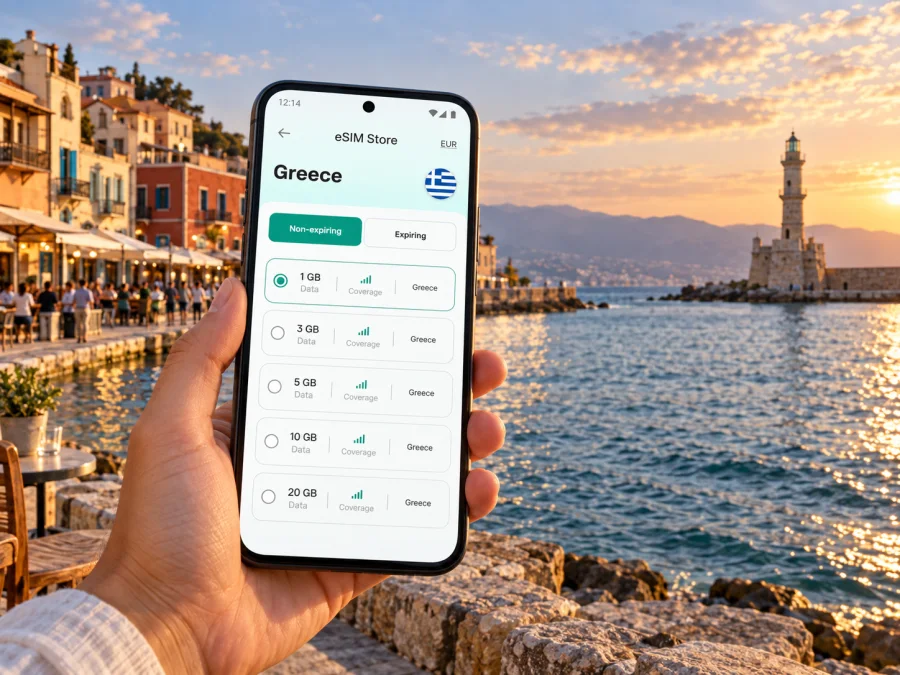
Chania eSIM: mobile connection and internet for exploring the city
Chania is a city best approached at a human pace. The old town’s lanes bend toward the Venetian Harbour, the waterfront opens into a long seafront walk, and everyday errands lead into a newer center beyond the historic core. A reliable mobile connection can make the practical parts of a visit easier: checking a hotel address after landing, finding the right bus stop, sharing a meeting location, or saving a walking route before you leave Wi-Fi.
An eSIM is a digital SIM profile that can provide mobile data while you travel. It is useful in Chania when you want maps, transport information, messages and booking details available on your phone without relying on a public Wi-Fi network. It does not replace local knowledge or guarantee signal in every place, but it can give you a straightforward way to plan the day and adjust when plans change.
First hours in Chania: from the airport to your stay
Chania International Airport, also known as Ioannis Daskalogiannis Airport, serves western Crete from the Akrotiri peninsula. On arrival, you may need to coordinate a transfer, check a booking or look up the route to your accommodation. Mobile data lets you retrieve those details as you leave the terminal.
Save the property’s full address, a map pin and arrival instructions before the flight. Names may appear in Greek or Latin characters; a saved address is easy to show a driver. If you arrive late, confirm how to enter and whom to contact if plans change.
Public buses connect the airport with the city; taxis and pre-arranged transfers offer door-to-door travel. A rental car can suit a wider Crete itinerary, though parking and narrow lanes make it a different choice for an old-town stay. Routes and times can vary by season and day, so check current details close to arrival.
| Arrival need | Preparation |
|---|---|
| Bus | Check the current route, stop and departure time. |
| Transfer | Agree on a clear pickup point and share a location if needed. |
| Hotel | Save the address, booking and check-in details. |
| Rental car | Keep the reservation and pickup instructions accessible. |
The airport is outside the historic center. If staying in the old town, ask where a vehicle can stop nearby; the final stretch may be easier on foot with directions from your host.
Get oriented: the harbor, old town and modern center
Chania’s best-known reference point is the Venetian Harbour, with the Egyptian Lighthouse at its entrance. The old town spreads around the harbor in a compact network of alleys and small squares; the modern center extends south and east, with transport and everyday services beyond the waterfront.
Use a map for the broad layout and walking directions when you are nearby. The shortest line may lead through a narrow lane or stepped passage, so check the route and nearby street signs. Save your hotel pin, the harbor and the bus station to make it easier to recover your bearings.
A useful first-day routine is to pin your accommodation and nearest vehicle drop-off, find the harbor and the route back toward the newer center, save the stop for your next journey, and download an offline map. Mobile data can then help with live changes, messages and updated information while the offline map remains a backup.
Choose a neighborhood that suits your itinerary
Chania’s central areas have distinct rhythms. Where you stay affects how often you walk, whether you need a bus or taxi at night, and how easy it is to return for a break during a warm afternoon. A map helps compare distances, but it cannot tell you everything about noise, stairs, luggage access or the feel of a street. Read the property’s directions and ask about arrival logistics before confirming your plan.
| Area | What it can suit | What to consider |
|---|---|---|
| Old Town and the Venetian Harbour | A short stay focused on historic lanes, museums, cafés and the waterfront | Streets can be narrow and busy; confirm the nearest vehicle access and luggage route. |
| Nea Chora | A coastal stay west of the old center, with a beach and an easy walk toward the harbor | Check the exact distance to your accommodation and how you prefer to return after dark. |
| Koum Kapi | A seafront setting east of the harbor, with places to eat and a local coastal promenade | Compare the walk to the old town with your plans and mobility needs. |
| The newer city center | Access to everyday shops, services and transport connections | It may feel less like a waterfront stay, but can work well for practical itineraries. |
| Halepa | A quieter-feeling area with historic residences and a connection to the eastern side of town | Check transport options and walking time if most of your plans are around the old harbor. |
The table is a starting point, not a ranking. A traveler with an early bus departure may value proximity to the station more than a harbor view. A family carrying beach gear may prefer a straightforward route back to the room. A business visitor may choose a quiet base with reliable access to a meeting address rather than staying in the busiest lanes.
When comparing hotels or apartments, put the address into a map and inspect the last few minutes of the route. Does it end on a vehicle-accessible road? Is there a steep section, a stairway or a long walk over paving? If you arrive with luggage, ask the host for a simple landmark and a recommended drop-off point. Keep their phone number and messages available even if you expect to have mobile data.
Getting around without losing time
Much of central Chania is best explored on foot. The old town and harbor reward a slow walk; use the map as a guide, since the historic street pattern is irregular and a scenic detour may be part of the visit.
For longer journeys, use buses, taxis or a car according to destination and timing. The central bus station is a reference point for trips around Crete. KTEL connects Chania with other destinations, but check the route and departure time for your specific date. Confirm the stop and allow time to find the platform, especially with luggage.
A phone helps locate a stop, check a route, translate a message or share an arrival estimate. Save tickets and reservations for quick access. For a taxi or transfer, use a specific pickup point rather than “near the harbor.” If driving, set the destination while stopped and avoid navigating narrow streets while moving.
Quick mobility checklist
- Save your hotel address and map pin.
- Check the exact stop and direction before setting out.
- Confirm current airport and intercity schedules.
- Save tickets and booking references.
- Carry a charger if you will navigate throughout the day.
Plan mobile data around how you will use Chania
Choose data according to your habits, not simply the number of days. Maps, messages and email differ from video, cloud photo backups or frequent calls. Estimate what you will do, download maps and entertainment in advance, and set photo backups to Wi-Fi if you want to conserve data.
Kaspersky eSIM Store is an app and website where you can choose, purchase and activate an eSIM with a suitable plan for mobile internet on an international trip. Select Greece and compare the stated data allowance, validity and other conditions with your itinerary. Explore eSIM options for a trip to Greece before travel and keep the plan information accessible.
| Travel pattern | Preparation |
|---|---|
| Weekend in the center | Save maps and booking details; use Wi-Fi for large uploads. |
| Work trip | Check video-call needs and whether tethering is allowed. |
| Road trip from Chania | Download offline maps and keep a charging cable in the car. |
| Family visit | Agree on a meeting point and whether each traveler needs data. |
Do not assume a data plan includes a regular number, voice calls or SMS; check its terms. Internet messaging apps can work when both parties are online. Review roaming charges with your usual provider if you keep your home SIM active.
Before you install: device and setup checks
Confirm that your phone supports eSIM and is not carrier-locked in a way that prevents another profile. Supported devices and setup steps vary, so check your phone’s settings or manufacturer information. Check whether your device supports eSIM before selecting a plan.
Install the profile over a stable internet connection and read the activation terms: installing a profile and starting validity may be separate events. Avoid deleting an eSIM to troubleshoot unless the instructions say to do so, since some profiles cannot be reinstalled after removal. Follow the device guides for Android eSIM setup or iOS eSIM setup.
When ready to use the plan, select the travel eSIM for mobile data in your settings. Some devices may require data roaming for that eSIM; follow the plan instructions and consider the settings for your home SIM. If service does not start, check that the profile is enabled and selected, then consult the purchase guidance. A slow connection in one building does not by itself indicate a city-wide issue.
Work, stopovers and days built around a deadline
For a business visit, save the meeting address, contact and entrance instructions before leaving your hotel. Check the route at the expected travel time and leave room for a change of transport. A quiet room or confirmed workspace is more suitable for confidential calls than a busy café; download documents in advance and do not make a critical presentation depend on an untested connection.
A short stopover calls for one compact plan. The harbor, nearby lanes and a meal in the center can make a satisfying visit without crossing town. Save the return pickup point and onward travel details before setting out, and leave enough time to retrieve luggage and reach your departure point.
Beyond the center: trips from Chania
Chania is a base for western Crete, but a trip outside town needs more planning than a harbor walk. Intercity buses serve a range of destinations; a rental car offers flexibility where public transport is less convenient. The right option depends on your destination, the service that day and whether you plan to return the same evening.
Regional outings might include beaches and settlements west of Chania, the Samaria Gorge area or towns farther along the north coast. These are different trips: distances, terrain, opening conditions and transport vary. Check current local information for hiking, boat connections and seasonal services, and plan the return before setting out.
Mobile internet can help locate a stop, check a booking and share your progress, but it should not be the only source of essential information in remote areas. Save maps and confirmations, carry what you need, and follow local guidance. When driving, enter destinations before setting off and let a passenger manage route changes. Keep a screenshot of return options in case data is unavailable.
Common questions about eSIM and a Chania trip
Will an eSIM help me navigate the old town?
It can provide data for map searches and route updates when the plan is active and service is available. Landmarks such as the harbor and nearby squares still help with orientation; download an offline map as backup.
Can I use the plan elsewhere in Crete?
Check the destination and coverage terms for the specific plan. Do not assume all plans have identical conditions or service is uniform in every location. Save information for your planned stops.
Will the eSIM replace my regular number?
A data-focused eSIM does not necessarily include a number, voice service or SMS. Your usual SIM may remain available for those functions, depending on your phone and home provider. Check roaming costs and which line handles data.
Should I install it before departure?
You can prepare in advance if the plan instructions allow it. Read activation terms, since installation and the start of validity may be different steps. Set up while you have stable internet.
A simple checklist before leaving for Chania
- Check eSIM compatibility and carrier-lock status.
- Save your accommodation, transfer and reservation details.
- Download maps for central Chania and planned excursions.
- Confirm the airport transfer and exact departure point.
- Keep setup instructions and plan terms accessible.
- Carry a charger if you will use navigation often.
For the first day, pin your accommodation and a vehicle-accessible landmark, then keep the initial walk flexible. Check the return journey before committing to a late outing. A working data connection can simplify route changes and coordination, while saved addresses, offline maps and current transport checks provide useful backups.
Chania rewards a flexible plan: begin around the harbor and old town, then follow your interests toward the waterfront neighborhoods, the newer center or a journey beyond the city.
Prepare your mobile connection for Chania
Before departure, use Kaspersky eSIM Store on the website or in the app to choose and activate an eSIM plan suited to your trip’s data needs and timing. Review the destination and plan conditions, install the profile on a compatible device, and keep the setup instructions close at hand. Choose an eSIM plan for your trip to Greece and arrive in Chania ready to look up a route, contact your accommodation and explore at your own pace.


