Travel connectivity guide
Charlestown eSIM: Mobile Internet in Nevis
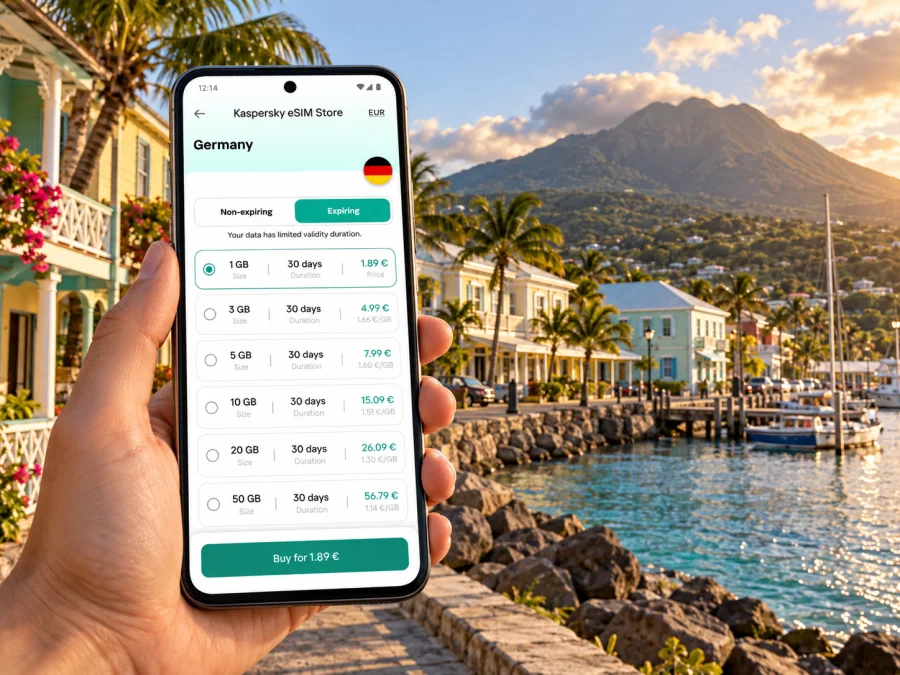
Charlestown eSIM: mobile connection and internet for a Nevis visit
Charlestown is the compact waterfront town where many visitors first get their bearings on Nevis. A working mobile connection helps you confirm a ferry transfer, message your accommodation, find a taxi, check a map, and adjust plans if the weather or sea conditions change. An eSIM can make that first stretch simpler, provided your device supports it and the plan you choose covers Saint Kitts and Nevis.
This guide focuses on using mobile internet around Charlestown: arriving by ferry or air, walking through the town centre, travelling to a hotel or beach, and planning trips elsewhere on Nevis. It also explains what to check before choosing a travel eSIM, because service terms and network availability depend on the specific plan and local infrastructure.
First, locate Charlestown in the wider trip
Charlestown is on the west coast of Nevis, one of the two main islands in the Federation of Saint Kitts and Nevis. Basseterre, on neighbouring Saint Kitts, is the federation’s capital; Charlestown is Nevis’s principal town and a central place for local services, shops, the waterfront and island transport. That distinction matters when you book connections: a flight to Saint Kitts does not arrive in Charlestown, and a ferry crossing is part of the journey.
The town is walkable at its core, with the harbour and ferry pier close to the historic streets. Nevis is not a dense urban grid, however. Many beaches, resorts, trailheads and attractions are spread along the island’s coast or inland, so a Charlestown map pin is only the start of route planning. A saved map, accommodation address and transfer details can be more useful than relying on live directions at every moment.
The Museum of Nevis History is in Charlestown, in the building associated with Alexander Hamilton’s birthplace. Main Street and the surrounding historic centre are useful reference points for a short town visit. Treat opening times and event arrangements as details to confirm before setting out; a map listing may not reflect a holiday closure or a temporary change.
Arriving: ferry, airport and the first transfer
There are two common arrival patterns: flying to Vance W. Amory International Airport on Nevis, or landing at Robert L. Bradshaw International Airport on Saint Kitts and continuing by water. Vance W. Amory is in Saint James Windward Parish, outside Charlestown, so arrange a road transfer to town or your lodging.
The passenger ferry links Basseterre’s ferry terminal with Charlestown Pier. The crossing is commonly listed at about 30–45 minutes, but schedules, operators and sea conditions vary. Check the date-specific timetable and leave time between a flight and ferry; one service will not necessarily wait for a delayed connection.
Before leaving home, save your lodging address, transfer contact, ferry confirmation and a map of Nevis for offline use. Ask where your driver will meet you, keep your phone charged, and check whether your plan’s validity starts at installation or first network connection. An eSIM can help coordinate the final transfer, but it does not reserve a seat, taxi or boat.
Using mobile internet in and around Charlestown
In central Charlestown, mobile data is useful for locating a hotel entrance, checking a business’s hours, sending a message or sharing a meeting point. Nevis is not a dense urban grid: beaches, resorts and trailheads are spread along the coast and inland. A town map pin is only the start of the route, so confirm transport and save directions before leaving.
Download an offline map over Wi‑Fi, save important addresses in a note, and use messaging for short updates. Directions and occasional searches use data differently from video calls, photo uploads or tethering. Check the plan allowance if you expect to work online or share the connection.
| Travel moment | Mobile data can help with | Keep offline |
|---|---|---|
| Ferry pier | Confirming pickup details | Driver contact and meeting point |
| Town walk | Maps and opening-hour checks | Saved places and offline map |
| Beach or hotel transfer | Messaging the property | Exact address and pickup plan |
| Day trip | Coordinating a return | Agreed pickup time |
Signal can vary by location, building, terrain, network load and plan terms. This is not a promise of continuous coverage; keep essential parts of the itinerary available offline.
Choosing a travel eSIM for Saint Kitts and Nevis
Charlestown is in Nevis, but a travel eSIM is usually selected for a country or region rather than a town. Confirm that the destination list explicitly includes Saint Kitts and Nevis. If your itinerary includes other islands, verify each one separately instead of relying on a broad regional label.
Kaspersky eSIM Store is an app and website where you can choose, purchase and activate an eSIM with a suitable plan for mobile internet on an international trip. Review the included destination, data allowance, validity period, price and any stated speed, hotspot or top-up conditions. Network access follows the selected plan’s terms; do not assume every plan uses the same local provider or offers identical coverage. Options and prices can change, so check the current plan details.
Estimate your likely use. Messaging and directions are different from daily video meetings or tethering a laptop. A small package may be enough for light navigation but not for heavy uploads. You can choose an eSIM plan for Saint Kitts and Nevis once you have confirmed your route. The country page supports a travel-plan choice; it does not make Charlestown a separate network market.
Local operators and travel data plans
Saint Kitts and Nevis has a regulated telecommunications market. The National Telecommunications Regulatory Commission oversees the sector, and local providers offer services under their own terms. Digicel’s Saint Kitts and Nevis site publishes information about its local eSIM service. That does not mean a separate travel eSIM uses Digicel, includes a Digicel number, or follows the same eligibility and activation process.
Check your travel plan for destination, data-only or voice features, activation rules and any named network. A local carrier’s eSIM availability is not proof that a travel plan uses that carrier. If a named network matters, confirm it in the plan terms or with support.
Compatibility: check the exact device, not just its product family
Before choosing a plan, confirm that your phone or tablet supports eSIM and is not carrier-locked in a way that prevents another profile. Support can vary by manufacturer, exact model number, country of sale and device variant. Two products with the same family name may have different SIM hardware, so check the manufacturer’s specifications or your device settings, especially for imported phones. Check your device’s eSIM compatibility before purchase.
Also check whether your device can use a travel eSIM alongside your home line. Stored profiles and simultaneously active lines are not always the same thing. A travel data plan may not include a conventional phone number, ordinary calls or SMS; read its terms if you need those services.
Install before the trip, activate with a plan
Installation and activation may be separate events. Follow the selected plan’s instructions and note when validity begins: at installation, first connection or another stated point. If you install before departure, do not delete the profile as a troubleshooting shortcut; some profiles cannot be installed again after deletion.
- Connect to stable Wi‑Fi and open the installation details from your purchase.
- Add the eSIM from your device’s mobile-network settings or scan the supplied QR code, as instructed.
- Label the line “Travel data” and keep your home line available if needed for calls or SMS.
- Select the travel eSIM for mobile data when appropriate, then follow the activation instructions.
- Enable data roaming only if the plan’s instructions require it. At your destination, check that the eSIM line is on and the plan includes the country.
Use the guide for Android eSIM installation or iOS eSIM installation. Settings labels vary by software version. Keep setup instructions private and accessible; do not remove your home SIM or delete a profile unless you know how to restore it.
Moving from the town to the rest of Nevis
Charlestown is convenient for town errands, but it is not a substitute for island-wide transport planning. The Nevis Tourism Authority describes taxis, rental cars and ferries as ways to get around. Ask your accommodation about taxi arrangements; if renting, confirm the local driving requirements. Vehicles drive on the left. Do not rely on a map estimate alone when you have a timed transfer.
For a beach visit, confirm the exact access point and pickup plan. A resort name may refer to a large property, and the nearest map result may not be its entrance. For an inland excursion or a visit near Nevis Peak, arrange transport and return timing in advance. A mobile map helps with orientation but cannot confirm that a track is open or suitable for your vehicle.
A short day in Charlestown
Save your ferry or accommodation details offline, walk the historic centre, and check the Museum of Nevis History’s current hours before setting out. Use data to message a driver or confirm a meeting point, then save the way back to your lodging or pier.
Staying outside town
Before leaving Charlestown, confirm your lodging’s address, road approach and pickup arrangements. Share your expected arrival time and keep the contact details offline. Wi‑Fi may not be available at the moment you need it.
Connecting through Saint Kitts
Treat the ferry and any onward flight as separate legs. Check departure times on the day and keep tickets accessible offline. Verify that the plan explicitly covers Saint Kitts and Nevis rather than inferring cross-island availability from one destination label.
Make your data allowance last
Prepare over Wi‑Fi: download maps, pause automatic photo backups and media downloads, and avoid streaming in the background. Directions and messages are usually easier to budget than video, large uploads or a laptop hotspot. Check the phone’s data-usage screen during the trip.
At the start of the day, save key places. Use messages for transfer updates, and use trusted hotel or café Wi‑Fi for large downloads when available. Venue Wi‑Fi quality is separate from your eSIM plan. Keep an offline copy of essential navigation and contact details.
Troubleshooting if the phone is offline
If data does not work, check Airplane Mode, confirm the eSIM line is enabled and selected for mobile data, and verify the plan’s destination and validity. Review whether the plan requires data roaming or a particular network setting. Restart the phone only if the plan instructions allow it.
If the issue remains, use Wi‑Fi to contact the service supporting your purchase. Provide the device model, location, time, plan name and the message shown on screen. Keep QR codes and activation details private. If you are meeting a driver, tell them directly that you are resolving a connection issue rather than assuming a message was delivered.
Frequently asked questions
Is Charlestown the capital of Saint Kitts and Nevis?
No. Basseterre, on Saint Kitts, is the federation’s capital. Charlestown is Nevis’s principal town and its main administrative and commercial centre.
Does a country eSIM work only in Charlestown?
The plan’s destination terms and partner networks determine where it can be used. A city name in an article is not a coverage guarantee; check the current plan details.
Is the ferry pier in town?
The passenger ferry from Basseterre arrives at Charlestown Pier, close to the centre. Confirm the pier and schedule with the operator before travel.
Can I keep my home number active?
A compatible device may keep a home line and a travel eSIM available together, but options depend on its exact model and regional variant. A data plan does not automatically include calls or SMS.
Should I install the eSIM before flying?
You can prepare it in advance if the plan permits, but check when validity starts. Installation may need Wi‑Fi, and activation may happen later.
What if I also visit Saint Kitts?
Check that both Saint Kitts and Nevis are explicitly included in the selected plan. Do not assume that every product treats the two-island route identically.
A compact pre-trip checklist
- Confirm the exact device supports eSIM and is not restricted by a carrier lock.
- Check destination, data allowance, validity and activation conditions.
- Save ferry, flight, lodging and transfer details offline.
- Install the profile over a reliable connection and keep its instructions.
- Decide which line handles data, calls and SMS.
- Download a map of Nevis and confirm transport with your host or operator.
Get ready for Charlestown
Preparation makes it easier to move from the pier or airport to your stay, find your way around the historic centre and plan trips beyond town. Check destination coverage, data allowance, validity and device compatibility, then keep essential directions and reservations available offline.
When ready, choose a suitable eSIM plan for your Saint Kitts and Nevis trip through Kaspersky eSIM Store. Review the current terms, install the eSIM using your device’s guide and follow the plan’s activation steps for the parts of your journey where service is available.


