
Travel connectivity guide
Chennai eSIM for Mobile Internet in India
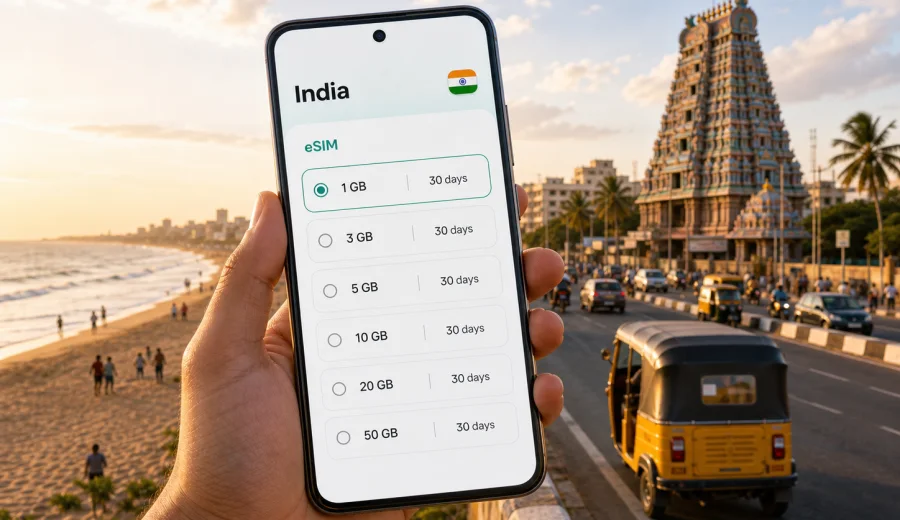
Chennai eSIM: mobile connection and internet for your trip to India
Chennai is a city where mobile internet becomes useful almost as soon as you land. You may need maps for the ride from Chennai International Airport, a messaging app to reach your hotel, a translation tool for local services, or a ride-hailing app when you are moving between business districts, beaches, temples, railway stations and shopping areas. A Chennai eSIM helps you prepare mobile data before the trip, so you do not have to start your first hour in the city by looking for a physical SIM card or relying only on public Wi-Fi.
For most visitors, the goal is simple: keep mobile connection stable enough for navigation, hotel check-in, transport apps, payments, work messages, video calls and route planning. eSIM is not a replacement for every local telecom service, and the exact conditions depend on the tariff you choose. It is, however, a practical way to arrange mobile internet for a trip to Chennai on a compatible phone without changing your main SIM card.
Why eSIM is useful in Chennai
Chennai is spread out along the Bay of Bengal, with travel often moving between the airport area, city-center hotels, business parks, railway stations, coastal districts and cultural stops. Distances can feel longer than they look on a map because traffic, weather and route changes all matter. Mobile data helps you adjust plans without waiting until you find a reliable Wi-Fi network.
An eSIM can be useful in Chennai when you need to:
- open maps after landing and check the route to your hotel;
- contact a driver, host, colleague or local office through a messenger;
- compare taxi, metro, train and walking options while moving across the city;
- check booking details at the airport, hotel or railway station;
- use translation, currency conversion and local search tools;
- keep work email and calendar alerts available during a business trip;
- share your route or arrival time with family or colleagues;
- plan short trips from Chennai to nearby beach towns, temples or business hubs.
The important point is control. With an eSIM tariff, you can review the data volume, validity period and destination before you travel. This makes it easier to match the plan to a weekend stopover, a conference week, a family visit or a longer route through India.
Arrival in Chennai: where mobile data helps first
Many trips to Chennai begin at Chennai International Airport. Even if your hotel has sent a transfer, mobile internet helps with the practical details: confirming the meeting point, checking flight-delay messages, opening a map, or sending a quick update that you have landed. If you are arranging transport yourself, a data connection is useful before you leave the terminal.
The first hour often includes several small tasks:
1. Switch mobile data to the correct eSIM profile.
2. Open your map app and save the hotel or meeting address.
3. Message your host, driver or local contact.
4. Check whether the route is affected by traffic.
5. Keep the booking confirmation ready for hotel reception.
These tasks do not usually require huge amounts of data, but they do require a connection at the right moment. That is why preparing eSIM before arrival can feel more convenient than waiting to connect through airport Wi-Fi or looking for a shop after a long flight.
Getting around the city with mobile internet
Chennai movement is varied. You may use ride-hailing, the metro, suburban trains, auto-rickshaws, hotel cars or walking routes within compact neighborhoods. The best option can change by time of day, weather and distance. Mobile internet helps you compare routes and stay flexible.
| Chennai scenario | Why mobile data matters | Practical tip |
|---|---|---|
| Airport to hotel | Maps, driver messages, booking details | Save the address offline, then use live traffic when data is available |
| T. Nagar or Anna Nagar shopping | Local search, payments, navigation | Mark your hotel location before you start moving |
| Marina Beach or Besant Nagar | Ride pickup points and sharing your location | Use a clear landmark for pickup, not only a street pin |
| Business parks and office visits | Calendar, calls, route changes | Keep a small data buffer for the return trip |
| Railway stations | Platform updates, tickets, messaging | Download ticket documents before you leave the hotel |
| Temple or heritage visits | Translation, maps, local etiquette checks | Use quiet mode and avoid phone use where it is inappropriate |
For short rides, you may only need enough data to open a map and message a driver. For a full day of moving around Chennai, data use grows when you keep navigation running, upload photos, use cloud storage or join work calls from a taxi or hotel lobby.
How much data might you need in Chennai?
Data needs depend on how you travel. A visitor who mostly uses hotel Wi-Fi and mobile maps will use much less than someone who works remotely, streams video, backs up photos or uses video calls every day. Avoid choosing only by the smallest price. Look at the length of your stay, how often you will be outside Wi-Fi, and whether you need a reserve for unexpected changes.
Use this planning guide as a starting point:
| Trip style | Typical mobile internet use | What to consider |
|---|---|---|
| Stopover or one-night stay | Maps, messaging, transport apps, hotel confirmation | A smaller data package may be enough if you use Wi-Fi at the hotel |
| Weekend in Chennai | Navigation, local search, photo sharing, messaging | Choose enough data for two full days outside the hotel |
| Business trip | Email, calendars, messengers, documents, possible hotspot use | Allow extra data for calls, attachments and route changes |
| Family visit | Multiple daily routes, messaging, shared photos, entertainment | Keep video and cloud backup under control |
| Longer India route | Chennai plus other cities or regions | Check that the tariff destination and validity fit the full route |
If you expect to use video calls, streaming or laptop tethering, choose a larger data allowance where available. If you mainly need maps and messaging, a lighter tariff may be enough. Always check the tariff conditions before payment, including validity, destination and whether top-up options are available.
eSIM, roaming, public Wi-Fi and local SIM cards
There is no single best option for every traveler. The useful choice depends on your device, trip length, budget, data use and how much setup you want to handle after arrival.
| Option | Strengths | Limits to check |
|---|---|---|
| eSIM for India | Can be prepared before the trip, no physical SIM swap, useful for arrival and city movement | Requires an eSIM-compatible and unlocked device; conditions depend on the selected tariff |
| Standard roaming | Keeps your existing number and carrier relationship | Pricing and data limits depend on your home operator |
| Public Wi-Fi | Useful in hotels, airports, offices and cafes | Availability, speed and security can vary |
| Physical local SIM | May suit longer stays or users who need a local number | Usually requires in-person purchase and local setup time |
For many short business trips, conferences, stopovers and city breaks, eSIM is convenient because it reduces the number of tasks you need to complete after landing. You still need to check device compatibility and follow the installation steps carefully.
How to choose an eSIM tariff for Chennai
For a Chennai city trip, the relevant destination is India. The city matters for your use case, but the tariff should match the country or region where you will use mobile data. If your route is Chennai only, an India tariff may be the clearest match. If your trip includes several countries or a broader regional route, compare whether a regional option is more appropriate.
Before choosing, answer five questions:
- How many days will you be in Chennai and elsewhere in India?
- Will you use mobile data mainly for maps and messages, or also for work calls and hotspot?
- Do you need the eSIM active immediately after landing?
- Is your phone compatible with eSIM and not locked to another carrier?
- Do you understand when the validity period and data usage begin for the selected tariff?
Once you know your expected use, you can review mobile internet options for India and choose a tariff with suitable data volume and validity for your Chennai itinerary. Kaspersky eSIM Store helps you choose, arrange and activate an eSIM with a tariff for mobile internet in a foreign trip; it does not need to be described as a mobile operator or network provider.
Installation and activation before the trip
It is usually best to prepare eSIM while you still have a stable internet connection, for example at home, in the office or at your hotel before moving around the city. After purchase, follow the installation flow shown for your device. The process can involve a QR code or on-screen instructions, depending on your phone and operating system.
For device-specific steps, use the Android installation guide or the iOS installation guide. Read the instructions before you travel if you will land late at night, transfer quickly to a meeting, or depend on mobile data for transport from the airport.
The basic setup sequence is:
1. Check that your phone supports eSIM and is not carrier-locked.
2. Choose the India tariff that fits your Chennai trip.
3. Install the eSIM profile while you have reliable internet.
4. Name the profile clearly, for example "India travel".
5. Keep your main SIM for calls if you need it, and use the eSIM for mobile data.
6. On arrival, select the eSIM profile for cellular data and check whether data roaming must be enabled for that profile.
Activation can take a few minutes and depends on the device, settings and local network conditions. Do not delete the eSIM profile unless the instructions or support team tell you to do so, because reinstallation rules can vary by tariff and profile.
Check device compatibility before payment
Not every smartphone supports eSIM, and some devices are locked by an operator. Before buying any eSIM tariff, check your device and review the model settings. This is especially important if your phone was purchased through a carrier, imported from another market, or configured for dual SIM in a way you have not used before.
Also check these details:
- Your phone software is up to date enough to support eSIM installation.
- You have access to the email or account where installation details will arrive.
- You can connect to Wi-Fi during installation.
- You know which SIM profile is used for mobile data.
- You understand whether your chosen eSIM includes data only or any additional services.
Most travel eSIM use cases are about mobile data. Ordinary voice calls and SMS are not included unless the selected tariff says so. If you need to call your hotel, driver or colleagues, plan to use internet-based calls or keep your regular SIM available for voice services according to your home operator's terms.
Practical Chennai data checklist
Before departure:
- Save your hotel address, meeting venue and airport terminal details.
- Download offline maps for Chennai as a backup.
- Install the eSIM profile if your chosen tariff allows pre-trip installation.
- Keep the QR code or installation email accessible.
- Check whether your banking and ride-hailing apps work with your travel setup.
- Turn off automatic cloud backup on mobile data if your allowance is limited.
After arrival:
- Select the eSIM as the mobile data line.
- Keep your primary SIM active only for the services you need.
- Test a map search and a message before leaving the airport or hotel.
- Watch the data balance if you use video, hotspot or uploads.
- Use hotel Wi-Fi for large downloads when it is reliable and appropriate.
During the trip:
- Keep a data reserve for airport transfer, railway station changes or late-night rides.
- Avoid long video streaming sessions on mobile data unless your allowance is large.
- Use messenger calls instead of standard voice calls if your eSIM tariff is data-only.
- Check the tariff validity if you extend your stay or travel beyond Chennai.
This checklist is intentionally practical. The point is not to stay online every second, but to have mobile internet available when it affects your route, timing, safety and ability to communicate.
Chennai scenarios: what to plan for
Short stopover
If Chennai is a stopover, you may only need data for airport navigation, hotel transfer, messages and a quick meal or beach visit. Install the eSIM before departure if possible, then test it before leaving the terminal.
Business visit
For a business trip, choose a data allowance that can handle email, calendars, messaging and occasional video or hotspot use. If you are moving between the airport, Guindy, OMR, Nungambakkam or other office areas, live traffic and driver messages can be more important than raw data volume.
Family or leisure trip
Family travel usually creates more small data tasks: finding restaurants, sharing locations, checking opening hours, booking cars and keeping in touch across groups. Set expectations about video if several people depend on one phone's hotspot.
Trips from Chennai
If you continue to Mahabalipuram, Pondicherry, Kanchipuram or other parts of Tamil Nadu, check that the selected tariff fits the country or region you will use outside the city.
Common mistakes to avoid
- Buying a tariff before checking whether the phone supports eSIM.
- Installing the profile on the wrong device.
- Deleting the eSIM profile after activation without reading the conditions.
- Expecting a data-only eSIM to include a local phone number.
- Leaving cloud photo backup or app updates on mobile data.
- Waiting until the airport exit to test whether the eSIM profile is selected for data.
- Choosing a data package only for the first day and forgetting return transport.
Most problems are avoidable if you prepare before departure and keep the setup simple. Use the eSIM for mobile data, keep your main SIM available for services that require your usual number, and monitor the remaining data if your trip includes work calls or media uploads.
FAQ: eSIM and mobile internet in Chennai
Can I use eSIM immediately after landing in Chennai?
You can use it after the eSIM is installed, activated according to its conditions, and selected for mobile data on a compatible device. Installing the profile while you have reliable Wi-Fi is usually more comfortable.
Does a travel eSIM include a local Indian phone number?
Usually, travel eSIM tariffs focus on mobile data. Voice calls and SMS are not included unless the tariff states otherwise.
Is eSIM enough for maps and ride-hailing in Chennai?
For many travelers, eSIM mobile data is useful for maps, messaging, ride-hailing and local search. Save key addresses offline as a backup.
Should I install eSIM before flying to India?
Installing before departure helps you avoid setup pressure at the airport. Check the activation rules for your selected tariff so you understand when validity and data usage begin.
Can I share eSIM data with a laptop?
Hotspot use depends on the device and tariff conditions. If you plan to work from a laptop, check whether tethering is allowed and choose enough data.
What if my eSIM does not connect?
Check that the eSIM profile is installed, selected for mobile data, and allowed to use roaming data if required. If the problem continues, use Wi-Fi to review the instructions and contact support with your device model and tariff details.
Prepare mobile internet for Chennai with Kaspersky eSIM Store
Chennai rewards travelers who can adjust quickly: a driver changes pickup point, a meeting moves to another district, rain affects a route, or a short beach walk turns into dinner across town. An eSIM gives you a practical way to prepare mobile internet for these moments without swapping a physical SIM card.
Before you travel, check your device, choose the data volume and validity period that fit your itinerary, install the profile carefully, and keep the setup simple. When you are ready, choose an eSIM tariff for your trip to Chennai and India through Kaspersky eSIM Store, then follow the installation steps for your device before arrival or when you have a reliable connection.