Travel connectivity guide
Chiayi eSIM Guide: Mobile Data in Taiwan
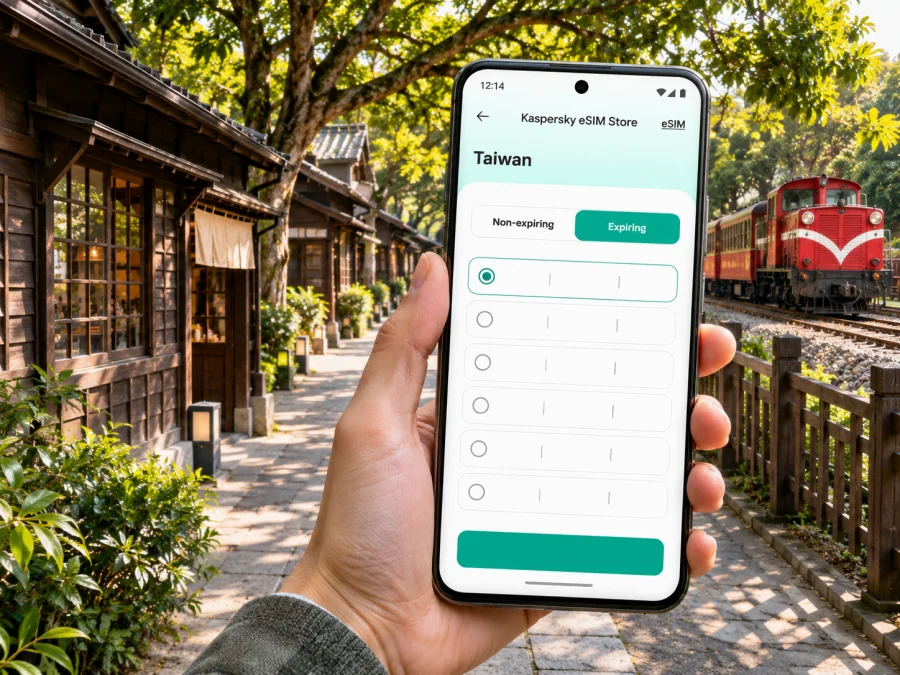
Chiayi eSIM: a practical guide to mobile connection and internet
Chiayi is a useful base for exploring central-southern Taiwan: its railway heritage and compact city center sit between the high-speed rail station in Taibao and day trips toward Alishan, the coast and the wider county. A working mobile connection helps with station transfers, route changes, maps, translation and checking opening times as you move between these very different places. An eSIM can provide mobile data without swapping the physical SIM in your phone, provided your device and the selected plan support your trip.
This guide focuses on the choices that matter in Chiayi itself: which station you are arriving at, how to find your hotel, where local transport fits, and what to prepare before heading into the mountains. Train and bus services, network availability and eSIM terms can change. Confirm your own travel date, the route operator’s current information and the exact plan conditions before relying on a connection or departure.
First, know which Chiayi station you mean
“Chiayi Station” can refer to two different rail hubs. Taiwan Railways’ Chiayi station is in the city center, close to the downtown grid and the Alishan Forest Railway departure point. The Taiwan High Speed Rail (THSR) Chiayi station is in Taibao City, in Chiayi County, outside Chiayi City. They are not interchangeable map pins: allow time for a transfer between them.
| Arrival point | Where it is useful | What to plan |
|---|---|---|
| Taiwan Railways Chiayi station | Downtown hotels, local sightseeing and the Alishan Forest Railway | Confirm the station exit and the onward walk, taxi or bus to your accommodation. |
| THSR Chiayi station | Fast intercity rail connections | Arrange the onward bus, taxi or other transfer to the city. Check the latest stop and timetable before boarding. |
| Chiayi Airport | Some domestic itineraries, depending on current flight schedules | Check your flight and the airport’s current ground transport options; do not assume it is close to the city-center rail station. |
If your ticket says “Chiayi” but you are unsure which station, look at the operator name and address on the booking. THSR’s station is at No. 168, Gaotie West Road, Taibao City, Chiayi County. The city-center railway station is a separate destination. A map pin for “Chiayi HSR” can save an expensive or rushed correction later.
Arriving and getting oriented
At the city-center station, pause before leaving the concourse and save the hotel address in both English and Chinese characters if your accommodation provides them. A screenshot is useful if you temporarily have no data. The station area is a practical starting point for taxis and local buses, while central hotels may also be reachable on foot depending on luggage, heat and the exact address.
At THSR Chiayi, first locate the bus station and taxi pickup area shown on the station signs. The high-speed rail stop serves the surrounding county rather than sitting in the downtown core. Official THSR access information lists bus connections, including routes toward the Chiayi city area; routes and journey times can vary, so check the current departure board and service information on the day. If you are arriving late, traveling with children, or carrying bulky bags, compare the remaining bus departures with a taxi before choosing.
A simple arrival sequence
- Identify whether your train arrives at THSR Chiayi or Taiwan Railways Chiayi.
- Check the station exit, bus stop or taxi pickup point before leaving the building.
- Open your saved hotel pin and compare the route with the operator’s signs.
- Keep enough battery for navigation and your next transfer; use station charging facilities only while you can watch your belongings.
- Once checked in, save tomorrow’s departure station and any bus or rail booking separately from the hotel route.
Getting around the city center
Chiayi’s main sights are spread across a walkable central area, but a day can still combine several transport modes. The Taiwan Railways station, the Alishan Forest Railway’s city terminus, Beimen Station, Hinoki Village, the Forest Railway Garage Park and Wenhua Road are common map searches for visitors. Check the route between each pair instead of assuming they are all inside one station complex. The official tourism listings place Hinoki Village and the railway heritage sites in Chiayi City, while the THSR station is farther out in Taibao.
For short trips, walking can be the simplest way to see the central streets, especially when you want to stop for food or look around the historic railway district. In warm or rainy weather, or with luggage, a taxi or bus may be more comfortable. Before boarding a bus, confirm the route number, direction and stop name against the current local information. A route planner can help you compare options, but its predicted arrival time is not a promise of service frequency.
Wenhua Road Night Market is in the East District. Its southern section becomes a pedestrian area at night, and the street is known for local snacks and food stalls. It can be busy, so decide on a nearby meeting point if you are traveling with others. Keep your hotel pin visible and your phone secure in a crowd; mobile data is most useful for finding the route back, translating a menu or coordinating a pickup after you have left the densest part of the street.
Chiayi is also a useful overnight base for travelers continuing into the county; mountain and coastal destinations are separate journeys, not city-center neighborhoods.
Plan your mobile data around the itinerary
A city break often uses data in short bursts: checking a platform, finding a bus stop, translating a sign, messaging a host or confirming a restaurant location. A day trip can use more if you repeatedly load maps, share photos, make video calls or stream. There is no reliable single allowance for every traveler. Choose a plan by considering how many days you will be away, how often you use video and whether your accommodation and transport stops provide Wi-Fi you are comfortable using.
Before choosing, compare the plan’s destination coverage, data allowance, validity period, price, activation rules and any fair-use or hotspot terms. A Taiwan country plan is the relevant starting point for a stay in Chiayi; a separate city-specific tariff should not be assumed. To review eSIM plan options for Taiwan, check the current conditions against your route and intended dates. Kaspersky eSIM Store is an app and website where you can select, purchase and activate an eSIM with a suitable plan for mobile internet abroad; the network and service conditions depend on the selected tariff and its provider.
A quick way to estimate your needs is to think in activities rather than guessing a large number:
| Your typical day | Likely data pattern | Useful preparation |
|---|---|---|
| Mostly walking and local meals | Map checks, messages, translation and occasional searches | Save key places offline and use mobile data for live directions. |
| Multiple transfers or day trips | More map refreshes, ticket checks and schedule searches | Keep route details, QR tickets and meeting points accessible offline too. |
| Frequent photo sharing or video calls | Uploads and calls can use data quickly | Use Wi-Fi where appropriate and check whether hotspot use is allowed. |
| Remote work from a hotel or café | Calls, cloud files and repeated uploads | Confirm the plan’s data limits and hotspot conditions; keep a backup connection option. |
If you continue elsewhere in Taiwan, check the plan’s destination list and validity for the entire itinerary. Allowances, supported destinations and prices are plan-specific and may change.
Check the phone before you travel
The word “eSIM” does not guarantee that every phone can use one. Support depends on the exact device model and regional variant, software, carrier lock status and the conditions of the eSIM plan. Two phones with nearly identical names can differ by market. Confirm the exact model number in your device settings or manufacturer documentation, and make sure the handset is unlocked for another carrier’s profile.
Check whether your device supports eSIM before purchasing. If you need to keep your regular number active for calls or verification messages, check how your phone handles dual SIM and choose which line uses mobile data. A travel data eSIM generally should not be treated as a replacement for a voice number: calling and SMS availability depend on the specific plan. Internet-based messaging and calls can work through data where the app and recipient support them.
Device and line checklist
- Confirm eSIM support for your exact model and regional variant.
- Check that the phone is not carrier-locked.
- Update the operating system before departure, while you have stable Wi-Fi and time to troubleshoot.
- Make sure you can access the email or account used for purchase and installation.
- Decide whether your home SIM should remain enabled for calls or texts and review its roaming charges.
- Note which line will be used for mobile data; avoid turning on data roaming for the wrong SIM.
Do not delete an installed eSIM profile while troubleshooting unless the provider’s instructions tell you to. Some profiles cannot be installed again after removal. If setup fails, confirm the exact message, data-line selection, activation instructions and support route before making changes.
Install and activate with a little time to spare
Set up when you have stable Wi-Fi, a charged phone and time to read the plan’s instructions. Installation may use a QR code or an app flow, and the validity start rule differs by plan; check whether installation, first connection or another event starts the clock.
Use the product’s step-by-step Android eSIM installation guide or iOS eSIM installation guide for the relevant phone. Follow the prompts shown for your operating system and selected plan; menu wording may differ by software version. Keep the QR code or installation details private and available until setup is complete.
After installation, label the profile if your phone allows it. Select it for mobile data when you are ready and follow the plan’s guidance on data roaming; avoid changing settings for your home SIM by mistake. Test a webpage or map before a longer journey.
If mobile data does not start
- Check that the eSIM line is enabled and selected for mobile data.
- Confirm that airplane mode is off and restart the phone if the installation instructions recommend it.
- Read the plan’s activation and roaming guidance again; do not invent APN values or delete the profile.
- Move to a place with a clearer signal and wait briefly for the phone to register.
- If it still fails, contact the support channel listed with the plan and provide the device model, location and the exact error message.
Signal and data performance depend on local conditions, the provider’s arrangements, your phone and location. A connection in town does not guarantee the same service on a mountain road or inside a building. Keep an offline map and ride details as backups.
Chiayi as a base for Alishan and beyond
Chiayi is closely associated with the Alishan Forest Railway. The railway’s city station connects with Taiwan Railways at Chiayi, and Beimen is an early station in the city’s railway heritage area. Current rail service and ticket availability depend on operating notices and the date. Check the railway office’s official timetable and booking conditions before building a tight itinerary around a particular departure. Do the same for buses between Chiayi, the THSR station, Fenqihu and Alishan: schedules and operating conditions can change.
For a mountain day, save the route, tickets, accommodation contact and return plan before leaving. Data may be less predictable on rural or mountain sections, so keep key details offline. If transferring at THSR Chiayi, remember the station is in Taibao and leave a realistic buffer. Treat coastal and county excursions as separate trips: confirm the departure point, service day and last return option.
Practical scenarios
You arrive by high-speed rail and have an afternoon in town. Find the city-bound bus or taxi area at THSR Chiayi, confirm where you will get off, and save the hotel pin. After checking in, head to one central attraction cluster and use Wenhua Road for an evening meal if it fits your schedule. Keep the next morning’s station clearly labeled in your notes.
Common mistakes to avoid
- Going to the wrong station: distinguish THSR Chiayi in Taibao from Taiwan Railways Chiayi in the city.
- Relying on a saved itinerary without checking dates: rail and bus timetables, closures and ticket rules can change.
- Assuming the eSIM has a local voice number: check plan details; data-only service is common, and voice or SMS should not be assumed.
- Activating without checking when validity begins: the start rule differs by plan.
- Choosing a plan from the city name alone: confirm Taiwan is an included destination and check the full route if you travel beyond Chiayi.
- Leaving all navigation online: save hotel addresses, tickets and key stops so you can still find essential details during a signal or battery problem.
- Changing several phone settings at once: check the correct SIM and follow the eSIM instructions one step at a time.
Frequently asked questions
Is Chiayi the same as Chiayi County?
No. Chiayi City is a distinct city, and Chiayi County surrounds it. Some attractions and transport hubs with “Chiayi” in their name are outside the city. In particular, THSR Chiayi station is in Taibao City, Chiayi County, while Taiwan Railways Chiayi station is in the city center.
Can I use eSIM in Chiayi?
That depends on three checks: your exact phone model and regional variant must support eSIM, your phone must be unlocked, and the selected plan must include Taiwan for your travel dates. Check all three before purchase. Local network conditions can vary by location.
How much data should I choose for a few days?
Estimate from how you use your phone. Navigation, messaging and occasional translation need less than frequent video calls, uploads or streaming. Download maps and tickets where possible, then compare the remaining expected use with the plan’s allowance and validity.
A clear plan for your Chiayi trip
Before departure, confirm your arrival station, save hotel and transfer points, check current rail or bus information, and review the Taiwan plan’s coverage, data, validity and activation rules. Verify your exact device variant and keep important tickets and addresses offline.
When you are ready, use Kaspersky eSIM Store to choose an eSIM plan for your Taiwan trip and review its conditions before completing setup. Install and activate the profile according to the plan instructions, then confirm your phone is using the intended data line. Keep your home SIM settings and a simple offline backup in order, and you can focus on the trip from Chiayi’s downtown streets to the next stop on your route.


