Travel connectivity guide
Chichicastenango eSIM: Mobile Internet Guide
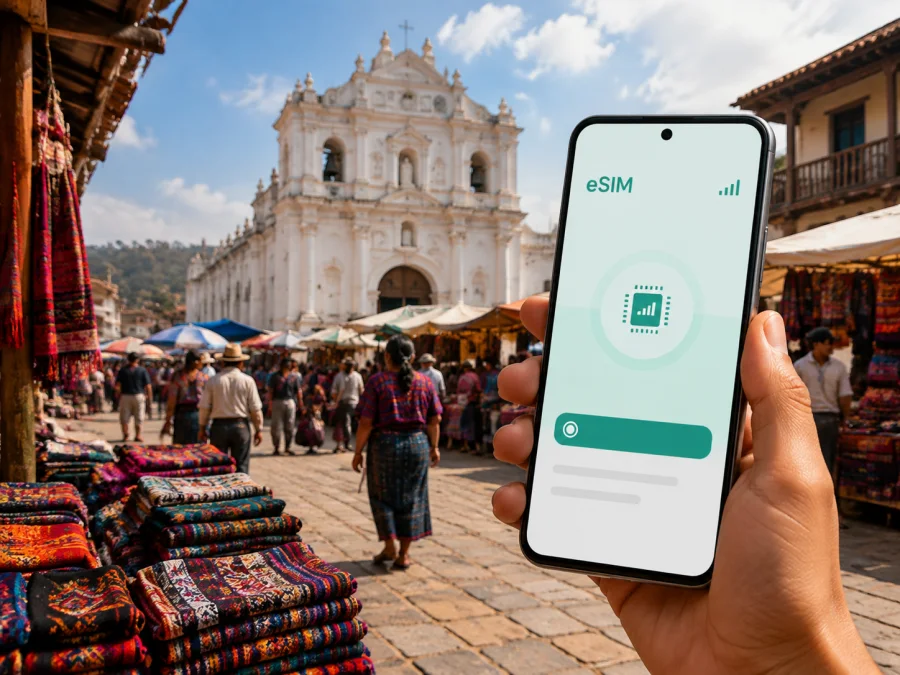
Chichicastenango eSIM: mobile connection and internet for your trip
If you are travelling to Chichicastenango, a reliable way to use mobile internet can make the day much easier. You may need directions from your arrival point, a message to your hotel, a transport update, a translation tool in the market, or a map for the walk back to your accommodation. An eSIM, or digital SIM, lets you prepare a mobile-data profile without removing the physical SIM already in your phone.
Chichicastenango is a highland town in Guatemala’s El Quiché department, known for its traditional market and the Church of Santo Tomás. A good connection plan should reflect whether you are visiting for a day, staying overnight, working, or continuing towards Lake Atitlán and other destinations.
Why mobile internet matters in Chichicastenango
The town centre is compact enough to explore on foot, but a visit can involve several moving parts. You might arrive by road, find a guesthouse near the centre, walk between market streets and the church, and then leave for another highland destination. Mobile internet is useful at each transition, especially when plans change.
Here are common situations in which an eSIM may help:
- checking a hotel or guesthouse address and sharing your arrival time;
- confirming a pickup point when streets around the market are busy;
- using maps between the market, the church, and your accommodation;
- translating a short phrase or reading information while shopping;
- sending messages, joining a work call, or checking the next stage of your route.
An eSIM does not replace good travel judgement. In a crowded market, keep your phone secure, download essential details before leaving, and save the name and address of your accommodation. The value of mobile data is that it gives you another practical option when you need information while moving around.
Chichicastenango arrival: prepare for the first hour
Most visitors reach Chichicastenango by road from another Guatemalan destination. Depending on your itinerary, the journey may begin in Guatemala City, Antigua Guatemala, Panajachel, or another highland town. Tourist shuttles, private transfers, and local buses are used, but departure points and schedules vary. Confirm the exact pickup location before setting out.
For accommodation, distinguish the central market-and-church area from quieter streets farther out. The first is convenient for walking and early market activity; the second may require more planning for evening transport and check-in. Save the exact address either way.
The first hour after arrival is when a connection is most useful: identify the street, contact a host, compare routes, or report a delay. An installed eSIM lets you do this without first finding a shop.
A simple arrival checklist
- Keep your accommodation details and transport booking available offline.
- Charge your phone before the road journey and carry a power bank if possible.
- Check which line is selected for mobile data after arrival.
- Keep your home SIM active only for functions you need, such as important messages.
- Enable data roaming for the eSIM if the device or plan requires it.
An installed profile is not always the same thing as an active data connection: select the eSIM as the data line. Menu names differ by device, so confirm the profile before opening maps or sending large files.
Market days, walking routes, and respectful navigation
Chichicastenango’s market is traditionally held on Thursdays and Sundays. On those days, streets around the central market and Santo Tomás Church can be especially active, with vendors, shoppers, flowers, textiles, food, and other goods creating a dense and colourful environment. Check the current local schedule as part of your travel planning, particularly around festivals or public holidays.
Before entering the busiest part of the market, mark your accommodation and agree on a meeting point. A pin near a recognisable public place is more useful than “somewhere by the stalls.” If you separate, send a precise location and wait in a safe, visible place.
The Church of Santo Tomás is an important landmark and a place of religious significance. Move slowly around entrances and ceremonies, follow local instructions, and ask before taking photographs where photography may not be appropriate. A phone with mobile data can help you understand a route or translate a question, but it should not distract you from the people and traditions that make the town distinctive.
For a short visit, you may not need continuous navigation. Prepare offline notes, use short map checkpoints, lower screen brightness, and avoid automatic photo backups. For remote work, calls, or several devices, estimate a larger allowance and monitor usage.
Choosing an eSIM plan for Chichicastenango
Start with the route, not with a headline number. A visit to Chichicastenango may form part of a wider journey, so a country or regional option may suit you better than a plan for one stop. Kaspersky eSIM Store is an app and website for choosing, purchasing, and activating an eSIM with a suitable plan for mobile internet during an international trip. Destination, data amount, validity, and conditions depend on the selected plan.
Before choosing, answer four questions:
| Question | Why it matters in Chichicastenango |
|---|---|
| How long will you use mobile data? | A market day, an overnight stay, and a multi-city route create different validity needs. |
| Will you leave the town? | A country or regional destination may make more sense if the route continues after Chichicastenango. |
| What will you do online? | Messages and occasional maps use less data than video meetings, uploads, or tethering. |
| When should the plan start? | The activation and validity conditions can vary, so read the plan details before installation or use. |
Choose an allowance that matches your behaviour and check that validity covers the itinerary. Directions, messages, and bookings require a different amount of data from daily work and video meetings. Confirm refill options and the moment validity begins in the product details.
You can choose an eSIM plan for Guatemala after deciding whether your trip is limited to Chichicastenango or continues through the country. Kaspersky eSIM Store helps you select, purchase, and activate an eSIM plan for mobile internet on a compatible device.
Match the plan to your Chichicastenango scenario
- Market-day excursion: prioritise maps, messages, transport coordination, and occasional translation; save booking details offline before you leave.
- Overnight stay: allow for check-in messages, an early departure, route searches, and contact with family; keep important information offline even if Wi-Fi is available.
- Work trip: test hotspot use before departure if tethering is allowed, estimate data for documents and calls, and identify a quiet workspace plus a backup plan.
- Highland route: if you continue to other destinations, choose coverage and validity for the whole route, keep transport times flexible, and save each hotel address before departure.
How to install an eSIM before departure or after arrival
Install the profile with a stable internet connection, ideally before leaving home. If you wait until Chichicastenango, use trusted Wi-Fi or your existing data line to open the purchase details and QR code. Keep the activation information until the eSIM is added successfully.
Before you begin, check your device compatibility. Your phone must support eSIM and must not be locked to an operator in a way that prevents adding another profile. Models and regional versions can differ, so check the settings on the actual device you will carry.
1. Check the conditions
Confirm eSIM support, battery level, and internet access during setup. Read the plan’s validity and activation conditions.
2. Open mobile-network settings
Go to the phone’s mobile-network or cellular settings and choose the option for adding an eSIM or mobile plan.
3. Add the profile
Scan the QR code supplied with your purchase or follow the profile instructions shown in your account. Keep the screen steady and complete the prompts on the device.
4. Label the new line
Give the profile a clear label such as “Guatemala travel” so you can distinguish it from your home SIM.
5. Select the data line
Choose the travel eSIM as the line for mobile data. Leave your home line for calls or messages only if that matches your needs and your operator’s conditions.
6. Enable data roaming if required
Some eSIM plans require data roaming to be enabled for the eSIM profile. Turn it on only for the line you intend to use for travel data, then check the plan instructions.
7. Test a small task
Open a map or send a short message. If the connection does not appear, wait a few minutes and review the data line, signal, and roaming setting.
For device-specific steps, use the Android installation instructions or the iOS installation instructions. Menu names vary, but the sequence is similar: add the profile, select it for data, and check roaming.
If maps do not load, confirm that the eSIM is on, selected for mobile data, and configured for any required roaming. Move to an open area, toggle airplane mode, or restart the phone. Check the plan’s remaining data and validity before deleting a profile; depending on the plan, it may not be transferable or reinstallable. Contact support with your purchase details if the issue remains.
eSIM limitations to understand before travelling
An eSIM plan for mobile data is not automatically a replacement for a regular phone number. Unless the selected plan explicitly says otherwise, it does not include ordinary voice calls or SMS. You can use internet-based messaging and calling services with mobile data, but people may still need your usual number for conventional calls or verification messages.
The eSIM also does not guarantee a particular speed or signal in every place. Availability depends on the destination, the local network arrangements used by the plan, your device, terrain, buildings, congestion, and other conditions. Chichicastenango is a highland destination, and a connection in the town centre may not behave the same way on a remote road or outside the built-up area.
Also check:
- whether the phone is carrier-unlocked and the regional model supports eSIM;
- whether the plan is country-specific or covers a wider region;
- when validity begins and whether data roaming is required;
- whether top-ups and refunds are available under the selected conditions;
- what support channel to use if activation fails.
Read the plan information before payment and keep a copy of the confirmation. Prices, allowances, and conditions can vary by destination and may change, so the details displayed for your selected plan are the ones to use for your decision.
FAQ: mobile data in Chichicastenango
Does an eSIM provide a phone number for calls and SMS?
Not unless the selected plan specifically includes those services. Travel eSIM plans are commonly intended for mobile internet, so ordinary calls and SMS may remain linked to your home SIM or another service.
Should data roaming be on?
It may need to be enabled for the eSIM profile, depending on the plan and device. Check the plan instructions, turn on roaming for the travel line if required, and make sure the correct line is selected for mobile data.
Can I install the eSIM after arriving in Chichicastenango?
Yes, if your phone is compatible and you have a stable internet connection for the setup process. Installing before departure is often easier because you have time to read the instructions and solve any device issue without being on the road.
When does the eSIM validity period begin?
It depends on the selected plan. Do not assume that purchase, installation, and first data use have identical effects; read the plan conditions and keep the confirmation available.
Can I top up the eSIM?
Top-up availability depends on the plan. Check the balance and refill options in the app or website before travelling, and do not assume that every eSIM has the same renewal rules.
What if the profile does not connect?
Check compatibility, carrier lock, the selected data line, data roaming, signal, and the plan’s validity. Restart the phone only after reviewing those settings, and contact support with your purchase details if the issue remains.
Is Kaspersky eSIM Store a mobile operator?
No. Kaspersky eSIM Store is an app and website that helps you select, purchase, and activate an eSIM with a suitable plan for mobile internet during an international trip. It is not a local network operator and does not replace the network arrangements used by the selected plan.
A calm connection plan for your visit
For Chichicastenango, the practical approach is simple: prepare the route, install the eSIM on a compatible unlocked device, select the correct data line, and keep essential details offline. Use data for accommodation, transport, market navigation, messages, and the next stop.
Before you leave:
- choose the plan by validity and expected data use;
- check device compatibility and carrier lock;
- install the eSIM while you have dependable internet;
- save booking and accommodation details offline;
- test the travel profile with a small data task;
- read the conditions for roaming, validity, top-ups, and refunds.
When you are ready, choose a Guatemala eSIM plan for your Chichicastenango trip. Select an option that matches your route and usage, then follow the installation steps for your device.


