
Travel connectivity guide
eSIM Chile: mobile connection and internet
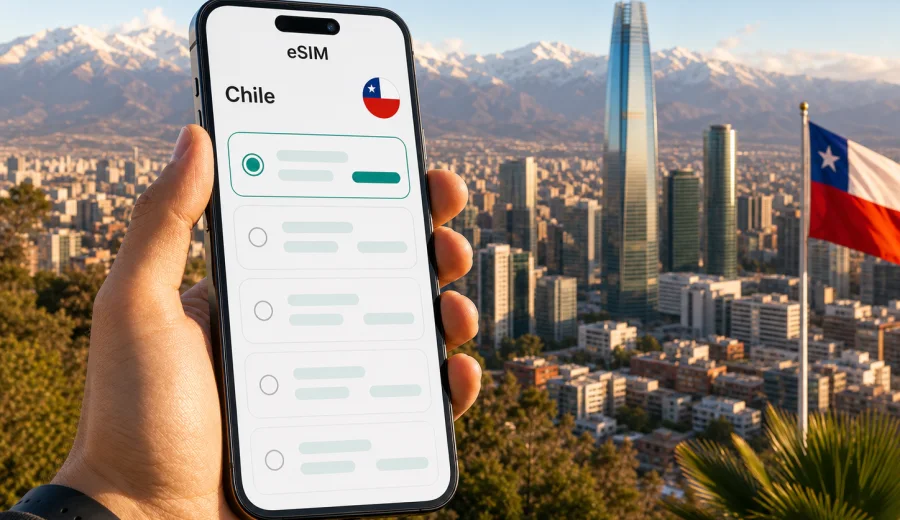
eSIM in Chile: mobile connection and internet for your trip
Chile is a long, varied country: you may land in Santiago, continue to Valparaiso, fly north toward the Atacama Desert, or head south to Patagonia. In all these routes, mobile internet is not just a convenience. It helps you open maps, check bookings, arrange transfers, translate menus, message family, and handle work tasks without looking for a store that sells a physical SIM card.
An eSIM can make that preparation simpler. Instead of replacing your usual SIM card, you install a digital SIM profile on a compatible phone and choose which line should use mobile data. For a trip to Chile, this is useful when you want to set up internet access before departure or shortly after arrival, see the tariff terms in advance, and avoid depending only on hotel Wi-Fi or airport hotspots.
Kaspersky eSIM Store is an app and website where you can quickly choose, order, and activate an eSIM with a suitable data tariff for mobile internet during an international trip. It does not replace a local mobile operator and does not give you a regular local phone number unless a specific tariff says otherwise. The practical value is straightforward: you prepare data access for Chile, install the eSIM on a compatible device, and use mobile internet according to the selected tariff conditions.
Why eSIM is useful for Chile
Chile is easy to underestimate from a connectivity point of view because many trips combine large cities, airports, coast roads, mountain routes, and remote landscapes. Your need for mobile data can change during the same week. In Santiago, you may use ride-hailing, maps, restaurant bookings, and messaging. In the Atacama, you may need offline maps prepared in advance but still want data in towns and transport hubs. In the Lake District or Patagonia, you may want a reliable way to check logistics, weather, and accommodation messages when mobile coverage is available.
An eSIM helps because the main setup can be done without visiting a physical store. You do not need to remove your regular SIM card, and on many phones you can keep your usual number active for calls or messages while using the eSIM line for data. This is especially convenient if your trip includes several flight legs, late arrival, or limited time in the first city.
Common travel moments where eSIM can help in Chile:
- landing at Santiago Arturo Merino Benitez International Airport and needing maps or transport details;
- checking a hotel address after a long flight;
- using messengers with family or colleagues;
- translating signs, menus, and confirmations;
- opening boarding passes and booking apps;
- checking road conditions, weather, or tour meeting points;
- using mobile data as a backup when public Wi-Fi is slow or unavailable.
The key point is control. You can review the data amount, validity period, destination, and price before choosing a tariff. That makes it easier to match the plan to the trip instead of relying on roaming by default or buying more data than you actually need.
What to check before you buy an eSIM for Chile
Before choosing a tariff, confirm the basics. eSIM depends on both your device and your travel plan.
| What to check | Why it matters |
|---|---|
| eSIM compatibility | Not every phone or tablet supports eSIM. Some models also vary by market. |
| Carrier lock status | A locked device may not accept another mobile data profile. |
| Data amount | Light map and messenger use needs less data than video calls or hotspot sharing. |
| Validity period | A short city break and a long Chile itinerary need different tariff durations. |
| Activation rules | Some tariffs start counting validity after installation, others after first network use. |
| Hotspot support | If you plan to share data with a laptop or another phone, check tariff conditions. |
If you are not sure whether your phone supports eSIM, use the compatibility check before purchase: check your device. This is especially important if you bought the phone in a different region, use a dual-SIM setup, or travel with an older device.
You should also keep one detail in mind: an eSIM data tariff usually covers mobile internet, not a full local mobile subscription. Voice calls and SMS are not included unless the selected tariff explicitly says so. For most travel scenarios, messaging apps, email, internet calls, and maps are enough, but it is better to understand this before the trip.
How much mobile data do you need in Chile?
There is no single correct amount of data for Chile. Your route, travel style, and phone habits matter more than the country name. A traveler who downloads maps, uses hotel Wi-Fi for video, and sends messages may need much less data than someone working remotely from a phone hotspot.
Use this practical estimate as a planning tool:
| Trip style | Typical mobile data use | What to consider |
|---|---|---|
| Minimal use | 1-3 GB | Messaging, maps, email, boarding passes, light browsing. |
| Balanced travel | 3-10 GB | Daily navigation, social apps, photo sharing, regular search. |
| Heavy use | 10-20 GB or more | Video calls, large uploads, hotspot use, work tasks. |
| Remote work backup | Depends on work pattern | Check hotspot rules and keep important files offline. |
For a short Santiago and Valparaiso trip, you may be comfortable with a smaller data package if your hotel Wi-Fi is reliable. For a longer route that includes San Pedro de Atacama, Puerto Varas, Torres del Paine, or multiple domestic flights, a larger package can reduce the need to monitor every megabyte. If you plan to use video calls, cloud photo backup, or maps all day, choose more data than the minimum.
A good rule is to separate essential data from entertainment data. Essential data includes maps, transport, booking confirmations, messenger calls, banking confirmations, and emergency information. Entertainment data includes streaming, large downloads, and automatic photo or video backup. Keep essential data available even if you decide to postpone heavier use until you are on trusted Wi-Fi.
Choosing the right eSIM tariff for Chile
When comparing eSIM tariffs, focus on conditions rather than only on the headline data amount. The right tariff is the one that matches the trip length, expected usage, and route. A long validity period can matter more than extra gigabytes for slow travel. A larger package can be useful if you will share a hotspot with a laptop. A regional or global tariff may be relevant if Chile is only one stop in a longer journey.
Ask yourself five questions before you choose:
1. How many days will I need mobile data in Chile?
2. Will I use the eSIM only on my phone, or also as a hotspot?
3. Am I staying mostly in cities, or moving through remote areas?
4. Do I need data immediately after landing?
5. Is Chile the only country on this trip?
If Chile is part of a wider South America itinerary, compare the country tariff with any available regional options. If your trip is only Chile, a country tariff is usually the most direct choice. If you are traveling onward, make sure the selected tariff covers the actual destinations in your route.
For a simple next step, you can use Kaspersky eSIM Store to choose an eSIM tariff for your trip to Chile and review the available data amounts and validity periods before you travel.
Where eSIM can help during a Chile route
Chile trips often move through very different travel contexts. eSIM will not change local coverage conditions, and no travel data option should be described as working everywhere. Still, preparing mobile internet in advance helps you handle the common online tasks that appear throughout the journey.
Santiago and central Chile
Santiago is where many international travelers arrive. Mobile internet is useful for airport transfer, ride-hailing, metro planning, restaurant reservations, translation, and same-day changes to accommodation details. If you continue to Valparaiso or Vina del Mar, data helps with buses, maps, and last-minute route checks.
Atacama and the north
The north is famous for desert landscapes and long distances. In San Pedro de Atacama, travelers often rely on tour confirmations, pickup times, weather checks, and messaging. Download offline maps before remote excursions and use mobile data where coverage is available. This is a good example of why eSIM preparation should be paired with sensible offline planning.
Lake District and southern routes
In places such as Puerto Varas, Pucon, and Chiloe, mobile internet can support navigation, ferry details, hotel communication, and weather updates. If you are renting a car, prepare offline navigation as well, especially for rural roads and mountain areas.
Patagonia
Patagonia requires the most careful planning. Mobile coverage can be limited outside towns and transport corridors. An eSIM can still be useful for arrival points, accommodation messages, bus schedules, and weather checks, but you should not rely on mobile internet as your only safety tool in remote areas. Save documents, maps, and emergency details offline before leaving towns.
Step-by-step: how to prepare eSIM before traveling to Chile
The exact steps depend on your device and the selected tariff, but the preparation logic is usually simple.
1. Check that your phone supports eSIM and is not locked to one carrier.
2. Choose Chile as your destination and compare the available tariff conditions.
3. Order the tariff that matches your trip length and expected data use.
4. Install the eSIM profile using the QR code or in-app instructions.
5. Keep your regular SIM active if you still need your normal number.
6. Set the eSIM line as the mobile data line when you are ready to use it.
7. Turn on data roaming for the eSIM line if the instructions for your device require it.
8. Monitor data use during the trip and top up or add another tariff if that option is available for your situation.
If you need installation details, use the official setup guides for your operating system: Android installation guide and iOS installation guide. Follow the steps carefully and avoid deleting an installed eSIM profile unless you are sure it is no longer needed. In many cases, an activated eSIM profile cannot simply be moved to another device.
Practical settings for iPhone and Android
After installing the eSIM, check your phone settings before the first day of travel. These small steps prevent most avoidable problems.
For iPhone:
- name the eSIM line clearly, for example "Chile data";
- set mobile data to the eSIM line when you want to use the tariff;
- keep your primary line for calls if needed;
- check whether data roaming should be enabled for the eSIM line;
- prevent automatic app updates over mobile data if you want to save traffic.
For Android:
- check that the eSIM profile is enabled;
- select the eSIM as the preferred SIM for mobile data;
- confirm APN or roaming settings if the instructions mention them;
- disable background updates for heavy apps;
- test messaging, maps, and browser access while you still have Wi-Fi as a backup.
Do not wait until you are in a taxi queue or on a bus to check every setting. Install and review the eSIM before departure when possible, then activate data according to the tariff rules and your travel schedule.
eSIM, roaming, local SIM card, and Wi-Fi: what is different?
Travelers usually compare four options for mobile internet in Chile: roaming from their home operator, buying a physical local SIM card, using public Wi-Fi, or preparing an eSIM. Each option can make sense, but they solve different problems.
| Option | Strength | Limitation |
|---|---|---|
| Home roaming | Keeps your usual SIM setup simple | Can be expensive depending on your operator and package. |
| Local physical SIM | May suit long stays or local call needs | Requires a store visit, setup time, and a physical SIM slot. |
| Public Wi-Fi | Useful in hotels, airports, and cafes | Not available everywhere and may be slow or less private. |
| eSIM data tariff | Can be prepared before or during the trip without a physical card | Requires a compatible, unlocked device and clear tariff conditions. |
For many visitors, eSIM works best as a practical middle path. You can keep your usual SIM in the phone, use the eSIM for data, and reduce dependence on public Wi-Fi. For a long stay, local registration needs, or frequent local voice calls, a physical local SIM may still be worth considering. For a short trip, business visit, or multi-city route, eSIM is often the simpler preparation step.
Data-saving checklist for Chile
Even with a comfortable tariff, small habits help mobile data last longer.
- Download offline maps for Santiago, Valparaiso, San Pedro de Atacama, Puerto Varas, and any national park areas on your route.
- Save hotel addresses, booking confirmations, and tickets in offline apps or PDFs.
- Turn off automatic video playback in social apps.
- Pause cloud photo and video backup on mobile data.
- Use Wi-Fi for large app updates.
- Check which apps consume the most background data.
- Keep a small data reserve for transport, banking confirmation, and urgent messages.
This is particularly useful for Chile because routes can involve long transfers. You may have excellent Wi-Fi at a hotel one evening and limited mobile coverage the next day on a scenic road or remote excursion. Planning for both online and offline use makes the trip smoother.
Common mistakes to avoid
The first mistake is buying a tariff before checking your phone. A modern phone is not automatically eSIM-compatible in every regional version. Always check compatibility and lock status first.
The second mistake is installing the eSIM and then deleting the profile during troubleshooting. Deleting the profile can make recovery harder or impossible depending on the tariff rules. If something does not work, review the instructions and contact support before removing the eSIM.
The third mistake is underestimating background data. Cloud backup, automatic updates, streaming previews, and messenger media downloads can consume more data than maps and search. Set limits before the first travel day.
The fourth mistake is assuming mobile internet is available in every remote area. Chile has deserts, mountains, fjords, and national parks. Prepare offline maps and documents for remote routes even if you have an eSIM.
The fifth mistake is choosing only by price. The data amount, duration, destination coverage, and activation rules are just as important as the cost.
FAQ: eSIM and mobile internet in Chile
Can I install an eSIM before I fly to Chile?
In many cases, yes. You can install the eSIM profile before departure if your device is compatible and you follow the instructions for the selected tariff. Check when the validity period starts so you do not activate the tariff earlier than intended.
Do I need Wi-Fi to install eSIM?
You need an internet connection to download and install the eSIM profile. It is often easiest to do this at home, at the office, or on trusted Wi-Fi before the trip.
Will eSIM give me a Chilean phone number?
Usually no. Travel eSIM tariffs are commonly focused on mobile data. Calls and SMS are not included unless the selected tariff explicitly says so. You can use internet-based calling and messaging apps through mobile data.
Can I use my regular SIM and eSIM at the same time?
Many modern phones support dual SIM mode with a physical SIM and an eSIM, or multiple eSIM profiles with one active for data. The exact behavior depends on your device. Check your phone settings before travel.
Should I turn on data roaming for the eSIM?
Some eSIM tariffs require data roaming to be enabled on the eSIM line. This does not mean you should enable roaming on your home SIM. Follow the installation instructions and make sure mobile data is assigned to the eSIM profile.
Can I use hotspot or tethering?
It depends on the tariff and device settings. If you plan to work from a laptop or share data with family, check hotspot conditions before choosing the tariff and select enough data for shared use.
What happens if I run out of data?
Options depend on the selected tariff and account setup. You may be able to add another tariff or top up if available. It is better to monitor data use during the trip, especially before remote transfers.
Is eSIM better than public Wi-Fi in Chile?
It depends on the situation. Public Wi-Fi can be useful in hotels and cafes, but eSIM gives you a separate mobile data option when Wi-Fi is unavailable, slow, or inconvenient. Many travelers use both.
Final preparation checklist
Before leaving for Chile, make sure you have:
- confirmed that your phone supports eSIM;
- checked that the phone is not carrier-locked;
- selected a tariff with enough data and the right validity period;
- read the activation rules;
- saved installation instructions;
- downloaded offline maps and key documents;
- set the eSIM as your mobile data line when ready;
- kept support information available in case you need help.
Good mobile internet planning is quiet: you notice it because the trip runs more smoothly. You can find your transfer, open the map, message your host, check a booking, and move on with the day.
If Chile is your next destination, prepare your mobile data before the route gets busy: choose an eSIM tariff for Chile in Kaspersky eSIM Store, review the conditions, and install the eSIM on a compatible device before you need it.