Travel connectivity guide
China Mobile CMLink SG eSIM in Singapore
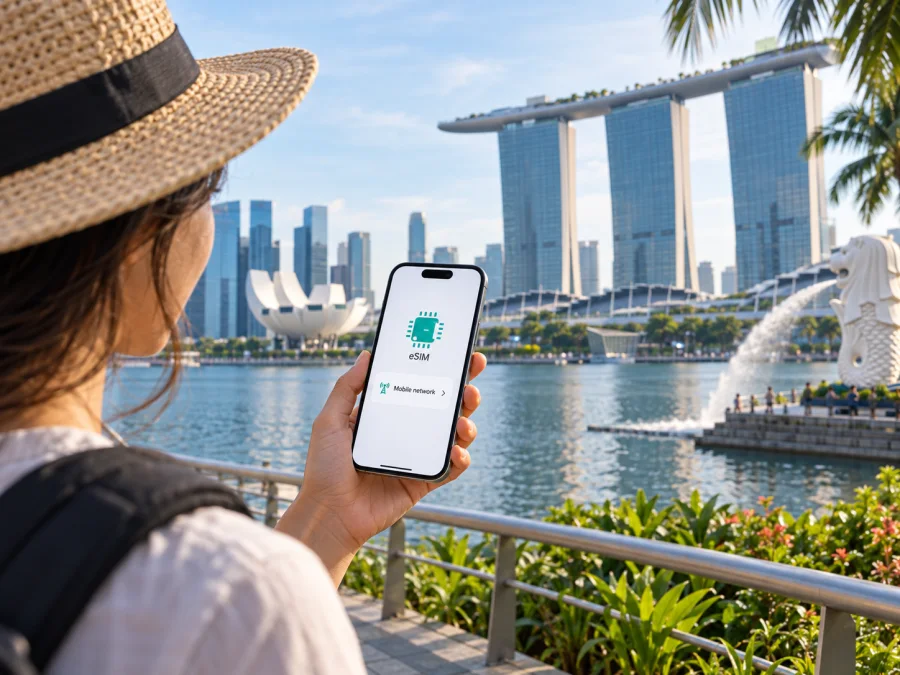
China Mobile CMLink SG eSIM in Singapore: setup and travel guide
Information checked 25 September 2026. China Mobile CMLink SG is a service brand of China Mobile International Singapore. Names and marks belong to their respective owners. Kaspersky eSIM Store is not affiliated with, endorsed by, or an official partner or distributor of China Mobile CMLink SG.
China Mobile CMLink SG offers eSIM for its Singapore mobile service. That confirms the digital SIM is available, but it does not mean every visitor can apply for a local line. The operator’s current terms set eligibility requirements linked to citizenship, permanent residency, or specified long-term passes, and its activation page says a Singapore SIM can only be activated in Singapore.
This guide covers the difference between CMLink SG’s local service and a travel eSIM, what visitors should check before applying, how the eSIM process works, and the main device and network considerations. Conditions can change, so verify them with the operator before making travel plans around a connection.
China Mobile CMLink SG in Singapore
China Mobile International Singapore identifies itself in its consumer terms as trading as CMLink. The Singapore service is a local mobile offer with SIM and eSIM options, number porting, and services linked to mainland China and Hong Kong. It is useful to distinguish this local account from a travel data eSIM that a visitor can arrange specifically for a trip.
CMLink Singapore’s consumer terms say its mobile service supports voice, data and SMS over LTE and 4G/5G coverage areas, with network services supported by Singtel. The same document says actual service depends on coverage at the place and time of use and may be affected by congestion, maintenance, the device or local conditions. This identifies the network arrangement; it is not a guarantee of reception or a claim that every CMLink customer has the same service configuration. (CMLink Singapore, “Consumer General Terms and Conditions,” service section, checked 25 September 2026.)
Is China Mobile CMLink SG eSIM available?
Yes. The operator’s current Singapore eSIM page explains that a customer can request an eSIM, receive activation instructions by email after the application is confirmed, and scan a QR code on an eSIM-compatible phone or tablet. It recommends checking the exact device before applying and directs customers to contact support or visit its service centre for assistance. (CMLink Singapore, “eSIM” page, checked 25 September 2026.)
The operator describes this as a route to an eSIM for its Singapore service; it is not a blanket promise of eligibility for tourists. The page’s steps also do not make installation and service activation the same event. The general activation page says a Singapore SIM can only be activated within Singapore and asks customers to verify personal information. Ask CMLink which steps can be completed before arrival and whether your application qualifies. (CMLink Singapore, “Activate SIM Card” page, checked 25 September 2026.)
CMLink also has a separate global eSIM page that lists Singapore as a destination, distinct from a local CMLink SG account. On 25 September 2026, the destination page displayed no available results, so an active tourist eSIM offer for Singapore could not be confirmed there. Check the page and its conditions again before travel; a destination label alone does not establish an available offer or the same coverage, number, voice or SMS features as a local line.
Eligibility and traveler requirements
Eligibility is the key issue for a short-stay visitor. CMLink SG’s current service terms say a local-plan applicant must be a Singapore citizen or permanent resident, or hold one of the specified work or long-term passes with at least six months remaining. Applicants must be at least 16, provide identity documentation and an NRIC or FIN number, and give account contact and billing details. The operator may verify an application or request proof of address. (CMLink Singapore, “Service Specific Terms and Conditions,” eligibility section, checked 25 September 2026.)
A passport alone should not be treated as proof that a tourist can open a local CMLink SG line. The current terms describe the local service as postpaid; “no contract” wording does not establish prepaid tourist eligibility or remove identity requirements. Ask CMLink about your exact status before applying, since the operator decides whether an application meets its rules.
Before your trip, clarify whether you qualify; which ID and billing details are needed; whether a new customer can apply directly for eSIM or must convert an existing line; where registration and activation must happen; and whether your exact phone model is supported. Also ask how the eSIM instructions will be delivered and which line should be selected for data if you keep another SIM active.
CMLink’s eSIM and FAQ pages list support channels and a service-centre route. Check them near the time of application. If you are not eligible for the local service, treat a travel eSIM as a separate option; its terms may differ from CMLink SG’s local account rules. CMLink’s global eSIM page currently lists Singapore but showed no available results on 25 September 2026, so confirm whether an offer has since become available.
Application, installation and activation
CMLink’s public eSIM steps are to check compatibility, contact the operator or visit its service centre, wait for application confirmation, then follow emailed activation instructions. The page describes QR-code installation on a compatible device. Its general activation page separately says a Singapore SIM can only be activated in Singapore and asks customers to verify personal information. Confirm which steps apply to a new customer versus a customer switching a physical SIM.
- Confirm eligibility and the documents CMLink requires.
- Check your handset and ask whether its exact model variant is supported.
- Clarify the application route for a new line or a conversion.
- Register with CMLink using its current process.
- Wait for confirmation and follow the emailed instructions.
- Install the profile using the supplied QR code or method while online.
- Activate in Singapore and complete any verification required.
- Select the data line in your phone settings when you intend to use it.
Profile installation and account activation are separate. If data does not work, check that the line is enabled, selected for data and activated. Follow roaming instructions for the correct profile; contact support before rescanning a rejected QR code or removing the eSIM.
Device compatibility and dual-SIM settings
CMLink recommends checking device support before applying and provides an eSIM compatibility check. Confirm the exact model and regional version with both CMLink and the handset maker: eSIM capability can vary by market, software and carrier lock.
If you keep a home SIM active, decide which line will handle data, calls and messages. Review roaming settings for each profile and consider disabling automatic data switching to keep control of the data line.
On iPhone, open Settings, then Cellular or Mobile Service, choose Add eSIM and scan the QR code or follow the carrier method. On Android, look in Settings under Network & Internet, Connections or SIM Manager for an add or download SIM option. Menu names vary. After installation, enable the correct profile and choose it for mobile data.
If the eSIM option is missing, check the model variant, carrier lock and software updates. You can also check device compatibility for a travel eSIM.
Network technologies and general coverage
CMLink Singapore’s consumer terms describe LTE and 4G/5G coverage areas and say its network services are supported by Singtel. Its eSIM page includes a 5G compatibility check. This supports a cautious conclusion: LTE/4G and 5G access may be available where the service configuration, device and network allow it; the page does not establish that every customer or device has 5G. (CMLink Singapore, “Consumer General Terms and Conditions” and “eSIM,” checked 25 September 2026.)
Connection can vary with location, building materials, underground spaces, congestion, maintenance, handset support and account configuration. A coverage map is an estimate, not a guarantee inside a hotel room, station, lift or large venue. Check the operator’s current coverage information and save essential addresses, tickets and maps for offline use.
CMLink’s terms say service may be affected by availability, congestion, maintenance and environmental factors, and is not guaranteed to be uninterrupted. This is a general service limitation, not a prediction of poor service. For essential bookings or work calls, keep a second way to access the information.
Local service versus a travel eSIM
A local CMLink SG line is subject to local eligibility, identity checks, account terms and activation rules. It may suit a resident or eligible long-term pass holder who needs a Singapore mobile service. Using an eSIM instead of a plastic SIM changes the delivery format, but does not remove those account conditions.
A travel eSIM is selected for connectivity during a trip and may be prepared before arrival, depending on the specific offer. It may focus on mobile data and may not provide a Singapore phone number, ordinary calls or SMS. Check whether installation can happen before departure, when the service activates, whether data roaming must be enabled, and which features are included.
Kaspersky eSIM Store is an app and website that helps travelers choose, purchase and activate an eSIM with a travel data plan. It does not operate a network, provide mobile internet itself or guarantee coverage; the relevant telecommunications provider supplies the service. Kaspersky’s product information describes selection and activation through the app or website and directs users to check device compatibility. (Kaspersky, “How to buy and connect a travel eSIM with Kaspersky eSIM Store,” checked 25 September 2026.)
Explore eSIM options for Singapore
For a traveler who does not qualify for the local CMLink service, comparing travel options against the trip’s practical needs can prevent an application problem after arrival. Confirm destination support, setup requirements, voice and SMS capability, device compatibility and how to reach customer assistance. Do not assume that a travel eSIM and a local postpaid line offer identical features.
Before-departure checklist
- Confirm local CMLink SG eligibility and required documents.
- Check where registration and activation must take place.
- Verify the exact handset model is compatible and unlocked.
- Keep internet access available during setup.
- Select the intended eSIM for mobile data and review roaming settings.
- Confirm whether your chosen service includes a local number, calls or SMS.
- Save essential bookings and maps offline; keep current support details handy.
CMLink’s eSIM page lists support by phone, email and service centre, while its FAQ describes bilingual assistance. Contact the operator for eligibility, device and activation questions; generic setup advice may not reflect the service’s current process.
Common questions
Does China Mobile CMLink SG offer eSIM in Singapore?
Yes. CMLink’s eSIM page describes an application, emailed activation instructions and QR installation on a compatible device. Eligibility and activation conditions apply.
Can a tourist sign up for a local CMLink SG eSIM?
Do not assume so. The current local terms specify citizenship, residency or certain long-term passes and require identity and account information. Ask CMLink whether you qualify.
Can I activate before arriving?
CMLink’s activation page says Singapore SIM activation must happen in Singapore. Confirm with support which application or installation steps can be completed earlier.
Is CMLink SG prepaid?
Its current terms describe local mobile service as postpaid. “No contract” does not confirm prepaid tourist eligibility.
Does every CMLink eSIM work with 5G?
CMLink describes LTE and 4G/5G coverage areas and offers a 5G compatibility check. Access depends on service, device and location.
Does CMLink have a travel eSIM for Singapore?
Its separate global eSIM page lists Singapore, but showed no available results on 25 September 2026. It is distinct from a local CMLink SG account.
What does Kaspersky eSIM Store do?
It is an app and website that helps travelers choose, purchase and activate an eSIM for trip data. It is not a mobile operator, network owner or internet provider.
Choosing the right option for your trip
Start by checking whether you qualify for CMLink’s Singapore local service. The operator confirms eSIM availability, but its current terms restrict local sign-up to citizens, permanent residents and holders of specified passes; its activation page requires activation in Singapore. A short-stay traveler should verify both points before relying on the local line.
If you qualify, confirm your exact handset model, application route, documents and activation steps. If you do not qualify or mainly need mobile data while travelling, consider a travel eSIM as a separate product. Kaspersky eSIM Store helps users choose and activate travel eSIMs through its app and website. Check device compatibility, destination and service conditions before purchase.
The facts here were checked against CMLink Singapore’s “eSIM,” “Activate SIM Card,” “FAQ,” consumer service terms and global eSIM destination page, plus Kaspersky’s travel eSIM product information on 25 September 2026. Eligibility, device support, network access and product conditions can change; confirm current details with the relevant provider.


