Travel connectivity guide
China Unicom CUniq SG eSIM in Singapore: setup guide
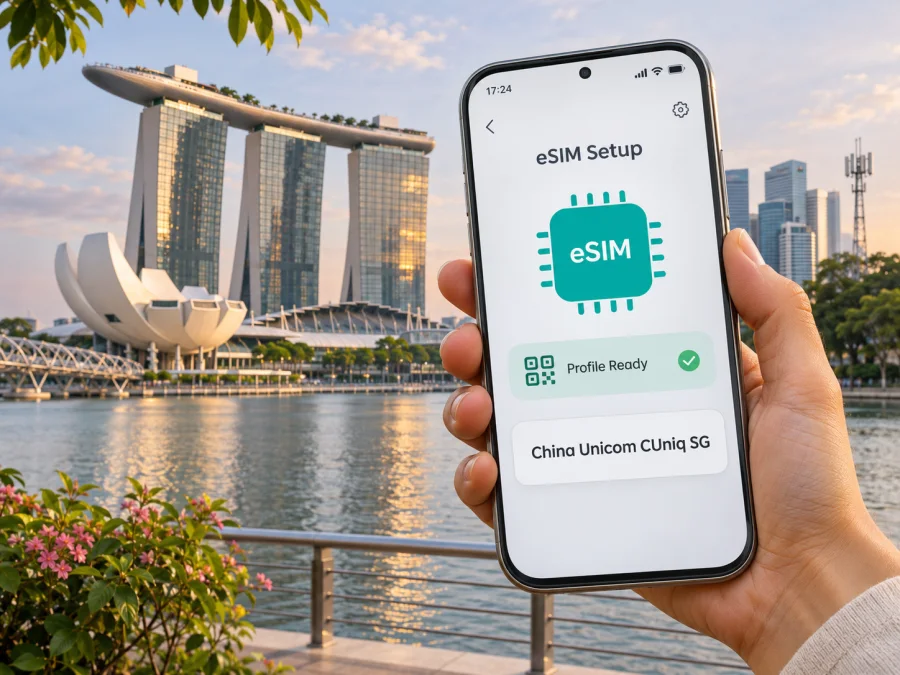
China Unicom CUniq SG eSIM in Singapore: availability, setup and travel checks
Published: 3 November 2026. China Unicom, CUniq and related names belong to their respective rights holders. Kaspersky eSIM Store is not affiliated with, endorsed by, or an official partner of China Unicom or CUniq SG.
China Unicom CUniq SG is the Singapore-focused service associated with China Unicom (Singapore) Operations Pte. Ltd. Its official site presents mobile services for Singapore and cross-border use, including eSIM as a SIM format. That makes “China Unicom CUniq SG eSIM” a useful search phrase, but it is important to identify the product you mean before applying any compatibility or activation instructions: CUniq SG’s Singapore mobile service and its separately described CUniq GO travel eSIM are not interchangeable labels.
The Singapore service site explains that an eSIM can be delivered electronically and describes QR-code setup. A separate eligibility page is specifically titled for CUniq GO “Travel eSIM” and refers to designated device models. It should not be read as a complete compatibility list for every CUniq SG local mobile product. Check the exact product, device variant and purchase route with CUniq SG before applying. This matters especially if you are visiting Singapore with a phone bought in another market, or if you expect to use a China number or cross-border feature.
This guide covers what the official public information confirms, what it does not establish, how to prepare a compatible phone, and what a visitor should verify before choosing a local operator eSIM or a separate travel-data option. No particular plan, price, data allowance, validity period or included feature is described here; those terms can change and must be checked directly with the provider.
What China Unicom CUniq SG is
The official Singapore site identifies the service as China Unicom CUniq Singapore and lists China Unicom (Singapore) Operations Pte. Ltd. as the site operator. China Unicom Global’s Singapore company profile, checked on 3 November 2026, describes China Unicom (Singapore) Operations Pte. Ltd. as a wholly owned subsidiary of China Unicom Global, established in 2009 and based in Singapore. These company details establish the market context: this article concerns the Singapore operation and the CUniq SG name, not every service marketed by China Unicom elsewhere.
The CUniq SG website describes mobile services aimed at Singapore customers, including options connected with China and other destinations. Its home page also displays a “Global Travel eSIM” area, while a separate page calls one travel product “CUniq GO”. Those labels signal that a Singapore mobile subscription and a travel eSIM may serve different purposes. A visitor should not assume that buying a CUniq SG eSIM automatically provides a specific Chinese number, access to every service in mainland China, or the same roaming terms as a travel product.
For readers, the practical question is not just whether the phone supports eSIM. It is which specific CUniq offer is being ordered, which country or countries it is intended for, and whether the account and identity requirements fit the traveller. The official CUniq SG site describes its Singapore service and travel eSIM content in separate sections. Confirm the service name on the order screen and review its latest terms before paying.
Is eSIM available from China Unicom CUniq SG?
Yes, eSIM is presented on the official CUniq SG website as an available SIM format. Its English FAQ, “Purchase Number/Plan”, says customers can choose between physical SIM and eSIM and that eSIM details are sent by email. The site’s “How to Use eSIM” section describes scanning a QR code, opening the cellular-plan prompt and completing setup on the phone. These pages were checked on 3 November 2026.
There are two useful qualifications. First, a Singapore mobile eSIM is not necessarily a tourist-only or data-only product. The local service pages describe a mobile account, and the exact number, voice, messaging, roaming and identity features depend on the selected offer. Second, the device page currently visible in English is specifically for the CUniq GO travel eSIM. It lists designated iPhone models, an iOS requirement and conditions for using two carriers, and it describes supported Android device variants in general terms. That page does not establish eligibility for every standard CUniq SG service.
Treat eSIM availability and device approval as separate checks. A handset may include eSIM hardware but still be an unsupported regional model, carrier-locked, or absent from the operator’s approved list. Conversely, a page describing one CUniq product should not be used to infer support for another. Before ordering, ask CUniq SG to confirm the exact product and full model code, including its regional suffix, if the online eligibility information does not name it.
Singapore market and what is known about coverage
CUniq SG’s official Singapore site positions the service around Singapore mobile use and cross-border connectivity. The company profile on China Unicom Global’s Singapore site describes the local entity and its broader role in communications and information services. These descriptions establish that the Singapore-branded service belongs to a Singapore operation; they do not, on their own, identify the radio network used by every product or prove a particular coverage footprint.
The public CUniq SG pages reviewed for this article do not provide a product-specific map that lets a visitor check every neighbourhood, building, island or route. Nor did the reviewed pages confirm which radio access technologies are enabled for the particular CUniq SG eSIM offer under consideration. For that reason, this guide does not promise 4G or 5G access, indoor reception, a speed, or continuous service throughout Singapore. Ask the provider which local network(s) and technologies apply to the exact offer, and whether any handset bands or settings are relevant.
Singapore’s broader mobile standards do not establish this product’s access or performance. Buildings, underground spaces, crowds and device differences can affect service. Save essential trip details offline and keep Wi-Fi available for setup.
Quick facts to verify
- eSIM and setup: CUniq SG describes eSIM delivery and QR-code installation on its Singapore site.
- Product scope: Local Singapore service and CUniq GO Travel eSIM are presented separately; confirm which one you are ordering.
- Compatibility and registration: The visible model page is for CUniq GO Travel eSIM, and the Singapore FAQ requires real-name authentication. Check your full device variant and accepted documents.
- Network details: The reviewed pages do not establish a product-specific coverage map or radio-technology support. Ask about the exact offer and locations you plan to visit.
Choosing between a local operator eSIM and a travel eSIM
A local mobile operator eSIM can suit someone who needs a Singapore mobile service relationship, a local number or provider-specific account features. Whether those features are available depends on the offer and the customer’s eligibility. The CUniq SG FAQ discusses selecting a number or porting an existing Singapore number, and says real-name authentication must be completed before activating service. Visitors should therefore check eligibility and acceptable documents rather than assume that an eSIM can be activated anonymously or entirely without registration.
A travel eSIM is generally arranged for connectivity during a trip and may use partner networks in the destination. Its included services depend on the exact product. Many travel data eSIMs are designed for mobile data and do not replace a conventional local phone number; if calls or SMS matter, read the specific terms and plan a separate way to receive them. Kaspersky eSIM Store is an app and website where a traveller can choose, arrange and activate an eSIM with a plan for mobile internet abroad. It is not a mobile operator, does not own a network and does not itself provide mobile internet.
Neither option is automatically right for every traveller. Think about the need for a local number, identity paperwork, account support, destination coverage, data-only versus voice functions, and how long the connection is needed. If the trip includes multiple countries, check whether a local Singapore service includes the places on the itinerary or whether another regional product is needed. If the visit is only to Singapore and mobile data is the main need, compare the terms of a destination-specific travel eSIM with the local provider’s current offer. Do not infer a plan’s coverage or features from its name alone.
After the first third of this guide, travellers can browse current eSIM options for Singapore in Kaspersky eSIM Store. That page is a destination landing page for reviewing current options; it is not presented here as a China Unicom CUniq SG tariff or as a specific CUniq network product. Check its current terms and included service before making a choice.
Compatibility: check the whole device variant
An eSIM-capable phone is necessary, but not always sufficient. Device support can depend on the exact model number, the country or region where it was sold, software version, carrier lock status and the operator’s product-specific certification. Marketing names such as a phone family or generation may cover variants with different capabilities. Preserve the full model identifier when contacting support; a regional suffix can make a practical difference.
The CUniq SG “Applicable Models” page checked on 3 November 2026 is for CUniq GO “Travel eSIM”. It says supported iPhones must be among designated models and run iOS 12.1 or later; if using two different carriers, the iPhone must be unlocked, and selected or carrier-specific iPhone models are not supported. For Android it says overseas and Hong Kong, Macau and Taiwan device versions may support eSIM functionality when they support the GSMA eSIM standard. This is not a guarantee for all Android phones or all Samsung, Google, Xiaomi or other device families, and it should not be applied to a different CUniq product without confirmation.
Before buying, check both the handset maker’s specifications for your precise regional model and CUniq SG’s current product-specific eligibility information. Then confirm that the phone is not restricted to a different carrier if the service requires it. A device can have an eSIM setting in its software while the eSIM function is disabled for a specific market variant. If the handset was purchased in mainland China or another market with different eSIM rules, do not infer compatibility from a similar international model.
A helpful compatibility checklist:
- Find the complete model code in the phone’s settings, packaging or manufacturer support page.
- Confirm eSIM capability for that exact market variant, not merely the product family.
- Ask CUniq SG whether that code is approved for the exact Singapore or travel product.
- Confirm that the device is unlocked if you intend to use another carrier alongside your existing SIM.
- Check that the operating system meets the current requirement shown for the specific offer.
- Make sure the phone can connect to Wi-Fi or another working data connection during profile download.
- Check whether the eSIM can be installed before departure and when its service is expected to start.
For general device preparation, see eSIM device compatibility and use the manufacturer’s current instructions for adding an eSIM on iOS or Android. The menu wording varies by software version. Do not delete an installed profile as a troubleshooting shortcut unless the provider confirms that it can be reissued; some QR codes are single-use or tied to one device.
How CUniq SG describes eSIM setup
The CUniq SG home page’s eSIM instructions, checked on 3 November 2026, outline a QR-based process: connect to Wi-Fi or mobile data, scan the eSIM QR code, tap the cellular-plan notification and complete setup. Its FAQ says eSIM information is sent by email and describes an online activation flow. These instructions establish the broad setup route, but they do not mean every product has identical timing, identity checks or activation conditions. Follow the current email and instructions for the specific order.
A careful setup sequence for a traveller is:
- Confirm the product and eligibility. Make sure the order is for the Singapore service or travel eSIM you actually intend to use. Confirm your device variant, carrier-lock status and any identity requirement first.
- Keep a connection available. Use reliable Wi-Fi or another data connection while downloading the profile. Save the order confirmation and support contact details somewhere you can access.
- Open the phone’s mobile network settings. Choose the option to add an eSIM or mobile plan. Labels differ between iOS and Android versions.
- Scan the supplied QR code or use the provider’s stated method. Do not share the activation code publicly. If scanning is unavailable, use a manual activation method only if the provider has supplied one.
- Name the profile clearly. A label such as “Singapore” can help distinguish it from your home SIM. Keep the home line enabled if you still need its number for incoming verification messages, while checking roaming settings with your home operator.
- Set the preferred line for mobile data. If the eSIM is the intended data connection, select it in the mobile data settings. Review automatic data switching so the phone does not unexpectedly use another line for data.
- Wait for the profile to register. Allow time for setup, then check the status shown by the phone and the provider’s instructions. If there is no service, do not repeatedly delete and reinstall the eSIM.
- Enable data roaming only when the product instructions require it. Roaming may be needed for some travel eSIMs, but this is product-dependent. Check what line is selected before switching it on, to avoid unexpected charges on a home SIM.
Installation and activation are different steps. Adding a profile to the phone does not necessarily mean that a plan’s service period or data use has begun. CUniq SG’s specific instructions and order terms govern when service starts. If timing is unclear, ask support before installing, particularly if you plan to set up the eSIM well ahead of travel.
Frequently asked questions
Is eSIM available from China Unicom CUniq SG?
Yes. Its Singapore website lists eSIM as a SIM option and explains QR setup. Confirm the exact product and eligibility before ordering.
Does the CUniq GO compatibility page cover every CUniq SG eSIM?
No. The English page is specifically for CUniq GO “Travel eSIM”. Ask CUniq SG to check your complete model code for the local or travel product you plan to use.
Will the eSIM include a Singapore number or work in mainland China?
That depends on the product. Do not infer a number, calls, SMS or mainland China service from the brand name; check the current offer and destination terms.
What if I only need data while travelling?
Compare an appropriately labelled travel eSIM with the local service. Kaspersky eSIM Store is an app and website for choosing, arranging and activating a travel eSIM plan for mobile internet abroad; it is not an operator or network provider.
A practical decision
China Unicom CUniq SG’s official Singapore site confirms that eSIM is part of its service options and describes email/QR-based setup. Its public material also describes a separately named CUniq GO Travel eSIM and a product-specific device eligibility page. That distinction is the most useful starting point for a traveller: verify the exact offer before relying on a compatibility list, number feature or roaming description.
If you need a Singapore mobile service, check eligibility, identity registration, number functions and local network access directly with CUniq SG. If your priority is data for a short overseas trip, compare an appropriately labelled travel eSIM and confirm the destination and device terms. In either case, check your exact regional handset variant, keep another way to get online during setup, and save important trip information offline.
Information checked on 3 November 2026 against China Unicom CUniq SG’s English Home page, “How to Use eSIM”, FAQ (“Purchase Number/Plan” and activation information) and “Applicable Models” page, and China Unicom Global’s Singapore company profile. Product availability, eligibility, registration, network access, coverage and service terms may change. Confirm current details with the relevant provider before ordering. Kaspersky eSIM Store is not affiliated with China Unicom or CUniq SG.


