Travel connectivity guide
Chingola eSIM: Mobile Internet for Your Trip
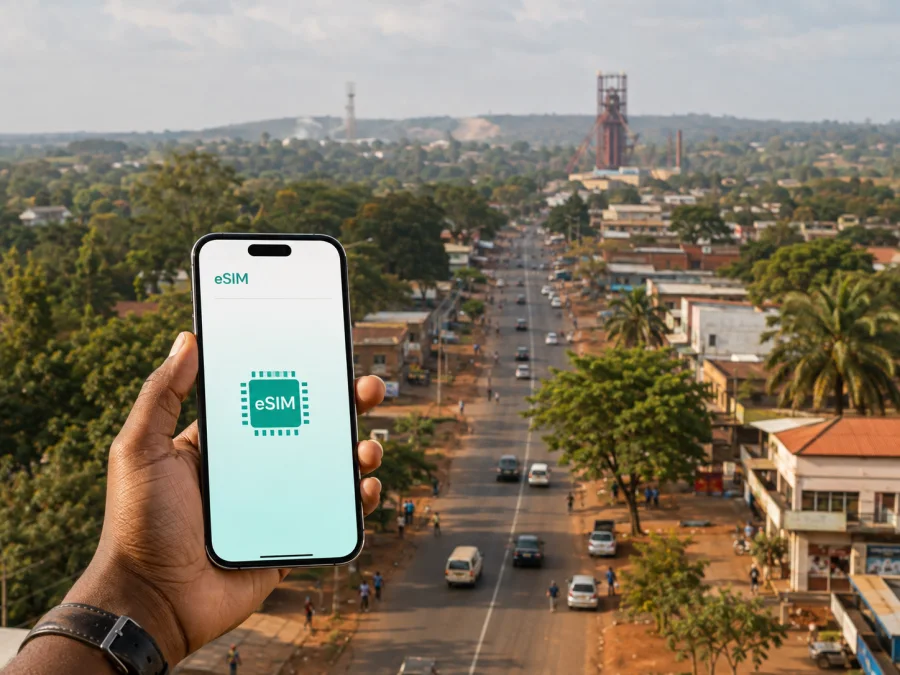
Chingola eSIM: mobile connection and internet for your trip
Chingola is a practical Copperbelt destination, and a reliable mobile connection helps from the first hour. You may need to coordinate a road transfer, find a hotel, share a location with a host, check a map or confirm a business appointment. An eSIM, or virtual SIM card, can help you use mobile internet in Zambia without removing your everyday physical SIM.
Why mobile internet matters in Chingola
Chingola is a working city in Zambia’s Copperbelt Province, closely associated with copper mining and the Nchanga area. A visit may be for a mining-related meeting, family, business, a road journey or an excursion. These are the everyday tasks for which mobile data is useful:
- sharing a pickup point with a driver;
- checking a route between accommodation and an appointment;
- confirming a reservation or messaging a host;
- using maps, translation and work applications;
- keeping messages and two-factor authentication available.
The plan should match the route, dates, data habits, phone and arrival arrangements. Keep key contacts available offline too.
Chingola at a glance for connected travellers
Chingola’s Copperbelt setting means that a city itinerary often connects to nearby towns. A visitor may arrive by road from Kitwe, Ndola or Lusaka, or use an airport near Ndola and continue by car. The journey to the hotel is therefore part of the connectivity plan, not an afterthought.
| Situation | Where data helps | Prepare in advance |
|---|---|---|
| Road arrival | Messages, maps and hotel directions | Save the address and a landmark |
| Airport plus road transfer | Driver updates and schedule changes | Confirm the handover point and contact |
| Town-centre stay | Errands, reservations and navigation | Download the local map area |
| Nchanga or industrial meeting | Precise location and host instructions | Ask for the correct gate and procedure |
| Multi-town work trip | Addresses and messages between stops | Choose validity for the whole Zambia segment |
| Excursion from Chingola | Organiser contact and return planning | Arrange the return ride before leaving |
This is a planning framework, not a guarantee of signal in every building or along every road. Local conditions, the selected plan and the device affect the result.
Arriving in Chingola: plan the connection before the transfer
If your itinerary uses an airport near Ndola, the final part of the journey to Chingola is a regional road transfer rather than a short city taxi ride. You may also reach the city from Kitwe, Lusaka or another Copperbelt destination. Route duration depends on the current itinerary, road conditions and stops, so leave a buffer before your first meeting.
While you still have a stable connection:
- Save the full name and address of your accommodation.
- Ask the hotel or host which landmark a driver will recognise.
- Store the transfer contact and pickup instructions.
- Download the areas around the arrival point, Chingola and the onward route.
- Keep a screenshot of the booking.
- Charge the phone and carry backup power.
On arrival, mobile data can help with a changed meeting point, late check-in, an unfamiliar gate or a request from a business contact. It also lets you send an arrival message without searching for Wi‑Fi first. Arrange the car, driver and accommodation separately: an eSIM supports the plan but does not replace those confirmations.
Choosing an eSIM plan for a Chingola itinerary
Choose for Zambia and the complete route, not only for the name of the city. If you will visit Chingola, Kitwe, Ndola, Lusaka or another Zambian destination, check that the plan applies to Zambia for the required dates. If the journey crosses a border, verify the next country separately instead of assuming that a Zambia plan continues to apply.
Check four details
Country or region. Confirm that Zambia is listed for the plan. A regional option may suit a multi-country itinerary, but only after checking each destination.
Validity. Count the days from the first moment you need data until the end of the road itinerary. Check when validity begins: installation and first use may be treated differently under the plan conditions.
Data amount. Maps, messages and occasional email use less data than video calls, cloud backups, streaming or hotspot use. Estimate the work and personal tasks you will actually perform.
Conditions and balance. Read the destination, data amount, validity, activation rules and top-up conditions before confirming. Cost depends on the country, data volume and validity of the selected plan. Do not treat a plan as unlimited unless its conditions say so.
After reviewing those details, you can choose an eSIM plan for a trip to Zambia through Kaspersky eSIM Store. The app and website help you choose, arrange and activate an eSIM with a suitable plan for mobile internet abroad; the conditions shown for the selected plan apply.
Local movement, areas and accommodation
Town centre
The centre is useful for shops, banking, meals and transport. Keep the accommodation name and a recognisable landmark ready for a driver. When meeting someone, confirm whether the entrance is on the main road or inside a larger property.
Nchanga and industrial appointments
Nchanga is associated with the working industrial character of Chingola. A mine-related office, contractor, project site or meeting may require specific instructions. Ask the host for the exact entry point, visitor procedure, permitted photography and transport plan. Authorised mine visits require permission from the relevant office; mobile data helps you communicate with the organiser but does not grant access.
Hotels and outlying areas
A central hotel may simplify errands and a first arrival. A property closer to a work site can reduce repeated transfers. An outlying lodge may suit a quiet or family stay, but arrange pickup in advance. Ask the property for the best address format and a local landmark.
For a business booking, check the desk, power arrangements, meeting space, breakfast timing, late check-in and route to the first appointment. Do not make large files or long video meetings depend on an untested connection.
Road links may put Kitwe, Ndola, Chililabombwe or Solwezi into the same itinerary. If several towns are involved, select validity for the entire Zambia segment and keep the next address ready before leaving the current stop. A map can show a route, but a local landmark confirms whether a driver will find the right entrance.
Business trips and short stopovers
Mining, contractors, logistics, construction, public services and commerce bring business visitors to Chingola. Before departure, save:
- meeting addresses in formal and landmark-based wording;
- host and driver contacts;
- calendar entries and invitations;
- offline copies of essential documents;
- a charging cable and power bank.
Choose data for email attachments, collaboration tools and video calls if those are part of the day. Follow your employer’s device and security policy. Kaspersky eSIM Store helps with eSIM selection and activation; it is not a substitute for company access or communications requirements.
For a one-night stopover, prioritise arrival messages, maps, hotel check-in and the next transfer. Confirm the departure time, pickup point and morning ride, and keep the eSIM profile accessible if you plan to activate it only after arrival. If the journey continues across a border, treat that crossing as a new planning point.
Check your phone before buying
Before purchasing, check whether the phone supports eSIM and is unlocked for another operator’s profile. Some models differ by region of sale. You can check your device compatibility before committing to a plan.
Use this preparation list:
- Look in mobile-network settings for an option to add an eSIM.
- Confirm that the phone is not operator-locked.
- Update the operating system if practical.
- Make sure you can access the account, email or profile containing the QR code.
- Keep the physical SIM if you still need its number for calls, messages or verification.
Do not delete an existing SIM profile simply to add an eSIM. Check how many profiles the device stores and which one will be used for mobile data. Menu names vary by manufacturer and operating-system version.
How to install and activate an eSIM
You need a compatible, unlocked device, access to the eSIM profile or QR code and an internet connection for setup. Install before travelling on a stable connection, or keep the details available if you prefer to install after arrival. Check the plan conditions so the validity period matches the trip.
For detailed steps, use the Android installation instructions or the iOS installation instructions. The general sequence is:
- Check compatibility and operator-unlock status.
- Open mobile-network settings.
- Choose the option to add a mobile plan or eSIM.
- Scan the QR code or follow the profile instructions.
- Label the new line, for example “Zambia travel”.
- Select the eSIM for mobile data when ready.
- Enable data roaming for that eSIM only if the instructions require it.
- Keep the regular SIM selected for its usual services if needed.
- Test a map or message.
Connection may take a few minutes and depends on the device and local network. If you install early, keep the profile turned off until arrival when the plan conditions allow it. If the QR code is on the same phone, use the device’s alternative setup method or display it on another screen. Keep the message until installation is complete.
Manage data and solve common issues
Download maps and hotel information in advance. Turn off automatic updates and photo backups over mobile data if they are not needed. Use Wi‑Fi for large files when appropriate, while using the eSIM for simple navigation and messages when you do not want to depend on public networks. Review the phone’s data counter after the first day and limit background activity if use is higher than expected.
Travel eSIM plans in this context are intended for mobile internet. A separate phone number, ordinary calls and SMS are included only when the specific conditions say so. Internet messaging and calling applications can be used for data-based communication, while the physical SIM can remain available for its existing number.
The eSIM option is missing. Recheck the exact model, regional version, operating-system support and operator lock. Use the compatibility check before repeated installation attempts.
The QR code does not scan. Increase the brightness of the screen showing it, clean the camera lens or use manual details if provided. Do not use an altered or incomplete code.
The profile is installed but data does not work. Select the eSIM for mobile data, review activation conditions and check the required data-roaming setting. Restarting may help registration, but cannot fix an incompatible device or expired plan.
The physical SIM is using data. Confirm the mobile-data line and disable automatic data switching if your phone offers it.
The address is unclear. Ask the host for a pin, landmark and entrance, then send the same details to the driver. This is a coordination issue that an eSIM alone cannot resolve.
If the issue continues, note the phone model, operating-system version and installation status before contacting support.
FAQ for a Chingola trip
Is an eSIM useful for a short visit?
Yes, when you need data for arrival coordination, maps, messages and the next road transfer. Match validity and data amount to the stopover and check when activation starts.
Does a Zambia plan cover Kitwe and Ndola?
The relevant question is whether the selected plan applies to Zambia for the full itinerary. Verify the listed destination and validity rather than relying on the city name.
Can I keep my physical SIM?
Yes, a compatible dual-line phone can often keep the physical SIM while adding an eSIM. Select the correct line for data and review automatic switching.
Must I install before departure?
Not always. Early installation can simplify arrival, but timing depends on the plan conditions and access to a stable connection. Keep the QR code or profile details accessible if installing later.
What if I leave Zambia after Chingola?
Check the next country separately. A country-specific plan may not apply after a border crossing, so review the next destination, regional alternatives, validity and activation rules.
Final checklist
Before leaving for Chingola, confirm that:
- the phone supports eSIM and is not operator-locked;
- the plan is valid in Zambia for the required dates;
- the data amount reflects maps, messages, work and hotspot use;
- the QR code or profile is accessible;
- hotel, driver and first appointment details are saved offline;
- you know which line will handle mobile data;
- you have backup power;
- any mine or industrial visit is arranged with the host;
- onward countries have been checked separately.
Chingola is easier to navigate when the digital details support the real itinerary: a confirmed road transfer, a clear landmark, a suitable place to stay and enough data for the tasks you actually perform. Review the conditions, prepare the compatible phone and activate the eSIM when it fits your trip.
Choose your eSIM plan for Chingola
When you are ready, choose an eSIM plan for your Zambia trip through Kaspersky eSIM Store. Check the destination, data volume, validity and device compatibility, then install and activate the selected eSIM for mobile internet during your journey.


