Travel connectivity guide
Chipata eSIM: Mobile Internet and Connection in Zambia
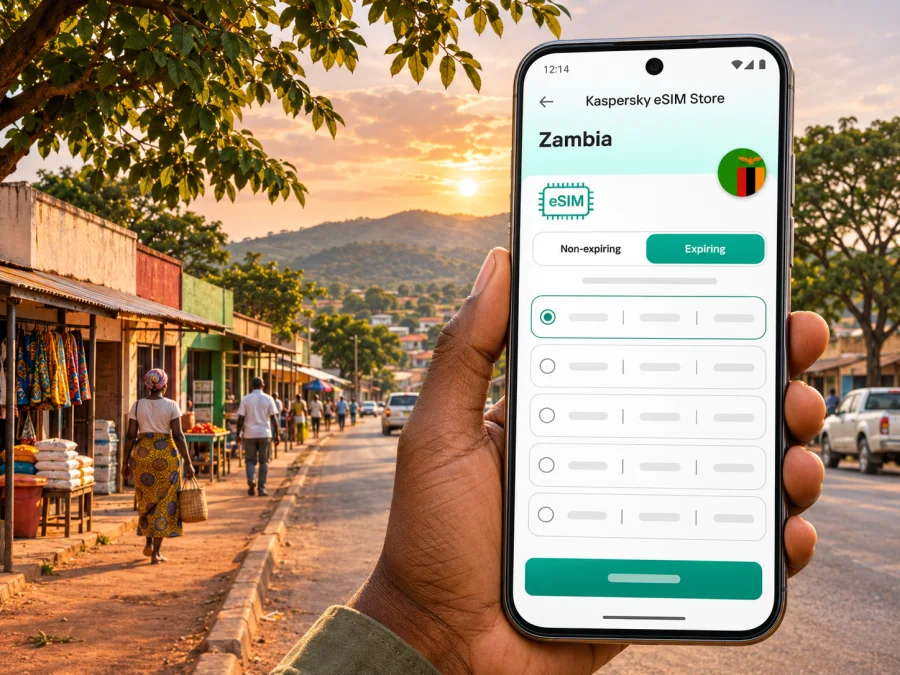
Chipata eSIM: mobile connection and internet for a trip to Zambia’s Eastern Province
Chipata is a working provincial city, a road junction and a practical base for journeys across eastern Zambia. For a visitor, that means a phone may be useful well beyond looking up a restaurant: it can help with arrival coordination, directions through town, contacting a lodge, checking a border crossing or keeping plans together on the road toward South Luangwa. A dependable mobile connection is useful, but no single setup should be assumed to work at every point on a route. Prepare for the places you will actually visit, and keep essential details available offline.
This guide focuses on mobile internet in Chipata and onward travel: what an eSIM can do, what to check before choosing one and how to plan for gaps in service.
Where Chipata fits into a Zambia itinerary
Chipata is the capital of Zambia’s Eastern Province. The city lies near the country’s border with Malawi and along the Lusaka–Chipata corridor. It also sits in a wider regional transport setting connected with the Nacala Corridor. Visitors may arrive by road from Lusaka, continue east toward Malawi, or use Chipata as a staging point for Mfuwe and South Luangwa National Park.
Chipata is a city in Zambia, not a suburb of Lilongwe and not a border post itself. The nearby Chipata–Mchinji crossing connects Zambia and Malawi, so a trip that begins in town can become an international journey within a day. Border procedures, network availability and roaming arrangements can change as you cross. Save the address of your first stop and confirm the crossing arrangements before setting out.
Chipata is also a useful pause between drives: arrange a transfer, confirm a booking or adjust the route before leaving town. A message to a driver or lodge can prevent confusion.
Arrival: plan the final leg, not just the flight
Chipata has an airport, but having an airport does not necessarily mean there is a scheduled passenger flight for your dates. Zambia Airports Corporation Limited’s 2024 annual report lists Chipata Airport about 9.3 km north-west of the central business district and records no scheduled aircraft. Treat that as a planning caution, not a permanent timetable: verify any proposed flight directly with the airline or charter provider close to departure. Many itineraries will instead reach Chipata by road or connect through another Zambian destination.
Before leaving your arrival point, download directions to your accommodation, save a map of the city and keep your host’s phone number or meeting instructions somewhere available without data. If you are meeting a driver, agree on a recognizable pickup point in advance. A message app can be convenient once you have a connection, but a written name, number and backup meeting plan are still useful if your phone cannot get online at the moment you land or arrive by bus.
For a road arrival, live maps depend on signal and route data; a downloaded map cannot confirm whether a rural road is passable today. Use it for orientation, then confirm the final turn with your host or driver. Keep the destination name and a landmark written down, since map labels can differ.
A first-hour checklist
- Confirm the exact accommodation name, address or map pin before travelling.
- Save your host, driver or tour operator’s contact details offline.
- Download maps for Chipata and the next leg of your journey while connected to Wi-Fi.
- Keep your home SIM active if you need calls or verification messages on its number.
- Check which SIM is selected for mobile data after installing an eSIM.
- Carry a charging cable and a power bank for navigation and messages.
Getting around the city with a phone
Chipata is best approached as a compact regional centre with a mixture of town streets, local businesses and roads that lead outward to other districts. Visitors may stay near the central commercial area, a hotel on an approach road, or a lodge or guesthouse outside the busiest centre. A map helps you understand where a place is in relation to your pickup point, but do not assume that every location pin marks a formal entrance or that the shortest route is the easiest one to travel.
When booking a taxi or private transfer, agree on the fare and destination before departure. If you use a messaging app to share a pin, send the venue name as well; pins can land at a rear entrance or a broad property boundary. At the end of a journey, check that the destination shown to the driver matches the place you intended. Keep the phone away when you are walking through unfamiliar streets and pause somewhere settled to review directions rather than navigating while crossing roads.
For errands, ask your accommodation which shops, fuel stops and services are open. Search listings can be incomplete or outdated, so call or message before travelling to an important stop. Save its name and directions before leaving Wi-Fi.
The same habits help on foot. Downloaded maps can show streets without data, while live location sharing, updated opening hours and ride coordination require a working connection. Keep a paper note or offline screenshot of your lodging details for the return trip. At night, arrange transport through a trusted host or service and do not rely on a map’s walking route as a safety assessment.
Choosing mobile data for Chipata and onward travel
An eSIM is a digital SIM profile installed on a compatible device. It can provide a convenient way to prepare mobile data for an international trip without removing your physical SIM. A travel eSIM is generally intended for data; it should not be assumed to include an ordinary local phone number, standard voice calls or SMS unless the selected tariff explicitly says so. Keep another way to receive essential calls or messages if those matter to your trip.
Choose according to your itinerary and usage. A short town stay with occasional messages differs from a longer trip with video calls, hotspot use or a remote-area drive. Coverage depends on the underlying mobile network, local conditions, device bands and congestion. A country-level plan listing does not guarantee the same experience inside every building, on every road or in every nearby rural area.
Before you select a plan, compare these details in its current terms:
| What to check | Why it matters in Chipata |
|---|---|
| Destination and network | Confirm that Zambia is included and identify the network or networks the plan can use, if disclosed. |
| Data allowance | Maps, messaging and email use less than video calls, cloud backups or streaming. Estimate for the full trip. |
| Validity period | Check when validity begins: at purchase, installation, first connection or another stated event. |
| Tethering | If you plan to connect a laptop or travel companion, confirm hotspot use is allowed and whether limits apply. |
| Calls and SMS | Data-only service will not replace a local voice line or guarantee bank verification texts. |
| Top-ups and expiry | Find out whether extra data can be added and what happens when the allowance or validity ends. |
| Device and regional variant | Check eSIM support for the exact device model and the country or region variant you own. |
Estimate your data without guessing
A useful estimate starts with the tasks you expect to do. Count the days you need mobile data, then consider whether accommodation and cafés provide Wi-Fi you are comfortable using. Add more room if you work remotely, send large files, make video calls or share a hotspot. Avoid choosing a package based on a generic “per day” rule: app settings, image uploads, automatic updates and background sync can change consumption substantially.
| Typical trip pattern | Main data uses | Preparation tip |
|---|---|---|
| One or two nights in town | Messages, map checks, booking details | Download maps and tickets before arrival; disable automatic photo backup on mobile data. |
| Several days in Chipata | Navigation, email, calls through apps, browsing | Review your estimate after the first day and keep Wi-Fi for large downloads. |
| Chipata plus a safari transfer | Driver and lodge coordination, maps, itinerary updates | Save addresses, booking references and transfer details offline before leaving town. |
| Work while travelling | Calls, cloud documents, file transfers, hotspot | Check the plan’s tethering terms and have a second connectivity option for important calls. |
These profiles are planning aids, not promises about a package. Choose based on your apps, travel dates and the tariff terms available when you buy.
Prepare the eSIM before the journey
If the phone is compatible and not restricted to a different carrier, you can usually install an eSIM by following the instructions supplied with the selected plan. The exact menus vary by device and operating system. Keep a reliable Wi-Fi connection available during installation, and do not delete an eSIM profile simply because it has not connected yet; some profiles cannot be reinstalled after removal.
Kaspersky eSIM Store is an app and website where travellers can choose, purchase and activate an eSIM with a suitable tariff for mobile data abroad. For a Zambia trip, review the destination, allowance, validity and network details shown for the plan, then compare them with your route. To review available options, browse eSIM plans for Zambia. The country destination is the relevant selection for Chipata; a separate city-specific tariff should not be assumed.
Before purchase, check whether your device supports eSIM. Support can differ between otherwise similar phone models, especially across regional variants. Also check that the phone is unlocked for use with another provider. A phone that can store an eSIM profile may still be unable to use it if it is carrier-locked or if the exact variant lacks eSIM capability.
Installation and activation sequence
- Confirm that your exact phone variant supports eSIM and is not carrier-locked.
- Choose a Zambia plan after checking its current terms, data allowance and validity trigger.
- Install the profile while you have Wi-Fi and enough battery; keep the QR code or setup details accessible on another screen if required.
- Label the profile clearly, for example “Zambia data,” so you can identify it beside your usual SIM.
- Decide which line should handle mobile data. Keep your regular number enabled for calls or messages if needed, while checking your home carrier’s roaming terms.
- Follow the plan’s instructions for when to turn on data roaming or activate the profile. The correct timing depends on that plan.
- Once connected, check the phone’s data indicator and open a simple page or message before relying on navigation.
For device-specific setup, use the Android eSIM installation instructions or the iPhone eSIM installation instructions. Follow the plan’s own activation timing: installing an eSIM and starting its validity are not always the same event.
The local operator market and travel eSIMs
Zambia has its own mobile operators and local SIM registration arrangements. MTN Zambia and Airtel Zambia publish information about their own eSIM services, but eligibility and registration steps depend on the operator and customer type. For example, an operator-issued local eSIM may involve an in-person store visit, a local account or identity checks. Confirm current requirements directly with the provider if you specifically need a Zambian number or local voice service.
A travel data eSIM serves a different trip-planning purpose. It may be useful when you mainly need internet access for maps and apps, while your existing number remains available for calls or messages. The network that carries a travel profile and the terms of the plan determine where and how it works. Do not infer that a travel eSIM is the same as an operator-issued local line, and do not assume that either one will have coverage throughout the province.
A practical comparison:
| Need | What to consider |
|---|---|
| Mobile data for a short visit | A travel eSIM may reduce the need to find a physical SIM on arrival; compare Zambia coverage and plan conditions first. |
| A local Zambian number | Ask a local operator about registration, number availability, required documents and eSIM eligibility. |
| Calls to contacts at home | Keep your regular line available or use internet calling apps when a data connection is working. |
| Travel from Chipata into Malawi | Check whether your plan includes Malawi. Zambia coverage does not automatically include the neighboring country. |
| A safari or rural road trip | Ask your lodge or driver about connectivity along the route and keep offline maps and booking details. |
At the Chipata–Mchinji border, your network environment changes because you are crossing into another country. Before crossing, confirm whether your plan includes both Zambia and Malawi, what happens to data roaming, and whether you need a separate destination plan. A plan for one country should not be treated as regional coverage unless its terms name the other destination.
Chipata as a base for South Luangwa
Chipata is commonly used as the road approach to Mfuwe and the South Luangwa area. Zambia’s tourism information describes the usual drive from Chipata to Mfuwe as about 123 km and around two hours, while also noting the road may be corrugated. Treat that figure as a broad route reference, not a guaranteed travel time: weather, road works, stops and the specific lodge can change the journey. Arrange the transfer and departure time with your lodge or driver, especially if you need to arrive before a particular activity.
This is where offline preparation becomes particularly useful. Mobile data can help you confirm the pickup, send an updated arrival time or look up a meeting point in town. Farther along the road, coverage may change. Save your lodge’s address, contact details, transfer instructions and any relevant booking reference before leaving Chipata. Ask the lodge what communication method it recommends during the journey and whether the driver will coordinate directly with them.
Do not plan an independent safari drive based only on a phone map. Road conditions and access arrangements can be seasonal, and routes inside or near conservation areas require local knowledge. Use an experienced driver or lodge transfer where appropriate, check current advice before departure and carry water, a charged phone and a power bank. A connectivity plan is a convenience for communication, not a substitute for transport planning or local guidance.
If mobile internet does not connect
A connection problem may come from installation, settings, plan status, device restrictions or local network conditions. Work through the simple checks before changing or deleting anything:
- Confirm that the eSIM profile is installed and switched on.
- Check that the correct SIM is selected for mobile data.
- Confirm that the plan is active and that its validity period has started.
- Check the plan instructions for data roaming and network selection settings.
- Turn airplane mode on briefly, then off, or restart the phone once.
- Move to an open area and wait a short time for the phone to register on a network.
- Check that your device has not selected a conflicting data line or exhausted its allowance.
- Contact the plan’s support channel or the operator named in the plan terms if the issue remains.
Avoid repeatedly deleting and reinstalling the profile unless support tells you to. Some eSIM profiles are single-install or tied to one device. If the service does connect but is slow, pause large uploads and video, then try again later or use Wi-Fi from a trusted accommodation. No troubleshooting step can create coverage in an area where the supporting network is unavailable.
Frequently asked questions
Is Chipata in Zambia or Malawi?
Chipata is in Zambia and is the capital of Eastern Province. It is near the Malawi border, but the nearby border crossing is a separate international checkpoint. Keep your destination and roaming settings clear when planning an onward trip to Malawi.
Will an eSIM work everywhere in Chipata or on the road to Mfuwe?
No plan can be assumed to work everywhere. Service depends on the underlying network, signal conditions, device and exact location. Check current plan details, ask your accommodation about the route and keep offline information for the drive.
Can I use the same plan in Malawi?
Only if Malawi is explicitly included in the plan terms. A Zambia plan does not automatically cover a neighboring country. Check the destination list and roaming arrangements before crossing at Chipata–Mchinji.
A connected visit starts with a realistic plan
Chipata works well as a city stop, a border-region base and a staging point for onward road travel. Plan your first connection around arrival details and town navigation, then prepare for less predictable signal on longer journeys. Compare data allowance, validity, network and destination coverage; check the exact device variant; and keep maps and contacts offline. If you need local voice service, confirm the requirements with a Zambian operator instead of assuming a data-only travel plan includes it.
When you are ready, use Kaspersky eSIM Store on the app or website to select, purchase and activate a suitable eSIM for your Zambia trip. Review the plan conditions and installation timing before travel, then choose an eSIM plan for Zambia that fits the itinerary you have confirmed.


