Travel connectivity guide
Cholpon-Ata eSIM: Mobile Internet for Your Trip
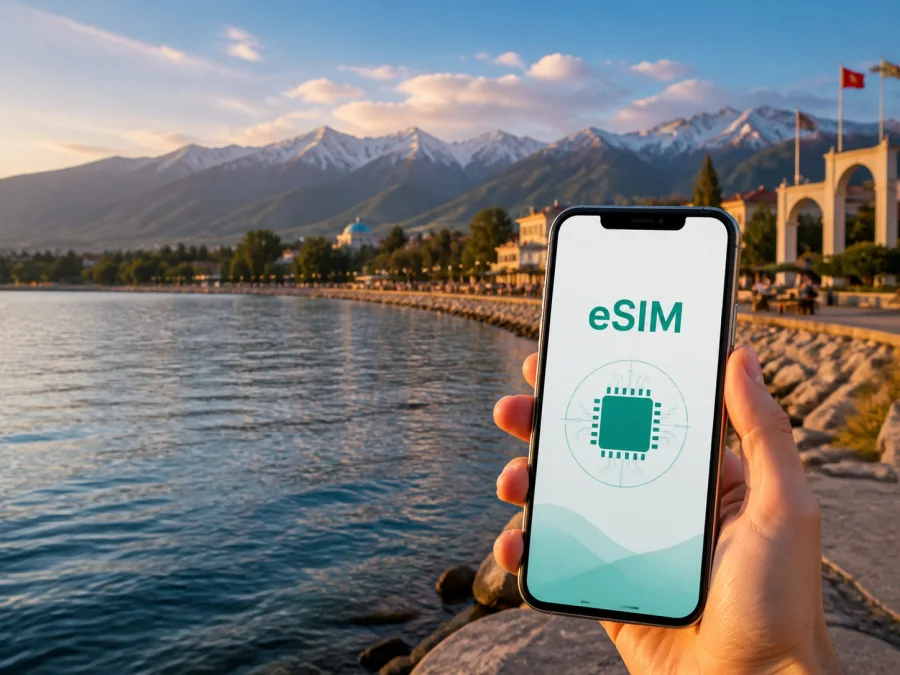
eSIM for Cholpon-Ata: Mobile Connection and Internet for Your Trip
Cholpon-Ata is a practical base on the northern shore of Lake Issyk-Kul in Kyrgyzstan. A day here can combine an arrival transfer, waterfront time, the petroglyph field, and an evening at Ruh Ordo. Between stops, you may need a map, booking confirmation, translation app, taxi message, or messenger call. A reliable mobile connection makes those tasks easier to manage.
An eSIM, or digital SIM, lets you add a mobile-data profile to a supported phone without taking out your everyday physical SIM card. For a trip to Cholpon-Ata, this can be a convenient way to prepare internet access before leaving home or after arriving in Kyrgyzstan. Kaspersky eSIM Store is an app and website where you can choose, arrange, and activate an eSIM with a suitable data plan for an overseas trip. The right choice depends on your itinerary, device, and expected data use.
This guide focuses on reaching a lakeside hotel, navigating the resort town, moving between attractions, working during a short stay, and continuing along the Issyk-Kul route.
When mobile internet is useful in Cholpon-Ata
Cholpon-Ata is compact in feel, but a travel day is not limited to one address. Accommodation may be near the lake, while the petroglyphs and Ruh Ordo are separate stops along the shore. Mobile data helps you coordinate each change of plan.
Common situations include:
- checking the route from a transfer drop-off point to a guesthouse;
- sending a location pin and confirming check-in or a meeting point;
- using maps while walking between the lake, cafés, and cultural sites;
- coordinating a taxi or translating a short travel message;
- opening reservations and keeping companions informed during a day trip.
The need is often greatest on arrival and before departure, when you may be carrying luggage, confirming a transfer, or sharing a pickup point. A data plan ready for the trip reduces those errands.
Arrival: plan the first connection before the first transfer
Many visitors reach Cholpon-Ata as part of a wider Kyrgyzstan itinerary, perhaps from Bishkek by road or from another stop around Issyk-Kul. Departure points and transfer details can change, so confirm them with the carrier, accommodation, or tour organiser. The eSIM does not replace that check; it gives you a way to receive updates and use maps while you make it.
Save your accommodation name, address, reservation, and contact details offline. With mobile data available, you can open the route, send a location pin to a driver, and receive a changed meeting point without first searching for Wi-Fi. At arrival, confirm that the eSIM is installed, select it for mobile data, and open the saved details before leaving the vehicle.
On some devices, data roaming must be enabled for the eSIM profile to connect. This is separate from choosing the data line. If you want to avoid accidental charges on your home line, disable data roaming for that line and review the selection after each major change.
What an eSIM changes during a Cholpon-Ata stay
An eSIM is a digital SIM profile stored in the phone. It can sit alongside a physical SIM, so you may keep your usual number available while using a travel plan for mobile internet. The number of active lines and available settings depend on the device.
Travel eSIM plans are generally for data rather than a separate local phone number. Calls and SMS are not included unless the selected conditions say otherwise, but messaging and calling apps can work over mobile data. Keep the physical SIM in place while using maps and reservations. An eSIM may reduce dependence on Wi-Fi, but the experience still depends on the plan, device, local network conditions, and surroundings.
How to choose a plan for Cholpon-Ata
Choose a plan for the country or region where it is valid, then match its duration and allowance to your use. A city trip does not always mean a city-only plan: if you are driving from Cholpon-Ata to other places in Kyrgyzstan, check whether a country plan suits the complete route.
Use this planning table as a starting point:
| Travel pattern | Typical data needs | What to look for |
|---|---|---|
| One or two quiet days by the lake | Maps, messages, occasional searches | A modest allowance with a validity period covering the stay |
| A beach holiday with daily navigation | Maps, photos, bookings, weather, messengers | Enough data for regular use and a little reserve |
| Petroglyphs, Ruh Ordo, and several shoreline stops | Navigation, ride coordination, information, photo sharing | A plan that remains valid across the Kyrgyzstan route |
| Remote work from a hotel or guesthouse | Video calls, cloud files, email, messaging | A larger allowance and a backup connection plan |
| A short stopover before continuing | Arrival messages, maps, transfer details | A plan active for the whole stopover, not only the arrival day |
Estimate your use honestly: messages and map searches are lighter than video, photo backups, social feeds, and calls. If you plan to use a laptop hotspot, allow more data and confirm that tethering is permitted. Download maps over Wi-Fi before departure, while keeping mobile data for live route changes.
Check these details on the plan page before completing the order:
- the country or region where the plan is valid;
- the data allowance, validity period, and what starts it;
- whether the plan is prepaid, supports top-up, or allows hotspot use;
- installation and activation conditions;
- refund rules for an unused or activated profile.
Conditions vary by plan. Do not choose by price alone: a plan with a lower allowance may be suitable for a short visit, while a longer route around Issyk-Kul may call for more reserve. In Kaspersky eSIM Store, you can review the available direction and plan details before selecting an option for your journey.
For a clear starting point, choose an eSIM plan for your trip to Kyrgyzstan, then compare the duration and data allowance with your Cholpon-Ata itinerary.
Where data helps around the town
Cholpon-Ata’s north-shore setting means a day can combine the lake, a beach, a café, and a cultural stop. Save both the written address and map pin for your accommodation, especially if it is outside the main resort strip. Check current opening information and keep the return transport plan visible in a note or screenshot.
The petroglyph field
Reserve a separate morning or half-day for Cholpon-Ata’s open-air petroglyph site. The stones are spread across an exposed area, so wear suitable shoes, carry water and sun protection, and keep the return route available offline. Confirm the meeting point and departure arrangement with your guide or driver before entering the field.
Ruh Ordo
Ruh Ordo is a cultural complex on the Cholpon-Ata shore with galleries, sculptures, and spaces connected with different traditions. Allow time to walk through the grounds. Mobile internet can help you confirm information, coordinate with companions, and arrange the next ride. Keep your phone on silent inside exhibition or reflective spaces.
A day east or west along the shore
The city can be a base for exploring nearby parts of the north shore. Bosteri is associated with a livelier resort atmosphere, while Tamchy and other settlements may fit a quieter overnight or transfer plan depending on the season and the exact accommodation. These are different places, not interchangeable neighbourhood names. Before leaving Cholpon-Ata, check the destination, pickup point, road conditions, and return arrangement. A country-valid data plan is more useful here than a plan selected only for one hotel address.
Business trips and remote work in Cholpon-Ata
A business traveller may need to join a call, send a document, or share a location between a hotel, meeting venue, and pickup point. Download essential files, save the meeting address offline, test the eSIM before the call, and check hotspot settings if a laptop is involved. Keep large transfers on Wi-Fi when practical and remember that an eSIM does not replace a confirmed venue, local number, or transport booking.
How to install and activate an eSIM
Set up the profile when you have a stable internet connection and enough battery. Before you begin, check your device compatibility, make sure the phone is not operator-locked, and keep the QR code or activation details accessible. Some models differ by region, so the same phone family may not have identical eSIM support in every market.
The exact menu names vary, but the sequence is usually as follows:
- Check the device. Confirm eSIM support, remove any operator restriction, and make sure you know which line you will use for mobile data.
- Open mobile-network settings. Choose the option for adding a mobile plan or eSIM.
- Scan the QR code. Use the code from your purchase email or profile. If the phone displays an activation prompt, read it before confirming.
- Label the new line. Use a clear label such as “Kyrgyzstan travel” so you do not confuse it with your everyday SIM.
- Select the data line. Choose the new eSIM for mobile data when you are ready to use the plan.
- Review roaming settings. Data roaming may need to be enabled for the eSIM on some devices. Check that roaming is disabled on the home line if you want to avoid unintended data use.
- Wait for registration. Connection may take several minutes and depends on the device and local network. If you want the plan to start later, follow the plan’s activation conditions rather than switching it on early.
For detailed device-specific steps, use the Android installation instructions or the iOS installation instructions. Keep the original QR code private and do not scan it repeatedly on different phones. An eSIM profile may not be transferable after activation if the conditions of that profile do not allow it.
What to check before you leave home
Use this checklist at least once before departure and again after landing:
- Device: Device compatibility is confirmed for your exact model and sales region.
- Operator lock: the phone accepts another network profile.
- Plan: Kyrgyzstan is included, and the validity period covers the trip.
- Data line: you know where to switch mobile data to the travel eSIM.
- Home line: calls and messages are configured as you expect, and unwanted data roaming is off.
- Installation: the QR code or profile is available, with a stable connection for setup.
- Battery: the phone is charged before the transfer and the first walk around town.
- Offline backup: accommodation details, transport messages, and key reservations are saved locally.
- Usage: automatic backups, app updates, and video autoplay are limited if data is tight.
The most common mistake is installing a profile but leaving the home SIM selected for mobile data. The second is activating a plan before its intended travel period without checking when validity begins. Read the plan conditions and confirm the data-line setting after installation.
If the connection does not appear
Start with the least complicated checks. Confirm that the eSIM line is switched on, mobile data is assigned to it, and the phone has not reverted to the home line. If the plan requires data roaming, review that setting for the eSIM only. Move outdoors or to an unobstructed place if the surroundings may affect reception, then give the device a few minutes to register.
If the issue continues, restart the phone and recheck the plan conditions. Do not delete the profile as a first reaction: reinstalling may not be possible under its rules. Note the device model, message shown, and steps already taken before contacting support. The device manufacturer or home operator may be relevant if the issue is an operator lock.
Frequently asked questions
Is an eSIM useful for a trip to Cholpon-Ata?
Yes. It can provide a practical mobile-data setup for maps, messages, reservations, and transport coordination while you move between the waterfront, accommodation, attractions, and onward stops. Choose a plan valid in Kyrgyzstan and check your device first.
Does the eSIM include a phone number?
Not usually. A travel eSIM plan is generally for mobile data, and ordinary calls and SMS are not included unless the specific conditions say otherwise. Messaging and calling apps can work over the data connection.
When does the plan start?
It depends on the selected plan. Some conditions relate validity to installation, activation, or first network use. Read the plan details before installing or enabling the eSIM, especially if you are preparing it several days before the trip.
What if my phone shows no service after installation?
Check that the eSIM is enabled, selected for mobile data, and configured as required by the plan. Review the eSIM roaming setting, wait a few minutes, and restart the phone if needed. Do not delete the profile before checking the instructions or contacting support.
Prepare your connection for Cholpon-Ata
The most useful setup is tested before the transfer: a compatible phone that is unlocked; a plan valid for Kyrgyzstan and long enough for the itinerary; the eSIM selected for data; and offline accommodation and transport details. This supports a stay in Cholpon-Ata from the first transfer to the route after Ruh Ordo or the petroglyphs.
When you are ready, choose an eSIM plan for your Cholpon-Ata trip, review the data allowance and validity, then install and activate it according to the instructions for your device.


