Travel connectivity guide
Chunghwa Telecom 中華電信 eSIM in Taiwan | Traveler guide
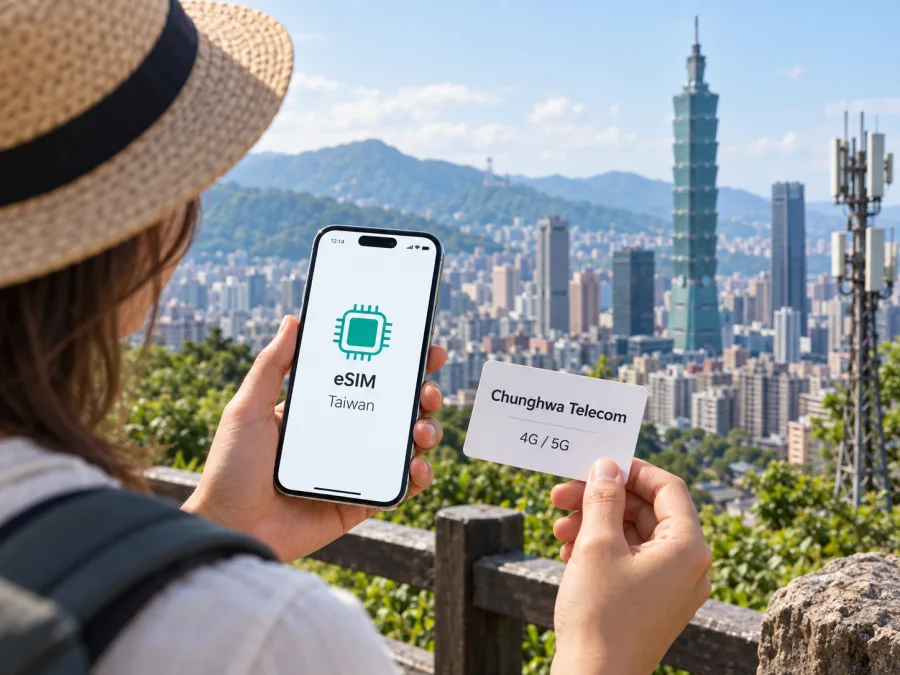
Chunghwa Telecom 中華電信 eSIM in Taiwan: what travelers should know
Chunghwa Telecom and 中華電信 are names and marks of their respective owner. Kaspersky eSIM Store is not affiliated with Chunghwa Telecom and is not its official partner or distributor.
If you are preparing for a visit to Taiwan, Chunghwa Telecom 中華電信 is one local mobile operator to consider. Its published visitor information confirms that prepaid service is available in SIM and eSIM formats and describes it for people traveling in Taiwan. Before choosing it, check how a visitor can apply, which identity documents are required, whether your phone is compatible, and how you will install the profile.
This article summarizes the operator’s public guidance and practical checks for travelers. Chunghwa Telecom’s visitor services and application rules can change, so confirm your eligibility and current process directly with the operator.
Does Chunghwa Telecom offer eSIM to visitors?
Yes. On its English “Prepaid SIM for Taiwan” page, Chunghwa Telecom describes prepaid SIM/eSIM service for visitors and references both 4G and 5G. The page says airport counters and Chunghwa Telecom service centers around Taiwan provide prepaid service. This confirms the general availability of a visitor eSIM; it does not establish that every eSIM can be ordered online or installed before arrival.
The English “Chunghwa Telecom eSIM set up procedure overview (iOS/Android)” tells travelers arriving from abroad to contact a business office or outlet. Plan for an operator application and eligibility check in Taiwan unless Chunghwa Telecom confirms a different process. Ask where the eSIM can be issued and how activation is handled.
As checked September 25, 2026, the visitor page identifies SIM/eSIM as an offer, while the setup guide directs arrivals from abroad to an office or outlet. Individual eligibility and the exact application channel still need confirmation.
Documents and eligibility
Chunghwa Telecom’s setup guide says individual applicants should contact an office or outlet and prepare two identity documents. It lists an original passport, Exit & Entry Permit or Alien Resident Certificate as possible primary identification, and gives examples of secondary identification including an ARC, National Health Insurance IC card, driver’s license, original passport or student ID. The application form requires a stamp or signature. These are examples on the operator’s guide, not a guarantee that every document combination will qualify every applicant.
Requirements can differ by service, nationality or applicant status. Before going to a counter, ask Chunghwa Telecom which original documents it will accept for your application. If you are applying for a child or on behalf of another person, confirm the relevant procedure in advance.
Check that your phone is unlocked as well as eSIM-capable. Chunghwa Telecom’s setup guide notes that an unlocked eSIM-only iPhone can be activated on its network and describes checking the carrier-lock status in the phone settings. A locked device may reject a profile from another operator even if its hardware supports eSIM. If you are unsure, contact the carrier that currently services your phone before departure.
Where can you arrange a local eSIM?
Chunghwa Telecom’s English visitor page refers to airport counters and service centers around Taiwan, and its reservation information lists service points at major airports. These channels make in-person help an option, but the page does not guarantee that every counter offers the same eSIM application, service availability or opening hours on a particular day.
Check Chunghwa Telecom’s current service-location information close to your trip. Verify the counter location, business hours and whether it can issue the visitor eSIM you want. Travelers arriving late or at a different airport may need another service point. Leave time for document checks and installation rather than expecting the process to be automatic.
How Chunghwa Telecom eSIM setup works
The operator’s setup guide includes QR-code installation instructions for iOS and Android. Menu names and prompts vary by phone model and software, so follow the directions supplied with your profile or given by Chunghwa Telecom staff. The published guide is an outline; it does not promise that all devices display identical screens.
Before installing the profile
- Confirm that your exact phone model and regional version support eSIM and that the device is unlocked.
- Ask how and when Chunghwa Telecom will issue your profile. Keep the QR code or activation information accessible.
- Connect to reliable Wi-Fi during installation. Chunghwa Telecom says the profile can be downloaded over free airport Wi-Fi or with assistance from store staff using CHT Wi-Fi.
- If the QR code is displayed on your phone, arrange another screen or a printed copy so the phone can scan it.
- Avoid deleting an installed profile as a first troubleshooting step. Ask the issuer whether reissue is needed.
General installation steps
- Open cellular or mobile network settings.
- Choose the option to add or download an eSIM.
- Scan the Chunghwa Telecom QR code or follow the alternative instructions provided by staff.
- Confirm the prompts to download and install the profile.
- Label the line so it is easy to distinguish from other SIMs or eSIMs.
- Select it for mobile data when you are ready to use it.
- Follow any additional configuration instructions provided by the operator.
For device-specific guidance, see the internal iOS eSIM instructions or Android eSIM instructions, then refer to Chunghwa Telecom’s setup guide for its profile. Compatibility can differ between model variants, so ask the operator if your phone is imported or not listed in its guidance. If installation fails, check Wi-Fi, QR-code legibility and the phone’s lock status before contacting the service provider.
Installing a profile and connecting to data are separate steps. Check that the eSIM line is enabled, selected for mobile data and recognized by the phone. If you keep your home SIM active, review dual-SIM settings and confirm which line handles data. Follow the profile’s instructions for any roaming or network settings.
Compatibility, 4G/5G and coverage
An eSIM is a downloadable SIM profile, but it does not work on every phone. Support depends on the exact model, its regional version, operating system and carrier-lock status. Check the manufacturer’s current specifications and confirm compatibility with Chunghwa Telecom before applying. The appearance of an “Add eSIM” menu alone does not confirm that a particular local service will work.
Chunghwa Telecom’s visitor page describes prepaid SIM/eSIM using 4G and 5G terminology. Its setup guide lists examples of supported device families, but product support changes and regional variants differ. Treat examples as a starting point, not a complete or permanent compatibility list. Provide the operator with your exact model identifier if you need confirmation.
Chunghwa Telecom’s “Network Coverage Inquiry” map, marked updated September 1, 2026, includes 4G LTE and 5G NR layers and supports location lookup. Check specific addresses and routes; the map is a planning aid, not a promise of uninterrupted reception. Buildings, terrain, congestion, device bands and local conditions can affect connection.
Cities, transport corridors, rural districts and mountainous areas have different radio conditions. If connectivity matters at a particular hotel, station or remote stop, check the location on the operator’s map and ask locally about access. Save tickets, maps and essential travel information for offline use so a temporary coverage gap does not disrupt your plans.
Local prepaid eSIM or travel eSIM?
A Chunghwa Telecom visitor eSIM may suit someone who wants to apply through the local operator and can follow its registration process in Taiwan. Its guidance points travelers toward an office or outlet, identity checks and QR-code installation. A travel eSIM may suit someone who prefers to review a destination option before arrival. Kaspersky eSIM Store helps users choose, arrange and activate an eSIM plan for mobile internet abroad. It is a separate travel service, not a Chunghwa Telecom account or local subscription. Check the selected eSIM’s terms, including whether it supports any service beyond mobile internet.
Compare the application channel, documents, installation timing, the type of service you need and available support. A local application may involve an in-person visit; a travel eSIM may be prepared before departure if its process allows it. Both require a compatible device and service availability at the destination. Check current terms with the provider rather than comparing unrelated offers. For advance preparation, view eSIM options for Taiwan in Kaspersky eSIM Store, an app and website that helps you choose, arrange and activate an eSIM for mobile internet in an overseas trip.
Traveler checklist
Before choosing a connection for Taiwan, ask yourself:
- Does your exact phone model support eSIM, and is it unlocked?
- Do you want to apply with Chunghwa Telecom after arrival or prepare a travel eSIM before departure?
- If applying locally, have you confirmed the original identity documents needed for your case?
- Do the service location and its current opening hours fit your arrival time?
- Have you checked the places on your itinerary using the operator’s coverage map?
- Do you need mobile internet only, or also local calling or messaging functions?
- Can you access the QR code and installation instructions during setup?
- Do you know which SIM line is selected for mobile data and where to get support?
A traveler arriving during counter hours with accepted identification may ask Chunghwa Telecom about a local prepaid eSIM. Someone who wants to prepare in advance may consider a travel eSIM. For a longer stay or needs beyond data access, ask the operator which current service fits.
Common setup issues
There is no “Add eSIM” option. Check the exact model and regional version with the manufacturer. Similar-looking phones may have different SIM features. Confirm that the operating system is current and that the device is not carrier-locked.
The QR code will not scan. Check that it is clear and fully visible. If it is on the same phone, open it on another screen or ask staff for help. Keep the code private.
The profile installs but data does not connect. Make sure the line is on and selected for mobile data, then check that the phone recognizes a network in your location. Follow the operator’s settings and contact the profile issuer if the issue continues.
You deleted the profile or changed phones. Contact the issuer before trying again. A profile may not be transferable, and reissue conditions depend on the service.
Frequently asked questions
Can tourists get a Chunghwa Telecom eSIM in Taiwan?
Yes. Its visitor page confirms prepaid SIM/eSIM service for Taiwan. Travelers should contact an office or outlet and confirm their eligibility with Chunghwa Telecom.
Can I install it before arrival?
The guide directs travelers to contact an office or outlet; ask Chunghwa Telecom whether advance arrangements are available for you.
What identification should I bring?
The guide asks applicants to prepare two documents, including an original passport as one possible primary document. Confirm what is accepted for your application.
Does Chunghwa Telecom support 5G eSIM?
Its visitor page describes prepaid SIM/eSIM using 4G and 5G terminology. Access depends on the service, device and local coverage.
Where can I check coverage?
Use the operator’s coverage map to look up locations and review its 4G LTE and 5G NR layers. Reception can still vary indoors and in remote places.
Is a travel eSIM the same as a local Chunghwa Telecom eSIM?
No. They are separate services. Kaspersky eSIM Store helps users choose, arrange and activate an eSIM plan for mobile internet abroad; it is not Chunghwa Telecom and does not own or operate a network.
What should I check before traveling?
Recheck eSIM availability, accepted documents, service locations, opening hours, compatibility and coverage. These details may change.
Final thoughts
Chunghwa Telecom publicly confirms a visitor prepaid eSIM option for Taiwan. Its setup guide advises travelers to contact a business office or outlet, prepare identity documents and install the profile using the operator’s instructions. Confirm your eligibility, application location and current process directly with Chunghwa Telecom before relying on a local eSIM.
Check your exact phone, keep the setup information accessible, and decide whether you prefer to apply locally or prepare a travel eSIM in advance. Review the operator’s coverage map for important stops and save essential information offline. If preparing in advance is more convenient, explore eSIM options for Taiwan in Kaspersky eSIM Store and review the selected eSIM’s terms before purchase.
Verification date: September 25, 2026. Chunghwa Telecom’s visitor service, eSIM eligibility, document requirements, location details, coverage information and connection conditions may change. Confirm current information with the operator before applying. Kaspersky eSIM Store is an independent app and website and is not affiliated with Chunghwa Telecom.


