Travel connectivity guide
Circles.Life eSIM in Singapore: setup and travel guide
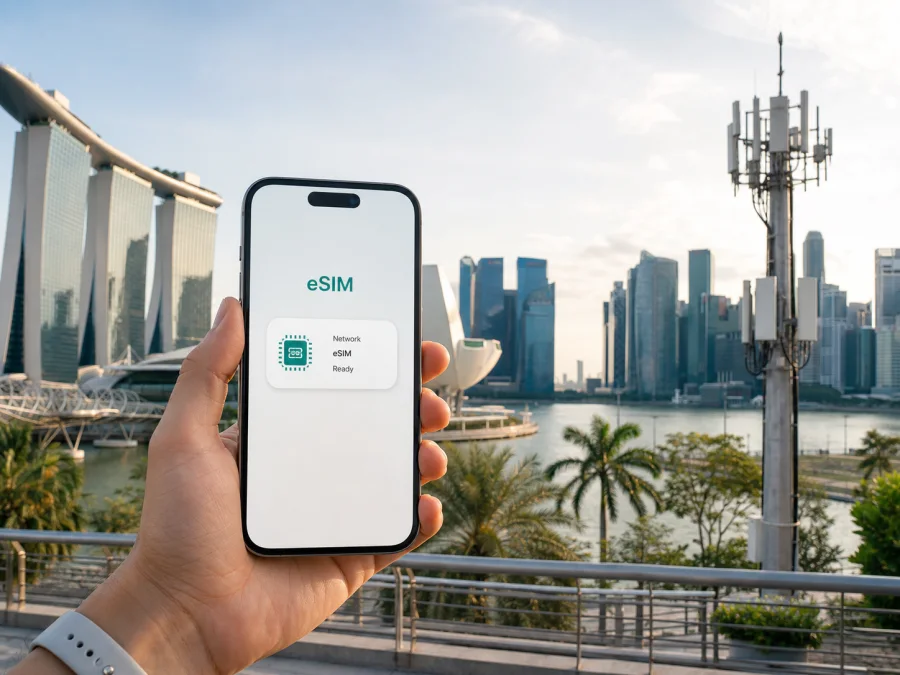
Circles.Life eSIM in Singapore: activation, coverage and travel options
If you are searching for a Circles.Life eSIM in Singapore, first decide what kind of connection you need. A local operator eSIM can suit someone who wants a Singapore mobile service, a local account or continuity with an operator number. A travel eSIM follows another model: it is usually a data-only line prepared for a trip and used alongside a primary SIM. Knowing the difference helps you choose and activate the right option.
This guide explains what current public information says about Circles.Life eSIM in Singapore, what visitors should check before ordering, how activation works, and when Kaspersky eSIM Store may be an alternative for travel data. Device support, eligibility and service conditions can change, so confirm the live terms with the relevant provider before completing an order.
Circles.Life in Singapore
Circles.Life presents itself as a digital telecommunications operator serving Singapore. Its public local pages place the brand in the SIM-only and data-only segments, with online onboarding and account management. An official Circles.Life press page describes the brand as a mobile virtual network operator and discusses a partnership with a network partner for 5G standalone services. This is useful market context: the service is offered under the Circles.Life brand while radio access and other network functions can involve a host-network arrangement.
That description is not a judgement about connection quality. A user’s experience depends on the handset, active service, indoor conditions, local congestion, location and permitted technology. It is more accurate to regard Circles.Life as a digital-first option in Singapore’s mobile market than to rely on claims that any operator is universally the best or fastest.
Is Circles.Life eSIM available in Singapore?
Yes. Current public operator pages confirm eSIM support for Singapore. The Circles.Life eSIM page is live and presents an eSIM for Singapore and travel. The Circles.Life Help Center article “How do I purchase an eSIM? What are the Plans available?”, updated 10 April 2026 and checked for this guide on 1 September 2026, says that SIM-only and data-only services are available on eSIM.
Availability still has conditions. A phone may support eSIM in general but be restricted by a carrier lock, sales region, software state or the selected service workflow. Circles.Life’s Help Center is the appropriate place to confirm the current device list and account requirements immediately before purchase.
The operator’s current editorial material also discusses prepaid data services and short-term visitor use in Singapore. This supports a general statement that prepaid or tourist-oriented options may exist in the local market. It does not mean every visitor can select every eSIM service, or that a separate tourist product will remain unchanged. Travellers using a passport rather than a Singapore account should check the current visitor route, identity requirements and eligibility before paying.
What should a traveller decide first?
Define the purpose of the line before comparing connection methods. Decide whether you need a Singapore number, recurring local service, data-only access, a visitor sign-up route or a profile that covers several countries. If you need calls or SMS, verify that the selected service includes those functions; a data-only eSIM does not automatically provide them.
The local operator eSIM and a travel eSIM solve related but different problems. Circles.Life’s local service follows the operator’s customer and account procedures. A travel eSIM is generally a separate destination-data line. It may not provide a local telephone number, ordinary voice calls or SMS. On many phones both lines can remain installed, but one line is normally selected for mobile data.
If you need to keep your home number, do not delete the primary SIM. Leave it enabled only when you understand the roaming settings and possible charges attached to that line. Select the intended eSIM for data, disable data roaming on the home line when appropriate, and test important messaging or authentication workflows before departure. Menu names differ between iOS and Android.
Device compatibility and regional restrictions
Circles.Life Help Center’s article “Is my device eSIM-compatible?”, updated 27 February 2026, documents a quick initial check. Open the phone application, dial *#06# and look for an EID in the device information. An EID indicates eSIM capability, but it is not the only requirement. The phone must also be unlocked, supported by the relevant service and running software that permits installation.
The same Help Center page provides a supported-device list and warns that regional versions can differ. It specifically notes that some phones purchased in China or Hong Kong may be dual-SIM models without eSIM support. Do not infer compatibility from a family name alone; check the exact model and current operator guidance.
Before leaving home, complete this short preparation check:
- Confirm eSIM support, an unlocked phone and the exact regional model.
- Check that the operating system and mobile settings are ready for another profile.
- Make sure you have room for an additional line and access to the account email or app.
- Prepare stable Wi-Fi or another internet connection for downloading the profile.
- Save the current support route and order information.
The EID check answers a hardware question. It does not confirm that a visitor is eligible for a particular local service; account and identity requirements remain separate.
How new Circles.Life eSIM activation works
The current Help Center describes a digital flow for a new eSIM: check compatibility, visit the Circles.Life website, select an eligible service and complete the online order. Install the profile using the instructions supplied after the order; screens may change as the operator updates its app or website.
Prepare a charged phone and stable internet. On many devices the process is:
1. Install the profile
Open cellular or mobile-network settings, choose to add an eSIM, and scan or download the QR code supplied after the order. If it is displayed on the same phone, use the manual or in-app method offered by the operator. Keep activation details private.
2. Select and activate the line
Give the profile a clear label, choose it as the mobile-data line, and avoid automatic data switching unless you understand the setting. The Help Center says activation is completed through the Circles.Life application after the QR-code step. Registration can take several minutes and may require a restart.
3. Test before departure
Open a simple webpage and verify that the intended eSIM is carrying data. If your main number must receive messages or authentication codes, test that line before leaving Wi-Fi.
Existing customers converting a physical SIM while keeping their number have a separate procedure. A Help Center article updated 20 July 2026 says the customer requests SIM replacement, selects eSIM, completes identity verification through Singpass and receives a QR code by email after verification. It also warns that the physical SIM is deactivated immediately after the request. Begin this process only when you are ready to lose the physical profile and have stable internet for installation.
That documented Singpass and ID process is especially relevant to existing accounts. A visitor ordering a new service should follow the current visitor or online sign-up route, not the number-replacement flow. Do not assume that a local identity workflow will be available in the same way when you are outside Singapore.
Coverage and 4G/5G support
Current Circles.Life Singapore pages show both 4G and 5G service categories, while the operator’s press page discusses 5G standalone deployment with its network partner. This confirms that both technologies are part of the brand’s public service positioning. It does not mean that every eSIM, handset or location will use 5G.
5G access depends on the device, active service, software, local coverage and network conditions. The phone may use 4G when 5G is unavailable or when other conditions make that appropriate. A 4G connection does not by itself indicate a failed eSIM installation.
Coverage combines the host-network footprint, radio technology, device bands, building materials and the user’s location. IMDA’s reports measure market-level indicators for outdoor, in-building and tunnel service. Use them as independent context, while treating the operator’s current coverage information as the reference for the selected service. Avoid inferring nationwide quality from one signal icon or one speed test. A temporary weak signal indoors does not establish a general verdict about Singapore or Circles.Life.
For a traveller whose priority is mobile internet rather than a local number, choose an eSIM plan for Singapore in Kaspersky eSIM Store and review the current conditions for the trip.
Local operator eSIM or travel eSIM?
There is no universal answer. A Circles.Life eSIM may be appropriate when you want a local subscriber relationship, a Circles.Life account or a service built around a Singapore number. A travel eSIM may be more relevant when you want a separate data line ready before landing, especially for a short visit or a route that crosses borders.
Focus on the workflow rather than promotional claims:
| Question | Local operator eSIM | Travel eSIM |
|---|---|---|
| Main purpose | Local mobile service in Singapore | Data for a trip or route |
| Account relationship | Local operator registration and support | Travel service account and support |
| Telephone number | Depends on the selected local service | Often data-only; verify before purchase |
| Installation timing | May depend on eligibility and verification | Can often be prepared before departure |
| Coverage reference | Operator and host-network conditions in Singapore | Destination and partner-network conditions for the profile |
This is a functional comparison, not a comparison of commercial packages. Conditions should be checked directly at the point of purchase. A data-only travel profile is not a substitute for a local number, and a local eSIM is not automatically the simplest route for a visitor who only needs internet access.
Kaspersky eSIM Store as an alternative for travel data
Kaspersky eSIM Store is an application and website for choosing, ordering and activating an eSIM with a mobile-data plan for an overseas trip. It is not a mobile operator, does not own a Singapore network and does not provide radio coverage. The underlying local carrier arrangement associated with the selected travel service determines network access.
The Kaspersky official blog article “Internet on the go with Kaspersky eSIM Store”, published 17 June 2025, describes the general flow: select a destination or region, choose a suitable data option, install the eSIM and activate it before or after arrival. It also explains that the product is intended for mobile internet and that ordinary calls and SMS are not automatically part of a data-only eSIM.
Kaspersky eSIM Store may suit travellers who want a separate data line while keeping their regular SIM in the phone, especially when the local visitor process is unclear or the itinerary includes more than one destination. It can reduce the need to find a physical SIM point after landing, but you still need to check the device, destination, network conditions and checkout terms. If you need a Singapore number, local voice service, SMS registration or an operator account, assess that requirement separately. A travel eSIM is a complementary data line, not the same product as Circles.Life’s local service.
Troubleshooting and FAQ
Can a visitor buy a Circles.Life eSIM in Singapore?
Public Circles.Life editorial pages discuss visitor sign-up and prepaid data use, while the Help Center confirms online eSIM ordering in general. Eligibility and identity requirements can change. Check the current sign-up flow instead of assuming that a local-customer conversion route applies to a tourist.
Does every Circles.Life eSIM provide a Singapore number?
No general assumption is safe. The result depends on the selected service. A local operator service may follow a number-based account model, while a data-only option will not necessarily provide ordinary calls or SMS.
Is 5G guaranteed?
No. Public operator pages confirm 4G and 5G categories, but access depends on the service, device, software, coverage and network conditions. The phone may use 4G instead.
Is Kaspersky eSIM Store a mobile operator?
No. It is an app and website that helps users choose, order and activate a travel eSIM for mobile internet. It is not the owner of a local network and does not replace a Singapore operator account when a local number is required.
Circles.Life eSIM in Singapore can be a suitable local-service route when its current eligibility and account requirements fit your situation. A travel eSIM may be more relevant when the priority is destination data, a separate line or a multi-country itinerary. Kaspersky eSIM Store may help with that travel-data workflow, but it should be understood as an app and website for selecting and activating eSIM travel services, not as an operator, network owner or mobile-internet provider.
This article is independent and is not affiliated with, sponsored by or endorsed by Circles.Life. Public operator, regulator and product pages were checked on 1 September 2026. Confirm current eligibility, device support, activation steps, coverage and service conditions again before purchase.
When you are ready, find an eSIM option for Singapore and review the live conditions for your journey.


