Travel connectivity guide
Clarke Quay eSIM: Mobile Internet for Singapore
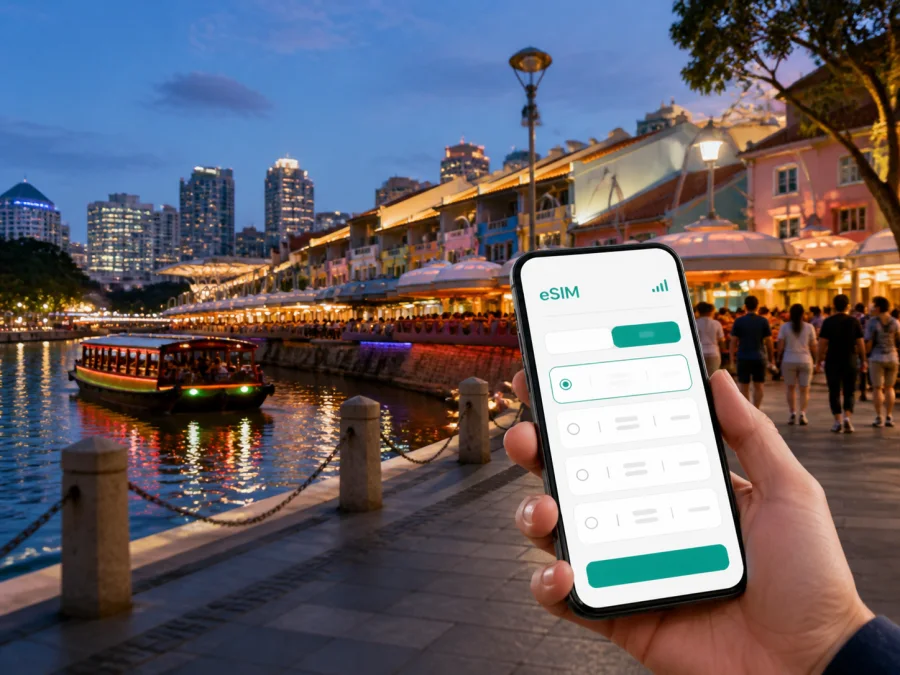
Clarke Quay eSIM: mobile connection and internet for your Singapore trip
Clarke Quay is a practical base for a Singapore stopover, city break or business visit. Hotels, restaurants, riverside walks and transport links sit close together, while Chinatown, Fort Canning, the Central Business District and Marina Bay are easy additions to a city itinerary. The useful travel moments often happen between those places: finding a station exit, meeting a driver, checking a reservation, navigating to a meeting or sending a location pin. A prepared eSIM can help you handle them without a physical SIM card.
Kaspersky eSIM Store is an app and website that helps you choose, arrange and activate an eSIM with a suitable plan for mobile internet during an international trip. You can review the destination, data allowance and validity period before selecting an option for Singapore. The eSIM is intended for mobile data; it is not a replacement for a regular local phone number, and voice calls or SMS are not included unless the conditions of a specific plan say otherwise.
When an eSIM helps around Clarke Quay
The Singapore River gives Clarke Quay a compact centre, but your day may move from a riverfront hotel to an office, a heritage street, a shopping district and back again. Mobile data is useful for maps, public-transport routes, ride bookings, online check-in details, messages and last-minute changes. It can also reduce your dependence on public Wi‑Fi in the airport, lobby or café.
The main Clarke Quay use cases are easy to recognise:
- Arrival: check transfer instructions, share your position and follow the route from Changi Airport.
- First walk: locate a hotel entrance, restaurant, pier or route toward Fort Canning.
- Business travel: update a calendar, send a document or join a call between the riverfront and the CBD.
- Evening plans: confirm a reservation, coordinate with friends and find the way back after dinner.
- Stopover: keep airport, luggage, central Singapore and return-journey details accessible in one short itinerary.
You can prepare the digital SIM profile before leaving home and, if your phone supports dual-SIM use, keep your regular line available for calls or messages. This does not remove the need to check the plan conditions or device settings, but it makes the arrival routine clearer.
From Changi Airport to Clarke Quay
Singapore Changi Airport is outside the central districts, so the journey into town is the first useful test of your setup. Depending on arrival time, luggage and group size, you may take the MRT, a taxi, a ride-hailing service or a pre-arranged transfer. Mobile data helps you check a pickup point, follow a route and communicate if the meeting place changes.
Clarke Quay MRT station is on Singapore’s North East Line and is close to the riverfront area. Even when the station is correct, save the exact destination: Clarke Quay may mean the riverside promenade, a hotel, a restaurant, a mall or a pier rather than one single doorway. For a taxi or app-based ride, keep the accommodation name and full address ready to show to the driver.
Arrival checklist
Before leaving the terminal, confirm:
- Your accommodation address and first meeting point are saved.
- Your eSIM profile is installed, or you have the required QR code or in-app order details.
- The eSIM is selected for mobile data when you intend to use it.
- Your regular SIM is not selected for unintended roaming data.
- Your battery is sufficient for the journey and the first walk.
Moving from Clarke Quay to nearby districts
Clarke Quay is close to several different parts of central Singapore, but a short map distance can still include a river crossing, a large junction or a station entrance on the opposite side of the street. Choose walking, MRT, taxi or a combination based on weather, luggage and time. Check the final few hundred metres, not just the route overview.
| Destination | Typical reason to go | Useful mobile-data task |
|---|---|---|
| Boat Quay | Continue a riverside walk or meet for dinner | Find the exact venue and share a pin |
| Chinatown | Food, heritage streets and central connections | Adjust a walking route in heat or rain |
| Fort Canning | Green space near the dense riverfront | Locate an entrance and coordinate with companions |
| Central Business District | Offices, conferences and business hotels | Check meeting updates and navigate between buildings |
| Marina Bay | Waterfront walks and evening plans | Manage a longer route and arrange transport back |
| Orchard Road | Shopping, hotels and appointments | Keep bookings accessible and compare routes |
| Little India or Kampong Glam | Food, culture and a broader itinerary | Find the next stop and update companions |
Choosing a plan for a Clarke Quay stay
Start with your itinerary rather than a generic data number. Someone staying by the river for one night has different needs from a remote worker spending ten days in Singapore. Compare the destination or regional scope, validity period, data allowance and the activities that must work away from Wi‑Fi.
| Travel pattern | Likely activity | Question to ask |
|---|---|---|
| Overnight stopover | Maps, transfers, messages and bookings | Is the allowance suitable for arrival and a compact central route? |
| Short city break | Navigation, photos, reservations and messaging | Can large downloads wait for hotel Wi‑Fi? |
| Business trip | Email attachments, cloud tools, calls and maps | How much data will work require away from the office? |
| Longer stay | Daily navigation, work and trips across Singapore | Does the validity period cover the complete itinerary? |
| Multi-stop route | Data in Singapore and other destinations | Is a regional option appropriate for the full route? |
Maps and messaging commonly use less data than streaming, cloud backups or repeated photo uploads. List what must work while you are moving, then reserve allowance for live directions and changes. Read when validity begins and what happens when the allowance is used; exact terms depend on the selected plan.
When you are ready to compare the destination options, choose an eSIM plan for a trip to Singapore.
Prepare your phone before departure
Use a stable internet connection and allow time to read the plan conditions. First, confirm that your smartphone supports eSIM and is not locked to an operator. Device versions can vary by market, so check the exact model in your phone settings and the manufacturer’s information. You can check your device compatibility before completing the purchase.
Keep the order details or QR code accessible, along with the email account used for the order. Installing before departure may be convenient, while activation timing depends on the selected plan. In some setups, installation and activation are separate actions: activating too early may start validity before Singapore, while waiting until arrival means you need internet for installation. Follow the conditions shown with your plan.
Installation steps
- Check compatibility. Confirm eSIM support and the absence of an operator lock.
- Connect to the internet. Use trusted Wi‑Fi if the profile is not already available.
- Open mobile-network settings. Choose the option for adding a mobile plan or eSIM.
- Add the profile. Scan the QR code or follow the in-app flow.
- Label the line. Use a clear name such as “Singapore data”.
- Choose the data line. Select the travel eSIM when you want it to handle mobile data.
- Review roaming. Some devices may require data roaming for the eSIM; follow the plan and device instructions.
- Test the line. Open a map or send a message and verify which profile is using data.
For device-specific help, use the Android installation instructions or the iOS installation instructions. If you install before departure, keep the profile switched off until the plan conditions and your itinerary make activation appropriate.
Settings to review after arrival
Dual-SIM menus differ between devices. The important decisions are consistent:
- Select the Singapore eSIM for mobile data.
- Decide whether your regular SIM should remain active for calls or messages.
- Disable automatic data switching if it could move data back to the regular line.
- Enable data roaming for the eSIM only when the plan or device requires it.
- Keep roaming data disabled on your regular line if you want to avoid accidental charges.
- Use hotel or other trusted Wi‑Fi for large updates, backups and media downloads where practical.
Test with a map or simple message. If there is no data, toggle airplane mode once, restart the phone if needed and recheck the selected line. Do not remove the eSIM profile while troubleshooting unless support instructs you to; reinstallation may not be available under every plan condition.
Three realistic Clarke Quay scenarios
The first evening
After leaving luggage at the hotel, use mobile data to confirm a riverside reservation, check the walking route and send the meeting point to your companions. Save the restaurant address before leaving, since rain or crowds can make a detour sensible.
Work followed by sightseeing
Keep the first meeting address, arrival time and a backup route together. During the day, use data for calendar updates, messages and essential work away from the office. For large files and backups, use trusted Wi‑Fi when possible. In the evening, navigation can guide you back toward the river without repeating the morning route.
A short stopover
Plan the journey as a sequence: airport, luggage arrangement, Clarke Quay or another central meeting point, then the return to Changi Airport. Save the essential addresses and leave time for the trip back. A modest plan may suit light use for directions and messages, but choose by the plan’s allowance and validity rather than an assumption.
Troubleshooting without losing time
If the eSIM is installed but data is unavailable, check these points in order:
- The eSIM line is switched on.
- It is selected for mobile data.
- The plan applies to Singapore and is still valid.
- The remaining allowance is sufficient.
- The required roaming setting is enabled for the eSIM.
- Automatic data switching has not selected the regular SIM.
- A brief airplane-mode toggle or restart has been tried.
If the problem remains, consult the installation guidance and contact support. Have your order details, phone model, eSIM status and attempted steps ready. That information helps separate a compatibility issue, a device setting and a plan condition.
What the travel eSIM does and does not replace
An eSIM profile for travel is primarily a way to use mobile data on a compatible phone. It can support maps, messaging apps, bookings, email and work tools. It does not automatically provide a regular local number, so ordinary calls and SMS are not included unless the selected plan explicitly says so. Internet-based messaging and calling can be used over the data connection.
The profile also does not remove the need to check compatibility, operator lock status, destination, validity and activation rules. Conditions can differ between plans and phones. Keeping those limits visible makes the setup more predictable than relying on a blanket promise about every device or route.
Clarke Quay eSIM FAQ
Is an eSIM useful for a hotel near Clarke Quay?
Yes. It can help with the airport transfer, digital check-in details, riverfront navigation and messages away from hotel Wi‑Fi. Choose according to your Singapore itinerary and expected data use.
Can I keep my regular SIM active?
Often, a compatible dual-SIM phone can keep the regular line available while the eSIM handles mobile data. Exact options depend on the device, so review the data-line and roaming settings.
Should I install it before flying?
It can be convenient because you have a stable connection and time to troubleshoot. Check when validity begins and follow the selected plan’s instructions; installation and activation may not be the same step.
Can I use it for calls and SMS?
Not by default. The travel eSIM is intended for mobile internet, and ordinary calls or SMS require explicit inclusion in the plan conditions. Internet-based messengers can work over the data connection.
Final preparation checklist
- Confirm eSIM support and the absence of an operator lock.
- Select a Singapore plan whose allowance and validity fit your itinerary.
- Keep the order information or QR code accessible.
- Save your Clarke Quay accommodation address and first meeting point.
- Decide which line will handle data after landing.
- Read whether data roaming must be enabled for the eSIM.
- Keep regular-line data roaming off if you want to avoid accidental charges.
- Add the Android or iOS installation guide to your travel notes.
- Carry a charging cable or power bank for airport navigation.
Stay ready for Clarke Quay and the city beyond it
Clarke Quay is a useful base when a Singapore trip combines a riverside evening with business meetings, heritage districts, shopping or a short stopover. The goal is not to be online every second; it is to have a clear way to handle the airport transfer, final turn to a hotel, changed reservation, meeting update or route home.
Kaspersky eSIM Store helps you choose, arrange and activate an eSIM with a suitable plan for mobile internet during an international trip. Review the Singapore options, check your device and prepare the profile around your schedule. When you are ready, choose an eSIM plan for your Singapore itinerary and set up your travel connection before heading to Clarke Quay.


