Travel connectivity guide
Claro eSIM in Argentina: what to check
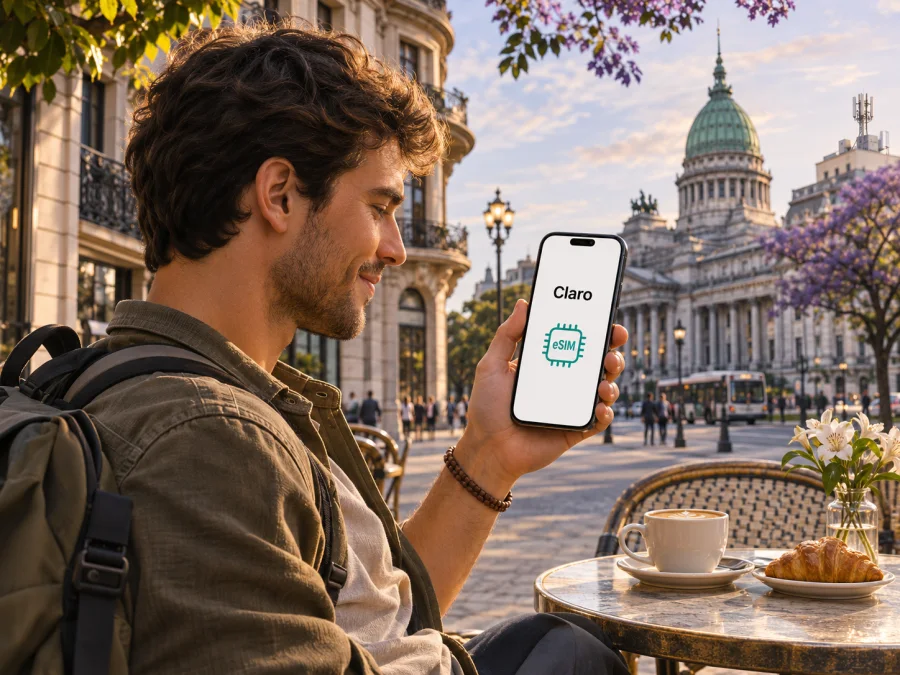
Claro eSIM in Argentina: activation, coverage and travel options
Claro is a mobile network operator in Argentina, and its current customer support information confirms that eSIM is available for existing lines as well as for a new prepaid line. That makes Claro eSIM a relevant option to investigate if you are travelling to Argentina and need a local mobile line. The practical details depend on your status, the device you bring, and whether you need a local number or only mobile data.
This guide explains what Claro currently documents about requesting and activating an eSIM, what a visitor should check before relying on a local line, and how to think about coverage across a multi-stop trip. It does not reproduce plan names or plan conditions: offers and eligibility can change, so confirm current terms directly with Claro before applying.
What Claro eSIM means for a visitor
An eSIM is a digital SIM profile installed on a compatible phone. It performs the SIM function without a removable plastic card. With Claro in Argentina, its support pages describe a QR-based process and a request path through Mi Claro; the company also presents a new prepaid line with eSIM through a separate online flow. These are operator-issued local service options. They should not be confused with a travel eSIM, which is usually arranged before a trip to provide connectivity in a destination without opening a local mobile account.
The distinction matters because the two products can serve different needs. A local Claro line may be appropriate when you want a local mobile number and are able to meet the operator’s current identity and account requirements. A travel data eSIM can be more straightforward when your main need is internet access and you prefer to arrange it before departure. A data-only travel eSIM generally does not replace your home number for ordinary calls or SMS; keep your regular line available for those services if you need them, while reviewing your home operator’s roaming settings.
Claro’s official assistance pages, checked on 3 November 2026, describe requesting an eSIM for an existing line and activating a new prepaid line with eSIM. Availability of the format is therefore confirmed, but that does not mean every visitor can obtain a line by the same route. The operator’s online flow may apply eligibility rules, identity checks, or requirements tied to residence and documentation. The page for new prepaid eSIM applications is the relevant place to confirm whether a foreign visitor can complete that process at the time of travel.
Claro in Argentina: network and coverage context
Claro is one of the mobile operators serving Argentina. It provides mobile connectivity through its own Argentine service and publishes a coverage tool for people checking where its network is expected to be available. The operator’s coverage page refers to 3G, 4G and 5G coverage in Argentina. The presence of these network generations on a coverage map is useful context, but it is not a guarantee that a particular device will connect to each one in every place.
Claro itself describes its coverage area as an estimate produced with a prediction tool and says that the information is for reference, does not guarantee service in a particular location, and that signal quality can vary. That caveat is important when planning beyond a single city. A map can help you compare the places on your itinerary, but real reception may depend on the exact street, building, terrain, device bands, local network load, and indoor conditions. Do not treat a national map as a promise of uninterrupted service on every road or at every address.
The coverage page and support instructions mentioned here are Claro Argentina public pages, checked on 3 November 2026. They are the best starting points for current local information, but they do not certify how a particular handset will perform or establish signal conditions at a future date. Coverage maps and device support can be updated; review them close to departure.
Is Claro eSIM suitable for a tourist?
It may be, depending on what you need and whether you qualify for the route you intend to use. A visitor who wants a local number, local account access or a long-term connection has different needs from someone who only wants data for a short stay. Claro’s documented eSIM options include an existing-line process and a new prepaid-line process. The online prepaid route is a distinct application flow, so do not assume that eligibility for a current Claro customer automatically means a short-term visitor can register online.
Before you choose, verify the following directly with Claro:
- Whether a non-resident can request a new prepaid line with eSIM at the time you travel.
- Which identity document is accepted for the application and whether the document must match the applicant or account holder.
- Whether the application must be completed while physically in Argentina, and whether a local address or other information is required.
- Whether a line can be ordered online by a visitor or must be obtained at a service location.
- Which phone models and regional variants are accepted by the IMEI compatibility check.
- Whether the line you are considering supports the services you need, such as a local number, calls, messages and mobile data.
- How replacement, reinstallation or transfer works if you change phones or lose access to the original device.
Requirements may change, and the information for one route does not necessarily apply to another. Claro’s existing-customer eSIM instructions refer to the DNI, account access, device IMEI validation and identity verification. The operator also says that if the line is registered to someone else, that account holder needs to make the request and forward the QR code. For a suspended line following theft or loss, Claro directs customers to a branch. Those directions are useful indicators that account ownership and identity matter; they are not proof that a visitor without an existing account can complete the same steps.
For a current overview of a travel-data alternative, you can browse eSIM options for Argentina. The destination page is for checking available travel connectivity; it is not a Claro tariff page and does not imply that Claro supplies or endorses the travel eSIM.
How to request and activate a Claro eSIM
Claro’s current self-service instructions focus on an existing line. The sequence below summarizes the operator’s process without reproducing its application screens. Follow the live instructions in Mi Claro, since menu names and checks can change.
- Confirm that your phone supports eSIM, is unlocked for use with other operators, and is the exact device you intend to use. Locate the IMEI in the phone settings or by using the device’s standard IMEI display method.
- Make sure you can sign in to Mi Claro for the relevant line. Claro’s guidance says to select the line, open “Mi SIM” and choose the eSIM request option. The online request asks for the device IMEI so the operator can check compatibility.
- Have an internet connection available and follow the identity-verification steps shown in the account. Claro’s current help page lists a DNI, Wi-Fi connection and sufficient battery as requirements for requesting through Mi Claro. It describes an identity check that may include a document image and a selfie.
- Once the request has been approved, retrieve the QR code shown in the account or sent to the registered email address. Keep it private; a QR code can be used to install the profile associated with the request.
- Connect the phone to Wi-Fi, open the system’s eSIM or mobile-plan settings, scan the QR code and confirm installation. If the code is displayed on the same phone, follow the device maker’s method for adding a plan from a saved image or use another screen to display the code.
- After installation, confirm that the Claro profile is enabled and select it for the services you want to use. Check mobile data and voice settings before turning off Wi-Fi. If registration does not complete, use Claro’s current help channels rather than repeatedly scanning a code without knowing whether it can be reused.
For an existing line, Claro says that Mi Claro can provide the QR code and that it is also sent by email. The company’s activation guidance instructs customers to connect to Wi-Fi, scan or open the QR, accept the activation prompt and wait for the process to finish. The request and activation pages were checked on 3 November 2026. Read both before starting: requesting a profile and installing it are separate steps.
Claro’s help page for a new prepaid line describes a separate online signup. Its application includes a note for foreign applicants, but the visible information may not answer every case or document question. Check the form and current terms yourself before depending on it. If the signup cannot be completed online, contact Claro to ask whether an in-person option is available to a visitor and what you would need to bring.
What to check on your phone before travel
A compatible device needs more than an eSIM menu. Confirm that the phone is carrier-unlocked, supports eSIM in the exact regional version you own, and can use the radio technologies and bands needed where you will travel. A model name alone may cover multiple hardware variants. Check the full model number in the manufacturer’s support information and ask Claro to validate the IMEI if you are applying for a Claro profile.
For a general device check, use device compatibility checker. It can help assess support for the travel eSIM product, but passing that check does not establish that Claro will accept the device for a local line. For Claro, the operator’s IMEI check and the exact line requirements remain decisive.
Local Claro service or a travel data eSIM?
The right choice follows from the role you want the connection to play. A local Claro eSIM is a mobile line issued in Argentina, subject to Claro’s eligibility checks and terms. A travel eSIM is arranged through a travel service for connectivity abroad and may use partner networks in the destination. It is not the same as signing up for a local operator account, and it should not be presented as a Claro product.
A local line may be worth investigating if you need a local number, expect to stay for an extended period, or want a service tied to an Argentine operator. Confirm that registration is available to you, that your device is accepted, and that the service includes the functions you rely on. A short trip focused on data may call for a simpler arrangement that can be prepared before arrival. The decision is not only about network coverage: eligibility, language, account support, phone compatibility and your need for voice or SMS all matter.
Kaspersky eSIM Store is an app and website for selecting, purchasing and activating an eSIM plan for mobile internet on an overseas trip. Its Argentina destination page can be used to review what is currently offered for travel. Product details may change, so check the current destination page before purchase and make sure the coverage and activation conditions fit your itinerary. The service is not a mobile network operator, does not own Argentina’s cellular networks and does not provide the radio access itself; connectivity depends on the underlying network arrangements used by the travel eSIM.
The Kaspersky eSIM Store travel eSIM is data-focused. It does not provide a regular local phone number for ordinary calls or SMS. Internet-based messaging and calling apps can still work over data, subject to the app account and connectivity. Keep your home SIM if you need its number for calls or verification, and understand any roaming charges from your home provider. The Kaspersky eSIM Store website states that a travel eSIM can be installed through the account or QR instructions and that device settings may need to select the travel profile for data; some devices also require data roaming to be enabled for that profile.
This gives travellers a practical way to separate connectivity roles: a primary number can remain on the home line while a travel eSIM is selected for mobile data. That setup is optional and depends on the phone. Review your device’s dual-SIM behavior and your home operator’s roaming terms before leaving. To check current destination availability, see Argentina in Kaspersky eSIM Store; it is a travel eSIM destination page, not an operator tariff listing.
Coverage planning for an Argentina itinerary
Start with the actual route, not a broad idea of national coverage. Mark the places where you will stay overnight, likely day trips, transit hubs and longer stretches between towns. Consult Claro’s map for those locations and note where the map indicates different network generations. Because the operator explicitly says that the displayed service area is estimated and that signal quality may vary, plan for short gaps even where a map suggests service.
Think about how you will use the connection. Navigation, translation, messaging and ticket access have different consequences if they stop working. Download maps and essential travel details while online. Save accommodation addresses and transport instructions in a form that works offline. If someone needs to reach you, agree on a backup method, such as a check-in time or an internet messaging channel that both parties already use.
Troubleshooting checklist
If an installed Claro eSIM does not connect, confirm that the profile is enabled, the correct line is selected for mobile data, airplane mode is off and the Claro line is active. Restart the phone if prompted. If an activation or compatibility error remains, record the message and contact Claro through its current support channels. Do not delete or reset the profile until Claro explains how replacement works.
For a Kaspersky travel eSIM, use the installation information in your account, select it for mobile data and follow the product’s device-specific directions. Menu labels vary by manufacturer and operating-system version. See the current guides for Android and iOS. These guides are for the Kaspersky travel eSIM; set up a Claro local profile using Claro’s instructions.
Questions travellers often ask
Does Claro offer eSIM in Argentina?
Yes. Claro Argentina’s current assistance pages describe eSIM requests for existing lines and a separate process for a new prepaid line. Confirm which route you qualify for before travel.
Can a tourist get a Claro eSIM?
Possibly, but do not assume every visitor qualifies for online signup. Check current documentation, residency and in-country requirements directly with Claro.
Can I activate it before arriving?
Claro describes installing a QR profile over Wi-Fi, but when a new line may be issued is a separate question. Ask Claro whether your application can be completed from abroad and when service becomes available.
Does any eSIM phone work with Claro?
No. The exact device variant must support eSIM, be usable with another operator and pass Claro’s compatibility process. Check the IMEI with Claro and verify the manufacturer’s specifications.
Will coverage be available everywhere?
No map guarantees service at every address or along every route. Claro describes its map as an estimate and warns that signal quality varies. Check locations on your itinerary and save important information offline.
Can I keep my number while using a travel eSIM?
Many dual-SIM phones allow a home line to remain enabled while a separate eSIM supplies data, but device behavior varies. A travel data eSIM does not itself provide your home number’s calls or SMS. Check the phone settings and home roaming terms.
Where can I confirm current requirements?
Use Claro Argentina’s eSIM request, activation, new prepaid signup and coverage help pages. They were checked on 3 November 2026; recheck them when applying because requirements can change.
Before you go
Claro eSIM is a confirmed option in Argentina, but the route available to a visitor depends on current eligibility, identity requirements and device acceptance. Confirm those points directly with Claro, check the coverage map for the places on your route, and make sure your phone’s precise regional variant is supported. Keep the QR code and account access secure, install only over a reliable connection, and plan for coverage gaps.
If a local number is important and you meet Claro’s requirements, a local line may fit your trip. If you mainly need mobile data and want to prepare before departure, compare that need with a travel eSIM and review the destination’s current coverage and activation details. Kaspersky eSIM Store is one such app and website for arranging a travel data eSIM; it is not affiliated with Claro, and Claro has no affiliation with or endorsement of Kaspersky eSIM Store. Choose according to your route, device and the services you need, and confirm the latest terms with the relevant provider before travelling.


