Travel connectivity guide
Claro eSIM in Brazil: what travellers should check
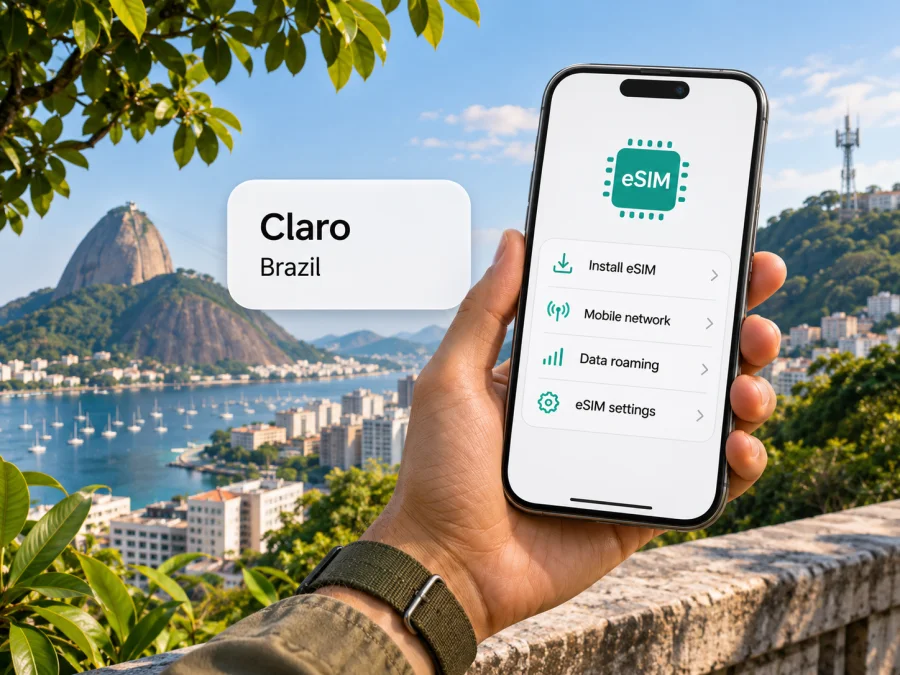
Claro eSIM in Brazil: activation, compatibility and travel options
If you are travelling to Brazil, a Claro eSIM may let you use a local mobile line without inserting a plastic SIM card. Claro’s current public guidance confirms eSIM support for new lines and for replacing an existing SIM, with online, app and store routes depending on the customer and product. For visitors, there is an extra practical detail: Claro says foreign customers can activate a prepaid eSIM with a passport, but only at a physical Claro store. That requirement can shape whether a local line fits your arrival plans.
This guide explains what the operator’s published information confirms, what you should check before travelling, and how a travel data eSIM differs from a local Claro line. It does not list plans or prices because those can change. The official pages cited by publisher and title below were checked on November 3, 2026; confirm current eligibility and conditions with Claro before you apply.
Claro’s role in Brazil
Claro is a national mobile operator in Brazil and part of a wider telecommunications business. On its institutional history page, Claro says that the brand began operating officially in Brazil in 2003 and describes its mobile, fixed broadband and television activities. It is therefore useful to distinguish a Claro mobile subscription, which is a local operator account, from a travel eSIM selected through a separate service for data use abroad.
Claro’s official coverage map describes mobile coverage using several generations of technology, including 5G, 4G, 3G and 2G. Its map also explains that a customer outside Claro’s own network may be served by a partner operator through national roaming. The map is the best starting point for checking a specific destination, but it is not a promise that every street, building, highway or rural area will have a usable signal. Buildings, terrain, device capability, network load and the exact location can affect service.
The coverage page reports a broad national footprint, but broad population or municipality figures cannot tell you whether service will be available inside your hotel, on a remote road or at a particular attraction. Search the map for the places on your itinerary and ask Claro about any critical gaps. If you are travelling through multiple states, check each leg rather than assuming that a result for a major city applies to the entire route.
Is Claro eSIM available in Brazil?
Yes. Claro’s official eSIM page currently describes eSIM for a new line as well as conversion from a physical SIM, and links to online purchase routes and Claro stores or authorised resellers. The page also says existing customers can request a physical-SIM-to-eSIM change through the Minha Claro app. Claro’s prepaid page separately says that a customer can obtain a physical SIM or activate a prepaid eSIM through its online route. This confirms general eSIM and prepaid availability, but not that every offer or online onboarding route is open to every visitor.
The visitor instructions are more specific. Claro’s eSIM page says that foreign customers can activate prepaid eSIM using a passport as identification, exclusively at a physical Claro store. In other words, a visitor should not assume that a domestic online checkout or the customer app will accept a foreign passport or complete the same registration process. If you want a local Claro line, confirm the store process, required documents, accepted payment methods, opening hours and current eligibility before relying on it. The requirements can change and may depend on the type of line.
Claro’s eSIM page also contains a section for an international visitor digital offer. Its presence shows that visitor-oriented information is published, but it should not be treated as confirmation that a particular visitor product is available to you, or that it can be activated remotely. Follow the current instructions for your own situation and confirm directly with Claro. This article does not reproduce the name, price or conditions of any Claro plan.
Ways to get and activate a Claro eSIM
The route depends on whether you are opening a new line, changing an existing SIM, and whether you are a Brazilian customer or an international visitor. Claro’s current consumer page lists online channels and physical locations; it also describes app-based conversion for existing customers. Its visitor note points foreign prepaid customers to a physical shop with a passport.
| Your situation | Route described by Claro | What to confirm |
|---|---|---|
| Existing Claro customer replacing a physical SIM | Request the change through Minha Claro, where eligible | Device compatibility, account access and the app’s current steps |
| New eligible line or prepaid purchase | Use the online channel offered for that service, or a Claro store / authorised reseller | Whether your identity and payment can be accepted through that channel |
| Foreign visitor seeking prepaid eSIM | Visit a physical Claro store with your passport | Store availability, registration requirements and which services are currently offered to visitors |
| Moving an existing line to another device | Follow the transfer or replacement method shown for your model and account | Whether your QR/profile can be reused and whether the old profile must first be deactivated |
A locally issued Claro eSIM and a travel eSIM are separate products and profiles. A travel eSIM does not convert your home SIM into a Claro line, and purchasing one does not create a Brazilian telephone number. Decide first whether you need a local number, data access, or both. If voice calls or SMS are essential, check precisely what the chosen local service includes; do not infer those features from the word “eSIM.”
Before you choose a local line or a travel eSIM
A local Claro line may make sense if you want a Brazil-issued mobile service, need a local number, expect to manage a subscription with the operator, or are staying long enough that a local registration process is convenient. A visitor who needs to visit a store should include that stop in their arrival plan, carry the required identification, and account for business hours and local availability. It is sensible to ask a Claro representative to confirm the line is active before leaving the shop.
A travel eSIM can suit someone who mainly needs mobile data and wants to arrange connectivity before reaching a store. Kaspersky eSIM Store is an app and website that helps travellers choose, arrange and activate an eSIM with a data plan for an overseas trip. Its Brazil destination page provides a place to review current travel options. That page may change, so check the current destination, coverage description, data terms and validity information yourself. It is not a Claro tariff page and should not be described as a specific Claro offer.
With Kaspersky eSIM Store, the eSIM is intended for mobile data. The product FAQ says it does not include a phone number or regular voice calls and SMS; internet calling and messaging apps can work when you have data and the relevant account access. Keep your usual number active if you need calls or bank verification texts, and ask your home operator about any charges that may apply. On a dual-SIM phone, you may be able to keep your home line for calls while choosing a travel profile for data, but the available combinations vary by model and configuration.
A travel eSIM and a local Claro line are separate profiles and services. Check which line your phone uses for data and whether the product fits each country on your route. Do not assume a travel eSIM uses Claro’s network, or that a Claro line includes international roaming. Confirm those details with the relevant provider.
Explore eSIM options for Brazil if a travel data option fits your trip. Review the current conditions on the destination page before selecting anything; availability, included data and validity can change.
Check the device before travel
The fact that a phone supports eSIM in one country does not guarantee that every regional variant supports it. Claro says that a phone purchased outside Brazil can be used with its eSIM if it is compatible, free of restrictions and approved by Anatel. This is particularly relevant for phones sold in different regions under a similar model name. Check the full model or part number in the manufacturer’s specifications and confirm directly with Claro if you plan to use a Claro profile.
Also check for a carrier lock. A phone locked to another carrier may prevent you from adding or using an eSIM from Claro or a travel provider. Ask the seller or your home carrier to confirm that the device is unlocked. If you have more than one SIM profile, read the manufacturer’s instructions for switching the line used for mobile data and for enabling data roaming on the correct profile.
For travel data eSIM setup, check eSIM device compatibility before purchase. Compatibility lists are not interchangeable: support depends on the precise device variant, country of sale, operating system and carrier restrictions. If the model is not clearly listed, verify with the device manufacturer and the service provider rather than relying on a model family name alone.
Install and activate: a practical checklist
Use Claro’s current instructions for the exact device and service. The menu names below are general; they may differ by operating-system version, language or manufacturer. Keep a Wi-Fi connection available while downloading a profile. If a QR code is supplied, display it on another screen or use the device’s camera-based setup flow, as directed by the operator.
If Claro has issued a QR code
- Confirm that the phone is compatible, unlocked and the model is accepted for the service.
- Connect to Wi-Fi before beginning the installation.
- Open the phone’s mobile or cellular settings and choose the option to add an eSIM or mobile plan.
- Scan the QR code supplied by Claro and follow the prompts on screen.
- Label the new line so you can distinguish it from your home SIM or any travel profile.
- Choose which line should handle mobile data, calls and messages, based on your needs and service terms.
- Wait for the activation process to finish, then test the connection before depending on it for navigation or bookings.
Claro’s official device instructions give examples for Apple and Android manufacturers, but the paths differ by handset. Its eSIM page says the device should be connected to Wi-Fi to complete activation. Some QR codes are one-time or otherwise restricted, so do not delete a working profile or scan the code on another phone unless Claro instructs you to do so. If you change phones, ask Claro how to replace or transfer the eSIM before resetting the old device.
If you are installing a travel data eSIM
- Check device compatibility and make sure the phone is unlocked.
- Choose Brazil as the destination in Kaspersky eSIM Store and read the current product conditions.
- Complete the order and find the eSIM installation instructions in your account, app or confirmation email.
- Install the profile over Wi-Fi, following the prompts for your device.
- Keep your home line selected for calls or texts if you need it, and select the travel profile for mobile data when appropriate.
- Follow the provider’s activation instructions. Depending on the product, installation and first use may happen at different times.
- If the provider requires data roaming for the travel eSIM, enable it for that profile only and confirm your home line’s roaming settings separately.
- Test data access once the eSIM is meant to be active, and keep the confirmation details available in case you need support.
Do not turn off or remove a profile just because the phone shows it as installed. Installation, activation and the start of service are not always the same event. Read the instructions for the specific product so you know when the service begins and how to avoid accidentally using the wrong line for data.
Questions travellers ask
Can a foreign visitor activate Claro eSIM in Brazil?
Claro’s current eSIM page says foreign customers can activate prepaid eSIM using a passport as identification, exclusively at a physical Claro store. Confirm current requirements, availability and the appropriate line type directly with Claro before visiting.
Can I buy and activate a Claro eSIM before I arrive?
Claro lists online routes for eligible services and app-based conversion for existing customers, but its visitor-specific prepaid instruction points foreigners to a physical store. Do not assume that an online flow is available to a foreign visitor. Ask Claro whether your nationality, identification and selected service can be processed remotely.
Does Claro eSIM work on a phone bought abroad?
Claro says a foreign-purchased device must be eSIM-compatible, unrestricted and approved by Anatel for Claro use. Regional variants can differ, so check your exact model and ask Claro if you are unsure.
Does an eSIM guarantee 5G in Brazil?
No. The eSIM is a way to store a subscriber profile; it does not guarantee a particular network generation. Claro’s coverage map lists 5G as well as other mobile technologies, but actual access depends on the location, device, service and network conditions.
Is a travel eSIM the same as a Claro line?
No. A travel data eSIM is a separate profile intended for the service described by its provider. Kaspersky eSIM Store helps you choose, arrange and activate a data eSIM for a trip; its published FAQ says it does not include a regular phone number, calls or SMS. A Claro line is a service from Claro and may be relevant if you need a local number or operator-managed account.
Can I keep my normal number while using a travel eSIM?
Some dual-SIM devices let you keep a home line available while using another profile for data. The exact setup depends on your handset and home carrier. Confirm roaming settings and charges, then check which line is selected for calls, messages and mobile data.
What should I do if Claro coverage is uncertain on my route?
Search each destination on Claro’s official coverage map and ask Claro about places that matter to your itinerary. Prepare offline maps and essential documents for travel segments where service may be unavailable or variable.
Verify before you go
The key facts in this guide were checked on November 3, 2026 against Claro’s official eSIM Claro: Comprar Chip Virtual e Ativar Online page, its Como habilitar o eSIM da Claro no meu dispositivo? help page, the official Planos Pré-pago Claro page, the Mapa de Cobertura Claro and the Visitantes Internacionales en Brasil page. Claro’s institutional history page was also checked for its description of the company’s Brazilian operation. Kaspersky eSIM Store’s Brazil destination page and published product FAQ were checked for the travel-data distinction and setup path.
These official pages can change after publication. Use the current Claro store locator and support channels to confirm the passport process, registration, device acceptance and coverage for your itinerary. Check Kaspersky eSIM Store’s Brazil destination page for the current travel product details if you are considering that route. Do not rely on an old QR code, a saved offer or a general network map to establish your eligibility.
Claro and Kaspersky eSIM Store are separate companies. This independent guide is not sponsored by, affiliated with or endorsed by Claro. The operator name is used only to identify the service discussed.
Choose the option that fits your trip
If you need a Brazil-issued number or want a service managed by the local operator, check Claro’s current visitor process and plan time for an in-person store visit with your passport. If your main need is mobile data and you prefer to prepare before travelling, review the current Brazil options in Kaspersky eSIM Store. Confirm that your device is compatible, understand when activation begins and keep a second way to access essential travel information.


