Travel connectivity guide
Claro eSIM in Guatemala: activation and compatibility
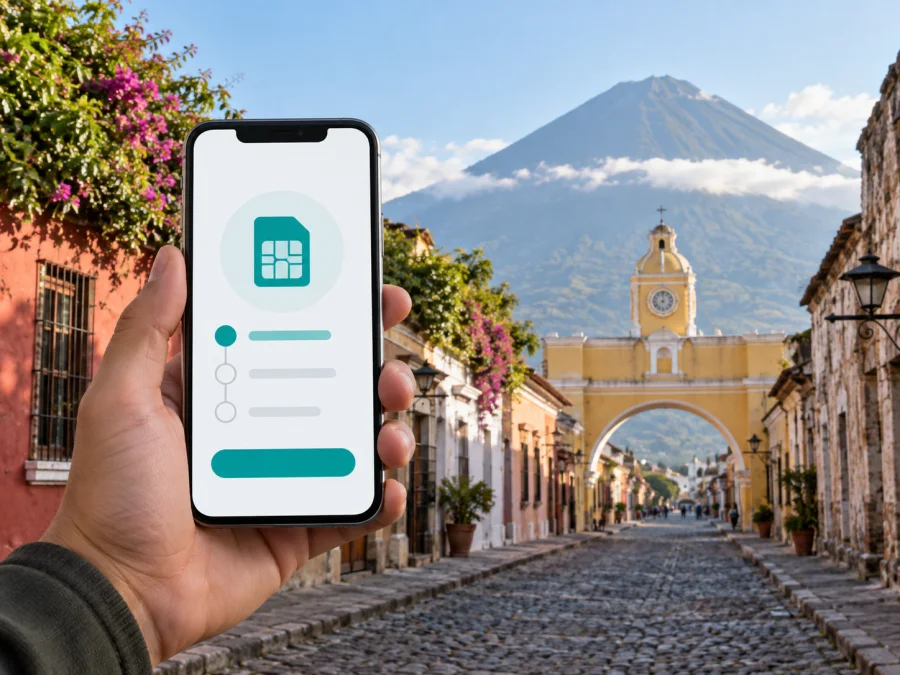
Claro eSIM in Guatemala: activation, compatibility and travel options
If you are travelling to Guatemala and use Claro, an eSIM can keep a mobile profile available without handling a physical SIM card. The practical questions are whether your exact phone model is supported, whether the phone is unlocked, how the profile is issued, and whether the service fits your need for local voice and data or travel internet.
This guide describes current public information for Claro in Guatemala and separates a local operator eSIM from a travel eSIM. Conditions can change, so confirm the process and customer requirements before relying on eSIM as your only connection.
Verification date: 21 September 2026. Claro Guatemala’s public pages confirm eSIM Prepago, QR setup, prepaid service, 4G-related VoLTE and 5G information. Kaspersky eSIM Store’s Guatemala listing, Help Center and installation material were checked on the same date.
Claro in Guatemala
Claro is a consumer mobile operator in Guatemala whose public site presents prepago, postpago, roaming and eSIM services, with stores and support channels. A Claro eSIM is therefore part of a local mobile relationship rather than a generic internet code. A visitor should check the current sales channel, device list, identity requirements and whether the QR code can be issued without a store visit.
What Claro Guatemala confirms about eSIM
Claro Guatemala has a public page titled “Adquirí tu eSIM Prepago”. It describes eSIM as a digital SIM built into a compatible phone and gives a QR-based activation route. Separate instructions are shown for iOS and Android. The page also says that eSIM works with selected smartphones and smartwatches, so seeing an eSIM menu is not, by itself, proof that the requested Claro profile will work.
Claro’s mobile pages describe using an eSIM and a physical SIM in the same device. Whether that works as desired depends on the phone, regional model, operating system and service configuration.
Claro’s published steps say that the QR code is sent to the customer’s email and scanned from the phone’s cellular settings. Keep access to that email and a stable internet connection during installation. Treat the code as a private activation credential: do not post it or send it to anyone who does not need to assist with your own device.
Prepaid and tourist questions
Claro Guatemala publicly offers prepaid mobile service, and its eSIM page connects eSIM with that service category. This confirms general eSIM availability for prepaid customers on the verification date, but not that every traveller can buy one remotely or activate without local verification. The site also describes prepaid roaming and other travel-related services; ask about current eligibility, registration and activation rather than assuming a separate tourist eSIM.
Carry the identity document used for the request. Claro customer information indicates that a passport may be needed for some account actions involving a foreign customer, but that is not a universal rule for every eSIM purchase. Confirm the requirement with the current channel.
Technologies and coverage
Claro Guatemala’s current public Red 5G page says that its 5G service is available in the country’s 22 departments and lists compatible devices. Its VoLTE page explains that voice over LTE requires a compatible smartphone, a compatible SIM and service activation. The configuration steps refer to 4G, VoLTE and automatic or preferred 5G settings on supported iOS and Android devices.
These statements confirm the technologies Claro documents publicly; they do not guarantee a particular signal or indoor result. Coverage depends on the declared footprint, the phone’s supported modes, the active service and local conditions. A device may show 4G or 5G in one place and another mode elsewhere.
| What to check | Why it matters |
|---|---|
| eSIM support | The phone must download and store a cellular profile. |
| Network modes | The device needs compatible radio support for the local service. |
| VoLTE eligibility | Voice over LTE may require a supported phone, SIM and setting. |
| Local coverage | A national or departmental statement cannot predict every room or route. |
| Line selection | Mobile data, voice and the preferred SIM may use separate controls. |
In short, Claro documents eSIM, 4G-related VoLTE use and 5G access for compatible devices, while the actual connection depends on location, device and account status. If you need voice, ask whether the exact eSIM line supports it.
Local Claro eSIM or travel eSIM?
An eSIM is a form of SIM, not one universal service. A local Claro eSIM is arranged through the Guatemalan operator and follows its identity, account, support and activation rules. A travel eSIM is arranged through a travel service for an international trip. It can be convenient for mobile internet, but it does not automatically provide every feature of a local line.
| Question | Local Claro eSIM | Travel eSIM |
|---|---|---|
| Activation | Claro Guatemala or its authorized channel | The travel service and its support channel |
| Main use | A local mobile line or service | Mobile internet for a destination or trip |
| Confirm first | Device, registration, local functions and support | Unlocked device, destination, settings and voice/SMS scope |
The distinction is about service structure. If you need a Guatemalan number or local support, investigate Claro directly. If you mainly need travel data before departure, consider a travel eSIM. Verify the live conditions first.
Prepare your phone
Before scanning the QR code, confirm the exact model and region, make sure the phone is unlocked, update its operating system, and keep Wi-Fi or another data connection available. Save the activation email securely, label the profiles and choose the intended data line. Keep the provider’s help channel and device model ready. A phone bought abroad may differ from the same named model sold elsewhere.
<a id="kesim-device-compatibility"></a>
Device and eSIM compatibility
Claro’s eSIM page says that compatible smartphones and smartwatches are selected rather than universal. Start with the operator’s current list, then check the phone. On iOS, look in the cellular or mobile-data section; on Android, look under connections, SIM management or mobile networks. Menu names vary by language and manufacturer.
Confirm the exact model and sales region, unlocked status, operating-system support, dual-SIM limits, internet access for installation, and support for the requested Claro or travel profile. Compatibility has several layers: a phone may support eSIM technically but not the operator profile, or may install it and still need mobile-data, roaming or VoLTE settings adjusted.
How Claro eSIM activation works
Claro’s public instructions provide a QR-based device route. The commercial step before installation must be confirmed with Claro, but the device sequence is clear.
iOS
- Connect to Wi-Fi and open Settings in the cellular or mobile-data section.
- Choose Add eSIM or the equivalent mobile-plan option.
- Select the QR route, scan the code sent to the service email, and follow the confirmation screens.
- Label the line, choose the data profile and test it without deleting the previous profile.
Android
- Open Settings, then Connections and SIM Manager or the equivalent menus.
- Choose the option to add a mobile plan and select the operator QR route.
- Scan the code sent to your email and confirm Add.
- Select the eSIM for data and test a normal session.
The labels vary by device language and software version. If the service reports that a code has already been used, do not repeatedly scan it or delete the profile. Contact the issuing channel with the exact error.
After installation and troubleshooting
Installation and usable connectivity are not always the same event. After the profile appears, switch it on, select it for mobile data, follow the provider’s roaming directions and turn off automatic data switching during the first test. If voice is important, check voice support and VoLTE status, and keep the home SIM from using roaming data accidentally.
If there is no connection, toggle airplane mode, restart the phone and recheck the selected data line. Then confirm the access-point and roaming settings supplied by the relevant service. Do not delete the eSIM while troubleshooting: some profiles need a new activation step before they can be installed again. Record the device model, operating system, signal indicator and error message for support.
Using Kaspersky eSIM Store for mobile internet in Guatemala
Kaspersky eSIM Store is an app and website that helps users choose, arrange and activate an eSIM with a suitable travel option for mobile internet abroad. It is not a mobile operator, does not own Claro’s network and does not provide a Guatemalan radio network. Its service remains separate from Claro’s local customer relationship.
The public Kaspersky eSIM Store sitemap lists Guatemala as a destination. Its Help Center, installation instructions and terms cover support, device compatibility and the need for an internet connection. Read the current destination instructions at selection time.
If your goal is travel data, review the Guatemala destination here: choose an eSIM for Guatemala. This is a travel-service destination flow, not Claro account activation. Do not describe the resulting eSIM as a Kaspersky network or as a replacement for every local-operator function.
When a travel eSIM may fit
A travel eSIM may suit someone who wants mobile internet before leaving, keep a regular physical SIM in the phone, or avoid a sales point after arrival. It is not a complete substitute when you need a Guatemalan number, local voice and SMS, operator-specific support or registration under local rules; ask Claro about its local route in that case. To set up travel service, check the destination and current instructions, install with stable internet, label the profile, select it for data, follow roaming directions and contact support with the model and error if needed. Test it before relying on it for maps or messages.
Common questions
Does Claro Guatemala support eSIM?
Yes. On the verification date, its public site had a dedicated eSIM Prepago page with QR instructions and a selected-device compatibility statement. Availability for a particular customer, phone, line type or channel still needs confirmation.
Can a visitor activate it after landing?
The public pages confirm the workflow but not that every visitor can complete it remotely. Ask about the purchase channel, identity document, registration and whether the QR code can be issued without a local visit.
Does eSIM automatically mean 5G?
No. eSIM describes how the profile is stored. Network access also depends on the phone, service, radio mode and location. Claro documents 4G-related VoLTE and 5G settings, but a compatible eSIM does not guarantee 5G everywhere.
Can I keep a physical SIM while using eSIM?
Claro’s mobile pages describe using an eSIM and physical SIM in one device. Whether both lines can be active and which functions work together depend on the phone and service configuration.
Is a travel eSIM the same as a Claro local line?
No. A travel eSIM is separate. Kaspersky eSIM Store helps users choose, arrange and activate an eSIM for mobile internet abroad; it is not Claro, does not own the Claro network and does not create a Claro customer account.
What if the QR code fails?
Check that the phone is unlocked, online and using the correct add-eSIM menu. Do not share or repeatedly reuse the code. Contact the issuing provider with the error and device details.
Does an eSIM provide calls and SMS?
Not automatically. A local operator line and a travel eSIM can have different functions. Confirm voice and SMS support; if the travel service is for mobile internet, use internet messaging where appropriate.
Final checklist
- Confirm the exact phone model, region and unlocked status.
- Verify eSIM support with current Claro or travel-service information.
- Decide whether you need a local number or only mobile internet.
- Carry the identity document that may be required locally.
- Keep another internet connection for QR installation.
- Save the activation email and support channel; set the preferred data line.
- Review roaming on the home SIM and test the installed profile before disabling it.
Conclusion
Claro Guatemala publicly confirms an eSIM Prepago route with QR activation, selected-device compatibility and documented 4G-related VoLTE and 5G settings. Confirm the current sales channel, identity requirements, supported device and functions of the chosen line; device and location still affect the connection.
For a traveller who mainly wants mobile internet, a travel eSIM is a separate route. Kaspersky eSIM Store can help with destination selection, ordering and activation through its app and website, while the connectivity remains subject to the selected service and local network conditions. It is not a mobile operator or a replacement for every Claro function. Review the Guatemala travel eSIM option after checking compatibility and current activation information.
The names Claro and Kaspersky eSIM Store belong to their respective rights holders. Kaspersky eSIM Store is not affiliated with, endorsed by or an official partner or distributor of Claro Guatemala. Availability, documents, device support, coverage and activation conditions can change, so verify them with the relevant provider on the day you connect.
Public information checked
On 21 September 2026, I checked Claro Guatemala’s eSIM Prepago, Servicios Móviles, Prepago, Red 5G, VoLTE and support sections, plus Kaspersky eSIM Store’s Guatemala listing, Help Center, Android instructions and Terms and Conditions.


