Travel connectivity guide
Claro eSIM in Nicaragua: what travelers should check
Claro eSIM in Nicaragua: what travelers should check
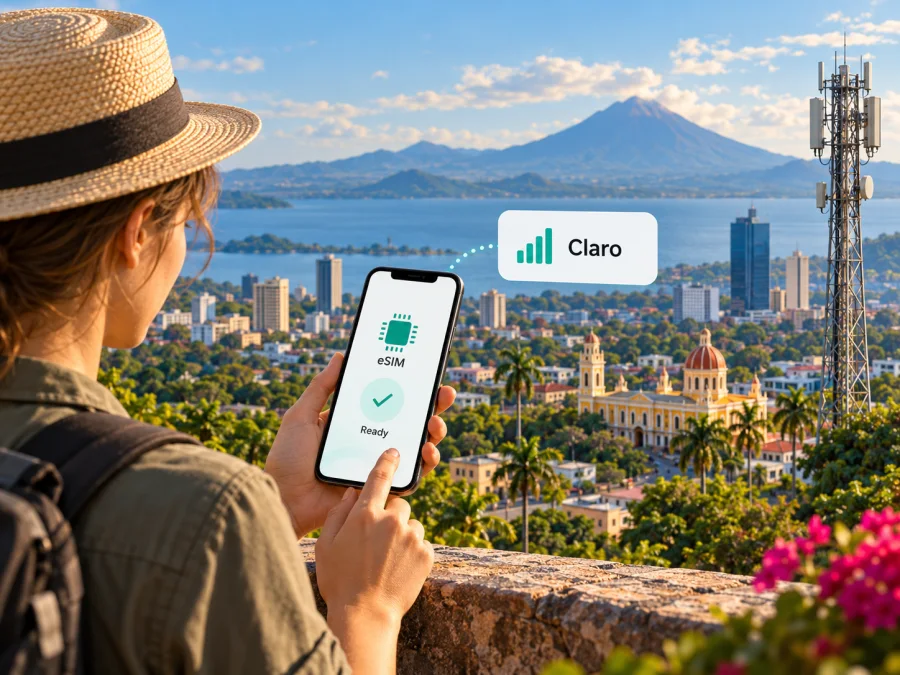
Claro Nicaragua’s eSIM page says the service is available for prepaid and postpaid customers. It describes online ordering, QR delivery by email, and setup on a compatible phone. The page was checked on 1 November 2026.
Visitors should still confirm account eligibility, identity and payment requirements, and support for the exact regional phone variant. This guide covers confirmed details, setup, coverage checks, and travel eSIM alternatives without listing plan names or prices.
Claro in Nicaragua
Claro is a mobile network operator serving Nicaragua under the Claro name. Its local website provides information about mobile service, prepaid and postpaid accounts, customer support, online account access, and network coverage. A local Claro line is an account with that operator, so enrollment, identity checks, payments, and support depend on Claro’s own terms.
The operator’s eSIM page, “Pasate de SIM a eSIM,” currently describes eSIM for both prepaid and postpaid service and says it is available throughout Nicaragua. It outlines an online route for ordering a compatible eSIM phone and a postpaid route without a phone. In both flows, Claro says the QR code and setup steps are sent by email. For a prepaid purchase, the page notes that a recharge is needed to activate the service; check the current recharge requirements with Claro before activation.
The same page covers converting an existing physical SIM. That process is useful to a current Claro subscriber, but should not be confused with a confirmed tourist purchase route. Claro’s publicly available eSIM instructions do not clearly set out every visitor requirement. If you do not already have a Claro account, ask whether a new prepaid eSIM can be issued to a foreign visitor and whether registration must happen in person. Confirm the current answer directly with Claro before planning around local service.
The factual details in this guide were checked on 1 November 2026 against Claro Nicaragua’s “Pasate de SIM a eSIM,” “Claro Prepago” welcome-kit page, “Cobertura de Servicios Claro,” and mobile-support pages. These pages confirm local prepaid service and eSIM, but do not publish a complete tourist onboarding checklist.
Is Claro eSIM available in Nicaragua?
Yes. Claro Nicaragua’s official eSIM page presents the service for prepaid and postpaid customers in the country and provides ordering and setup instructions. Apple’s current iPhone carrier-support directory also lists Claro under Nicaragua for eSIM activation using other methods. These operator and device-platform sources were checked on 1 November 2026.
The fact that eSIM is supported locally does not guarantee that every visitor can open a new account or complete every step from abroad. Claro’s displayed paths are connected to its own online store, account, or postpaid enrollment. Before relying on a Claro eSIM for a trip, ask the operator:
- Can a visitor without an existing Claro number obtain a new eSIM line?
- Which identity documents and payment methods are accepted?
- Must registration or activation be completed at a Claro customer center in Nicaragua?
- Can the QR code be issued before arrival, or only after local enrollment?
- Is the eSIM available as prepaid for visitors, or does the request require an existing account?
- What should you do if the profile fails to install or your phone is replaced?
These are items to verify, not assumptions about Claro’s policy. If Claro confirms eligibility, request the instructions for your account type and phone. If the route is unavailable to you, alternatives include your home operator’s roaming service or a travel eSIM explicitly offered for Nicaragua.
Device compatibility: check the exact variant
An eSIM is a digital SIM profile stored in the phone; it does not make an incompatible or carrier-locked device work. Claro’s Nicaragua eSIM page says that selected recent smartphones and watches are compatible and publishes a list of examples. The current page includes models from Apple, Motorola, Samsung, and Xiaomi, including selected iPhone, Moto G and Edge, Galaxy S, Z Fold, Z Flip and A-series, Xiaomi and Redmi Note families. This is Claro’s published list as checked on 1 November 2026, not a promise that every regional version or future model will work.
Before ordering or converting a line, check:
- Exact model identifier: A marketing name can cover different versions. Find the full model number in the phone settings or on its packaging.
- eSIM support and carrier lock: Look for an “Add eSIM” menu and confirm the phone is unlocked. A menu alone does not prove that Claro will accept the model.
- Regional version and software: Ask Claro whether it supports your specific model code and market variant. Install available system updates before activation.
- Local network bands: The handset also needs radio-band compatibility. Do not infer it from eSIM support alone.
- Profile limits: Check how many eSIM profiles your phone can store and which lines can be active together; these details vary by device.
Apple’s carrier directory is a useful additional check for iPhone, but does not replace confirmation of account eligibility, model approval, or local radio compatibility. If the model is not named on Claro’s list, contact the operator with its full identifier before paying or converting your existing SIM. Phones with the same retail name may differ by sales region, so do not treat a compatibility result for one country’s version as confirmation for another.
How Claro eSIM activation works
Before you start
- Confirm eligibility and requirements. Ask Claro about visitor registration, documents, payment, and the location where activation can be completed.
- Verify the exact phone. Give Claro the complete model identifier and confirm its regional variant is accepted.
- Connect to Wi-Fi. Profile installation needs internet access. Claro specifically advises having Wi-Fi available when converting from a physical SIM.
- Update the operating system. Complete pending updates before opening the eSIM setup screen.
- Read the conversion warning. Claro says the existing physical SIM becomes inactive when a QR code is generated for conversion. Start only when you are ready to move the line.
- Keep the QR private. The operator says the generated QR can be used once. Keep the email accessible until installation is complete, and do not share the code.
Install on iPhone
Menu names can change between iOS versions. Claro’s guide points to Settings, the cellular/mobile-data section, Add eSIM, and the option to use the QR code sent by email.
- Connect to Wi-Fi and open Settings.
- Choose Cellular or Mobile Service.
- Tap Add eSIM and select the QR-code option.
- Scan the code issued for your line, then follow the prompts.
- Label the profile and choose which line should handle mobile data.
- Confirm data, voice, messaging, and roaming settings with Claro for your account.
- Allow time for network registration. If setup fails, save the error message and contact Claro instead of repeatedly scanning the same code.
Install on Android
Android menus vary by manufacturer. Claro’s illustrated flow uses Settings, Connections, SIM Manager, Add eSIM or mobile plan, and the QR code provided by the operator.
- Connect to Wi-Fi and open Settings.
- Choose Connections, Network & Internet, or the equivalent menu.
- Open SIM Manager or SIMs, then choose Add eSIM or Add mobile plan.
- Scan Claro’s QR code and follow the on-screen steps.
- Name the new profile and select it for mobile data if appropriate.
- Wait for the phone to register. If it fails, note the message and contact Claro before deleting the profile or requesting another QR.
Use your phone maker’s instructions if menu names differ. A travel eSIM purchased through Kaspersky eSIM Store has its own setup steps in the app or on the website; Claro’s account instructions do not install a separate travel profile. You can also check whether your device supports eSIM before choosing a route.
Replacing or removing the profile
Claro says its eSIM is intended for the phone on which it was first activated, and that a replacement phone needs a new configuration. The operator’s recovery instructions point existing customers to Mi Claro or a Claro customer center; the conversion QR can be used once. Before resetting, repairing, or replacing a phone, ask Claro how to recover the line. Keep account access and the linked email available. If converting a physical SIM, note that Claro says it becomes inactive when the conversion QR is generated, so start with reliable Wi-Fi and time to troubleshoot.
Coverage and mobile technologies
Claro’s public coverage lookup lists localities and technologies it reports for them. The current map displays LTE and “4.5G LTE” in many listed municipalities, including Managua, León, Granada, Estelí, Matagalpa, Bluefields, and places on both coasts. The page was checked on 1 November 2026. Use the lookup to check towns along your route, but do not treat a locality listing as a guarantee of reception at every address, indoors, on a road, or at a particular time.
Terrain, buildings, network maintenance, congestion, and distance from a serving site can affect service. A coverage page is not a measured speed result. Before visiting rural or remote areas, check the actual places in Claro’s map, download maps and tickets, and keep key contacts accessible offline. This is useful preparation for travel regardless of which network or SIM you use.
“LTE” and “4.5G LTE” are the labels Claro uses in its coverage information. The public page does not guarantee a specific performance level or that every compatible phone will use the same radio mode in every place. Actual service depends on the local site, device, configuration, and account. If you need a particular technology, confirm the supported bands and local availability with Claro for your phone and route.
Local Claro eSIM or travel eSIM?
A Claro eSIM is a local operator line. It can suit someone who wants a Claro Nicaragua account, wants to move an existing Claro number to a digital SIM, or needs account features tied to local service. The line depends on Claro’s registration, support, and account conditions. Visitors should confirm they qualify before beginning the application.
A travel eSIM is arranged separately for mobile data during a trip. Kaspersky eSIM Store is an app and website that helps users choose, order, and activate an eSIM with a plan for mobile internet abroad. It is not a mobile operator, network owner, or provider of mobile coverage. The Kaspersky eSIM Store Nicaragua page currently identifies local telecommunications providers for its travel-data service; that does not mean a traveler has opened a separate Claro account or that every Claro service is included.
Kaspersky eSIM Store’s Nicaragua destination page, checked on 1 November 2026, describes the travel eSIM as data-only, without a standard phone number for ordinary calls or SMS. Internet messaging and calls can work through apps while data is available. A local Claro line may have different features, but confirm the conditions for that specific line rather than assuming voice, SMS, or roaming from the word “eSIM.”
The choice depends on what you need. If you want to keep your home number reachable while using another profile for data, check whether your handset can use both lines as intended. Select the correct data line and review roaming settings on your home SIM to avoid accidental use. If a Nicaraguan number or local operator account is important, ask Claro about registration. If you need trip data and prefer to arrange it online before travel, a travel eSIM may be more convenient, subject to device compatibility and the chosen plan’s terms.
To review current travel-data options, browse Kaspersky eSIM Store’s Nicaragua page to review the current travel-data options. This is a destination page, not a Claro tariff page or a guarantee of a specific local network or offer. Check the current coverage notes, activation timing, data allowance, validity, and calling conditions before deciding.
Frequently asked questions
Does Claro offer eSIM in Nicaragua?
Yes. Claro Nicaragua’s current eSIM page confirms support for prepaid and postpaid customers and provides setup guidance. Check current terms with Claro before applying.
Can a tourist get a Claro eSIM?
The public page confirms eSIM for Claro customers but does not clearly state whether a foreign visitor without an account can register. Ask about eligibility, documents, payment, and in-person requirements.
Can I activate it before arriving?
Claro describes online ordering and QR delivery by email, but this does not confirm every visitor can enroll abroad. Ask whether local verification is required.
Will it work on any eSIM phone?
No. The phone must be accepted by Claro, unlocked, and compatible with local bands. Confirm its full model identifier because regional versions differ.
Can I reuse the QR on another phone?
Do not assume so. Claro says the QR is one-time and describes requesting a new profile for a replacement device.
Which technologies are listed?
Claro’s coverage lookup lists LTE and 4.5G LTE in many localities. Reception varies; check your destinations.
Does the Kaspersky travel eSIM include calls and texts?
The Nicaragua page describes it as data-only without a standard phone number for calls or SMS. Internet messaging apps can be used when data is available.
Is Kaspersky eSIM Store affiliated with Claro?
No. It is an app and website for choosing and activating travel eSIM plans. It does not own or operate Claro’s network; the services have separate terms.
Before you leave
- Confirm visitor eligibility, documents, registration, and payment with Claro.
- Verify the exact phone model and regional variant.
- Keep the QR instructions accessible and private; confirm replacement steps before changing phones.
- Check Claro’s map for planned stops and save essential travel details offline.
- For a travel eSIM, review current destination, activation, validity, network, data, and calling conditions.
Claro eSIM is documented for prepaid and postpaid service in Nicaragua, with QR-based setup and a coverage lookup. Visitor eligibility and individual phone variants still need confirmation from Claro. If travel data better fits your needs, review the Nicaragua destination in Kaspersky eSIM Store and check its current terms. Kaspersky eSIM Store is not affiliated with Claro; operator names and trademarks belong to their respective owners.


