Travel connectivity guide
Claro eSIM in Peru: what travelers should check
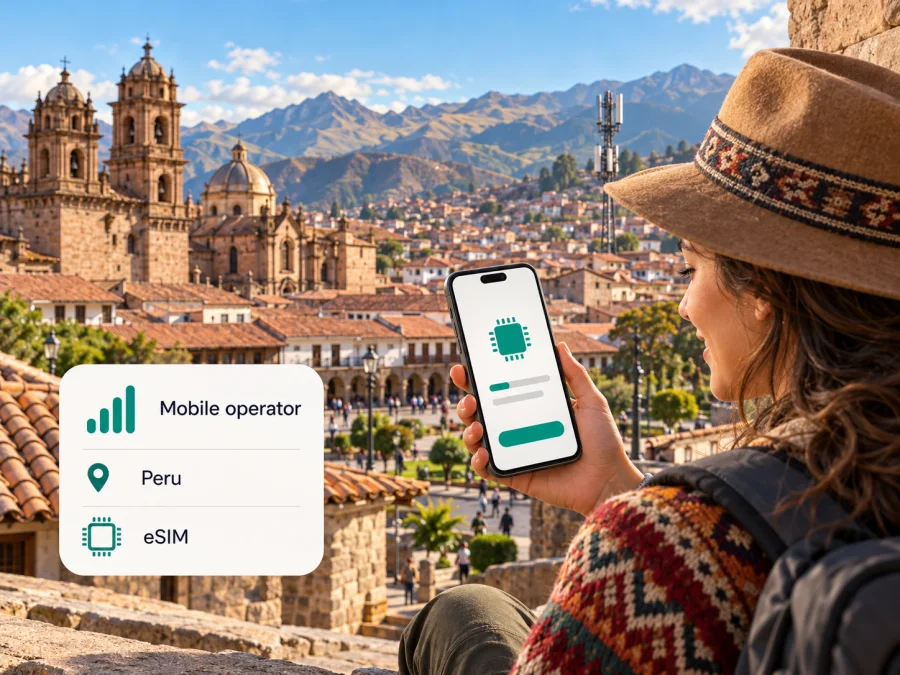
Claro eSIM in Peru: activation, coverage and travel options
Planning a trip to Peru and searching for a Claro eSIM? Claro Peru currently documents eSIM support for compatible devices, but the route depends on what you need. Its regular mobile-line eSIM is requested at a Claro customer service center, while the operator’s OLO service has a separate digital eSIM flow presented for tourists who need mobile internet in Peru. Those are different products and activation journeys, so check which one fits before you travel.
This guide explains what Claro’s current public information confirms, what a visitor should verify, and how to prepare a phone for a digital SIM. It does not list Claro plan names, prices, data amounts, or validity periods. Claro Peru’s eSIM, OLO, and coverage pages were checked on 18 October 2026; availability and terms can change.
Claro in Peru: what a traveler should know
Claro is the consumer-facing mobile brand of América Móvil Perú S.A.C. Its Peruvian site presents mobile services alongside home connectivity and customer support; availability still depends on service and location.
For a visitor, distinguish a regular Claro mobile line from a data connection for a stay. Claro’s standard eSIM page describes activation of a mobile line using a digital profile. Its separate OLO service has a tourist eSIM flow for internet access. These are different products and processes: a tourist data eSIM should not be assumed to provide a Peruvian phone number, ordinary voice service, or SMS.
The regular-line process needs planning. Claro’s eSIM page says to visit a customer service center, present a Peruvian national identity document (DNI), request activation, and scan the QR code provided there. It states that activation becomes effective after approximately four hours. The page does not explain every visitor’s eligibility or whether alternative identity documents are accepted. Contact Claro before relying on this route, particularly if you are a non-resident; do not assume a passport replaces the document named on the page.
Claro describes OLO tourist eSIM differently: compatibility check, digital purchase, then QR or manual-code activation. This may better fit a visitor whose goal is data rather than a local phone line, but check the current terms and coverage before purchase. The operator’s pages identify this use case without guaranteeing service in every destination or indoor location.
Does Claro offer eSIM in Peru?
Yes. Claro Peru’s official page titled “eSIM: Solicita y activa tu chip virtual hoy” describes eSIM support, device compatibility checking, QR activation, and the customer-center process for a Claro mobile line. It also explains that an eSIM profile is stored on a compatible device rather than on a removable card. The page lists several broad device families, but a family name alone is not enough to confirm support for a particular model or regional variant.
Claro also describes OLO eSIM for tourists on its official OLO pages. The tourist FAQ explains the digital process and says a traveler can keep a physical SIM in the phone while using the eSIM for internet. This is a useful distinction if you want to keep your home number available for calls or verification messages while using a separate profile for data. Whether dual SIM works as expected depends on the phone and its settings, so test the arrangement before departure if possible.
“eSIM available” does not mean every Claro line can be moved online, every phone can be activated, or that a visitor can complete the regular mobile-line process without local requirements. Claro’s documented regular-line workflow involves a service center and DNI; its OLO tourist product is described as digital. Confirm the current process directly with Claro or OLO before making plans, especially if you need a local number, plan to port a number, or are bringing a device purchased abroad.
What to confirm before choosing
For a regular Claro line, verify visitor eligibility, accepted documents, line requirements, and exact-model compatibility. For OLO tourist eSIM, check the current purchase flow, coverage at your destinations, and the terms displayed before checkout. For either route, confirm whether you will have a number, voice, SMS, roaming, or hotspot features if you need them. Claro provides a location-based coverage map; check your actual itinerary rather than assuming countrywide availability.
Claro eSIM activation: two paths, two use cases
Regular Claro mobile-line eSIM
Claro’s eSIM page describes a customer-center visit for the standard mobile-line process. The published steps are to request an eSIM from an advisor, provide the requested details and DNI, receive the QR code, and add the plan in the phone’s mobile settings. Claro’s page says the activation takes effect after about four hours. Treat that as the operator’s stated process, not as a guarantee for every case: account checks, number changes, technical issues, or updated rules may affect an individual request.
This route may make sense if you are already a Claro customer or need a regular line relationship in Peru. It may be less straightforward for a short-term visitor who has not confirmed document requirements. Before going to a service center, ask Claro whether a visitor can request the relevant service, whether the phone must be present, whether the line must already be active, and what proof of identity is accepted. If you are switching from a physical SIM, ask whether service will be interrupted while the change is processed and how to preserve access to banking or account verification messages.
Claro’s FAQ also describes a port-in sequence in which a new customer first receives a physical SIM and requests the eSIM conversion later. Because this involves a local number and a specific account process, do not assume it is a same-day tourist setup. Check the current instructions with Claro if keeping or transferring a Peruvian number is essential.
OLO tourist eSIM
Claro’s OLO page describes a digital tourist process: check whether the phone is compatible, complete the purchase, and use the QR code or enter the supplied eSIM code if the device supports manual entry. The page presents OLO as an internet service for tourists visiting Peru and says the physical SIM can remain in the phone. This makes the tourist option distinct from a standard Claro phone-line eSIM.
Before buying, read the current OLO terms carefully. Confirm when the data service starts, which areas are supported, how the profile is installed, whether activation can be completed before arrival, and what support channel to use if the code fails. The live Claro page may show offer details that can change; they are intentionally not repeated here. Keep the order or activation information accessible offline until the eSIM is installed and working.
If you plan to install the profile before flying, check whether installation itself starts a validity period or whether service begins only after a later connection. Do not infer the answer from the word “activate”: installing a profile, enabling its line, registering on a network, and starting a data package can be separate events. Follow the instructions for the exact product you purchase.
Device compatibility: check the model and regional version
An eSIM-capable phone is required, but model names can hide important differences. A manufacturer may sell several regional versions of the same product, and network or eSIM support can vary by market. Claro’s compatibility selector asks you to choose the brand and model and warns that an unlisted model may not be activated for its eSIM service. Use that selector for the precise Claro or OLO process you intend to use, then confirm the result against the settings on your own device.
Before booking activation, check these points:
- Open the cellular or mobile-network settings and look for an option to add an eSIM or mobile plan.
- Check the exact model number and sales region, not only the marketing name printed on the box.
- Confirm that the phone is unlocked and is not restricted by a former carrier.
- Make sure the operating system is current enough for the device’s eSIM setup flow.
- Confirm whether the device can keep the home SIM and travel eSIM active together, and which line can be selected for mobile data.
- Ask whether the intended Claro or OLO eSIM works with the phone’s regional version; general eSIM support does not prove operator acceptance.
If the Claro selector does not list your model, treat compatibility as unconfirmed and ask Claro or OLO before purchasing or traveling to a service center. Do not rely solely on a retailer’s broad “eSIM capable” description. You can also check your device’s eSIM compatibility before choosing a separate travel option.
Coverage in Peru: check the route, not just the country
Peru includes coastal cities, high-altitude Andean destinations, and remote areas in the Amazon basin. A country-level label cannot tell you whether service reaches a particular hotel, trailhead, road segment, or building. Claro’s official coverage tool lets users search by location and choose among mobile technologies, including 2G, 3G, 4G, and 5G; it also has an OLO coverage category. The tool separates indicated coverage areas and additional network capacity, and Claro cautions that a mapped population center does not mean the entire district has coverage.
Claro’s coverage information says its 5G service is available in main cities and directs users to the map for specifics. It also reports that the 5G network was activated in Peru on 18 December 2025. That is a statement about the operator’s service and deployment, not a promise of 5G at every address. For a particular trip, open the current map and inspect the exact places where you expect to use data. A compatible handset, service eligibility, local radio conditions, and the selected service all affect the result.
The map is especially useful when an itinerary moves between regions. Check major stops separately, including accommodation, transport hubs, and the areas where you will need navigation or messaging. A result for a city center should not be generalized to a mountain road or a rural stop. If connectivity is important for a transfer or outdoor activity, download maps and essential travel information in advance and keep a backup way to contact your accommodation or guide.
Coverage maps are planning aids, not guarantees of performance. Buildings, terrain, congestion, weather, maintenance, and device bands can affect reception. Claro’s own coverage terms describe the information as referential and note that technical or environmental conditions may prevent a suitable signal. This is why checking a location map and asking about the exact route is more useful than relying on a blanket claim about national coverage or network quality.
Local Claro service or a travel eSIM?
A standard Claro mobile-line eSIM is tied to Claro’s local service and its customer, identity, and activation process. It may suit you if you need a local number or expect to keep a Peruvian line. OLO’s tourist eSIM is described as digital internet access for a visit. A travel eSIM may be convenient if you want to arrange data before departure or keep your home SIM in the phone, but it is not automatically a substitute for a Peruvian number, voice calls, or SMS. Confirm those features if you need them.
Kaspersky eSIM Store is an app and website that helps travelers choose, arrange, and activate an eSIM plan for mobile internet abroad. It is not a mobile operator, network owner, or provider of the underlying mobile service. The Kaspersky eSIM Store Peru destination page, checked on 18 October 2026, can be used to browse current travel options; it is not a specific Claro tariff or a claim that Kaspersky operates a network in Peru. Review the country, network access, data terms, validity trigger, hotspot rules, device support, and assistance details shown for the exact option. Conditions differ and may change.
How to install a travel eSIM on your phone
For Kaspersky eSIM Store, use the installation details shown in your order or account and follow the on-screen instructions for your device. Claro’s own QR process is separate and follows Claro’s instructions. Do not scan a QR code intended for one service while following another provider’s steps. Before installation, connect to reliable Wi-Fi, make sure the device is charged, and keep the QR code available on a different screen or printed page if you are scanning it with the phone camera.
Before adding the profile
- Verify that the phone supports eSIM and is unlocked.
- Check which profile you are installing and where the corresponding activation details came from.
- Read when the service starts and whether the profile can be installed before the trip.
- Keep access to the email or account containing the eSIM details until setup is complete.
- Do not delete a working eSIM profile to troubleshoot unless the provider instructs you to do so; some profiles cannot be reinstalled after removal.
During setup
- Open the phone’s mobile or cellular settings.
- Choose the option to add an eSIM or mobile plan.
- Scan the QR code or enter the activation details using the method supplied for that eSIM.
- Give the profile a clear label, such as “Travel data,” so you can identify it later.
- Select the intended line for mobile data and check the setting for data switching between SIMs.
- Turn on data roaming for the travel profile only if the product’s instructions require it.
- Once in Peru, allow the phone to register and check the connection before relying on it for navigation or reservations.
The exact names of settings vary by operating system version and manufacturer. If the installation screen differs, use the current device instructions or the eSIM provider’s support channel rather than guessing. If the profile installs but data does not work, confirm that the correct line is selected, that data roaming is set as instructed, and that the package is active. Restarting the phone may help it reconnect, but it cannot resolve a compatibility or coverage issue.
Common questions about Claro eSIM in Peru
Can a tourist activate a regular Claro eSIM online?
Claro’s standard eSIM page documents a customer-center request with DNI and QR activation. It does not confirm that a visitor can complete this process online or which alternate documents are accepted. Ask Claro directly. OLO’s tourist eSIM is described separately as a digital internet option.
Is OLO tourist eSIM the same as a Claro mobile-line eSIM?
No. Claro describes its standard eSIM as a profile for a Claro mobile line and OLO’s tourist eSIM as an internet service for visitors. Check the exact product terms if you need a local number, calls, or SMS.
Can I keep my current SIM while using an eSIM?
A compatible dual-SIM phone may allow this, and Claro says OLO tourist eSIM can be used while retaining a physical SIM. Confirm the behavior on your model and select the intended line for mobile data.
Will Claro eSIM work everywhere in Peru or guarantee 5G?
No. Claro’s location-based map is indicative and notes that actual signal may vary. The operator lists 5G availability in main cities, but eSIM support alone does not guarantee a particular technology or coverage at a specific address. Check your route on the current map.
Can I install a travel eSIM before flying?
That depends on the product’s start and activation rules. Check whether installation, enabling the line, or first network registration starts service; ask the provider if the condition is unclear.
Final checklist
Before traveling, make sure you can answer these questions:
- Does the phone’s exact regional model support eSIM and remain carrier-unlocked?
- Are you choosing a regular Claro mobile line or a tourist data eSIM?
- If requesting a regular Claro line, has Claro confirmed visitor eligibility and accepted documents?
- Does the current coverage map include the places on your itinerary?
- Do you know which SIM is selected for mobile data and whether roaming must be enabled for it?
- Have you checked whether the service includes a phone number, voice, SMS, or hotspot use if you need those features?
- Do you know when the plan begins and how to contact support if the profile fails?
- Are offline maps and essential travel details available if coverage is unavailable?
Claro Peru’s eSIM, OLO, and coverage pages were checked on 18 October 2026. Device eligibility, visitor requirements, service coverage, activation procedures, and offer conditions may change, so confirm them with Claro or OLO before acting. Kaspersky eSIM Store is not affiliated with Claro or América Móvil Perú S.A.C.; Claro and OLO names belong to their respective rights holders. Kaspersky eSIM Store is an app and website for choosing, arranging, and activating travel eSIM plans, not a mobile operator or network provider.


