Travel connectivity guide
Claro eSIM in Puerto Rico: What to Check
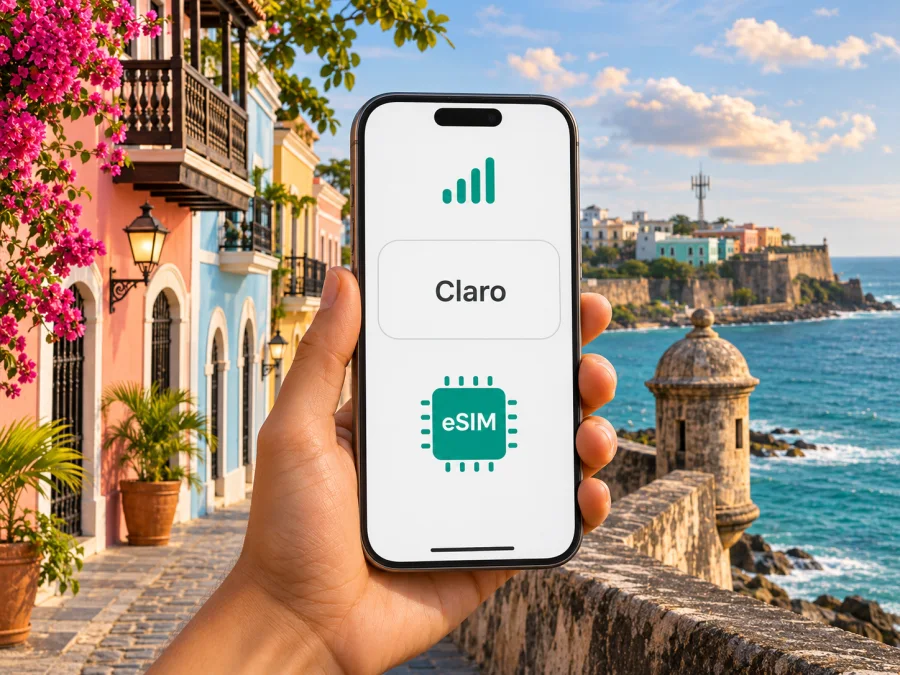
Claro eSIM in Puerto Rico: availability, activation and travel checks
Claro’s current Puerto Rico website confirms that eSIM service is offered for compatible devices. That confirmation does not establish that every phone, regional model, customer type or prepaid line can use it. Before traveling, ask Claro to check your exact device variant and the line you plan to activate. This guide explains how to make that check, what to expect from activation, and how a travel data eSIM can fit a separate use case.
Claro is a mobile operator serving Puerto Rico. Puerto Rico is a U.S. territory in the Caribbean, rather than a separate sovereign country; its local mobile market and a phone’s roaming settings should therefore be considered separately from the place where the traveler’s home line was issued. USAGov lists Puerto Rico among U.S. territories in its travel guidance, last updated March 31, 2026. For mobile service, the practical question is whether your chosen line is registered for use in Puerto Rico and what its home carrier charges or includes there.
Does Claro offer eSIM in Puerto Rico?
Yes. Claro Puerto Rico’s official eSIM page describes eSIM and points customers toward activation through its service channels. A Claro Puerto Rico blog article published August 21, 2026 also says that eSIM is available on compatible devices and advises customers to confirm availability and activation with a Claro store or representative. These pages were checked on November 3, 2026. The confirmation is for Claro’s Puerto Rico service; it should not be read as confirmation that Claro offers the same eSIM terms in another market or that an eSIM is available for every plan.
The pages do not provide a dependable, current compatibility list for every phone and hardware variant. One part of Claro’s eSIM page contains older, narrower device wording, while the newer blog describes support generally without naming models. Treat device eligibility as something to confirm directly, especially if the handset was bought outside Puerto Rico, has a dual-SIM configuration, or is sold in more than one regional version. A model name alone may not identify the radio and eSIM configuration installed in your particular phone.
Claro’s website presents mobile and prepaid services, but the public material reviewed here does not clearly confirm that every prepaid or tourist line can be issued as an eSIM. Ask whether the line you need is eligible, whether a new account can be opened by a visitor, and which identification or account details are required. Do not assume that a physical-SIM prepaid offer can automatically be converted to eSIM or that an existing eSIM can be transferred between devices.
Who should check with Claro before the trip?
Contact Claro before relying on its eSIM if any of these apply:
- You are bringing a device purchased in another country or carrier market.
- The model has different regional versions, or the manufacturer lists eSIM support only for selected variants.
- You want to use a prepaid line, replace a physical SIM, move a line from another phone, or activate a new number as a visitor.
- Your phone is locked to another carrier, or you are unsure whether it is locked.
- You need voice calls, text messages, or account verification in addition to data.
- Your trip includes Puerto Rico and other destinations, and you need one line to work across all of them.
Give the representative the full model identifier from the phone’s settings or packaging, not just the product family name. Ask them to confirm eSIM support for that exact variant and for your account type. Also ask whether activation is available remotely or must be completed at a Claro location, whether you need to be present with the phone, and whether the profile can be restored if you replace or reset the device. The operator’s answer should govern these account-specific details.
How activation works
Claro’s eSIM information describes digital activation and lists several ways to request service, including a Claro location, customer support and its online store. The page also describes the QR-code route and a store-assisted setup. Since the final route can depend on the account and device, contact Claro first and follow the instructions attached to your order or line. The official Claro Puerto Rico eSIM page and its current eSIM blog were checked November 3, 2026.
If Claro provides a QR code, keep it available on a second screen or printed copy while setting up the phone. The device usually needs a stable internet connection during profile download, so use trusted Wi-Fi or mobile data that is already working. Do not scan an activation QR code until you are ready to add the profile to the intended phone. Ask Claro whether the code is single-use and what to do if setup fails partway through; the public guidance reviewed does not establish a universal reissue or transfer policy.
A straightforward preparation sequence is:
- Confirm the phone’s exact eSIM capability and carrier-unlocked status with the manufacturer and Claro.
- Confirm the line type and any identity or account requirements with Claro before visiting a store or starting an online order.
- Back up important information and update the operating system over a reliable connection.
- Keep the phone charged and connected to Wi-Fi while adding the plan.
- Follow Claro’s on-screen instructions. Check that the new line appears in the phone’s SIM or cellular settings before leaving the store or ending the support session.
- If you have more than one line, label them clearly and choose which line should handle calls, messages and mobile data.
- Test a call or data connection while you can still reach the person or store that helped you, then keep the support contact details for later.
These are general preparation steps, not a substitute for Claro’s account-specific instructions. Menu names vary by device and software. Do not delete a working profile unless Claro explains how to reinstall it.
Puerto Rico, coverage and network technology
Claro’s public materials describe mobile service in Puerto Rico and identify 5G, including a millimeter-wave deployment in selected high-traffic locations. Its published examples include sites in the San Juan metropolitan area and Guaynabo; the operator’s coverage and technology pages were checked November 3, 2026. These examples do not mean that every street, building or rural route has the same technology or signal. A 5G-capable phone may use a different network mode when 5G is unavailable or conditions change.
For a practical itinerary check, review Claro’s coverage information for the places where you will actually spend time: your lodging, transport route, work site and any day trips. Treat a coverage map as an estimate, not a promise of indoor service or a particular speed. The FCC’s National Broadband Map explains that mobile coverage areas are modeled and do not show indoor availability; actual results can vary with terrain, device and network capacity. That map guidance was checked November 3, 2026. Walls, weather, congestion, local topography and handset bands can all affect a connection.
FCC material identifies 4G LTE and 5G mobile-network reporting in Puerto Rico, and Claro’s 2026 material describes its 5G deployment. Neither source establishes which bands your phone supports or guarantees every feature on every line. Check the exact regional model with Claro and its manufacturer.
An eSIM does not add missing radio bands or unlock a phone. Verify both provider coverage and device support for the places you will visit. For destinations beyond Puerto Rico, ask Claro whether your line includes them or requires roaming.
Claro eSIM and a travel eSIM serve different purposes
A local Claro line may suit someone who needs a local mobile account, expects to make ordinary calls or send texts through that line, or wants service managed directly by Claro. Whether those features, a new number, prepaid service or a visitor sign-up are available depends on Claro’s current terms and the customer’s eligibility. Confirm the details with Claro rather than inferring them from a generic eSIM description.
A travel eSIM is a separate option for mobile data during a trip. It can be useful if you want to prepare connectivity before arrival, keep your usual physical SIM in place, or avoid relying on public Wi-Fi for routine online tasks. The Kaspersky eSIM Store is an app and website that helps travelers select, purchase and activate an eSIM data plan for a trip. It is not a mobile operator, does not own a network, and does not itself provide mobile internet or coverage. The service information reviewed on November 3, 2026 describes its eSIM plans as data-only; check the selected plan’s terms for current destination, validity, supported network and device requirements.
A travel data eSIM should not be treated as a replacement for a local phone number. If you need voice service or SMS for banking, delivery calls or local contacts, confirm that your Claro line or home-carrier line will handle those needs. Many messaging and calling apps work over data, but that does not make a data-only eSIM a voice line or guarantee that every account can receive verification messages through it.
If you would like to review current travel-data options for the destination, browse eSIM options for Puerto Rico in Kaspersky eSIM Store. This is a destination page for checking current options, not a Claro tariff page or a statement that a particular plan uses Claro’s network. The destination and provider details shown there can change, so check the current plan information before purchase.
Questions to ask before choosing
| Your need | What to verify |
|---|---|
| A local number for ordinary calls and texts | Ask Claro whether the line type you want includes a number, voice and SMS, and whether a visitor can activate it. |
| Mobile data only | Compare a Claro line with a travel eSIM by checking destination coverage, device support, activation timing and terms. |
| One connection across multiple destinations | Confirm each country or territory included in the service; Puerto Rico coverage does not automatically mean regional coverage. |
| Keeping your regular number active | Check whether your phone supports two active lines at once and set the preferred line for calls, messages and data. |
| A phone bought abroad | Verify the full model and regional variant with Claro and confirm the device is not carrier-locked. |
| In-person help | Ask Claro which location can complete your activation and what documents or account information to bring. |
Setting up a travel eSIM on a compatible phone
This is a general setup outline for an eSIM purchased through Kaspersky eSIM Store, not a Claro line. Follow the plan’s installation flow. The Android installation guide uses Samsung menu paths; other Android menus may differ. For iPhone, see the iOS installation guide.
Before purchase, check whether your device supports eSIM and confirm that it is not locked to a carrier that prevents another eSIM from being installed. Support can vary by model number, market and device configuration. If the compatibility result is unclear, check the manufacturer’s information for the exact variant and contact support before buying.
Install over a stable connection through the app or QR code, then label the profile clearly. On arrival, select it for mobile data if intended. Some devices require data roaming on for a travel eSIM; check the instructions and plan terms. Home-carrier roaming charges follow that carrier’s terms.
If it does not connect, confirm the destination and activation conditions, toggle airplane mode, or restart the phone. Avoid deleting the profile before contacting support because some activation codes cannot be reused. Kaspersky eSIM Store help information was checked November 3, 2026.
Travel checklist
Before departure:
- Confirm the exact phone variant supports eSIM and is not carrier-locked.
- Decide whether you need a local Claro account, a data-only travel eSIM, or both for separate purposes.
- Ask Claro directly about line eligibility, activation method, documentation, number, voice and SMS features, and account-specific limitations.
- Check network coverage for your own itinerary and the device’s supported network bands.
- Install any travel eSIM over a dependable connection and keep the confirmation and support information accessible offline.
- Review which SIM is selected for mobile data and whether data roaming is enabled on the intended profile.
- Keep your regular SIM active only as needed, and check its roaming terms with your home operator.
After arrival:
- Confirm the selected line name and mobile-data setting before using data-intensive apps.
- Test connectivity in the area where you are staying; one successful connection does not guarantee coverage throughout the island.
- Use Wi-Fi for large downloads if you want to conserve mobile data.
- If coverage differs from expectations, move outdoors or to a different spot, verify the selected network line, and consult the provider’s support channel.
Frequently asked questions
Is Claro eSIM available in Puerto Rico?
Claro Puerto Rico’s eSIM page and its August 2026 blog confirm eSIM availability for compatible devices. The official pages do not establish eligibility for every exact device variant, line type or customer. Confirm your specific phone and account with Claro before depending on activation.
Can a visitor get a Claro eSIM?
The public pages reviewed explain eSIM and activation channels but do not clearly settle whether every visitor can open a new line, use prepaid eSIM, or complete the process without local account details. Ask Claro what identification and account requirements apply to your situation. Do not assume a prepaid physical SIM offer is also available as eSIM.
Does every iPhone or Android phone work?
No universal answer can be inferred from a product-family name. eSIM capability can vary by exact model and regional version, and Claro’s public guidance does not offer a current, comprehensive device list. Check the full model identifier with Claro and the manufacturer. Also confirm that the device is unlocked.
Will 5G be available everywhere in Puerto Rico?
No provider’s technology label alone guarantees a 5G connection at every location. Claro describes 5G deployment in Puerto Rico and identifies selected areas for millimeter-wave service. Coverage, device bands, indoor conditions and network load affect what a traveler receives. Check the current coverage information and the capabilities of your exact device.
Is a Kaspersky eSIM Store plan a Claro line?
No. Kaspersky eSIM Store helps a user select, purchase and activate a travel eSIM data plan. It is not Claro, is not affiliated with Claro and does not represent itself as Claro’s official partner or distributor. The network and terms depend on the selected travel plan and its provider arrangements.
In summary
Claro confirms eSIM availability in Puerto Rico for compatible devices, and its public material describes store, phone and online support channels. The remaining practical checks are specific: confirm your exact regional handset variant, line type and activation eligibility directly with Claro, and review coverage along your own route. The sources cited in this guide are Claro Puerto Rico’s eSIM service page, its August 21, 2026 eSIM article and its public 5G information, plus USAGov and FCC guidance; each was checked on November 3, 2026.
For data-only travel connectivity, Kaspersky eSIM Store can help you review current destination options and install a separate eSIM on a compatible, unlocked device. Compare the current destination terms with your actual trip needs before choosing. Claro and related marks belong to their respective owners. Kaspersky eSIM Store is not affiliated with Claro and is not its official partner or distributor.


