Travel connectivity guide
Claro eSIM in Uruguay: availability and activation
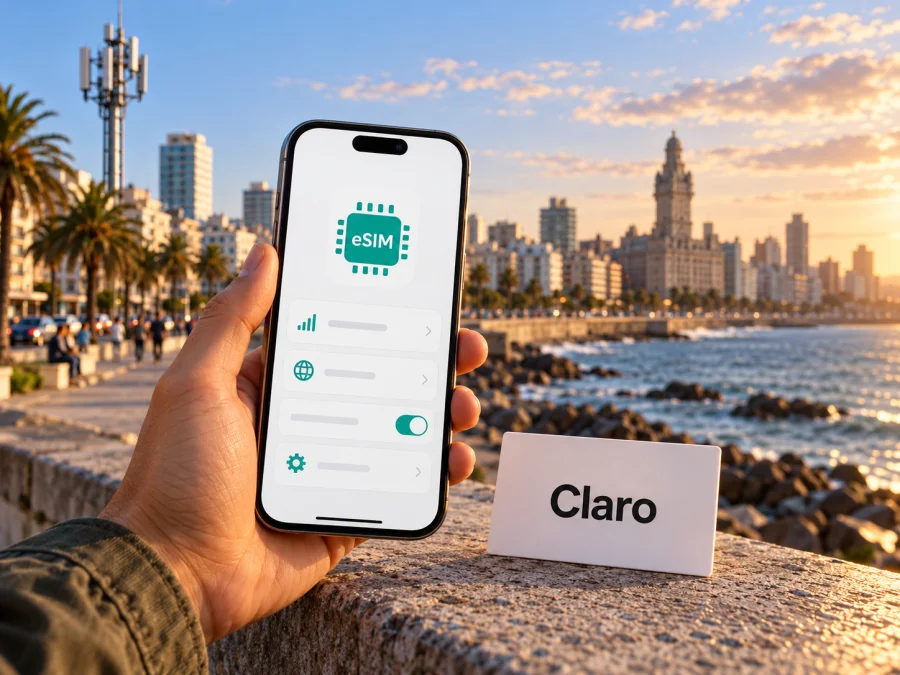
Claro eSIM in Uruguay: availability, activation and travel tips
If you are planning a trip to Uruguay, a Claro eSIM may be relevant if you already use Claro or want to ask about a local mobile line. Claro Uruguay confirms that its eSIM can replace a new physical SIM for eligible prepaid and contract postpaid customers. That does not automatically mean that every visitor can arrange one remotely or use it with any phone: eligibility, the request process, device compatibility and signal availability all need to be checked for the specific situation.
This guide explains what Claro Uruguay currently says about eSIM, how its request and activation process works, what to consider when arriving from abroad, and when a travel eSIM may be a more convenient alternative for mobile data. Local line terms and travel-data conditions should be checked separately because they serve different needs.
Claro in Uruguay: the local operator context
Claro is one of the mobile service providers operating in Uruguay. The country’s telecommunications regulator, URSEC, publishes periodic reports on the telecom market (URSEC, “Telecommunications market reports”, checked 16 October 2026), while Claro Uruguay’s customer pages describe its mobile services, account tools, prepaid options and support channels. In practical terms, this means that a Claro eSIM is part of Claro’s local mobile service: it is a digital SIM profile associated with a Claro line, not a separate travel-data product merely because the profile is downloaded rather than inserted as a card.
That distinction matters for visitors. A resident or an existing customer who wants to replace a physical SIM may have a straightforward reason to ask for an eSIM. A tourist arriving for a short stay may first need to confirm whether they can open or use a local line, what identification or account information is required, whether the line can be issued to them, and whether the eSIM can be requested at a service point. Claro’s public eSIM guidance does not set out every visitor’s eligibility or identity-document requirements, so those points should be confirmed directly with Claro before making a trip to a branch.
The word “prepaid” also needs context. Claro’s help page says that prepaid customers can request an eSIM instead of a new chip, but the request must be made at a branch. This establishes that a prepaid route exists for eligible Claro customers; it does not establish that every short-term visitor can obtain a prepaid line online, nor that there is a tourist-only eSIM product. Ask Claro about current eligibility and the complete sign-up process if you are not already a customer.
As of 16 October 2026, Claro Uruguay Help Center pages “Who can use Claro eSIM?”, “How do I request an eSIM for my line?” and “How do I activate an eSIM on my phone?” explain the current eligibility, request and activation process. Confirm details with Claro before arranging a line because procedures and device support can change.
Does Claro Uruguay support eSIM?
Yes. Claro Uruguay’s Help Center says that a customer with a contract postpaid plan or a prepaid plan can request an eSIM instead of a new chip, provided that the device supports eSIM. The public help page describes the service as a replacement for a physical SIM on a Claro line. In other words, the eSIM format does not by itself determine the customer’s plan, billing model, local number or included services. Those remain attached to the line and the terms Claro confirms for that customer.
The request route depends on the type of line described by Claro:
| Customer situation | Request route stated by Claro Uruguay | What to confirm |
|---|---|---|
| Prepaid customer | Visit a Claro branch | Whether the line and customer are eligible, what identification is needed, and how the branch handles eSIM requests |
| Contract postpaid customer | Use the chat option in Mi Claro or visit a Claro branch | Whether the account holder must make the request and what account checks apply |
| Line suspended after loss or theft | Visit a Claro branch | The steps for restoring service and protecting the account |
The table summarizes process categories rather than plan terms. Claro’s request page also notes that activation requires a Wi-Fi connection and that the phone should have at least 50% battery. These are useful practical details: do not start an eSIM installation when the phone is nearly out of power or when it has no reliable internet access.
There is a difference between “eSIM is supported” and “I can obtain it now.” A compatible phone is necessary, but the line type and account status also matter. If you are arranging a new local connection, ask the operator whether the line can be opened in your circumstances and whether an in-person visit is required. If you are replacing a SIM on an existing line, make sure you understand when the old SIM will stop working and what to do if the QR code or profile cannot be installed.
Compatibility: check the exact phone, not just the model family
Claro requires an eSIM-compatible device and advises customers to check with the manufacturer. Support can differ by exact model number, regional variant, software and carrier lock. Before requesting the profile, confirm support for the full model identifier, update the operating system, ensure the phone is unlocked, and check which line will handle data if you use dual SIM. A compatible phone does not guarantee coverage at every destination or make a locked handset eligible.
For regional variants, use the manufacturer’s identifier rather than the general marketing name. You can also check eSIM device compatibility before selecting a travel-data option. This does not replace Claro’s account rules for its local line.
How to request a Claro eSIM in Uruguay
Claro’s published process depends on the line type: prepaid customers are directed to a branch, while contract postpaid customers can use the chat option in Mi Claro or visit a branch. Lines suspended after loss or theft also require an in-person visit, according to the request guidance. A new customer or visitor should ask Claro what eligibility and identity checks apply before traveling to a service point.
A practical sequence is to confirm eSIM support and the phone’s unlocked status, identify the Claro line category, contact Claro through the stated route, and ask how the activation details will be delivered. Also confirm when an existing physical SIM stops working and what to do if installation fails. Check a branch’s location and availability in advance; do not assume the same process applies to a new line, a replacement or a suspended line.
Activating the eSIM on your phone
Claro’s Help Center describes activation by QR code. Menu labels vary by device and software version, so follow the on-screen guidance if it differs from these examples.
Before starting, have the QR code or activation details from Claro, connect to Wi-Fi and charge the phone to at least 50% as Claro advises. Keep the physical SIM in place until you know when the number will move, unless Claro tells you otherwise. If the QR code is shown on the phone you are setting up, display it on another screen or ask Claro for an alternate method.
Apple devices
Claro’s example is Settings, Mobile Data, Add Data Plan, scan the QR code, then confirm. Recent versions may use wording such as “Cellular” or “Add eSIM.” Choose the option to add a mobile plan and complete the prompts.
Android devices
Claro’s example is Settings, Connections, SIM Card Manager, Add Mobile Plan, Add Plan Using QR Code. Manufacturers use different labels; search settings for “eSIM” or “Add SIM” if needed, and follow the device maker’s current instructions.
After installation, check that the Claro line appears in SIM settings and select it for calls, messages or data as needed. Setup may take a few minutes. If the profile fails, note the displayed error and contact Claro before deleting an installed profile or repeatedly scanning the code.
Coverage and mobile technologies: what a traveler should verify
Claro Uruguay’s Help Center pages “Do I need a different SIM to use 4G?” and “What should I do if my phone loses signal?”, its VoLTE information and its roaming coverage page (checked 16 October 2026) refer to 4G LTE and explain that use of 4G depends on compatible equipment and SIM support. Its guidance for connection problems also tells customers to check whether the issue occurs in a particular area and to review their network-mode settings. Claro documents VoLTE, or voice over LTE, as a service that requires a compatible Claro-approved device, current software and the feature enabled on the phone. These references confirm the technologies Claro discusses; they should not be read as a promise of identical signal or service in every part of Uruguay.
Coverage is location-specific. Urban areas, roads, coastal towns, indoor spaces and rural locations can have different signal conditions. Building materials, terrain, local network load, handset bands and temporary service interruptions can also affect the experience. Claro’s roaming coverage page explicitly describes its mapped service area as an estimate and says it does not guarantee availability at a specific place. Treat a coverage map as a planning aid rather than a promise of signal at a particular hotel, border crossing, bus route or address.
For a trip that includes several stops, check the places where you expect to need service rather than relying on a country-level label. Ask Claro about its current local coverage information for those destinations and whether the phone variant supports the relevant network bands. If a route takes you away from larger settlements, download offline maps and keep key booking details accessible offline. These precautions are useful regardless of the mobile provider you choose.
A technology label such as LTE describes a network capability, not the signal strength or data experience at an individual location. Actual availability can vary, and the correct source for a current address-specific check is Claro’s own coverage information or customer support.
Local Claro service and a travel eSIM serve different needs
A Claro eSIM is a digital SIM profile for a Claro line in Uruguay. It can replace a physical SIM for an eligible customer, while the line’s plan, number and service terms remain subject to Claro’s account arrangements. A visitor who needs a local number or voice service should ask Claro what line can be issued in their circumstances and what documents or branch steps apply.
A travel eSIM is typically selected for mobile data during a trip. It may be arranged before departure, but it is not automatically a Claro line and should not be assumed to include a Uruguayan number, standard voice calls or SMS. Check the specific product’s destination coverage, data-only status, activation trigger, validity and hotspot conditions.
Consider the local route if you need an existing Claro number or local services and can meet the operator’s requirements. Consider a travel eSIM if your main need is data soon after landing and its coverage and device conditions fit. Neither format is the right choice for every traveler; decide based on the service you need and the process you can complete.
Using Kaspersky eSIM Store for mobile data on a trip
Kaspersky eSIM Store is an app and website where travelers can choose, arrange and activate an eSIM with a plan for mobile internet abroad. Its Uruguay page (checked 16 October 2026) describes it as a possible travel-data option for someone preparing connectivity for Uruguay. You can review eSIM options for Uruguay. Kaspersky eSIM Store is not a mobile network operator, does not own a Uruguayan network and does not itself provide mobile coverage. The network and signal depend on the relevant local provider and location.
Before choosing an option, check that Uruguay is included, your exact phone variant supports eSIM and is unlocked, and you understand whether the service is data-only. Review how the profile is installed, when use begins, whether data roaming must be enabled for that profile, and how to contact support. Product conditions and destination availability can change; read the current details shown for the selected option.
If you need a local number or local voice service, confirm that directly with Claro. A travel-data eSIM should not be presented as a substitute for every local mobile service.
What to prepare before you travel
Decide whether you need a local line, data, calls, SMS or hotspot access. Check the phone’s exact variant and unlocked status, ask Claro about visitor eligibility and branch requirements if you want a local line, and confirm coverage at planned stops. Keep activation details accessible, arrange Wi-Fi for setup, download maps and documents for offline use, and review your home carrier’s roaming terms if you keep its SIM active.
Common problems and sensible first steps
No eSIM option appears. Check the exact regional model, software version and carrier-lock status, then confirm compatibility with Claro.
The QR code fails. Check that it is clear, belongs to your line and has not already been used. Contact Claro if it appears invalid rather than repeatedly scanning it.
The profile installs but does not connect. Confirm the Claro line is enabled and selected for data, then check your location and network settings. Signal depends on coverage and the device; follow Claro’s troubleshooting steps if the issue remains.
You cannot place calls. Check which line is selected for voice and whether the phone and account meet Claro’s current requirements for voice and VoLTE. A data-only travel eSIM does not provide ordinary cellular calls unless its own terms say otherwise.
Frequently asked questions
Can tourists get a Claro eSIM in Uruguay?
Claro confirms eSIM for eligible prepaid and contract postpaid customers, but its public guidance does not cover every visitor’s eligibility or documentation. Prepaid customers are directed to a branch. Ask Claro whether it can issue a line in your circumstances before visiting.
Can I request a Claro eSIM online?
Contract postpaid customers can use the Mi Claro chat option or visit a branch. Prepaid customers are directed to a branch. Confirm the current process for your line.
Does Claro eSIM work on every phone that supports eSIM?
No. Check the exact regional model and carrier-lock status with the manufacturer and Claro.
Do I need Wi-Fi to activate it?
Yes. Claro says activation requires Wi-Fi and advises having at least 50% battery.
Is Claro eSIM the same as a travel eSIM?
No. Claro eSIM is a profile for a Claro line under its local account rules. A travel eSIM is selected for a trip and may provide data without a Uruguayan number or ordinary calls and texts. Review the specific product terms.
Will coverage be available everywhere?
No map guarantees signal at every address or indoors. Check current coverage for your itinerary and keep essential maps or bookings accessible offline.
A practical decision for your Uruguay trip
Claro Uruguay confirms that eligible prepaid and contract postpaid customers can request an eSIM, with different request routes for each line type. The phone must support eSIM, and activation requires Wi-Fi and sufficient battery. For a visitor, the key unanswered question may be whether Claro can open or convert a line in that visitor’s circumstances; confirm that before traveling to a branch.
If you need an existing Claro line, use Claro’s current support process and keep its local account requirements in view. If you mainly need mobile data soon after arrival, a travel eSIM may be another option to review, provided that Uruguay is included and your phone is compatible. Compare the purpose, activation steps, voice and SMS needs, coverage information and current conditions for the specific service you plan to use.
You can review eSIM options for Uruguay through Kaspersky eSIM Store. Before choosing, check your exact phone variant and read the conditions displayed for the selected travel eSIM. Kaspersky eSIM Store is not affiliated with Claro; the Claro name and related marks belong to their respective owners.


