Travel connectivity guide
Cluj-Napoca eSIM for Mobile Internet in Romania
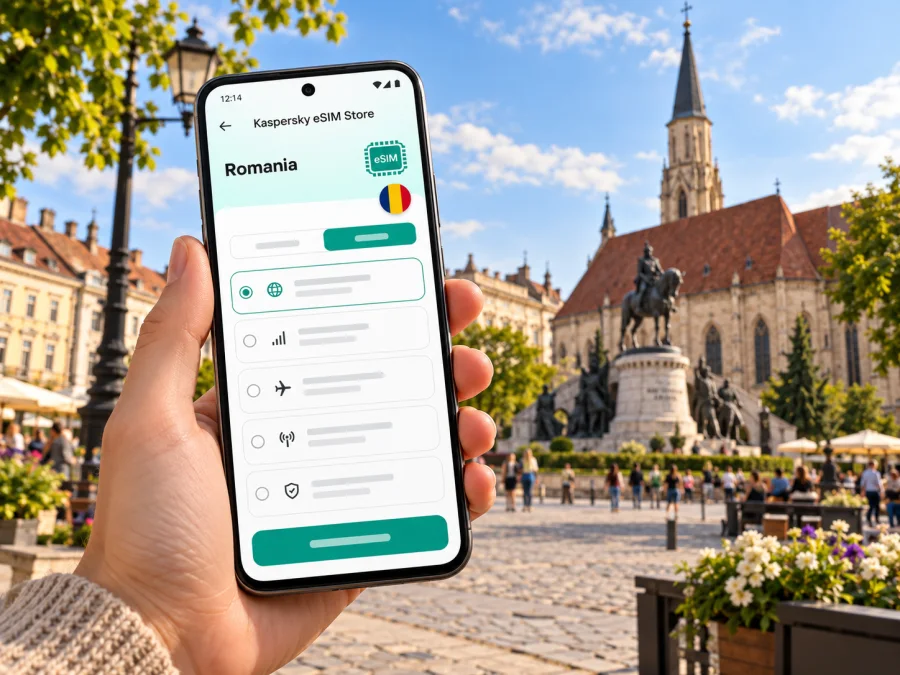
Cluj-Napoca eSIM: mobile connection and internet for your trip
Cluj-Napoca is a useful base for a city break, a work visit or a wider journey through Transylvania. A working mobile data connection helps with the first trip from Avram Iancu International Airport, checking an accommodation address, following a walking route through the centre and coordinating plans when they change. An eSIM can make that preparation easier if your phone supports it and the selected offer covers Romania.
Kaspersky eSIM Store is an app and website where you can choose, arrange and activate an eSIM with a suitable data plan for an international trip. The service is a way to prepare a travel eSIM; the network connection itself depends on the plan, its local network arrangements, your device and conditions where you use it. This guide focuses on the practical details of staying connected around Cluj-Napoca without assuming that any particular phone, tariff or network will work for every visitor.
Where mobile data helps around Cluj-Napoca
The centre is compact enough to explore on foot, but a map is useful when you arrive with luggage, have a hotel outside the historic core or need to meet someone at a specific entrance. Mobile data can help you compare route options, check a booking message, translate a short notice or share an updated arrival time. Downloading an offline map before leaving home is still sensible: it gives you a backup if data is unavailable or you want to conserve it.
The first hours often involve several small tasks rather than one long browsing session: finding the right airport transfer, confirming a pickup point, contacting your host and looking up a nearby shop or café. Save key details offline as well as in email. A screenshot of your accommodation address, reservation number and transfer instructions can be useful if your battery is low or you temporarily have no signal.
Cluj-Napoca is in Cluj County in north-western Romania, in the wider Transylvanian setting. That matters when you plan a day outside the city: an itinerary to a nearby town or natural attraction is a different connectivity scenario from staying in the centre. Before travelling beyond the urban area, check whether your plan applies across Romania and whether it includes any conditions on data use or tethering. Do not assume that a city-focused route or a plan described for one destination has identical service in every rural or indoor location.
For a work visit, keep meeting addresses and calendar details saved offline, and check the venue’s Wi-Fi arrangements before relying on mobile data for a call. Video meetings and hotspot use can consume more data than maps and messaging, so review the selected plan’s allowance and conditions first.
Arriving at Avram Iancu International Airport
Cluj’s airport publishes information about several public transport routes, including A1E, 5 and 8, and lists taxi, rental car and transfer options as alternatives. Its current public transport page gives an approximate journey time of 26 minutes from the airport to the central area; traffic, waiting time, route changes and your final address can affect the actual door-to-door trip. Check the airport and transport operator’s latest information on your travel date instead of treating a published estimate as a guarantee.
Once you have landed, the most practical order is usually simple:
- Connect to Wi-Fi if available, or switch on the travel data line you prepared.
- Check the airport’s current transport information and identify the stop or pickup point you need.
- Confirm the exact destination address, including the street number and entrance details.
- Choose a bus, taxi, rental car or pre-arranged transfer according to your arrival time, luggage and onward plans.
- Save the route or share your expected arrival time before you set off.
An eSIM is especially useful in this arrival sequence when it has been installed successfully and is ready to use. Yet installation and service activation are not always the same step. Some plans start their validity period at installation, while others start when the eSIM first connects in the destination country; terms vary. Read the plan conditions before installing, and leave time to troubleshoot before a flight rather than waiting until you are standing outside the terminal.
Moving between the centre and neighbourhoods
Cluj-Napoca’s local public transport is operated by CTP Cluj-Napoca, whose route information includes urban, metropolitan and night services. The network can be useful for reaching places beyond a central walking loop, but routes, timetables and ticket arrangements may change. Check the operator’s current information before setting out, particularly in the evening, on a weekend or during a large event.
For navigation, enter the full destination rather than relying only on a landmark name. Neighbourhood names and venue names can appear in different spellings, and a pin may point to a complex with more than one entrance. Compare the route with the address from your booking. If you are meeting a driver or colleague, send a map pin and a written description of the pickup location rather than just saying “near the centre.”
| Trip situation | What to check on your phone | Useful backup |
|---|---|---|
| Airport to accommodation | Current airport route, stop and estimated arrival | Save the accommodation address and transfer instructions |
| Historic centre walk | Walking route and opening information for your destination | Download an offline map of the centre |
| Bus across town | Current line, direction and stop name | Keep the destination address in a note |
| Evening return | Available service and last-trip details | Agree a meeting point and keep a taxi option in mind |
| Day trip from the city | Coverage terms, outbound and return journey | Save tickets, timetable details and offline maps |
The table is a planning aid, not a live timetable. Internet access can help you find current transport details, but public transport schedules and ticket rules should be checked with CTP or the airport rather than inferred from a map app. If you use a digital ticket, confirm whether the purchase or validation process requires data and keep the ticket accessible after purchase.
Choosing an eSIM plan for Cluj-Napoca
Start with the itinerary, not a guessed data amount. A short visit built around walking, messages and occasional map checks has different needs from a week of remote work, frequent video calls or a multi-stop route through Romania. Estimate what you will do, then compare the stated data allowance, validity, destination coverage and any usage conditions shown for the plan.
At this point in your planning, you can review the current options for a trip to Romania. Review the destination coverage, data allowance and validity shown on the page against your route, since available options and conditions may change.
Before confirming a plan, look for these details:
- Destination: Romania should be included. If your itinerary crosses a border, confirm each additional destination separately.
- Validity: check when the period begins, how long it lasts and whether the dates cover your whole trip.
- Data allowance: estimate maps, messages, browsing, calls over apps and any work use. Choose with a reasonable margin for your habits.
- Network and coverage wording: read the exact plan description. Signal can vary by building, location, terrain, congestion and the local network used.
- Tethering and restrictions: verify whether hotspot use, top-ups or other features are supported instead of assuming they are.
- Device and region: confirm both eSIM capability and the exact device variant’s eligibility. Model names alone may not tell the full story.
A data eSIM may not provide a Romanian phone number, standard voice service or SMS. Those features depend on the selected plan and must be stated explicitly. If you need ordinary calls or text messages, retain another working option, such as your home SIM, and check roaming charges with its provider. Internet messaging and voice apps can be used only when both parties have suitable access and the app works for the intended purpose.
Device compatibility: check the exact variant
Whether an eSIM works depends on the device, its market variant, software, carrier lock status and the requirements of the chosen plan. An eSIM-capable version sold in one market does not prove that another regional version with a similar name has the same capability. No phone model or regional variant was specified for this trip, so there is no model-specific compatibility claim here.
Before purchase, check the manufacturer’s support information for the exact model number and sales region, and look in your phone’s settings for an option to add an eSIM or mobile plan. Also confirm that the phone is not restricted to a single carrier. If the device is managed by an employer, ask the administrator whether adding a travel line is allowed. For a quick next step, check your device’s eSIM compatibility, then compare the result with the plan’s own requirements.
If compatibility remains unclear, do not infer support from a similar model or a product listing for a different country. Contact the phone manufacturer or seller with the full model identifier. Keep another connectivity option available until the travel eSIM is installed and working; that can be your existing SIM, suitable Wi-Fi access or a second compatible device.
Install and activate before you need directions
When possible, set up the eSIM while you have stable Wi-Fi and enough time to read the plan instructions. The exact screens differ between phone brands and operating system versions, so use the instructions for your device: eSIM setup for Android or eSIM setup for iOS.
A practical sequence is:
- Confirm the phone is compatible, unlocked where required and connected to Wi-Fi; review the destination, validity start, allowance and installation conditions.
- Follow the plan and phone instructions. Avoid deleting the profile unless instructed, since some eSIMs cannot simply be reinstalled.
- Label the new line, select it for mobile data and apply any roaming setting required by the plan.
- Keep your home number available if needed and check its roaming charges with your provider.
- In Romania, let the eSIM register and test a simple webpage. If it fails, recheck the selected data line and plan instructions before changing advanced settings.
Quick preparation checklist
Before leaving home
- Confirm that the exact phone variant supports eSIM and is eligible for the chosen plan.
- Check the plan’s Romania coverage, data allowance, validity and activation rules.
- Install the eSIM over a reliable connection if the instructions permit pre-installation.
- Save accommodation details, airport transfer information and key bookings offline.
- Download a city map and charge your phone and power bank.
After landing
- Select the travel eSIM for mobile data and apply the plan’s network settings.
- Check current airport transport information and confirm the destination address.
- Test a basic connection before relying on it for navigation or messaging.
- Keep your home line settings and roaming conditions in mind.
During the stay
- Check routes and service updates before leaving, especially later in the day.
- Monitor data use and validity rather than assuming the plan will renew or top up automatically.
- Save essential tickets and confirmations so you can access them offline.
Common connection questions
Will a travel eSIM work everywhere in Cluj-Napoca?
No plan should be treated as a guarantee of reception everywhere. Availability and performance depend on the underlying local network, building materials, location, congestion, device and plan terms. Check the plan details and keep offline directions for places where a signal may be weak.
Does a travel eSIM include calls and SMS?
Do not assume that it does. A data-focused plan may provide mobile internet without a local voice number or standard SMS. Read the specific plan description. Internet-based calling and messaging may be an option when your apps and contacts are available online.
What should I do if data does not connect after landing?
Check that the eSIM is enabled and selected for mobile data, confirm the destination and activation conditions, and review whether the plan requires data roaming. Restarting the phone may help in some cases, but avoid deleting the eSIM or resetting the device without the provider’s instructions. Use Wi-Fi to contact support if the issue continues.
Is a Cluj-Napoca eSIM different from a Romania eSIM?
The city is not a separate country destination. For a trip centered on Cluj-Napoca, check the Romania destination page and the exact plan coverage. If your route includes other countries, confirm those destinations individually.
Prepare for your Cluj-Napoca trip
A little setup before departure can make the first airport transfer and the first walk through the city easier: confirm your phone variant, read the plan conditions, save important addresses and decide which line will use mobile data. Kaspersky eSIM Store is an app and website for choosing, arranging and activating an eSIM plan for an international trip; the available terms are shown with each option and should be checked before purchase.
Explore the current Romania eSIM options for your trip and choose only after confirming that the destination, validity, data allowance and device requirements fit your itinerary. Install and activate the eSIM according to its instructions, then keep offline travel details as a practical backup while you explore Cluj-Napoca.


