Travel connectivity guide
Cobán eSIM: Mobile Internet in Alta Verapaz
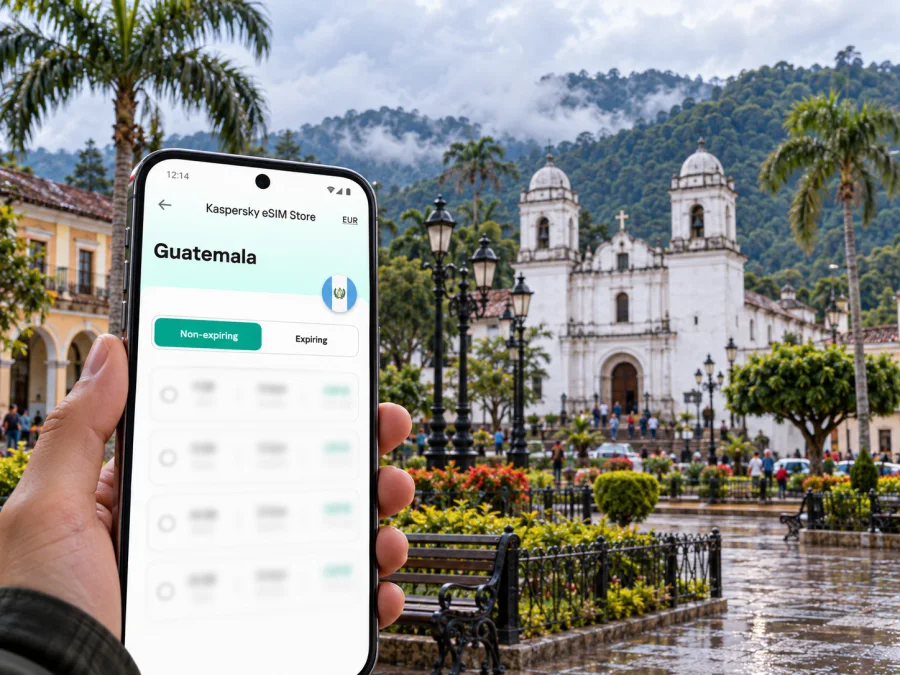
Cobán eSIM for mobile connection and internet: a practical city guide
Cobán is a useful base for exploring Alta Verapaz, but a visit here often moves between the compact center, nearby green spaces and longer road journeys toward caves, rivers and forest reserves. A dependable mobile data plan helps you check directions, contact a hotel, coordinate a pickup and keep essential details close while you travel. Because mountain roads and rural destinations can have variable reception, prepare for periods without a signal as well as for time online.
This guide focuses on using mobile internet in Cobán: what to prepare before arrival, how to navigate the city, where connectivity may matter most, and how to plan day trips beyond the urban area. It also explains how an eSIM can fit into a trip without assuming that every phone, plan or location behaves the same way.
Cobán at a glance
Cobán is the departmental capital of Alta Verapaz in Guatemala’s central highlands. It is a working regional city as well as a starting point for nature and cultural visits. The official tourism guide for Alta Verapaz lists places and experiences connected with Cobán, including the historic Palacio de Gobernación, Parque Nacional Las Victorias, the parish of Santo Domingo de Guzmán, local coffee experiences and the National Folkloric Festival. That variety affects how you plan connectivity: you may use data for short urban journeys, then travel farther into areas where a map or booking detail should already be saved on your phone.
The city is often associated with cool, cloudy and rainy conditions. Locals use the phrase “chipi chipi” for its characteristic fine drizzle. Weather can change the feel of a walk and the pace of road travel, so check a current forecast before setting out and allow extra time in wet conditions. Do not rely on a live map as your only navigation tool on a longer excursion.
| Trip need | Why mobile data helps | Useful backup |
|---|---|---|
| Finding your accommodation | Share a pin, confirm an entrance, or message about arrival time | Save the address and contact details offline |
| Walking in the center | Check directions between shops, restaurants and landmarks | Screenshot the route and note a nearby recognizable place |
| Arranging local transport | Coordinate a pickup point and communicate changes | Agree on the destination and fare before departure |
| Visiting nature sites | Check meeting details and keep a route available | Download maps and confirm transport with your host or guide |
| Working remotely | Handle messages and lightweight tasks when service permits | Ask the accommodation about its Wi-Fi and power arrangements |
The table describes practical uses, not guaranteed network performance. Signal depends on the local network, terrain, building materials, weather, congestion, your phone and the specific plan. A service indicator on the phone does not guarantee that every app or website will load at a useful speed.
Plan the arrival before you leave
For many international visitors, the journey to Cobán includes a flight into Guatemala City and a road transfer north. The final route and travel time depend on the transport you choose, current road conditions, stops and weather. Arrange your onward trip in advance when possible, especially if you arrive late or need to connect with a scheduled shuttle. Keep the name and address of your accommodation, the driver’s contact information and your booking confirmation available offline.
An active data connection can be helpful soon after landing: you may need to contact a driver, check a meeting point, confirm a reservation or tell someone that your bus is delayed. If you plan to use an eSIM, review the provider’s activation instructions before departure and install the profile while you have stable internet access. Keep your usual SIM available if you need its number for calls or verification messages, and decide which line should handle mobile data.
Before travelling, make a small offline arrival pack:
- Save the hotel or guesthouse address in text as well as on a map.
- Take screenshots of tickets, bookings, transfer instructions and emergency contacts.
- Download an offline map of Cobán and the areas you intend to visit.
- Tell a trusted person your expected arrival window and how you will check in.
- Carry a charging cable and power bank; keep the phone protected from rain.
- Check whether your accommodation offers Wi-Fi and what the check-in process is if you arrive without data.
If you land without a working connection, use airport Wi-Fi only as a temporary option and avoid depending on it for the entire transfer. Connect to a trusted network, retrieve what you need, then use the previously saved details. The ability to reach a website later is not a substitute for having the driver’s number or lodging address written down.
Getting around the center
Cobán’s central area is the easiest place to combine walking, appointments and short transport rides. Use a map to orient yourself around the central plaza and major streets, then check the walking route before stepping away from a safe place. Narrow sidewalks, uneven surfaces, traffic and rain can make a route slower than it looks on a screen. Keep your phone secure and pause somewhere out of the flow of pedestrians and vehicles when you need to read directions.
The Palacio de Gobernación and the parish of Santo Domingo de Guzmán are useful cultural points to include in a central walk. The official Alta Verapaz guide also identifies a museum of regional history and a nearby urban nature option, Parque Nacional Las Victorias. Check current opening arrangements locally before visiting, because schedules can change and a listing does not guarantee same-day access.
Mobile data can help with the small transitions that make a city visit smoother: confirming whether a café is open, sending a location pin, translating a short message, checking a ride or contacting a guide. To limit data use, download maps and translation resources on Wi-Fi, disable automatic media uploads and avoid streaming while travelling. If your plan has a set data allowance, reserve it for navigation, messaging, reservations and other tasks that need a connection.
When you hire a taxi or arrange a pickup, agree on a clear landmark and destination. Do not assume a driver can see your live location or that the route will match the map exactly. If mobile coverage drops, having the destination written down in Spanish and saved offline is more useful than repeatedly refreshing the app.
Parks, coffee and culture in town
A city stay can include nature without turning every outing into a full-day expedition. Parque Nacional Las Victorias is described by the tourism guide as a protected area located within Cobán. It offers a chance to spend time in greenery while remaining close to the urban center. Check local access conditions and opening details before you go, and download the map in advance in case the signal is inconsistent among trees or around slopes.
For an introduction to the region’s coffee culture, look for a visit with a local cooperative or producer and confirm the current schedule directly. The Alta Verapaz guide describes a coffee tour connected with Cooperativa Chicoj and small Q’eqchi’ producers. Experiences and availability can vary; make arrangements ahead of time rather than assuming that a tour accepts walk-ins. Download the meeting point and any instructions before leaving town.
Cobán’s cultural calendar includes the National Folkloric Festival, known as Rab’in Ajau, and the city’s annual half-marathon. These events can bring visitors into the streets and alter transport and accommodation demand. Check the dates for the year of your visit through current local information. If your trip coincides with a large event, reserve lodging early, agree on pickup points and keep a screenshot of your itinerary in case a crowded area makes calls or messages slow.
Choosing an eSIM for a trip to Guatemala
An eSIM is a digital SIM profile that can be added to a compatible, unlocked device. Kaspersky eSIM Store is an app and website where travellers can choose, arrange and activate an eSIM with a suitable plan for mobile internet abroad. The service is not a mobile network operator and does not itself provide coverage; the actual connection depends on the plan, its underlying network arrangements and conditions where you use it.
If you want to review current options for the country, browse eSIM plans for Guatemala. Check the details shown for the plan before choosing: supported destination, data allowance, validity period, activation requirements and any restrictions. Availability and conditions can change. A country-level plan page should not be read as a guarantee of reception at every hotel, road or attraction around Cobán.
Think about your likely use rather than selecting a plan by headline data amount alone. A visitor who mainly needs maps, messages and occasional booking updates may use data differently from someone who uploads photos or joins video calls. Estimate how much time you expect to spend online, whether your accommodation has usable Wi-Fi and whether you will travel outside the city. If your itinerary includes remote locations, make offline preparations regardless of the plan you choose.
| Before choosing | What to check |
|---|---|
| Destination | Guatemala is included for the exact plan you intend to use |
| Validity | The plan’s active period covers your dates and activation timing |
| Data | The allowance fits maps, messaging, browsing and your other expected use |
| Device | Your specific model and regional version support eSIM and are not carrier-locked |
| Setup | You understand when to install, activate and select the eSIM for data |
| Calls and texts | The plan’s terms clarify whether it is data-only; do not assume it includes a local number |
A mobile-data eSIM normally does not replace your regular phone number. Unless the terms explicitly say otherwise, plan to use your existing SIM for ordinary calls and SMS, and internet-based calling or messaging apps over data for online conversations. Check roaming settings for your home line to avoid unexpected charges, and keep the data line selection clear in your device settings.
Compatibility and regional device versions
Do not rely on a brand name alone to determine compatibility. eSIM support can vary between models with similar names, and some regional or carrier-specific versions differ from those sold elsewhere. Before purchase, check whether your device supports eSIM, confirm that it is unlocked for use with another provider and follow the manufacturer’s instructions for your exact variant. If you cannot confirm these points, contact the device maker or seller before choosing a plan.
Also check the operating system, available storage and ability to scan or enter the activation details. If your phone is managed by an employer, ask whether its policies allow another SIM profile. Keep access to the email or app used for setup, and do not delete an installed eSIM profile unless the provider’s instructions say that it can be restored.
Installation and activation: a careful sequence
The exact menus vary by phone model and operating system. Follow the instructions supplied with your eSIM and the manufacturer’s current guidance. As a general preparation sequence:
- While connected to reliable Wi-Fi, check device compatibility and unlock status.
- Review the plan destination, data allowance, validity and activation instructions.
- Install the eSIM profile as directed, using the QR code or manual details provided.
- Label the profile clearly, for example “Guatemala data,” so it is easy to identify.
- Keep your primary line selected for the phone number if you need it, and select the eSIM for mobile data when appropriate.
- Turn on the data line at the time described in the plan instructions. Data roaming may be required for some travel eSIM profiles; enable it only for the intended eSIM and check the plan’s directions.
- Once in Guatemala, allow the device time to register. If data does not work, check that the correct line is selected, mobile data is enabled and the plan has started before changing network settings.
For step-by-step help, use the Android eSIM installation guide or the iOS eSIM installation guide. Save the instructions or access them before departure in case you need to troubleshoot while offline. Do not remove the profile as a first troubleshooting step; deletion may make it difficult to reinstall.
Day trips from Cobán: prepare for patchy service
Cobán is a regional base for excursions into Alta Verapaz, but distance on a map does not tell you how long a journey will take. Roads can be winding, weather can affect travel and the final stretch to a site may involve a local transfer or guide. Confirm the route, departure time, return arrangements and road conditions with a reliable local provider before setting out.
Popular regional destinations include Lanquín and Semuc Champey, caves, waterfalls and other natural areas. These are outside the city and should not be treated as Cobán neighborhoods or as places with guaranteed mobile service. A live map may work for one part of a journey and fail later. Download maps, share your itinerary, carry water and essential supplies, and follow your guide’s advice about safe access and timing.
Before a day trip, check off the following:
- Save the driver or guide’s name, phone number and meeting place.
- Download maps for the entire route and capture the return instructions.
- Confirm whether the fee, transport and timing have changed.
- Carry cash in the form recommended by your host; do not assume card payment or ATMs will be available at the destination.
- Bring a charged power bank and protect electronics from rain and moisture.
- Tell someone when you expect to return, especially if travelling independently.
- Keep a paper or offline copy of your accommodation address.
An eSIM can help you communicate when a compatible network is available, but it is not a substitute for a guide, safe transport or preparation. Avoid planning around a promise of continuous reception. For a remote outing, the most useful combination is a charged phone, a saved route, confirmed human contact and a realistic return plan.
Troubleshooting if the eSIM does not connect
If data is unavailable after arrival, work through a short, low-risk checklist:
- Check that airplane mode is off and mobile data is enabled.
- Confirm the intended eSIM is active and selected for mobile data.
- Check whether your plan’s activation period has begun and whether its validity dates are correct.
- Follow the provider’s instructions for data roaming, network selection and any APN settings.
- Restart the phone once, then give it time to register on an available network.
- Try again outdoors or in a place with a clearer signal; buildings and terrain can affect reception.
- Contact the eSIM provider through its support channel using Wi-Fi if available, and keep the order or plan details ready.
Avoid repeated profile deletion or resetting network settings unless support instructs you to do so. If you have an urgent transport or hotel issue, use Wi-Fi, ask your accommodation for assistance or use another agreed contact method rather than depending on troubleshooting to finish immediately.
FAQs about eSIM and mobile internet in Cobán
Will an eSIM work everywhere in Cobán?
No plan can guarantee reception in every building, street or nearby natural area. Coverage and performance depend on the plan’s network arrangements, terrain, weather, congestion, device and exact location. Save maps and essential details offline.
Is Cobán in Guatemala or a separate country or region?
Cobán is a city in Guatemala and the departmental capital of Alta Verapaz. For a country-specific plan, check Guatemala’s current destination options and plan terms.
Should I install the eSIM before travelling?
Often it is convenient to install while you have reliable Wi-Fi, but follow the specific activation instructions. Some plans start their validity on installation, while others start at a different point; verify this before proceeding.
Will I have a signal on a trip to Semuc Champey or Lanquín?
Reception can vary along the route and at the destination. Do not plan as though mobile service is continuous. Confirm transport, download a map, save contacts and share your schedule before leaving Cobán.
A simple plan for staying connected
Before the trip, confirm the device, plan terms and activation steps. On arrival, use saved details to reach your accommodation and transfer. In central Cobán, use live data for short navigation and coordination while keeping a local map available offline. For excursions, check conditions with your host, download the route and prepare for gaps in coverage. For work, verify Wi-Fi and power rather than assuming mobile data will support every task.
Kaspersky eSIM Store helps you choose, arrange and activate an eSIM for mobile internet abroad. Review the current Guatemala options and select a plan that fits your dates and expected use: explore eSIM plans for Guatemala. Check compatibility and activation conditions before purchase, then keep offline navigation and contact details ready for the parts of Alta Verapaz where a signal may not be available.


