
Travel connectivity guide
Cochabamba eSIM for mobile internet
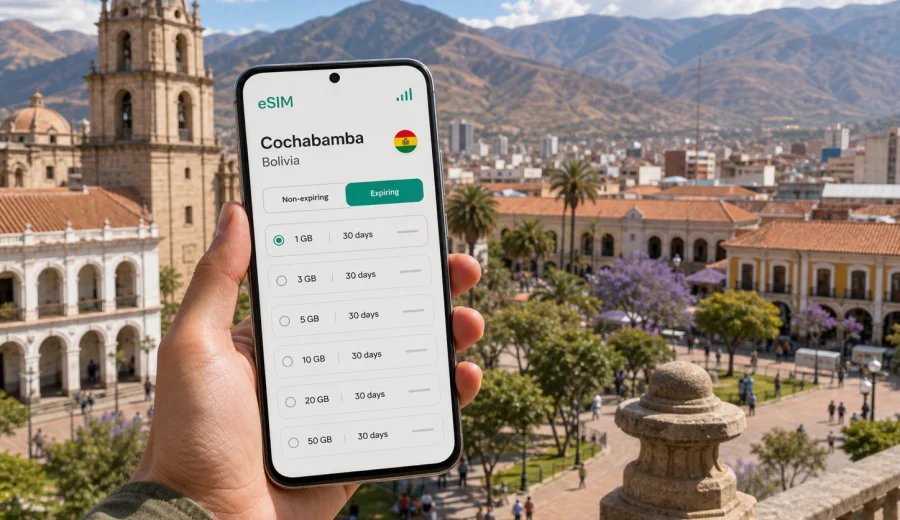
Cochabamba eSIM: mobile connection and internet for your city trip
Cochabamba is one of Bolivia's most practical bases for travelers: a high-valley city with a busy airport, walkable central streets, markets, business districts, university areas, and routes that continue toward Santa Cruz, La Paz, Sucre, Villa Tunari, and Toro Toro. For a visitor, mobile internet is not just a nice extra. It is what helps you confirm a hotel address, read a map at altitude, translate a menu, message a driver, check flight updates, and decide whether the next part of the day is a city walk, a market visit, or a bus ride out of town.
An eSIM is useful in Cochabamba because you can prepare mobile data before you arrive and avoid making your first task in Bolivia a search for a physical SIM card. This guide explains how to think about mobile connection and internet in Cochabamba: where data matters most, how much you may need, what to check on your phone, and how to plan an eSIM for a short stop, a work trip, or a longer stay in Bolivia.
Why mobile internet matters in Cochabamba
Cochabamba is easier to navigate when you can stay online between the airport, the city center, residential districts, and nearby day-trip routes. The city sits in a broad Andean valley, so journeys often combine dense urban streets, hills, plazas, and roads toward surrounding towns. A stable data plan helps you adapt without relying only on hotel Wi-Fi.
Typical moments when mobile data is useful:
- arriving at Jorge Wilstermann International Airport and confirming your route into the city;
- checking the address of a hotel in Cala Cala, Recoleta, Queru Queru, Muyurina, or near El Prado;
- using navigation around Plaza 14 de Septiembre, La Cancha market, and the cathedral area;
- messaging a host, colleague, tour contact, or driver in real time;
- translating Spanish signs, menus, and transport information;
- checking opening hours, weather, and route timing before going to Cristo de la Concordia;
- arranging onward travel to Quillacollo, Tiquipaya, Sacaba, Villa Tunari, Toro Toro, Sucre, or La Paz.
Public Wi-Fi can help in hotels, cafes, offices, and some shopping areas, but it is not a full travel plan. You may need internet before check-in, while crossing town, or when a meeting moves to another address.
Arrival in Cochabamba: where eSIM data helps first
The first hour after landing is often when visitors need mobile internet the most. Jorge Wilstermann International Airport is close to the city, but the practical details still matter: your hotel may be on the north side of the city, your meeting may be near the center, and traffic can change the best route.
After arrival, use mobile data to check hotel messages, compare the route before leaving the terminal, share your location, and keep a map loaded while moving through unfamiliar streets.
If you install an eSIM before departure, setup is easier to handle calmly on stable Wi-Fi. After landing, you can turn on the relevant mobile data line and check whether data roaming for the eSIM is required by the selected tariff.
City scenarios: how much data you may need
Your data need depends less on the city name and more on what you will do there. Cochabamba can be a quiet stop for meetings, a family visit, a food-and-market weekend, or a launch point for longer travel across Bolivia. The table below gives a practical way to estimate your mobile internet needs.
| Trip style in Cochabamba | Typical use | Data planning approach |
|---|---|---|
| 1-2 day stopover | Maps, ride messages, hotel check-in, light browsing | A small short-validity package may be enough if you avoid video streaming |
| Weekend city break | Navigation, restaurant searches, photos, messaging, translation | Choose enough data for daily maps and media uploads |
| Business trip | Email, calendars, documents, calls via apps, taxi routes | Prioritize a plan with comfortable data volume and validity across the full stay |
| Family or remote-work stay | Video calls, cloud files, hotspot for a laptop when allowed | Check hotspot availability in the tariff conditions and choose more data |
| Bolivia route from Cochabamba | City use plus onward travel to other regions | Pick a Bolivia plan that covers your full route, not only the arrival day |
As a rule, maps, messaging, email, and translation use moderate data. Video, cloud backup, app updates, and hotspot use can consume data quickly. Before you travel, turn off automatic app updates and automatic photo backup on mobile data if you want your package to last longer.
Cochabamba districts where online navigation is useful
Cochabamba is not a city where every traveler stays in the same area. Mobile internet helps because your day may stretch across several districts.
- City center and Plaza 14 de Septiembre. Good for historic streets, the cathedral, cafes, banks, and practical errands. Mobile data helps with walking routes and quick address checks.
- El Prado and Recoleta. Common for restaurants, hotels, and evening plans. It is useful to have data for ride messages and route changes after dark.
- Cala Cala and Queru Queru. Residential and comfortable for longer stays, with hotels, apartments, and business meetings. Online maps help because addresses may require more precise navigation.
- La Cancha market area. Large, busy, and easy to lose orientation in. A working map and messaging access are useful, especially if you split from travel companions.
- Sacaba, Tiquipaya, and Quillacollo routes. These nearby destinations can be part of errands, family visits, or day trips. If you travel beyond the central grid, data becomes more important for timing and return routes.
If your itinerary includes several areas in one day, do not plan around Wi-Fi only. Short gaps without data can be inconvenient when a driver calls, a meeting address changes, or a map needs to recalculate.
Preparing your phone before the trip
Before choosing an eSIM plan, check the basics. eSIM requires a compatible device, and some phones may be locked by an operator. If your device does not support eSIM or cannot add another mobile plan, you will need another connectivity option.
Pre-trip checklist:
- Check whether your device supports eSIM and can add a new cellular plan.
- Confirm that your phone is not locked to one operator.
- Update your operating system while you are still on reliable Wi-Fi.
- Save your accommodation address offline in case you need it before mobile data starts.
- Keep your usual SIM active if you need bank SMS or calls, but set the eSIM as the mobile data line when ready.
- Review the selected tariff conditions: data volume, validity, destination, activation rules, and hotspot availability if you plan to use tethering.
Kaspersky eSIM Store is an app and website where you can quickly choose, arrange, and activate an eSIM with a suitable data package for mobile internet during an international trip. For Cochabamba, use the Bolivia destination page rather than looking for a separate city product: you can prepare an eSIM plan for your trip to Cochabamba and then use it according to the selected tariff conditions while traveling in Bolivia.
Installing an eSIM for Cochabamba
The best time to install an eSIM is usually before departure, when you have stable Wi-Fi and time to read the steps carefully. You can also install it after arrival if you have Wi-Fi at the airport, hotel, or office, but that gives you less margin if you need mobile data immediately.
Basic installation flow:
1. Choose the destination and a suitable data package for Bolivia.
2. Complete the order in the app or on the website.
3. Follow the installation instructions for your device.
4. Add the eSIM profile to your phone.
5. Set the eSIM as the mobile data line when you are ready to use it.
6. Enable data roaming for the eSIM if the instructions for your tariff require it.
7. Keep your primary SIM settings under control so calls, SMS, and mobile data use the intended lines.
Device menus vary, so follow the specific steps for your operating system: use the Android installation guide or the iOS installation guide when you set up the eSIM. Do not delete an installed eSIM profile unless you are sure you no longer need it, because transfer and reinstallation rules depend on the tariff and device conditions.
eSIM for business trips to Cochabamba
For business travel, mobile internet is often more important than sightseeing. Cochabamba has offices, universities, clinics, logistics contacts, and regional meetings that can put you in different parts of the city in one day.
Business travelers should plan for:
- calendar updates while moving between meetings;
- messaging with local contacts and drivers;
- video or voice calls through internet apps;
- document previews and cloud access;
- map checks before visiting unfamiliar offices;
- a backup connection if hotel Wi-Fi is slow or crowded.
If you expect to use a laptop, check whether the selected eSIM tariff allows hotspot use. A small data package may be fine for light email, but cloud files and video calls need more room.
Using mobile data wisely in Cochabamba
Mobile internet is most reliable as a travel tool when you control background consumption. A few settings can make a small or medium data package last much longer.
Practical data-saving steps:
- download offline map areas before leaving your hotel Wi-Fi;
- turn off mobile data for automatic app updates;
- pause cloud photo backup on mobile data;
- check data use in your phone settings every day;
- avoid leaving hotspot on when you are not actively using it.
This keeps mobile data available for the moments that matter: navigation, messages, confirmations, payments where supported, and quick decisions in an unfamiliar city.
Trips from Cochabamba where data planning still matters
Many visitors use Cochabamba as a base rather than a final stop. Mobile internet can help before and after you leave the city, especially when routes are long or plans depend on weather and transport.
Common route examples:
- Cristo de la Concordia and city viewpoints, where data helps with route choice and ride coordination;
- Quillacollo and Tiquipaya, where local addresses and return navigation matter;
- Villa Tunari, Toro Toro, La Paz, Sucre, or Santa Cruz, where you should choose validity for the full Bolivia route.
Do not assume that every road segment will behave like a central city district. Download key information before leaving Cochabamba, and keep mobile data for updates where available.
Quick setup checklist for Cochabamba
Use this checklist before you fly or before you leave your hotel Wi-Fi:
1. Confirm that your phone supports eSIM and is not operator-locked.
2. Choose Bolivia as the destination for a Cochabamba trip.
3. Select data volume based on maps, messaging, work, and onward travel.
4. Install the eSIM while connected to stable Wi-Fi.
5. Keep the installation QR code or app instructions accessible until setup is complete.
6. Set the eSIM as the data line when you are ready to use it.
7. Enable data roaming for the eSIM if the instructions require it.
8. Test mobile data before starting an important transfer or meeting.
A good setup is quiet: no rush at the airport, no search for a shop before checking in, and no guessing which SIM line is using data. Spend a few minutes on the settings before the trip, and Cochabamba becomes easier to handle from the moment you arrive.
FAQ: eSIM and mobile internet in Cochabamba
Can I use an eSIM for a trip to Cochabamba?
Yes, if your device supports eSIM and the selected plan includes Bolivia. Cochabamba is a city destination, so choose the Bolivia plan for the country where the city is located.
Do I need a separate city plan for Cochabamba?
No. For this type of city article, the practical destination is Bolivia. Choose a plan for Bolivia and check its data volume, validity, and activation conditions.
Should I install the eSIM before arriving?
It is usually more convenient to install it before departure while you have reliable Wi-Fi. You can then activate or switch mobile data according to the instructions for your tariff and device.
Can I keep my usual SIM active?
On many compatible phones, yes. You can keep your primary SIM for calls or SMS and set the eSIM as the mobile data line. Check your device settings carefully to avoid using the wrong line for data.
How much data do I need for Cochabamba?
For light navigation and messaging, a smaller package may be enough. For business work, cloud files, video calls, hotspot use, or onward travel in Bolivia, choose more data and longer validity.
Is public Wi-Fi enough in Cochabamba?
It can help in hotels, cafes, and offices, but it does not cover airport transfers, taxi coordination, market visits, or route changes. Mobile data gives you more flexibility between Wi-Fi points.
Choose an eSIM plan for your trip to Cochabamba
Cochabamba rewards flexible travel: one day can include an airport transfer, a meeting in the north of the city, lunch near El Prado, a walk through the center, and a last-minute route change toward a viewpoint or a nearby town. Mobile internet keeps those small decisions manageable.
Before you travel, check your device, choose a suitable data package, install the eSIM on Wi-Fi, and keep your phone settings clear. When you are ready to prepare mobile internet for Bolivia, you can choose an eSIM plan for your trip to Cochabamba through Kaspersky eSIM Store and use it according to the selected tariff conditions during your stay.