Travel connectivity guide
Cockburn Town eSIM: Mobile Internet on Grand Turk
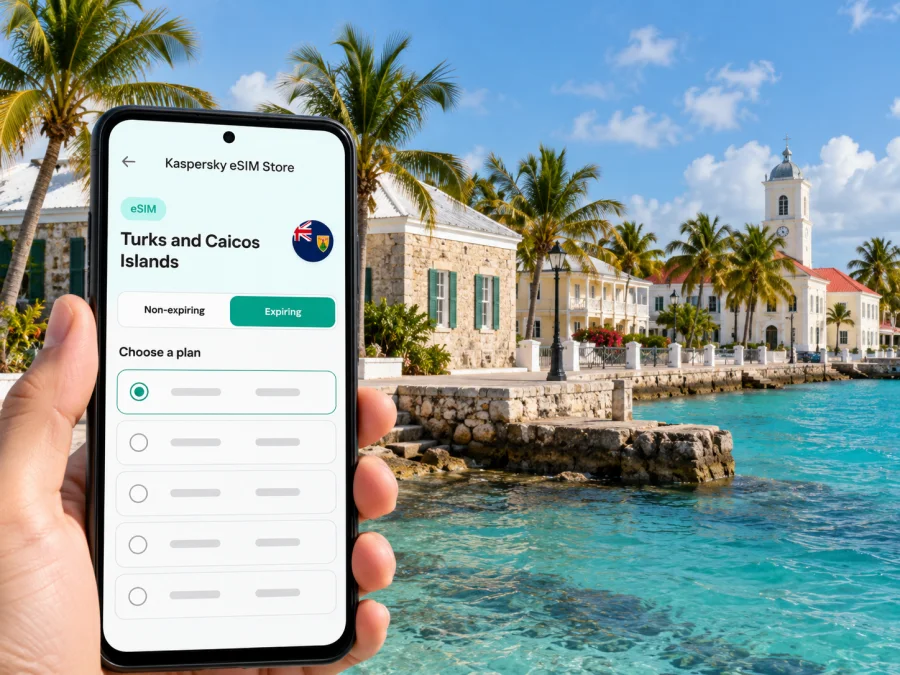
eSIM for Cockburn Town: mobile connection and internet on Grand Turk
Cockburn Town is a small waterfront capital on Grand Turk, in the Turks and Caicos Islands. It feels very different from a large city: the historic center follows the coast, daily plans often involve a short flight, a cruise stop, a taxi, a beach, or a dive boat, and the next useful address may be several streets away. A working mobile data connection can make those transitions easier, from checking a transfer after landing to opening a saved map on Front Street.
An eSIM is a digital SIM profile that can provide mobile data without replacing the physical SIM in your phone. It may be useful if your home operator’s roaming terms do not suit the trip, or if you want to prepare access to maps, bookings, messages, and email before setting out. The exact service, supported network, data allowance, validity period, and activation rules depend on the plan you select and the device you use. Check those terms before purchase; no plan should be assumed to work in every building or on every part of an island route.
Why mobile data helps with a Cockburn Town itinerary
The historic waterfront is compact, but a visit to Grand Turk is rarely limited to a single walk. You may arrive at JAGS McCartney International Airport, travel into town, find your accommodation, then head back out to the cruise center, a beach, or a boat excursion. If you are connecting through Providenciales, you may also need to keep flight details and messages to hand during the island transfer.
Mobile internet can help with practical tasks such as:
- opening directions between the airport, your lodging, Front Street, and a meeting point;
- confirming a taxi pickup or sharing your location with a driver or travel companion;
- checking a flight notification or reservation when plans change;
- messaging your hotel, tour provider, colleagues, or family;
- viewing a saved itinerary while walking between the waterfront and historic sights;
- checking maps and transport details before leaving a Wi-Fi connection.
An eSIM is a data option, not automatically a replacement for your regular phone service. Unless the selected plan says otherwise, expect it to provide data rather than a local phone number, ordinary voice calls, or SMS. Keep your usual SIM active if you need calls or verification texts, and check your home carrier’s roaming settings and charges before travel. Internet calls and messages can work through apps when data is available, subject to the app and plan terms.
Know the geography before planning your connection
Cockburn Town is on the western side of Grand Turk and is the capital of the Turks and Caicos Islands. Grand Turk is one island in the territory, not the whole destination. Providenciales, where most international arrivals land, is on another island; reaching Grand Turk normally involves a separate domestic flight or a cruise itinerary. A country-level eSIM destination may therefore be the relevant product category, but its actual network and service terms still need to be checked against your complete itinerary.
The JAGS McCartney International Airport (GDT) serves Grand Turk. It is a short road journey from central Cockburn Town, not an airport in the middle of the historic waterfront. Do not plan on walking between the terminal and town with luggage simply because the distance looks small on a map. Arrange a pickup or confirm taxi options before arrival, especially if you land outside the busiest periods or have a tight onward schedule.
The old center is a narrow coastal settlement. Front Street and Queen Street follow the waterfront, with Duke Street and nearby lanes connecting inland. Historic buildings, small inns, places to eat, the National Museum, and H.M. Prison are clustered around this walkable area. The Grand Turk Cruise Center is a separate site several miles away. It is not a sensible walk from town in strong sun or without continuous sidewalks; plan a taxi, rental vehicle, or organized transfer instead.
| Part of the trip | What to plan | How mobile data can help |
|---|---|---|
| Providenciales arrival | Check your onward flight, terminal details, and transfer timing | Open booking messages and contact the accommodation |
| GDT arrival | Confirm the pickup location and destination before leaving the airport | Share an arrival update and follow a saved route |
| Historic center | Save the names of your lodging and key places | Find a street, message a host, or check opening information |
| Cruise Center visit | Arrange transport for the trip between port and town | Confirm the meeting point and return timing |
| Boat or dive excursion | Download instructions and contact details in advance | Check updates before departure and reconnect afterward |
A map pin is helpful, but it does not replace a confirmed pickup arrangement. Save the address and a contact method offline as well. On a small island, a driver may know a property by its name or landmark rather than by a street number, and mobile data may not be available at every moment.
Choosing a plan for a short visit or a longer stay
Start with your route and expected use, not with a headline data amount. A cruise visitor who needs directions, messages, and occasional searches has a different pattern from a remote worker on a multi-day stay. Video calls, cloud backups, and streaming can use substantially more data than maps and text messaging, so include those activities only if you expect to use them on mobile data.
Before choosing a plan, check these points in its current terms:
- Destination coverage. Confirm that the plan explicitly includes the Turks and Caicos Islands. If you will also spend time in Providenciales or another island, check that the same plan applies to those parts of the route.
- Data allowance. Estimate maps, messaging, email, browsing, and any work calls. If your phone automatically backs up photos or downloads updates, pause those tasks on mobile data.
- Validity. Compare the plan’s validity with the dates and sequence of your trip. Installation, activation, and the start of validity may be separate events; rely on the wording shown for the chosen plan.
- Network and device requirements. Check which local network or networks the plan uses, whether your phone is unlocked, and whether its exact regional model supports eSIM.
- Tethering and restrictions. If you intend to connect a laptop or tablet, confirm that hotspot use is allowed and review any fair-use or speed terms.
- Price and refund conditions. Review the displayed price, currency, renewal rules, and refund policy before paying. Avoid comparing a travel data plan with a home roaming offer until you have checked both sets of terms.
When you are ready to compare the currently available destination options, review eSIM plans for a trip to the Turks and Caicos Islands. Check the plan details on the destination page and make sure they fit your route through Grand Turk and any other islands you will visit. The page is for the territory; it does not imply a separate Cockburn Town tariff or guarantee a particular local signal.
Prepare your phone before you leave
Compatibility is specific to the device and its regional variant. Some phone families include different models for different markets, and eSIM support can differ between those versions. A device may also be carrier-locked even if its hardware supports eSIM. Check the manufacturer’s documentation, the settings on your exact handset, and your carrier status before buying. Check whether your device supports eSIM.
A few preparation steps can prevent avoidable problems after landing:
- Install system updates and the relevant eSIM app while you have reliable Wi-Fi.
- Confirm that you can access the email address or account used for the purchase.
- Read whether the plan is installed by QR code, an in-app flow, or another method; keep the instructions available on a second screen if possible.
- Do not delete an installed eSIM profile while troubleshooting unless the provider’s instructions tell you to. Some profiles cannot simply be downloaded again.
- Decide which SIM will handle mobile data and which one will handle calls or messages.
- Turn off automatic app updates, photo sync, and video autoplay over mobile data if you want to conserve the allowance.
- Save your hotel name, address, flight details, and important reservation messages for offline access.
If you are installing before travel, follow the plan’s stated activation instructions. Some plans are intended to be installed ahead of departure and activated later; others may begin their validity when first connected. These are not interchangeable rules. Read the specific plan description so that you do not start a validity period earlier than intended.
Installing and activating an eSIM
The menu names vary by phone maker and operating-system version. Use the on-screen flow and the instructions supplied with your plan. The general sequence is:
- Connect to Wi-Fi and open the eSIM installation details from your account or confirmation message.
- Add the eSIM through your phone’s cellular or mobile-network settings, scanning the QR code when that option is provided.
- Label the new line clearly, for example “Travel data,” so you can distinguish it from your home SIM.
- Keep your home line configured for calls or SMS if needed, and select the travel line for mobile data when the plan should be used.
- Enable data roaming for the eSIM only if the plan’s instructions require it. Roaming may be necessary for some travel profiles, but you should follow the selected plan’s exact directions.
- After arrival, check that the eSIM line is switched on, the intended line is selected for data, and airplane mode is off. Allow the phone time to register before changing settings repeatedly.
For step-by-step help, use the Android eSIM installation instructions or the iPhone eSIM installation instructions. These links explain setup flows; your selected plan’s activation conditions remain the authority for when data service starts.
If data does not connect, work through the basics calmly. Check that the eSIM is enabled, mobile data is assigned to the correct line, the plan is valid for the destination, and the phone has signal. Follow the plan instructions for data roaming and network selection. Restarting the phone can help it register again, but avoid deleting the eSIM profile as a first step. If the issue persists, contact the eSIM service’s support using Wi-Fi and provide the device model, plan name, location, and the troubleshooting steps already tried.
Getting around and staying oriented
Cockburn Town works well as a slow, short-distance visit if you are based near the waterfront. The historic core is compact enough to explore on foot, but walking is not the answer for every leg of a Grand Turk itinerary. Heat, sun exposure, limited sidewalks, luggage, and the distance to the cruise center all matter. Download a local map area or save key locations before you leave a stable connection.
A practical arrival sequence looks like this:
- Before boarding the flight to Grand Turk, confirm the accommodation’s name, address, and pickup plan.
- At GDT, check your messages and meet the driver at the agreed place rather than wandering to look for a signal or ride.
- Once in town, orient yourself using the waterfront and the main historic streets; save the lodging pin for the return walk.
- For a cruise port visit, book or confirm transport between the Cruise Center and Cockburn Town in advance.
- Before a boat trip or dive, download the meeting instructions and keep the operator’s contact details available offline.
The town is also an appealing base for a quiet evening or a short working stay. Small inns and guesthouses are found around the waterfront; confirm the exact location and what internet access is available before booking if you need a stable connection for work. A mobile plan can help with messages and contingency access, but signal strength indoors can differ from what you see outdoors. For an important call, ask your accommodation about its Wi-Fi and test the connection before the meeting.
The most useful digital tools here are often simple: an offline map, a saved booking, a messaging app, and a note with the pickup time. Avoid relying on a live map for every turn when you can download directions beforehand. That reduces data use and gives you a fallback if the phone loses signal, the battery runs low, or a route changes.
Day trips and travel beyond Cockburn Town
Grand Turk is not connected to Providenciales by a road or passenger ferry. Travel between the islands is normally by domestic flight, unless your visit is part of a cruise. Check current flight details directly with the airline before travel, since schedules and connections can change. Leave enough time between an international arrival and an onward island flight; a connection is a separate journey, not simply a transfer across one airport terminal.
A typical multi-island plan may include an international arrival on Providenciales, an onward flight to Grand Turk, and a return to Providenciales before departure. For mobile data, check the selected plan’s destination scope and validity against all legs. If you are considering separate local service, compare the terms for each island and how you will obtain it. Do not assume that availability or service quality is identical at the airport, in the historic center, inside a lodging, and at a remote excursion site.
If Grand Turk is only a cruise stop, download maps and the ship’s return details before leaving the port. Set a clear time to head back, and keep a copy of the ship’s contact and boarding information offline. Mobile internet can support navigation and communication, but it cannot remove the need to manage the return schedule yourself.
Common questions
Is Cockburn Town a large city?
No. It is the small capital settlement on Grand Turk, with its historic center arranged along the western waterfront. The experience is closer to a compact coastal town than a large urban destination.
Do international flights land directly in Cockburn Town?
The local airport is JAGS McCartney International Airport (GDT) on Grand Turk. Many international trips to the Turks and Caicos Islands route through Providenciales, followed by a separate domestic flight to Grand Turk. Confirm your specific itinerary with the airline.
Can I walk from GDT to the historic center?
The airport is a short drive from central Cockburn Town. With luggage, heat, and limited pedestrian infrastructure, arrange a taxi or pickup rather than assuming the walk will be comfortable. The cruise center is farther away and should also be treated as a separate transport leg.
Will an eSIM work everywhere on Grand Turk?
No mobile plan should be treated as a guarantee of service in every location. Availability depends on the eSIM plan, its local network arrangements, the device, buildings, terrain, and temporary network conditions. Check the current plan details and keep essential information available offline.
Does the eSIM replace my phone number?
A travel data eSIM generally provides mobile data, not a local voice number or ordinary SMS, unless its terms explicitly state otherwise. You can keep your home SIM active for calls or verification messages, while checking your carrier’s roaming charges.
Should I install the eSIM before arriving?
Often it is convenient to prepare the profile while you have reliable Wi-Fi, but installation and activation are different. Follow the instructions for your exact plan and verify when its validity starts. Do not activate early if the plan’s terms say that doing so starts the usage period.
What if mobile data is unavailable after landing?
Check the selected data line, the eSIM’s enabled status, the plan’s destination, and any required data-roaming setting. Wait briefly for network registration, then try the plan’s recommended troubleshooting steps. Contact support over Wi-Fi if you still cannot connect, and keep your profile installed while troubleshooting.
A simple pre-departure checklist
- [ ] Confirm the islands and dates included in your route.
- [ ] Check that the exact phone model supports eSIM and is not carrier-locked.
- [ ] Review destination, data amount, validity, activation, hotspot, and refund terms.
- [ ] Install the profile over reliable Wi-Fi if the plan allows advance installation.
- [ ] Save flight, hotel, taxi, and excursion details for offline access.
- [ ] Confirm who will meet you at GDT and how to reach them if plans change.
- [ ] Keep your regular SIM settings and roaming costs under control.
- [ ] Carry a charger or power bank for maps and travel messages.
Cockburn Town rewards a flexible plan: walk the historic waterfront, leave time for the transfer, and keep the details you need close at hand. An eSIM can be one practical way to prepare mobile data for the trip, provided the device and destination terms check out. Use Kaspersky eSIM Store on the website or in the app to review a suitable option, complete the purchase, and follow the installation instructions. Choose an eSIM plan for the Turks and Caicos Islands after checking that its current terms match your dates and island itinerary.


