Travel connectivity guide
Coloane eSIM: Mobile Internet in Macao
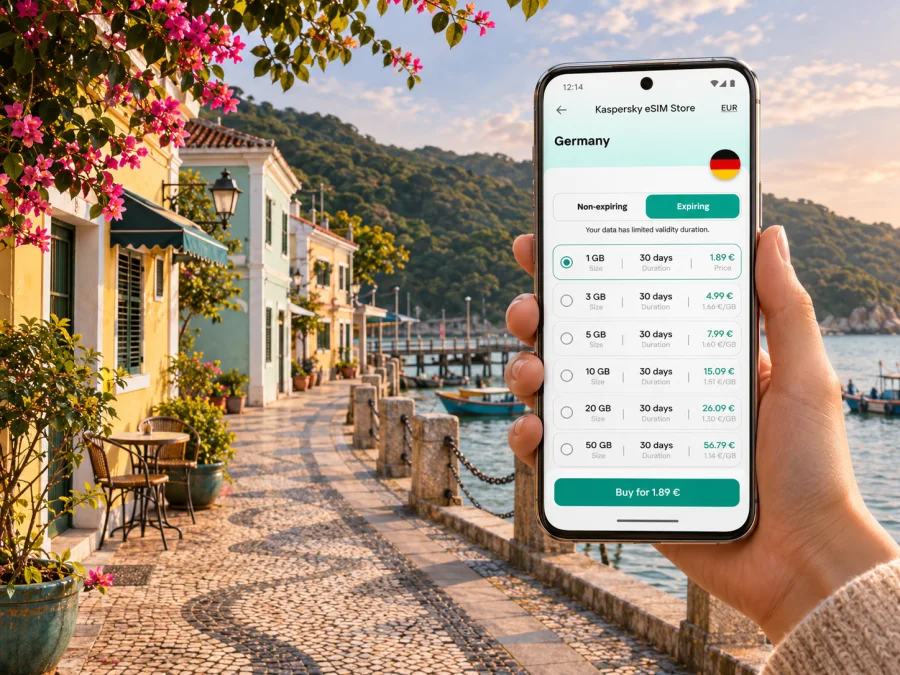
Coloane eSIM for mobile connection and internet in Macao
Coloane is the quiet southern part of Macao, known for a compact village by the water, green hills, beaches and walking routes. It is not a separate city: it is an island and district within the Macao Special Administrative Region. That distinction matters when you plan a trip. Your accommodation may be in Coloane while your arrival point, ferry terminal, work meeting or evening plans are in Taipa or on the Macao Peninsula. A reliable way to check directions and transport information on the move can make those transitions easier.
An eSIM can provide mobile data without swapping the physical SIM in your phone, provided both your device and the selected plan support the arrangement. It is useful for looking up a bus route, messaging your hotel, checking a walking map or arranging a ride. It does not automatically include a regular phone number, voice calls or SMS, and connectivity depends on the plan, supported network and local coverage at your location. Treat it as one part of your travel setup, alongside offline maps and your usual SIM where needed.
What to expect in Coloane
Coloane has a different rhythm from the high-rise casino and retail districts often associated with Macao. The village core is walkable, but the island’s attractions are spread out. A day might combine the waterfront lanes around Coloane Pier with a bus ride to a beach, a park or a trailhead. Mobile data is most useful between those stops: to confirm the next bus, orient yourself at a junction, translate an address or let someone know your arrival time.
The terrain and itinerary affect how you should prepare. Along the village streets, you can often orient yourself using visible landmarks and signs. On a trail or a less busy road, you may have fewer people to ask, and the phone may be more useful for checking the route before you set off. Download an offline map in advance and keep the address of your accommodation in both English and the original booking format. A map app is a navigation aid, not a substitute for posted closures, local instructions or sensible caution outdoors.
| Part of the visit | What your phone may help with | Useful backup |
|---|---|---|
| Coloane Village | Find a café, pier, temple or a small lane | Save the meeting point and accommodation address |
| Bus journey | Check stops and route changes | Keep the destination name written down |
| Beach visit | Coordinate a return journey and check conditions | Note the nearest stop before walking down |
| Hiking or park visit | Follow a saved map and share your plan | Carry water, charge your phone and keep an offline map |
| Hotel or work stay | Message reception and confirm arrival details | Save booking details for offline access |
Arriving in Macao and continuing to Coloane
Macao International Airport is on Taipa, so reaching Coloane is a local transfer rather than a cross-country journey. From the airport, public buses serve destinations across Macao; the airport’s current transport page lists route 26 to Coloane Market, among other services. Routes, operating hours and stop names can change, so check the live information on the day instead of relying on a saved timetable from an older trip. If your flight lands late, compare the current bus service with a taxi or a transfer arranged with your accommodation.
The airport also has a Light Rapid Transit station connected to the passenger terminal. The LRT can be useful for reaching parts of Taipa and connecting onward, but it does not take you to every Coloane address. Confirm the nearest useful station, then decide whether a bus or taxi is practical for the final leg. A hotel shuttle may be convenient for guests of participating properties; ask the hotel about its current pick-up point and hours before you count on it.
A mobile connection helps most when you are choosing between these options at the terminal. Before leaving the arrivals area, open your saved hotel address, check the map route, and confirm where the bus or taxi stand is. If you need to show an address, having it saved as text or a screenshot can help even if data briefly drops. Keep some battery for navigation later in the day, and consider carrying a portable charger if you plan to spend hours outdoors.
Airport transfer checklist
- Confirm whether the destination is in Coloane Village, Cotai, Taipa or elsewhere; the names can look similar when booking a stay.
- Check a current route planner for the airport-to-address journey and note the final stop.
- Compare the estimated transfer time with your check-in window, not just the distance on the map.
- Keep the hotel name and full address available offline.
- If taking a taxi, show the destination clearly and confirm any fare questions before departure.
- If using a bus, check the route direction and destination display before boarding.
Getting around: village streets, buses and longer walks
Coloane is not a place where every attraction sits beside a rapid-transit station. Public buses connect the Macao Peninsula, Taipa and Coloane, while local walking links the small village center and waterfront sights. For a route that includes multiple stops, think in legs: first identify the closest bus stop, then check how far you must walk from the stop to the attraction. A result that looks close on a small map may involve a steep road, an exposed stretch or a route with limited shade.
The Macao Government Tourism Office describes public buses as serving the Peninsula, Taipa and Coloane, with a standard fare shown as MOP 6 and no change given when paying with coins. Payment methods and fare details can change, so check current official guidance before travel. A stored-value transport card may be more convenient if you will ride frequently, but do not assume it is the only payment method or that every payment app works with an overseas account. Keep a little local cash available as a fallback.
Taxis can save time when you have luggage, are traveling with children or are heading to an address that is a long walk from a bus stop. Official visitor guidance lists additional taxi surcharges for trips to Coloane and for boarding at the airport; current rates should be checked before travel. Use the meter and make sure the driver has the right destination. Your phone can help you see the general route and share an estimated arrival with your host, but do not treat an app estimate as a guaranteed fare or travel time.
A simple route-planning routine
- Search for the exact attraction or accommodation, not only “Coloane.”
- Check the route using the date and approximate time you expect to travel; service frequency and traffic vary.
- Compare bus, walking and taxi options for the full door-to-door trip.
- Save the route or map area while you have a stable connection.
- Check the direction of travel at the stop and watch for the named destination on the bus display.
- Recheck the return journey before you leave a beach, trail or quieter attraction.
For a short village visit, walking may be the simplest choice. The lanes around Coloane Pier, the waterfront and nearby heritage sites reward a slower pace, and a map is useful for locating a precise street or finding your way back to the bus stop. For a hill or park excursion, check the access road, the nearest stop and the walking distance before setting out. Heat, rain and seasonal weather can change how demanding an outdoor route feels; bring water and follow local notices.
A phone setup that works for a day out
Use your phone to reduce uncertainty, not to make the itinerary dependent on a constant signal. Before leaving your room, save the next stop, the return route and the address of your hotel. If you expect to take photographs or use navigation for much of the day, review battery and data settings. Disable automatic photo backup over mobile data if you want to reserve your allowance for maps and messages. Download music, tickets and any translation resources over Wi-Fi beforehand.
If you cross from Coloane to the busier parts of Macao during the day, expect the trip to involve several changes in scenery and transport. A map connection can help with timing, while a local transport information source can confirm the latest route. At a transfer point, check that your next bus or rail segment goes in the right direction before boarding. Give yourself extra time for unfamiliar stops, weekends and event periods.
Choosing an eSIM for a Macao visit
Start with your actual travel pattern. A visitor staying mostly in Coloane may use data for maps, messaging, restaurant searches and ride coordination, while someone moving between meetings, Taipa and the Peninsula may check routes more often. Video calls, uploads and hotspot use can consume more data than basic navigation. Estimate your needs from the apps you expect to use, then compare the current plan’s data amount, validity period, supported destination and activation terms.
Kaspersky eSIM Store is an app and website where you can choose, purchase and activate an eSIM plan for mobile internet on an international trip. The available product details and plan conditions can change. Review what is shown for Macao at the time you are preparing to travel, including the data allowance, validity, activation rules and whether the plan is intended only for data. The currently displayed local Macao plans name CTM as the local telecommunications provider; check the live page for the provider and terms attached to the specific plan you choose, since offers and arrangements can change.
Before purchase, distinguish a local destination plan from a regional plan that includes Macao. A regional package may suit a multi-stop itinerary, but only if its list of included destinations covers every place where you expect to use data. If your trip includes mainland China or Hong Kong, verify each destination separately: a Macao plan should not be assumed to work across a border, and roaming availability, local rules and network arrangements can differ. Check the exact product details rather than relying on the label “Asia” or “global.”
For the current selection, review eSIM options for Macao and compare the plan details with your itinerary. The page is a destination landing page, not a Coloane-specific coverage promise. It does not establish signal quality inside every hotel, on every trail or at every point along the coast. For a short stay, prioritize a plan whose validity matches your dates; for a longer visit, compare the data allowance and renewal or expiry terms. Make a note of the amount of data you expect to use, and leave a margin for navigation and unexpected changes.
| Your trip pattern | What to compare | Why it matters |
|---|---|---|
| One or two days in Coloane | Validity and modest data allowance | Avoid choosing a long validity period you will not use |
| Several days across Macao | Total data and included destinations | Maps and messages are light; frequent uploads use more |
| Macao plus nearby destinations | Country or region list and roaming conditions | A package name alone does not confirm cross-border use |
| Work with regular calls | Hotspot allowance and separate voice arrangements | A data eSIM may not include a local number or calls |
| Uncertain itinerary | Expiry, top-up and activation rules | Understand what happens if your dates change |
Check the device before you travel
An eSIM plan is useful only if your phone supports eSIM and is not restricted by a carrier lock that prevents adding another profile. Support varies by exact model, regional variant and the software configuration of the device. The same product family can include versions with different SIM capabilities, so check the precise model number in the manufacturer’s specifications and your phone settings. If support is unclear, confirm with the device maker or your current carrier before buying. Check whether your device supports eSIM.
If your phone has two active lines, decide which line should handle mobile data and which should receive calls or messages. Keep your usual number enabled if you need it for verification codes, but check your home carrier’s roaming charges. Select the travel eSIM for mobile data only when appropriate. Menu names vary by device and operating system, so use the instructions for your handset and verify the selected line after installation.
Install and activate with a little time to spare
Read the plan’s activation instructions before installation. Some profiles can be installed ahead of travel and activate under specific conditions; others may begin their validity when first connected. Do not assume the timing. Use a reliable Wi-Fi connection to install the eSIM, keep the QR code or activation details accessible, and follow the on-screen steps. Avoid deleting the eSIM profile after setup unless the instructions or support team tell you to do so; some profiles cannot be installed again after removal.
For step-by-step help, follow the Android eSIM installation guide or the iOS eSIM installation guide. Once you arrive, select the travel line for mobile data if the plan requires it, enable data roaming for that eSIM when its instructions say to do so, and check that the network connection is active. Keep your home line’s data roaming setting under control to avoid accidental charges. If the connection does not start, check the plan’s coverage and activation rules, restart the device if appropriate, and contact support through the service you used to purchase it.
Before departure
- Confirm the exact phone model and eSIM support for your regional variant.
- Check that the device is unlocked for use with another SIM profile.
- Compare the plan’s destination, data allowance, validity and activation rules with your dates.
- Install the profile over a stable connection if the plan instructions allow advance installation.
- Save the activation instructions and support details somewhere accessible offline.
- Keep your normal SIM settings and roaming charges in mind.
After landing
- Follow the activation instructions for the plan you selected; the steps are not identical for every eSIM.
- Choose the travel eSIM for data if required and check any data-roaming instruction.
- Turn off data switching between lines if you do not want the phone to use your home SIM for data.
- Open a simple page or map to confirm that data works before leaving the terminal.
- Save an offline map of Coloane and the route to your accommodation.
Frequently asked questions
Is Coloane a city in Macao?
No. Coloane is an island and district within the Macao Special Administrative Region. It has a village center and distinct places to visit, which is why travelers often plan it as a destination in its own right. This guide focuses on that area while using Macao as the destination when checking eSIM options.
Will a Macao eSIM work everywhere in Coloane?
No plan should be assumed to work at every exact location. Signal can vary by provider, building, terrain and network conditions. Check the plan’s stated destination and current provider details, and keep offline navigation available for a weak or interrupted connection.
Can I use an eSIM for calls and SMS?
A travel data eSIM may provide mobile internet without a regular phone number, voice calling or SMS. Check the specific plan details. If you need ordinary calls, keep a suitable voice line active or use an internet-calling app where appropriate.
Is a Macao plan enough for Hong Kong or mainland China?
Do not assume so. Check that each destination is explicitly included in the selected plan and review any regional limits. Border crossings can involve different network arrangements and local requirements. A Macao-only plan may not provide service elsewhere.
Should I install the eSIM before leaving home?
That depends on the plan’s installation and activation rules. You may be able to install it before travel, but validity can start under different conditions. Read the instructions first, install over stable Wi-Fi if permitted, and wait to activate until the plan’s terms indicate.
What if my phone cannot use eSIM?
Use your regular SIM with a roaming option from your home carrier, or consider a local physical SIM if available and suitable for your device and travel documents. Check any costs, identification requirements and compatibility before relying on that alternative. Download maps and key details in advance either way.
How much data do I need for Coloane?
There is no single amount that suits every visit. A traveler using maps and messaging may need less than someone uploading video, using a hotspot or joining frequent calls. Estimate from your own app use, trip length and whether Wi-Fi will be available, then select a plan whose allowance and validity match those needs.
Prepare your connection for Macao
A little preparation makes a Coloane visit easier: know whether your address is in the village, near a beach or on a hill route; save transport and accommodation information offline; and choose an eSIM only after checking the device, destination and plan terms. The live Macao page in Kaspersky eSIM Store lets you compare current options for your trip. Review the details that apply to your dates, then install and activate the selected eSIM according to its instructions so your phone is ready for maps, messages and practical travel updates.


