Travel connectivity guide
Coloane Village eSIM: Macao Travel Internet Guide
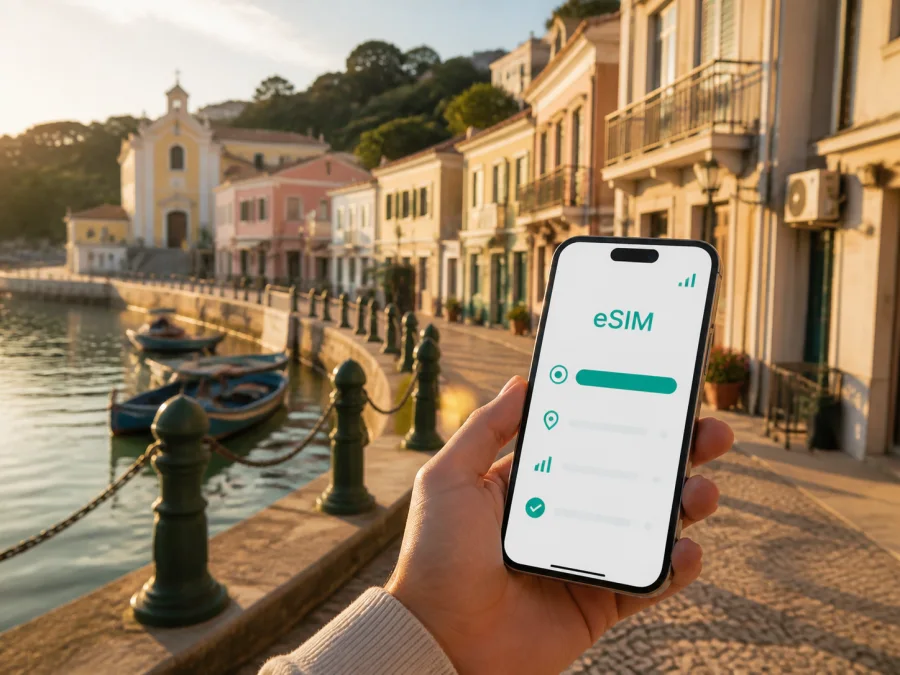
Coloane Village eSIM: Mobile Connection and Internet for a Macao Trip
Coloane Village is a good place to slow down after the busy arrival areas of Macao. The village sits at the southern end of Macao, with old lanes, a waterfront, low-rise houses, local food spots, temples, murals, and views toward Hengqin. It is compact enough for walking, but your trip still depends on practical mobile internet: getting from the airport, checking a changing bus route, finding a hotel shuttle meeting point, translating a menu, or sending a message after leaving the main tourist district.
An eSIM, or digital SIM, can help you prepare that connection without replacing the physical SIM already in your phone. For a short visit, stopover, or work trip, consider the data you need, the plan’s start conditions, and the route between Taipa, Cotai, the peninsula, and Coloane Village.
Why Coloane Village needs a city-specific connection plan
Coloane Village is not just another stop on a general Macao itinerary. Its appeal comes from the contrast between a quiet coastal settlement and the larger urban areas elsewhere in the territory. You may spend part of the day following a walking route near Coloane Pier, then travel back through Taipa or Cotai for a meeting, dinner, or onward transfer. That change of pace affects how you use data.
In the village, a map helps you locate a small square or lane, while a connection helps with a ride, translation, and messages. On a business trip, the same phone may carry a calendar, work messages, and a call, so a clear eSIM plan helps separate travel data from your home allowance.
The practical summary is simple:
For Coloane Village, choose an eSIM plan for your Macao route, install it on a compatible and unlocked device, and keep your main SIM available for the services you still need at home.
This is useful when you do not want to look for a physical SIM point immediately after landing or during a short stopover.
Arriving in Coloane Village from the airport
Most visitors approaching Coloane Village by air arrive at Macao International Airport on Taipa. Public transport, taxis, and hotel shuttles are available; the best choice depends on your accommodation, luggage, and arrival time. Check current service details when you travel.
Before leaving the terminal, make sure you can do four basic things on your phone:
- Read the address or meeting point for your accommodation.
- Open a map and save the route to Coloane Village or your first stop.
- Contact a hotel, driver, colleague, or travel companion if plans change.
- Keep enough battery for navigation during the transfer.
If you are taking a taxi, show the destination in writing as well as on a map. The exact hotel, restaurant, square, or stop name is more useful than “take me to Coloane.” For a bus or shuttle, save the stop name before leaving airport Wi‑Fi.
Moving around: walking, buses, taxis, and last-mile planning
The central lanes of Coloane Village reward walking. The waterfront, small squares, old façades, chapels, temples, food businesses, and murals are close enough to combine into a relaxed route, but the village should not be treated as a single point on a map. The best navigation plan uses a few anchors and leaves time for detours.
A practical walking pattern
Start by saving Coloane Pier and one central square as reference points. From there, you can explore the promenade and old lanes, pause at a café or local food shop, and continue toward the Chapel of St. Francis Xavier or nearby historic sites. If you want to visit a temple, mural, or small shop, use its exact name rather than relying on a broad neighbourhood label.
When a road transfer is better
Use a bus or taxi with luggage, in strong heat or rain, after dark, or when linking the village with Taipa, Cotai, or another part of Macao. Hotel shuttles can be convenient, but their stops and times are property-specific. Confirm the return point before setting out.
Save the address of your next hotel or terminal, check current stop information, and leave a buffer for a transfer. With an eSIM active, you can check the next step as you go instead of relying on an old screenshot.
Where mobile internet helps in the village
Coloane Village is most enjoyable when the phone supports the trip without taking it over. Use data for small, high-value tasks:
| Situation | Useful phone task | Preparation that helps |
|---|---|---|
| Airport arrival | Check the first transfer and accommodation address | Save the booking and destination before leaving |
| Waterfront walk | Confirm the next lane, pier, or square | Pin the return point and keep a map available |
| Food stop | Translate a dish name or send a meeting update | Keep a little data for messages and maps |
| Bus or taxi connection | Review the next stop and estimated route | Check the current transport information |
| Workday in Macao | Use messages, calendar, email, or a call | Choose a plan with room for your normal work use |
| Day trip from Coloane | Recheck the route back to your hotel | Save the final destination and transport options |
Turn off automatic updates and unnecessary background use, and download large files on a trusted connection. Use mobile data for navigation, communication, translation, and time-sensitive information so the allowance is easier to monitor.
Choose an eSIM plan for your Macao route
The right plan depends on the shape of your visit. A short walk through Coloane Village needs less data than a week with navigation, work calls, video, photo uploads, and island transfers. Review the destination, data volume, validity period, price, activation conditions, and any top-up or refund rules.
For a clear starting point, choose an eSIM plan for your trip to Macao. Kaspersky eSIM Store is an app and website where you can choose, arrange, and activate an eSIM with a suitable plan for mobile internet during an international trip. Compare the stated conditions with your itinerary rather than selecting by data volume alone.
Match the plan to the way you travel
| Trip pattern | Likely data behaviour | What to check |
|---|---|---|
| Coloane stopover | Maps, messages, translation, occasional searches | A small allowance with a validity period covering the stop |
| Weekend in Macao | Navigation, photos, reservations, messaging | Enough data for several active days and transfers |
| Business visit | Email, documents, calendars, calls, tethering if permitted | Work requirements, hotspot conditions, and a comfortable data margin |
| Multi-area itinerary | Frequent maps and transport checks across Macao | Destination coverage in the plan and the full validity period |
| Slow travel | Regular maps, messages, browsing, and occasional uploads | A longer validity period and a way to monitor remaining data |
If you plan to use the phone as a hotspot, confirm that the selected tariff allows it and that automatic backups will not consume the allowance. For maps and messages, a large plan is not automatically a better choice; for video calls or photo uploads, leave a margin.
An eSIM plan is primarily for mobile internet. It does not automatically provide a normal phone number, voice calls, or SMS unless the specific terms say otherwise.
Prepare your phone before leaving home
Preparation is easiest while your main SIM and a trusted internet connection are available:
- Check that the phone supports eSIM and is not locked to a mobile operator; check your device compatibility.
- Install system and travel apps before the flight, if updates are needed.
- Save your accommodation address, airport details, and the first Coloane destination.
- Decide which line will handle calls and which eSIM profile will handle mobile data.
- Check whether data roaming must be enabled for the eSIM according to the device and plan settings.
- Turn off data switching if your phone could move mobile data back to your home SIM unexpectedly.
- Keep the QR code or activation details accessible, but do not send them to other people.
- Charge the phone and carry a power bank for long walks or transfer-heavy days.
Model variants can differ by region, and an operator lock can prevent a profile from being used. Resolve compatibility before payment.
How to install and activate an eSIM
Menu names differ by manufacturer. Keep the phone connected to Wi‑Fi during setup.
1. Check the device and plan
Confirm compatibility, operator-unlock status, destination, data allowance, validity, and activation conditions.
2. Open mobile network settings
Choose the option for adding a mobile plan or eSIM. Name the profile “Macao trip” if your phone offers that option.
3. Scan the QR code or use the provided activation flow
Follow the plan instructions and do not scan the same QR code on multiple devices. Wait for the installation message.
4. Select the eSIM for mobile data
Set the travel eSIM as the line for mobile data when you want to use it. Check how calls, messages, and data switching will be handled.
5. Check the data-roaming setting
Some travel eSIMs require data roaming for that profile. Follow the plan instructions and avoid enabling it on the home line if you do not want roaming charges.
6. Test a simple task
Open a map or send a short message. If it does not connect, wait a few minutes and check the selected data line and plan conditions.
For device-specific help, use the Android installation instructions or the iOS installation instructions before travelling.
Three Coloane Village travel scenarios
The short stopover
You have a few hours between an airport arrival and a later departure. Choose a plan whose validity covers the stop, save key details, and use the eSIM for the airport-to-village route, a compact waterfront walk, and the return journey. Keep the pier, next transport point, and terminal address easy to find.
The leisure weekend
You are staying in Taipa or Cotai and want a slower day in Coloane Village. Set the eSIM as your data line, save the return route, and keep your map open only when needed. Walk through the old lanes and waterfront, and agree on one meeting point if the group separates.
The work trip with a free afternoon
You have meetings elsewhere in Macao and only a few hours for the village. Prioritise data for the calendar, email, messages, navigation, and work calls. Check the route in both directions. If your laptop needs internet, confirm tethering conditions and limit background synchronisation.
A compact route-planning checklist
Before leaving your hotel or the airport, answer these questions:
- Where is the first stop, and what is its exact name?
- Which point will you use as the return anchor: Coloane Pier, your hotel, or a transport stop?
- Will you walk, take a bus, use a taxi, or combine several modes?
- Is the phone charged enough for maps, photos, and messages?
- Is the travel eSIM selected for mobile data?
- Do you know where the QR code, plan details, and support information are stored?
These answers keep a village visit from becoming a search for a stop, while optional downloads wait for trusted Wi‑Fi.
Frequently asked questions
Is an eSIM useful for a visit focused on Coloane Village?
Yes, if you need mobile internet for the airport transfer, maps, messages, translation, transport checks, or a return journey. It is practical for a stopover because you can prepare a digital profile instead of looking for a physical SIM after arrival.
Can I use the same eSIM elsewhere in Macao?
That depends on the destination and conditions of the selected plan. Check that it applies to Macao and review its validity before travelling between Coloane Village, Taipa, Cotai, and the peninsula.
Should I install the eSIM before flying?
Usually, installing it while you have reliable Wi‑Fi and time to check the settings is more comfortable. If you install it after arrival, keep the QR code and account details available.
Will an eSIM replace my regular phone number?
Not normally. Travel eSIMs are intended for mobile data unless the specific terms state otherwise. Keep your regular line if you need its number for calls or SMS, and check your phone’s data-line and roaming settings carefully.
What if the eSIM does not connect in Coloane Village?
First confirm that the travel eSIM is selected for mobile data, that the plan is active for the destination, and that the required data-roaming setting is enabled for that profile. Then restart the mobile connection or phone and allow a few minutes for registration. If the issue remains, consult the plan instructions and contact support with the device and profile details.
Do I need a large data allowance for the village?
Not necessarily. A short walk using maps, messages, and occasional searches can require much less data than video, repeated photo uploads, or hotspot use. Estimate your complete Macao itinerary, not just the hours spent in Coloane Village, and leave a sensible margin for transport changes.
Stay ready for a calmer Coloane day
Coloane Village is easiest to enjoy when practical details are settled early. Save the arrival route, keep landmarks and the return point in your map, check the phone before leaving, and use mobile data for navigation, communication, translation, and transport decisions. Then explore the waterfront, old lanes, temples, chapel, murals, and local food.
When you are ready, choose an eSIM plan for your Macao journey, review its data and validity conditions, and prepare it on a compatible device before you travel.


