Travel connectivity guide
Colombier eSIM for Mobile Internet | Saint Barthelemy
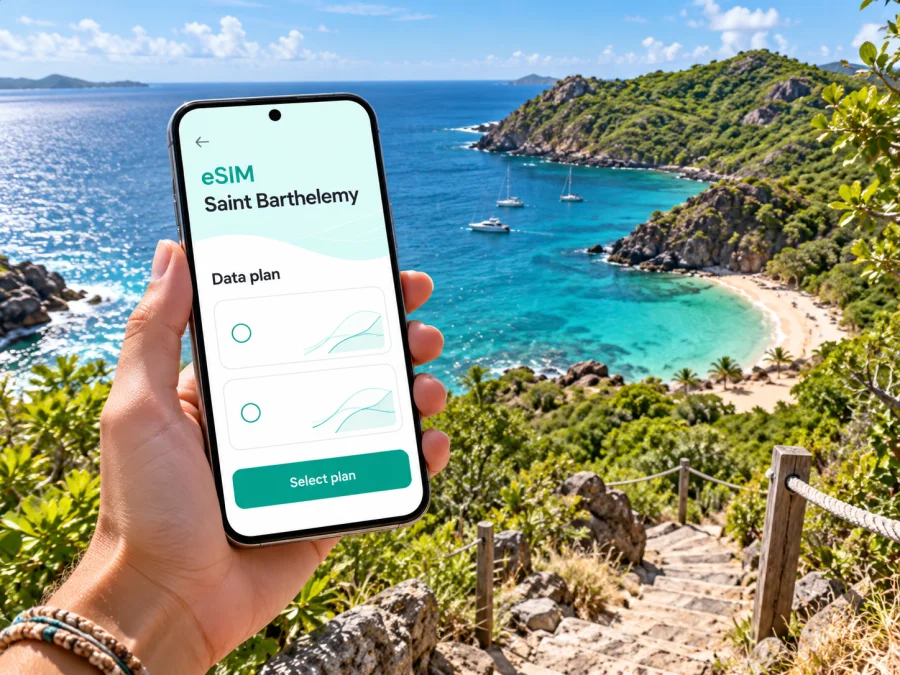
Colombier eSIM: mobile connection and internet for a Saint Barthelemy visit
Colombier is a quiet corner of Saint Barthelemy where a day can revolve around a coastal walk, a secluded beach and a ride back across the island. It is also a place where practical planning matters: the beach is reached on foot or by boat, roads are winding, and the mobile signal you have near your accommodation may not be the signal you find along the trail or at the water’s edge. An eSIM can make everyday travel tasks easier, but it should be treated as one useful tool—not as a promise of uninterrupted service in every cove.
This guide focuses on mobile internet for a stay in Colombier: how to prepare before arrival, plan the route, choose a data allowance, and handle the places where a screen is less useful than an offline backup. The country name is kept as supplied: Saint Barthelemy. Colombier is commonly used for the district and its beach area, rather than a large urban centre with a conventional downtown.
What to expect in Colombier
Colombier sits on the northwestern side of Saint Barthelemy. Its best-known destination is the sheltered beach in the bay. Visitors generally reach it by a walking route from the Colombier side or from the Flamands side, or by boat. There is no assumption here that you can drive directly to the sand or rely on a nearby shop, taxi rank or public facility at the beach itself. Plan the last part of the outing before leaving your accommodation.
The area’s appeal is precisely its quieter, more natural character. A phone is useful for checking a saved route, coordinating a pickup, confirming a boat meeting point and sharing an update with someone at home. Yet the steep terrain, vegetation, distance from built-up areas and changing network conditions can affect service. A map that has already been downloaded and a written meeting point are sensible companions to mobile data.
| Part of the trip | Where mobile internet can help | What to prepare offline |
|---|---|---|
| Arrival and transfer | Messages, booking details, directions to your rental car or accommodation | Confirmation numbers, address, host or driver contact |
| Drive toward Colombier | Navigation, route changes and coordinating with companions | A map area saved in advance; clear turn-by-turn route |
| Trail and beach time | Occasional messages or checking information if a signal is available | Trail plan, return meeting point, emergency contacts |
| Boat outing | Messages before departure or after landing | Operator details, departure time and agreed pickup location |
| Return to Gustavia or St Jean | Navigation, restaurant or accommodation messages | Destination address and a backup route |
This table is a task guide, not a coverage guarantee; terrain, network, device, weather and exact location all matter.
Arriving on Saint Barthelemy and continuing to Colombier
Many visitors reach Saint Barthelemy through a regional connection rather than a direct long-haul flight. The island’s Rémy-de-Haenen Airport is in the Saint-Jean area; ferry connections also serve Gustavia. Your route may include a transfer through another Caribbean island, so check the ticket and entry requirements for every point on your itinerary, including a transit stop. Do not assume that a plan selected for Saint Barthelemy also covers a neighboring island.
From the airport or ferry terminal, Colombier is a road journey rather than a walk from the arrival point. Taxis and rental vehicles are practical options to arrange for your first transfer. If you plan to drive, remember that Saint Barthelemy’s roads include steep, narrow and winding stretches. Set navigation before moving, keep the phone mounted safely, and do not handle it while driving. If you are using a driver, have the accommodation name and location ready in a message or saved note in case you need to show it without a connection.
Before leaving the terminal, confirm your transfer, keep the accommodation address and booking details saved offline, and set navigation while stationary. Send an arrival update while you have a dependable connection, then download the relevant map and confirm the return plan before heading to the beach.
If you arrive by ferry or connect through another island, allow for possible timetable changes and keep the next transfer’s contact information accessible offline. Mobile internet is helpful for updates, but it should not be the only place you store booking details.
Planning the Colombier beach walk
The beach is not a conventional roadside stop. The walking approaches involve uneven natural terrain, and visitors should choose a route that fits their fitness, footwear and conditions on the day. Take water, sun protection and shoes suitable for walking. Leave enough daylight for the return and avoid treating a phone’s estimated walking time as a promise: heat, stops, the condition of the path and individual pace can all change the outing.
Before you leave, make a small trail plan. Save the starting point, the intended route and a return point on an offline-capable map. Tell a companion or your accommodation host roughly when you expect to be back. If you are meeting a boat, agree on the exact location and time in advance; a message may not go through from the beach. Keep your battery for navigation and essential contact, and consider a portable charger for a longer day.
A practical pre-walk check:
- Is the route suitable for everyone in your group today?
- Do you have water, sun protection and walking shoes?
- Have you saved the map and the accommodation address?
- Does someone know your route and expected return window?
- Is the phone charged, with low-power settings available if needed?
- Have you confirmed a boat or pickup plan before leaving a dependable connection?
A mobile signal can be intermittent away from settled areas. Do not use the presence of a signal at your villa, hotel or on a main road as evidence that it will continue down a trail. If you lose service, follow your pre-agreed plan rather than repeatedly refreshing a map or relying on a new message to appear.
How much data should you plan for?
There is no single data allowance that suits every Colombier visit. A short stay with saved maps and occasional messaging uses data differently from a longer trip involving video calls, cloud photo backup or frequent online navigation. Think about the whole Saint Barthelemy itinerary, not only the hours spent in Colombier: transfers, Gustavia, St Jean, accommodation Wi-Fi and any onward destination all affect your usage.
| Your likely use | Planning approach |
|---|---|
| Maps, messages and occasional searches | Save maps and directions ahead of time; choose an allowance that leaves room for route changes and essential browsing. |
| Frequent navigation and photo sharing | Check whether your phone backs up photos over mobile data, and turn off automatic uploads if you do not need them while travelling. |
| Video calls or remote work | Estimate call hours and file uploads separately; test your routine on Wi-Fi and keep a fallback connection plan. |
| Several islands or countries | Check each destination’s coverage and validity separately; a Saint Barthelemy plan may not include a neighboring market. |
This is a planning framework rather than an estimate of a specific plan’s quota. Review the current tariff details before purchase, including its destination, data amount, validity period, activation conditions and any top-up terms. Do not choose solely by the number of gigabytes: a plan that covers the wrong country or expires before the end of your stay will not fit the trip.
Once you know the dates and the kind of use you expect, check current destinations and eSIM plans in Kaspersky eSIM Store and compare the listed allowance and validity with your itinerary. Kaspersky eSIM Store is an app and website where you can choose, purchase and activate an eSIM with a suitable travel data plan. The available offer and its conditions are shown at the time you browse; check them directly before making a decision.
Compatibility and preparation before travel
An eSIM only works if the specific phone supports eSIM and is not restricted by a carrier lock. Support can differ between device families and regional variants, even when the model names look similar. Check the exact model and sales region in your device settings or manufacturer documentation, and confirm that the phone is unlocked for use with another mobile plan. Check whether your device is compatible before selecting a plan.
Before buying, make sure you can access the email address or account used for the order and that you know how the installation details will be delivered. Keep your primary number active if you still need it for calls or verification codes. A travel data eSIM generally does not replace a regular phone number: voice calls and SMS are not included unless the selected plan explicitly says otherwise. Internet-based messaging and calling apps may work over data, subject to their own setup and availability.
Use this preparation checklist a day or two before departure:
- Confirm the phone supports eSIM and is carrier-unlocked.
- Check that Saint Barthelemy appears in the destination and coverage details for the exact plan.
- Compare the plan’s data amount and validity with your dates and expected use.
- Read when validity starts; do not assume it begins at purchase or only on arrival.
- Install the eSIM while connected to stable Wi-Fi and follow the supplied instructions.
- Label the new mobile plan clearly, for example “Travel data,” so you can recognize it in settings.
- Decide which SIM should handle mobile data and which should remain available for your usual number.
- Disable data roaming on the home line if your carrier may charge for it, and follow the eSIM plan’s own setup requirements.
- Save a screenshot or copy of the installation and support details somewhere accessible offline.
Installation steps vary by device and by the eSIM profile. Follow the instructions provided for the plan and phone model: installation guide for Android or installation guide for iOS. Installing a profile and using it for data are distinct steps. You may be able to install before departure and select the travel line later, but follow the plan’s stated activation rules so its validity starts when intended.
Using mobile data around Colombier
Once you are on the island, check which line is selected for mobile data and whether the eSIM has registered on a supported local network. Some plans require data roaming to be enabled specifically for the travel eSIM; others may use a different setup. Follow the plan’s instructions instead of changing every roaming setting at random. Keep the home SIM’s data setting under control to avoid unintended roaming charges.
If data does not work, try a measured troubleshooting sequence while stationary:
- Confirm that the eSIM is turned on and selected for mobile data.
- Check that airplane mode is off and that the phone has restarted its mobile connection.
- Verify the plan’s destination, activation status and remaining validity in the relevant account or app.
- Review any required network selection or roaming setting in the plan instructions.
- Move to a more open or settled location, since terrain and buildings can affect reception.
- If the issue remains, use the plan’s support channel over Wi-Fi and share the device model and the steps already tried.
Avoid resetting or deleting the eSIM profile as a first response. Some profiles cannot simply be reinstalled after deletion. Do not share a QR code or activation details publicly; treat them as account setup information. When you have a working connection, check messages and maps, then conserve battery for the part of the day when you may need the phone most.
Staying connected without relying on a signal
For Colombier, “prepared” is more useful than “always online.” Before leaving reliable reception, save the trailhead, accommodation address, host’s number, directions and boat meeting details. If your map supports offline areas, download the relevant section and test it with mobile data switched off. Agree on a meeting place and return time with your group; do not assume live location sharing will update where service is weak. Save battery for navigation and essential contact, and consider waiting until Wi-Fi to back up large photos. For remote work, download documents ahead and take important calls from a location whose connection you have checked.
Choosing where to stay and how to move
Accommodation around Colombier may be spread out rather than clustered around a town centre. Before booking, ask the host about the access road, parking, transport and how to locate the property after dark. Save the full address or pin. If indoor reception matters, ask about the connection at that specific property; an island-wide coverage statement cannot answer that question.
A rental car gives flexibility for Colombier, Gustavia, Flamands and St Jean, but roads can be narrow and steep. A taxi or driver can simplify point-to-point transfers. For a boat outing, confirm departure, return and meeting details with the operator before the day. Arrange each leg around your accommodation and activity rather than assuming city-style public transport.
| Travel style | Plan ahead for |
|---|---|
| Rental car | Narrow roads, parking and navigation before driving |
| Taxi or driver | Pickup time, meeting point and return arrangement |
| Walking | Route, shoes, water, daylight and battery |
| Boat | Weather, operator instructions and departure point |
Mobile internet supports each option, but does not replace a confirmed reservation or safe travel decision. Recheck instructions with your accommodation or transport provider if conditions change.
Two useful travel scenarios
For a half-day beach visit, check the route and weather, download the map, save the vehicle location and confirm any boat pickup before leaving reliable reception. Carry water and sun protection, keep enough battery for the return, and do not delay because you expect a message to arrive.
For a work trip with a free afternoon, complete calls and large downloads from a known connection, save local maps and documents offline, and avoid scheduling a meeting that depends on reception at the bay. The practical rule is the same in either case: prepare connection-dependent tasks in advance and keep essentials accessible offline.
Common eSIM and connectivity questions
Will an eSIM work on the Colombier beach trail?
That cannot be guaranteed. Reception depends on the local network and exact position, as well as terrain, device and conditions. Download navigation in advance and keep a non-digital return plan.
Does an eSIM for Saint Barthelemy cover Sint Maarten or another transfer stop?
Not automatically. Check the destination list for the specific plan. If your journey includes a transfer or stay elsewhere, confirm that it is covered or arrange a separate option for that location.
Can I use the eSIM for ordinary phone calls and text messages?
A travel data eSIM is intended for mobile internet and does not provide a regular telephone number unless the plan explicitly includes one. Keep your usual SIM available if you need its number, and check your home carrier’s roaming conditions. Messaging and voice apps may use data when they are available and configured.
Should I install the eSIM before travelling?
You can often install it before departure using Wi-Fi, but activation and validity rules vary by plan. Read the instructions carefully and install early enough to resolve any setup issue, while avoiding activation earlier than intended.
How can I limit unexpected data use?
Turn off automatic cloud backups and app updates over mobile data, download maps before the outing, and check usage in your phone and plan account. Video, navigation and photo uploads can consume data at different rates, so review your actual use during the first day.
A concise plan for your Colombier visit
- Before departure: confirm device compatibility, plan coverage, validity and data allowance.
- On arrival: keep transfer details handy and set mobile data to the intended SIM.
- Before the walk or boat trip: save maps, agree on meeting and return details, and charge your phone.
- During the outing: use data when service is available, but do not depend on it for navigation or pickup coordination.
- After returning: check usage, send updates and download anything needed for the next day over a reliable connection.
The best setup is the one that matches your dates and route while leaving room for the island’s varied terrain. A travel eSIM can make directions, messages and trip updates easier to manage around Colombier, while offline maps and a clear meeting plan cover the moments when mobile data is unavailable.
Prepare your eSIM for Saint Barthelemy
Before travelling, compare the current data allowance, validity and destination coverage with your itinerary, then install the eSIM on a compatible, unlocked device according to its instructions. Kaspersky eSIM Store’s app and website let you choose, purchase and activate a travel eSIM with a suitable data plan. open Kaspersky eSIM Store to check current destinations and plans and check the current terms before purchase. Set up your maps and essential details offline, and enjoy Colombier with a practical connection plan in your pocket.


